
Outdoor Mast Mount Antenna Guide: Brackets & IP Ratings
Dec 11,2025
Which mast-mount antenna and bracket style fits your site plan?

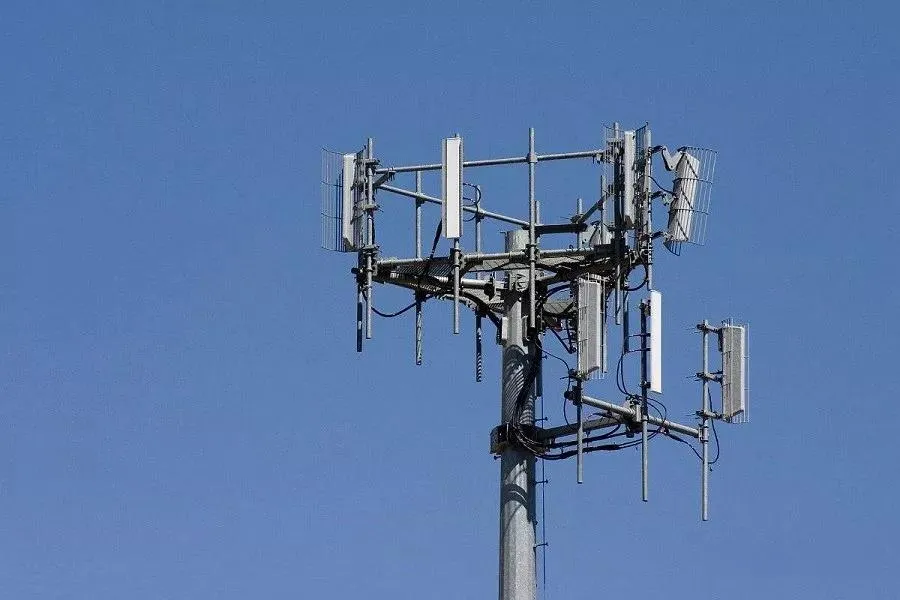
As the opening figure of the guide, this diagram visually compares the appearance, typical gain, and application scenarios of different antenna types. It likely uses side-by-side illustrations or photos to highlight the uniform coverage of omnidirectional antennas, the long-range directionality of high-gain antennas, and the compact, direct mounting of whip antennas, setting the visual foundation for subsequent detailed discussions on brackets, IP ratings, and installation.
In every outdoor deployment, a mast-mount antenna defines whether your network keeps its link stable through wind, rain, and heat. The correct mix of antenna type, bracket design, and mounting hardware determines not just RF reach but mechanical integrity. For context, TEJTE’s Wi-Fi Antenna Guide explains how 2.4 GHz and 5 GHz patterns behave when antenna height and orientation change—an insight that directly applies to mast setups.
Before picking hardware, evaluate your site. A flat rooftop with parapets differs from a narrow pole or vehicle mast. Engineers typically compare three categories: omnidirectional, high-gain collinear, and short device-mount whip antennas.
Omni vs “high-gain” collinear vs short device-mount whip
An omnidirectional antenna radiates evenly across 360 degrees—ideal for Wi-Fi and IoT gateways needing uniform coverage. Common gains range 2 – 6 dBi, low wind load, and simple installation.
A high-gain collinear antenna compresses the vertical beam to push signal farther horizontally, often 9 – 12 dBi at 5 or 6 GHz. It extends range but can leave blind spots beneath. You’ll find practical selection notes in TEJTE’s Outdoor Omni Antenna Selection & Ordering Guide.
Finally, the device-mount whip (or rubber-duck antenna) attaches directly to a radio’s SMA port. It’s compact and fine indoors but needs enclosure sealing to survive outdoors.
Map mast diameter, clamp type, and anti-rotation tabs to wind zone

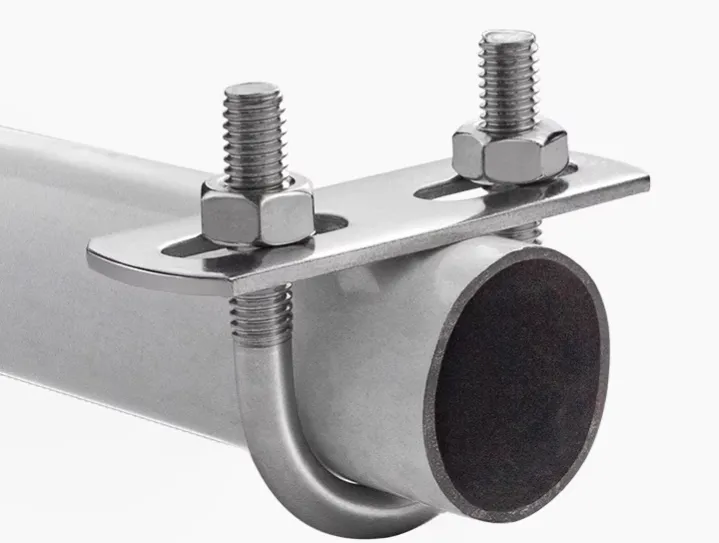
This diagram is a key tool for visualizing mechanical installation specifications. It integrates the textual descriptions of mast dimensions, clamp selection, and wind standards into an associative chart, possibly containing mast cross-sections, clamp exploded views, and annotated boxes indicating applicable scenarios. It helps installers quickly select hardware combinations that meet on-site mechanical strength and wind resistance requirements.
How do you verify IP/UV readiness for year-round rooftop exposure?
Decode IP65/66/67 and gasket/O-ring compression practices

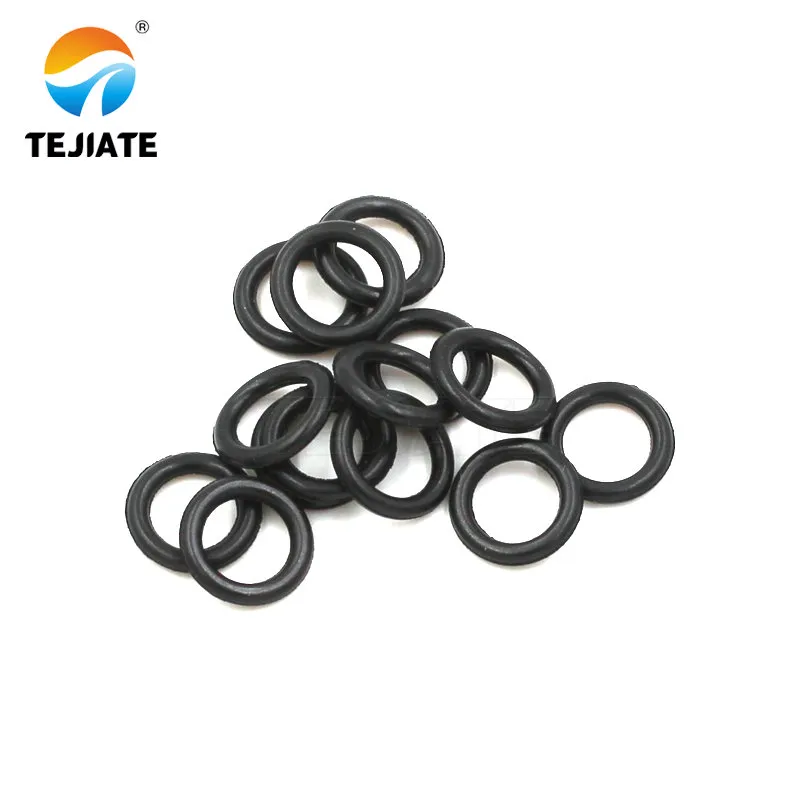
This product detail photo directly corresponds to the section “Decode IP65/66/67 and gasket/O-ring compression practices.” Through a high-definition close-up, it makes the abstract textual descriptions (e.g., “check O-ring compression,” “overtightening torque crushes gaskets”) concrete and tangible. It emphasizes that waterproof sealing relies not just on the housing but on the meticulous design of key interfaces like connectors, serving as a visual tutorial for ensuring long-term reliability.
The IP code defines resistance to dust and water:
- IP65 — resists low-pressure water jets.
- IP66 — withstands heavy sprays and brief submersion.
- IP67 — survives 30 minutes at 1 m depth.
For mast mounts, aim for IP66 or higher. Check O-ring compression at connector bases; torque too tight crushes gaskets, too loose leaks. A thin bead of UV-grade silicone along the radome seam helps maintain seal integrity through seasonal expansion cycles.
UV-stable radomes, salt-fog/temperature ranges, and sealing tapes
Sunlight destroys ordinary plastics within months. Choose UV-stabilized ABS, ASA, or fiberglass radomes rated –40 °C to +85 °C. For coastal sites, confirm salt-fog endurance under ASTM B117.
Seal connectors with self-amalgamating butyl tape and overlay with UV-resistant PVC. TEJTE engineers often double-wrap—clockwise then counterclockwise—to eliminate capillary paths. A note in the Omnidirectional Antenna Selection Guide details this dual-wrap technique used in field audits.
What torque and hardware keep the antenna from rotating in storms?
Set clamp torque ranges, locking washers, and threadlocker use
Check mast roundness/paint and friction liners for slick surfaces
Will feeder choice and length erase your link budget at 2.4 GHz?
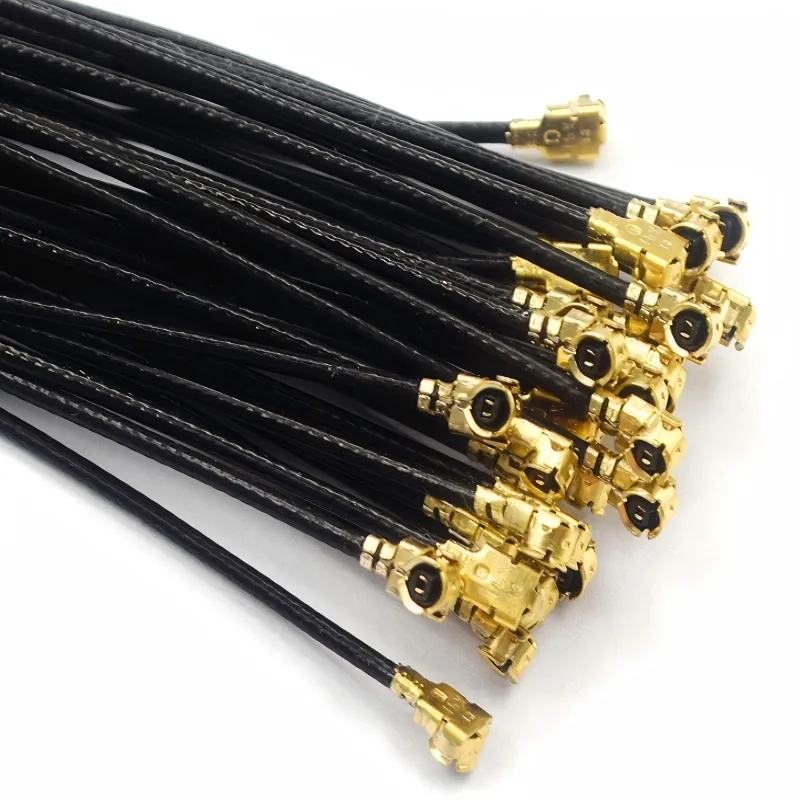
Pick LMR-240/400 vs short U.FL→SMA pigtails; plan junction points

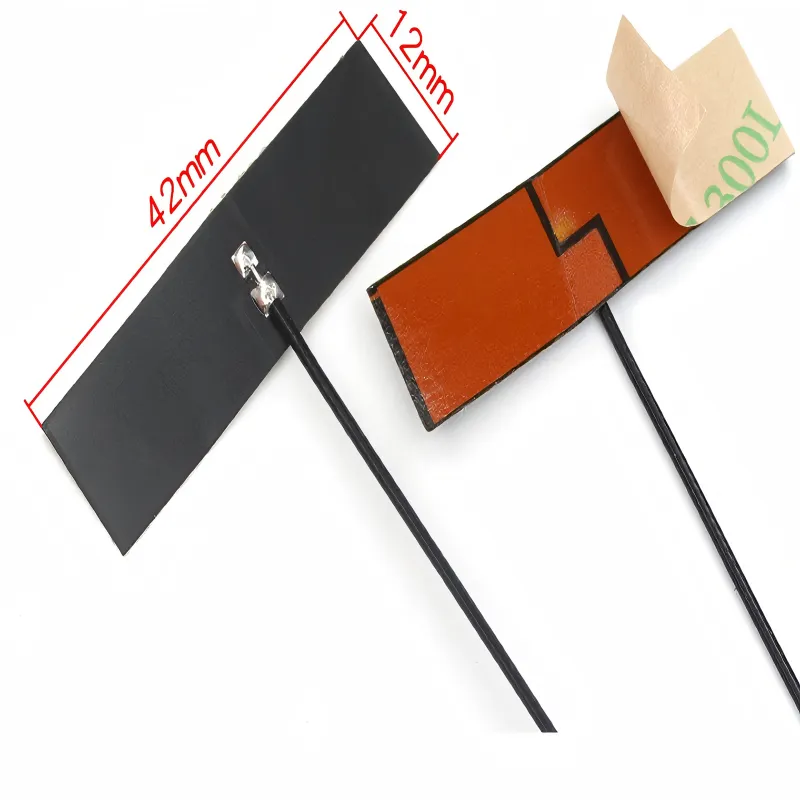
Although labeled “FPC Antenna,” within the context of an outdoor mast-mount guide, this image is more likely used as a reference point to introduce the discussion on “choosing LMR-240/400 vs. short U.FL->SMA pigtails.” It reminds readers that even in outdoor systems, the starting point of the RF chain may be such a compact internal antenna assembly, and the loss of the first segment of micro-coaxial jumper connecting to it also requires careful consideration.
Building upon the discussion from Figure 4, this diagram contextualizes cable selection principles. It likely depicts a typical outdoor installation topology, e.g., an antenna on a rooftop mast connects via an LMR feeder down to an equipment box, then via a short jumper to the indoor radio unit. The diagram may annotate recommended cable type switch points and distance thresholds, serving as a visual aid for system-level routing planning.
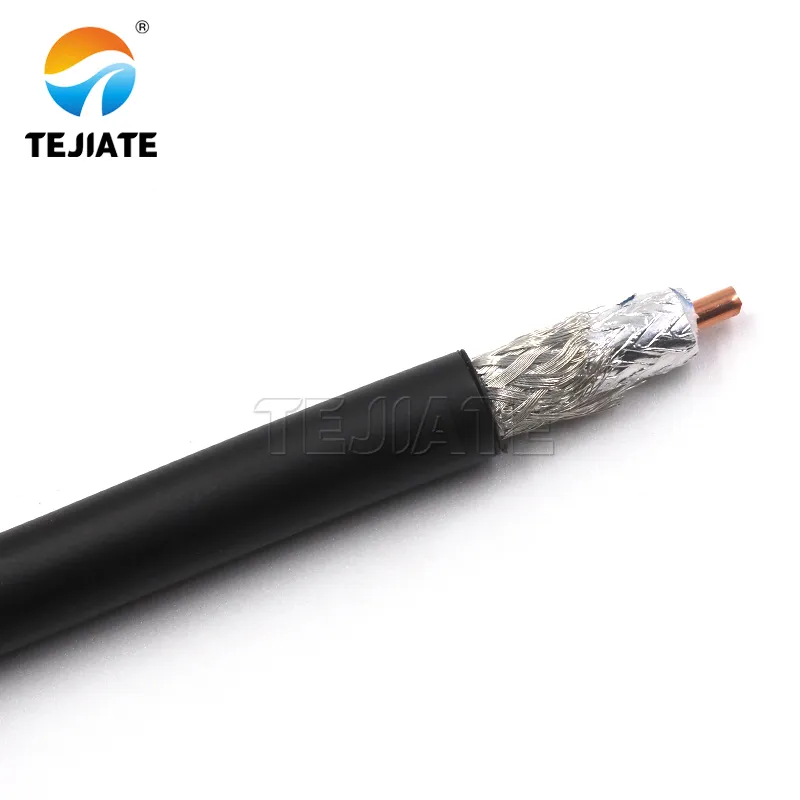
This product image materializes the abstract “LMR-400” line from Figure 2. It gives engineers an intuitive sense of the cable‘s actual size, ruggedness, and connector interface, aiding in planning wiring space and selecting waterproof connectors.
- LMR-400 ≈ 0.22 dB/m at 2.4 GHz

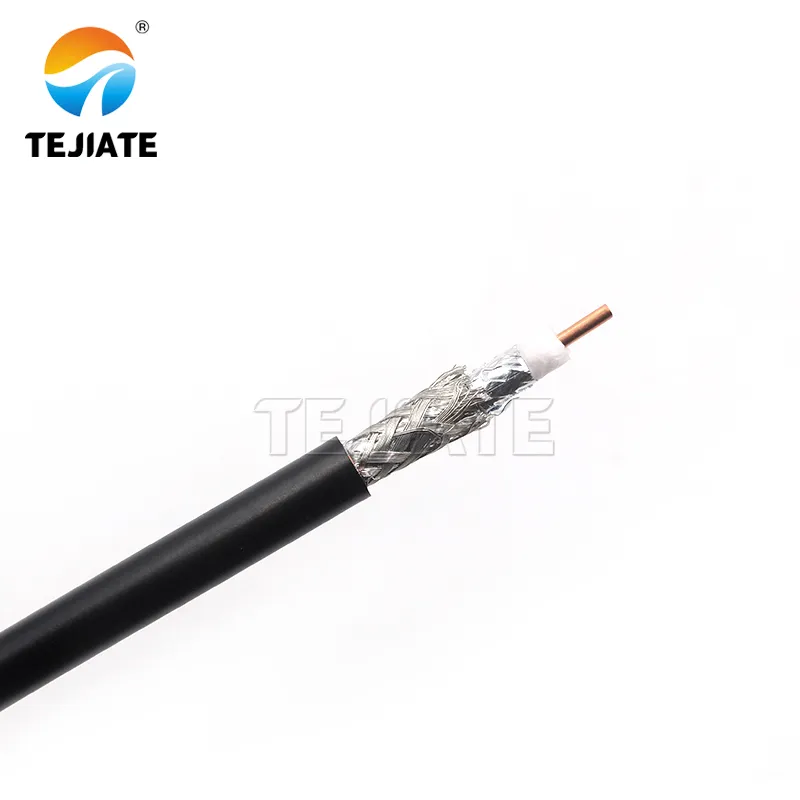
As a counterpart to LMR-400, this image presents another common outdoor cable option. It helps engineers understand why LMR-240 is a better balance between loss and flexibility for feeder runs under 5 meters (as mentioned in the document) and sets expectations for its physical form.
- LMR-240 ≈ 0.38 dB/m at 2.4 GHz
A 10 m LMR-240 run loses ~3.8 dB—half your transmit power. Mount radios close to antennas using short U.FL-to-SMA pigtails, then extend via Ethernet. Junctions like lightning arrestors or adapters add 0.2 – 0.3 dB each; keep them inside sealed boxes. For enclosure routing tips, see TEJTE’s FPC Antenna Guide: 2.4 GHz Layout & Tuning, which covers internal cable bends and connector strain relief.
Count connector pairs and weatherproof every transition

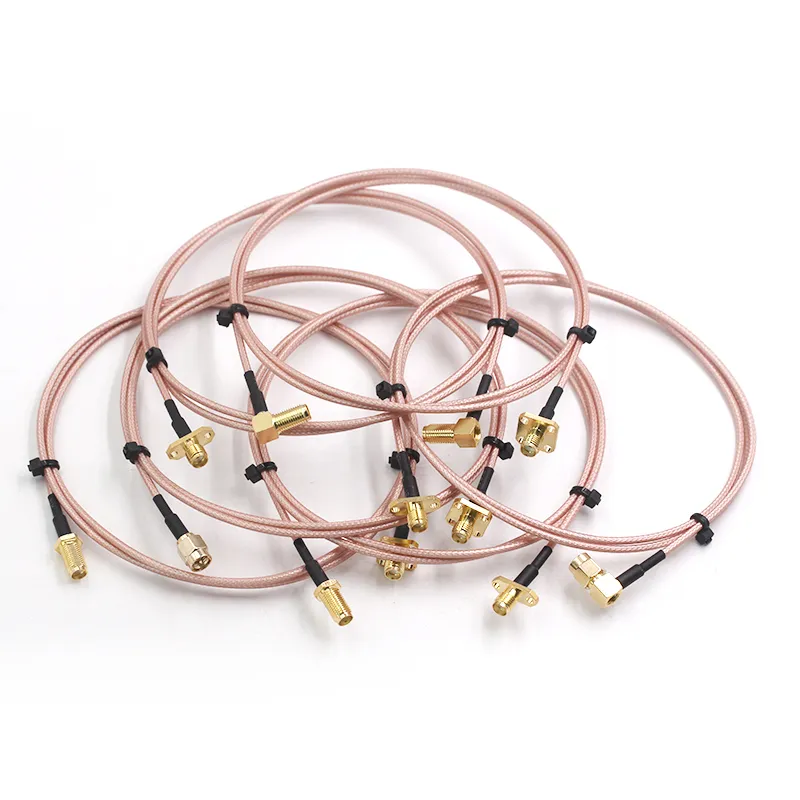
Appearing just before the section “Count connector pairs and weatherproof every transition,” this image is a concrete example of the “connector pairs” discussed. It makes requirements like “each SMA joint requires 0.6 N·m torque” and “every transition point needs waterproofing” less abstract, reminding engineers that these small components are also critical nodes and potential failure points in the RF chain.
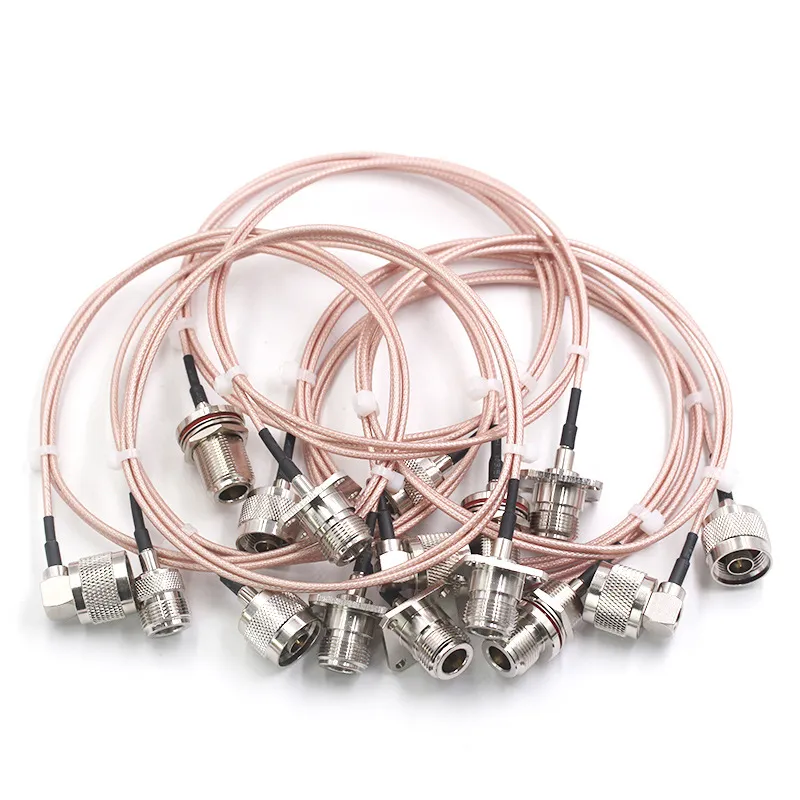
Presented alongside Figure 8, this image jointly illustrates the different connector types that may be encountered in outdoor installations. While SMA and N-type are currently mainstream, BNC interfaces still exist in some scenarios. This diagram reminds engineers to select jumpers and adapters based on the actual device interfaces and to pay attention to the torque specifications (BNC typically differs from SMA) and waterproofing methods for different connector types, highlighting the importance of compatibility and attention to detail.

Where should you place the omni relative to metal edges and obstacles?
Keep clear of parapets, HVAC units, and railings — spacing rules of thumb
Radio waves behave like light — they bounce off metal and scatter around obstacles. For 2.4 GHz Wi-Fi or IoT systems, keep the antenna at least 0.5 m away from large metallic objects such as HVAC housings, parapets, or railings. Small conductive edges should stay at least 6 cm away (roughly half a wavelength at 2.4 GHz).
If you install on rooftops, always mount the antenna above guard rails instead of beside them. This maintains a clean radiation field and prevents reflections that can skew gain readings. When several omnis share one mast, offset their heights or spacing by 90°–120° around the pole to reduce coupling and interference.
These practices follow the clearance recommendations discussed in TEJTE’s Ground Clearance Antenna Layout & 2.4 GHz Rules.
Separate omnis and directionals to reduce coupling and interference
Omnidirectional antennas radiate evenly, while directionals concentrate energy in one plane. Mounting them side-by-side without spacing invites CCI (co-channel interference) and ACI (adjacent-channel interference).
Offset the mounts vertically by 30 – 40 cm, and ensure their feed cables drop on opposite sides of the mast. For mixed 2.4 GHz / 5 GHz systems, maintain at least 12 cm vertical or horizontal separation between antenna tips.
More mechanical examples of these layouts can be found in TEJTE’s Outdoor Omni Antenna Selection & Ordering Guide.
Do you need surge protection and grounding on the mast?
Arrestor location, ground block, and corrosion control
Install a coaxial lightning arrestor at the building entry point or cabinet feed-through. Its ground lug must bond to the same earth bar used by the radio equipment. Use tinned-copper jumpers or #6 AWG wire with smooth, low-inductance bends.
Apply anti-oxidation compound between different metals — for instance, aluminum masts and stainless-steel brackets — to prevent galvanic corrosion. Keep total earth resistance under 5 Ω, verified during commissioning.
Drip loops, strain relief, and service loops
Can you validate the install quickly before freezing the BOM?
Tilt / Azimuth A-B testing and heatmaps
Perform simple A-B comparisons using different tilt and azimuth angles. Log RSSI or throughput values with a Wi-Fi analyzer or network survey tool. A gentle 5° downward tilt often improves ground-level coverage, while a 10° upward angle helps inter-building links.
Walk or drive test the coverage area and record SNR variations. Thermal expansion, humidity, and nearby structures can slightly affect the radiation pattern — data that should be documented on your as-built drawing under “Performance Validation.”
Cable-first fault isolation: cable → connector → antenna
Order like a pro: what fields must be on your PO and drawings?
Essential specification fields
Include these items to prevent miscommunication and re-orders:
- Antenna Type (Omni / Collinear / Device-mount)
- Gain (dBi)
- Connector Type (SMA / RP-SMA / N-female)
- Bracket Kit (Mast Ø Range, Anti-rotation Tabs)
- Torque Specification (N·m)
- IP Rating & UV Material
- Feeder Type / Length (LMR-240 / LMR-400)
- Lightning / Surge Kit Inclusion
- Compliance (RoHS / REACH)
- Labeling / Lead Time / MOQ / Packaging Notes
Wind-Load & Clamp-Torque Quick Estimator
| Parameter | Symbol / Unit | Formula / Description |
|---|---|---|
| Design Wind Speed | V (m/s) | User input (e.g. 50 m/s) |
| Projected Area | A (m²) | Antenna + bracket frontal area |
| Drag Coefficient | Cd | Typically 1.2 – 1.6 |
| Lever Arm | L (m) | Distance from clamp to antenna center of gravity |
| Mast Diameter | D (mm) | Actual installed diameter |
| Friction Coefficient | μ | 0.3 (painted) – 0.6 (lined) |
| Wind Pressure | q = 0.613 × V² | N/m² |
| Force on Antenna | F = q × A × Cd | N |
| Moment at Clamp | M = F × L | N·m |
| Clamp Friction Requirement | Σ(T × μ / r) ≥ M | r = D / 2 |
| Output | — | Recommended torque range per clamp |
Example Calculation:
If V = 40 m/s, A = 0.05 m², Cd = 1.4 → q = 981 N/m² → F = 68.7 N → M = 6.9 N·m.
Given μ = 0.4 and D = 40 mm (r = 0.02 m), each clamp must deliver ≥ 8.6 N·m torque to hold orientation safely.
Outdoor RF Chain Ordering Matrix
| Antenna | Gain (dBi) | Connector | Torque Range (Nm) | UV / Material | IP Rating | Temp Range (°C) | Feeder | Junctions | Surge Kit | Compliance | Labeling | TEJTE SKU | MOQ | Bracket Kit (Ø Range) | Notes |
|---|---|---|---|---|---|---|---|---|---|---|---|---|---|---|---|
| Omni | 3 | N-female | 8 – 12 | ASA Plastic | IP67 | -40 ~ +85 | LMR-400, 10 m | 3 | Included | RoHS | Sticker | ANT-OM6N | 5 | 730–50 mm, anti-rotation | Standard rooftop kit |
| Collinear | 9 | N-female | 20 – 25 | Fiberglass | IP66 | -40 ~ +85 | LMR-400, 5 m | 2 | Optional | REACH | Laser Mark | ANT-CO9N | 2 | 40–76 mm | High-wind rated |
| Device-mount Whip | 3 | SMA-male | - | ABS | IP65 | -20 ~ +70 | UU.FL to SMA 0.3 m | 1 | - | RoHS | - | ANT-DW3S | 10 | — | Device-mount portable use |
What changed in 2024–2025 for outdoor omni deployments?
Tri-band access points and unified campus networks
In 2024, the Wi-Fi 6E and Wi-Fi 7 rollouts pushed tri-band access points into mainstream campus and enterprise deployments. Each radio now covers 2.4 GHz, 5 GHz, and 6 GHz bands simultaneously.
This means a single rooftop site can host multiple omnis or collinears—each optimized for different bands. Instead of ad-hoc poles, many facilities now use standardized mast kits designed to mount three antennas symmetrically, maintain impedance balance, and simplify grounding.
Because of these denser layouts, the wind-load per mast has increased by nearly 30 %. As a result, engineers rely more on torque-rated brackets and high-friction liners to prevent rotation. You can see this approach reflected in modern designs described in TEJTE’s Omnidirectional Antenna Selection & Ordering Guide.
Coexistence of 2.4 GHz IoT and 5 / 6 GHz throughput layers
Despite all the excitement around higher bands, the 2.4 GHz spectrum remains essential for low-power IoT links—sensors, gateways, and meters. Outdoor deployments now mix low-gain 2.4 GHz omnis for IoT with high-gain 5 / 6 GHz units for data backhaul.
This dual-purpose architecture demands attention to isolation distance. At least 20 cm vertical separation between bands avoids coupling and intermodulation. Use color-coded coax or label sleeves to track which feeder belongs to which band—small steps that prevent mis-patching during maintenance.
Focus on serviceability and predictive maintenance
2025 has also seen a move toward serviceable mast systems. Installers now prefer brackets that can be loosened with one hand, waterproof boots with reusable tapes, and feeders pre-labeled for direction and return loss.
Some manufacturers even include small torque indicators printed on the clamp to verify post-storm tightness at a glance. Combined with IoT monitoring for RSSI drift, these advances make preventive maintenance more data-driven.
Ultimately, outdoor omni design has matured from “mount it and hope” to “mount, log, and validate.”
FAQ — Mast-Mount Antenna (2025 Edition)
How much clamp torque prevents rotation without cracking the radome?
Where should the lightning arrestor sit relative to the ground block and drip loop?
How long can I run LMR-240 vs LMR-400 before feeder loss cancels a 3–6 dBi antenna gain?
At 2.4 GHz, LMR-240 loses roughly 0.38 dB / m, while LMR-400 loses about 0.22 dB / m.
To preserve at least half your antenna gain (say 3 dB), keep LMR-240 under 8 m and LMR-400 under 13 m. For longer distances, use LMR-400 and mount the radio near the antenna to minimize coax length. Short U.FL → SMA pigtails provide low-loss transitions inside enclosures.
What minimum spacing should I keep from parapets, HVAC units, or other antennas?
Follow the “half-wavelength × 10” rule: about 0.6 m for 2.4 GHz and 0.25 m for 5 GHz.
Keep at least that distance from metal objects and at least one full wavelength between antennas on the same mast. This spacing avoids pattern distortion and mutual coupling. TEJTE’s Ground Clearance Antenna Layout & 2.4 GHz Rules demonstrates how metallic surroundings alter current distribution.
When does a “high-gain” omni hurt corridor or elevation coverage?
Is a device-mount whip acceptable outdoors if I just weatherproof the connector?
Can I reuse clamps and liners after a reinstall?
Can I use one mast for both 2.4 GHz IoT and 5 GHz backhaul antennas?
Should I perform retorque checks after seasonal temperature swings?
Final Thoughts
A mast-mount antenna may look like a simple accessory, but in outdoor networking it defines the stability, coverage, and safety of your entire link.
Getting it right means blending RF design with mechanical, electrical, and environmental awareness:
– Choose the correct antenna and bracket for your wind zone.
– Validate IP / UV protection and sealing practices.
– Apply proper torque and grounding discipline.
– And always log your installation parameters into the BOM and drawings so that procurement, QA, and field teams speak the same language.
For deeper comparisons between antenna families, refer to TEJTE’s Wi-Fi Antenna Guide and related outdoor mounting articles. Together, they form a complete framework for reliable 2.4 GHz, 5 GHz, and 6 GHz deployments across industrial, IoT, and enterprise networks.
Bonfon Office Building, Longgang District, Shenzhen City, Guangdong Province, China
A China-based OEM/ODM RF communications supplier
Table of Contents
Owning your OEM/ODM/Private Label for Electronic Devices andComponents is now easier than ever.
