We share everything about Electronic Components OEM, ODM, or private label solutions...

We continuously share and publish original articles about electronic components and OEM/ODM/private label solutions. We hope these articles provide you with valuable insights to support your private label electronic components business.

If you don’t want to miss our article, please subscribe to our newsletter. 

Diagram comparing beamwidth of a patch antenna (moderate) vs. a high-gain directional antenna (narrow)

Ground Station Antenna for FPV Reception

Start with the receive side, not the drone side A pilot swaps antennas on the quad, bumps VTX power, and heads back out. The video still breaks at the same tree line. Same angle. Same distance. Nothing really changes. That pattern shows up more often than people expect.At that point, the aircraft is usually doing its job. Stable output. Clean enough radiation. The weak spot isn’t in the air—it’s on the ground. Low mounting height. Poor aiming. A receiver antenna that never had a clear shot in the first place.

Diagram illustrating a 5.8GHz FPV link budget with transmitter, cable, connectors, antenna, and receiver

5.8GHz Antenna for FPV Video Systems

Start with the 5.8GHz link budget, not the antenna photo A quad lands after a short freestyle run—nothing extreme, just a few turns around concrete and a low pass behind trees. The DVR tells the story: brief static bursts, then a sudden drop in clarity. Back on the bench, everything looks fine again. Clean image. No obvious failure.

Product photo of a lightweight, low-profile LHCP antenna with reinforced housing for micro FPV builds

LHCP Antenna for FPV Video Links

Start with the interference problem before you choose LHCP A pilot lands after a clean bench test. Video looked stable in the garage. No noise, no breakup. Then the same setup goes into a shared field—five quads in the air, mixed channels, mixed gear—and the feed starts tearing apart in places that didn’t exist before.

Diagram showing antenna placement near carbon fiber frame and propellers, with clearance issues highlighted

Circular Polarized Antenna for FPV Systems

A quad banks hard around a concrete parking structure. The feed looks clean for a second—then breaks into noise even though the drone is still close. No obvious range issue. No obvious interference spike. Swap batteries, same result. Swap channels, still unstable.

FPV drone in flight with antenna mismatch indicated by RHCP and LHCP labels, causing video breakup

RHCP Antenna for FPV Video Links

A quad comes back from a quick test flight. On the bench, the video looked stable. Clean feed, no obvious breakup. In the air, though, the image starts tearing the moment the drone yaws past a few buildings. Nothing else changed. Same VTX. Same goggles. Same channel. Someone eventually notices the antennas: one marked RHCP, the other LHCP.

Side view of a drone showing antenna protruding at an angle, with potential interference from frame and props

FPV Antenna Guide for 5.8GHz Drone Setup

A small FPV build lands on the bench. Everything else looks right. VTX is powered. Camera feed is clean. Channels are set correctly. Then the pilot walks ten meters away. The image starts breaking up. Not gone—just unstable. Flicker. Noise. Occasional blackouts. At this point, most people don’t suspect the antenna. They look at power output, firmware, even interference. But in many setups, the weakest link is sitting right on top of the drone—small, overlooked, and chosen last.

Diagram comparing different coax port types: wall plate (signal entry), TV (endpoint), and antenna (signal source)

Coax Splitter Guide for TV Systems

A wall-mounted TV goes up cleanly. Cable hidden. Plate aligned. Nothing visible. Then a second room gets connected—and the signal starts breaking. The splitter gets blamed first. It usually isn’t the real problem. What changed is not the device. It’s the signal path.

Close-up product photo of TV coax connector parts including F-type male and female fittings, coupler, splitter, and right-angle coax adapter on a neutral surface

Coax Cable Connector Guide for TV Systems

A TV goes on the wall, the bracket sits close to the plaster, and suddenly the coax line that worked fine in open air no longer fits cleanly. The cable sticks out too far. The connector presses against the wall. Someone grabs the first small metal part they can find online — coupler, splitter, adapter, it all looks similar enough in the listing photo — and the install turns messy fast.

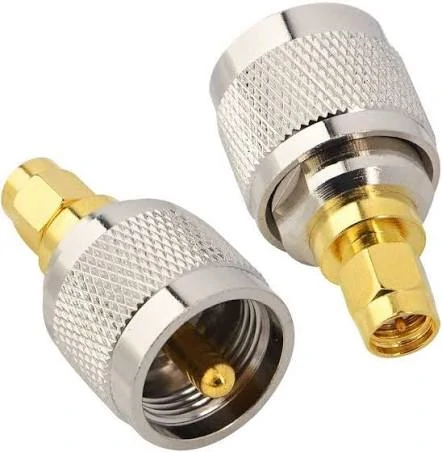
Diagram showing SMA connectors on compact radios and BNC connectors on test instruments, with an adapter bridging them

SMA to BNC Adapter for RF Work

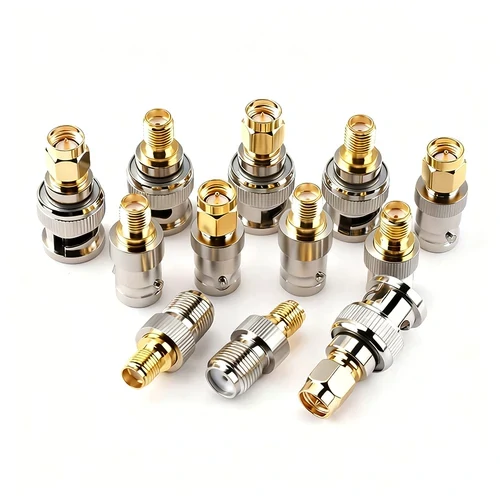
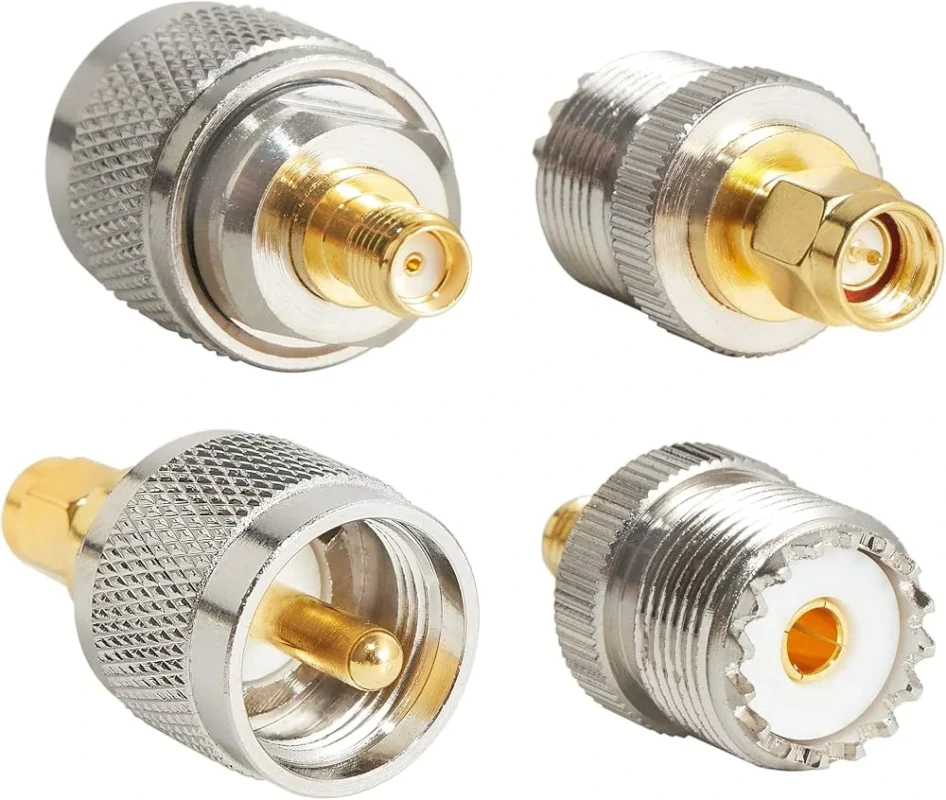
Place SMA to BNC adapter inside a real RF workflow A typical lab setup rarely fails because of a missing component. The radio module is already powered. The antenna has been selected. A short piece of coax sits on the bench ready to connect everything.The instrument on the bench — maybe a spectrum analyzer from ten years ago — still uses BNC. At that moment, the quickest fix is usually a sma to bnc adapter pulled from a drawer full of connectors. Tighten it onto the SMA port, snap the BNC cable onto the other side, and the measurement appears on screen.

Photograph of a rigid BNC to SMA adapter, a short metal body with BNC on one end and SMA on the other

BNC to SMA Cable for RF Systems

A spectrum analyzer is already on the bench. The device under test is powered up. Someone reaches for the RF cable. Then the mismatch shows up. The instrument exposes a BNC port. The module on the bench has SMA. At first the fix looks trivial. Grab an adapter, tighten it, move on. In many labs that is exactly what happens. But the moment that connection becomes part of the signal path—especially above a few hundred MHz—the difference between a rigid adapter and a short BNC to SMA cable starts to matter more than expected.

Table or diagram showing common applications of SMA adapter cables: module to panel, radio to analyzer, internal jumper, and DUT to equipment

SMA Adapter Cable for RF Systems

Introduction A small RF board lands on the bench. The module exposes an SMA connector. The spectrum analyzer sitting beside it still uses BNC. Someone reaches for the adapter drawer. A rigid SMA-to-BNC adapter would technically solve the mismatch. The threads mate, the signal passes, and the measurement shows up on the screen.

Photograph of a finished SMA to BNC cable assembly, with SMA connector on one end and BNC connector on the other

SMA to BNC Cable for RF Systems

Connect SMA radios to BNC instruments, legacy gear, and bench fixtures The connector mismatch usually appears late. A small RF module is already powered on. Someone routes the antenna cable through the enclosure wall. The test setup is ready—spectrum analyzer on the bench, coax already lying across the table. Then the mismatch shows up.