
MCX Cable Guide for Compact RF Hardware and SMA Transitions
Jan 14,2026
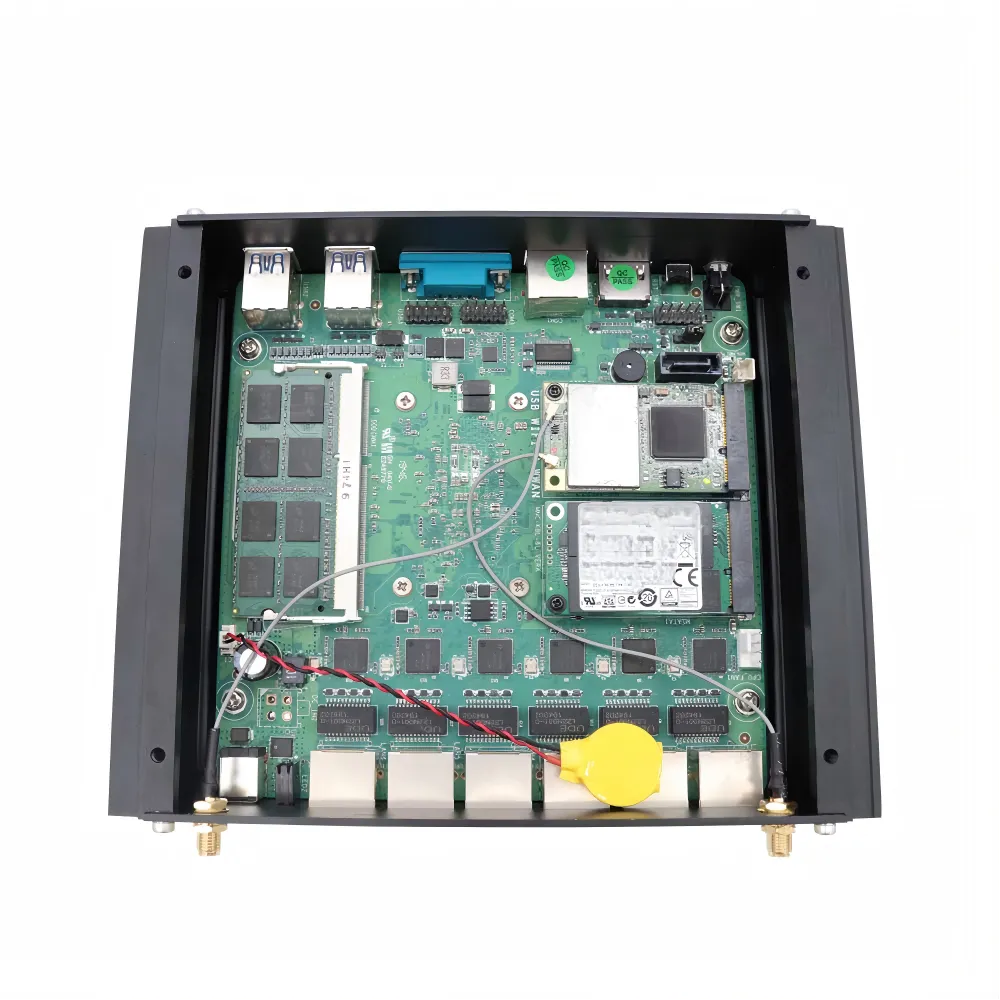
This opening graphic establishes the central theme of the guide. It likely uses a visual metaphor, such as highlighting a small MCX cable bridging two larger, more prominent circuit blocks or enclosures. The image emphasizes that while MCX cables are physically small and often specified late, they occupy a critical "gap" in the signal chain where mismatches and stresses can accumulate, leading to subtle performance drift rather than catastrophic failure.
Compact RF and video products rarely fail because of headline components. They fail in the gaps between them. The mcx cable lives in one of those gaps. It is short, flexible, and often treated as internal wiring rather than part of the RF signal path. That assumption is where problems usually begin.
In most designs, MCX cabling is introduced late. The RF board already works. The enclosure is mostly fixed. Someone realizes the signal still needs to reach a panel connector, an antenna, or a test port. An MCX jumper is added, the system powers up, and everything appears fine—at least at first.
What tends to surface later is not outright failure, but drift. Measurements become sensitive to cable movement. Small changes in routing alter noise floor or sensitivity. These symptoms rarely trace back to the RF IC or antenna. More often, they point to how the mcx cable was selected, routed, and transitioned.
This guide focuses on how MCX cable assemblies behave inside real hardware, and how to transition them cleanly to SMA and BNC interfaces without accumulating hidden penalties.
Where does mcx cable fit in real hardware?
Inside compact RF and video devices, the mcx cable typically sits between two very different worlds. On one side is a delicate RF board or tuner module. On the other side is a more standardized interface—often SMA, BNC, or a fixed antenna feed.
That placement makes MCX less of a passive jumper and more of a boundary element. It defines where controlled RF geometry ends and where mechanical constraints begin. Any mismatch or stress introduced here propagates forward into the rest of the signal chain.
Designers familiar with longer coaxial runs sometimes underestimate this short segment. Yet the same principles apply. Loss, reflection, and impedance discipline do not disappear just because the cable is short. They are simply easier to ignore.
If you zoom out and compare MCX jumpers with other coaxial families, the contrast becomes clear. Longer feeder cables follow very different rules, as discussed in our broader RG cable guide. MCX assemblies operate at the opposite end of the scale, but the same RF fundamentals still apply.
How does an mcx connector exit the RF board?
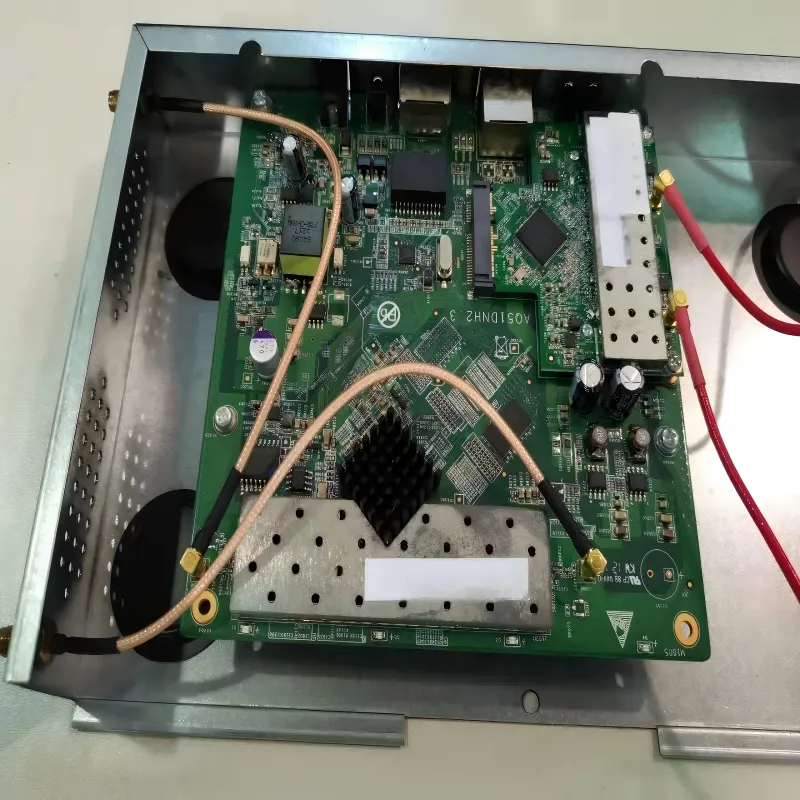
This technical diagram illustrates a common hardware implementation. It likely shows a cross-section or top-down view of a PCB with an edge-mounted or surface-mounted MCX connector. The graphic would depict the RF signal path from the chip/module, through controlled impedance traces, to the connector footprint, and then into the attached MCX cable. It highlights MCX's role in providing a compact, serviceable interface point without burdening the PCB with a large connector.
On most compact RF boards, the signal exits through a board-mounted mcx connector. This connector is either edge-mounted or soldered to a dedicated RF launch footprint. The goal is simple: preserve RF integrity while keeping the PCB footprint small.
From that point, the mcx cable routes the signal to another interface inside the enclosure:
- A panel-mounted SMA bulkhead
- A BNC connector for video or test access
- An internal antenna connection
This approach allows the same RF board to be reused across multiple products. Only the cable or adapter changes. Mechanically, the board remains protected. Electrically, the RF path stays predictable—if the MCX assembly is chosen correctly.
You see this pattern in GPS receivers, SDR platforms, portable test instruments, and compact wireless modules. In each case, MCX provides a clean handoff point between the PCB and the rest of the system without forcing a large connector onto the board itself.
Where do you see mcx cable in GPS, SDR, and CCTV gear?
In GPS equipment, MCX is a common antenna interface. The connector is compact, snap-on, and tolerant of repeated mating during development and installation. A short mcx cable then routes the signal to an antenna location or to a panel-mounted SMA connector.
In RTL-SDR and DTV USB sticks, the RF tuner board almost always exports MCX. Users then adapt externally to SMA, BNC, or F-type connectors depending on antennas or lab setups. Internally, the MCX jumper isolates the sensitive tuner from the mechanical load of external cables.
In compact CCTV and satellite systems, 75-ohm mcx cable assemblies connect tuner or IF boards to BNC or F-type outputs. In these designs, the MCX segment is short, but impedance accuracy becomes critical. Mistakes here often show up as subtle video artifacts rather than obvious signal loss.
Across RF and video equipment, MCX appears not because it is the highest-performance option, but because it balances size, durability, and flexibility in tight enclosures.
Why choose mcx cable instead of U.FL or MMCX?
MCX often gets compared to U.FL and MMCX, but it fills a different niche.
U.FL connectors are extremely small and lightweight, but they are not designed for repeated reconnection. MMCX connectors are more robust, yet larger and sometimes awkward in dense layouts.
MCX sits between them:
- Smaller than SMB, easier to fit than threaded connectors
- Snap-on mating without rotational torque
- Typical frequency coverage from DC to around 6 GHz
- Availability in both 50-ohm and 75-ohm versions
For compact hardware that still needs serviceability—especially during testing or field maintenance—mcx cable assemblies often provide the most practical compromise.
How should you choose mcx cable ends?
Once the board-side MCX interface is fixed, most of the real design choices shift to the opposite end of the cable. This is where many systems quietly accumulate unnecessary loss or complexity.
The decision is not simply about connector compatibility. It is about how the signal will be used after it leaves the MCX domain.
How do mcx-to-mcx and mcx-to-sma layouts differ?
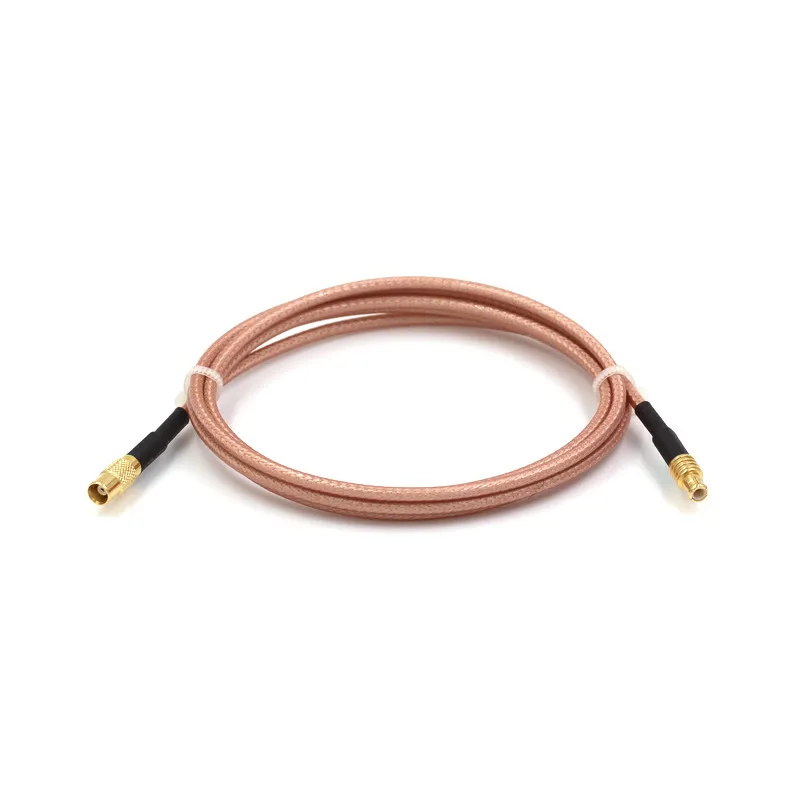
This is a product photo of a basic MCX-to-MCX jumper cable. The guide uses this example to represent the simplest application: internal connections between two MCX points, such as between stacked boards or within a shielded module. The specification of RG316 cable is highlighted, indicating a common choice for its balanced flexibility and thermal stability. This configuration minimizes interfaces and is suitable where both ends of the link remain inside the protected enclosure.
A pure mcx-to-mcx layout is the simplest case. These short jumpers are common in stacked boards or shielded modules where both interfaces remain internal. Loss is minimal, and routing is straightforward.
The picture changes when the signal must exit the enclosure.
This is a product photo of a basic MCX-to-MCX jumper cable. The guide uses this example to represent the simplest application: internal connections between two MCX points, such as between stacked boards or within a shielded module. The specification of RG316 cable is highlighted, indicating a common choice for its balanced flexibility and thermal stability. This configuration minimizes interfaces and is suitable where both ends of the link remain inside the protected enclosure.
For RF systems, that almost always means SMA. A mcx to sma cable creates a direct transition from a compact board interface to the SMA ecosystem used by antennas, filters, and test equipment. Once the signal enters the SMA domain, planning follows the same rules discussed in dedicated SMA guides, such as our overview of SMA RF cable selection.
For video or instrumentation, the signal may terminate at BNC instead. In that case, the MCX segment remains internal, while the transition to 75-ohm cabling happens via a mcx to bnc adapter or integrated assembly.
Electrically, these layouts behave very differently, even if they look similar in CAD.
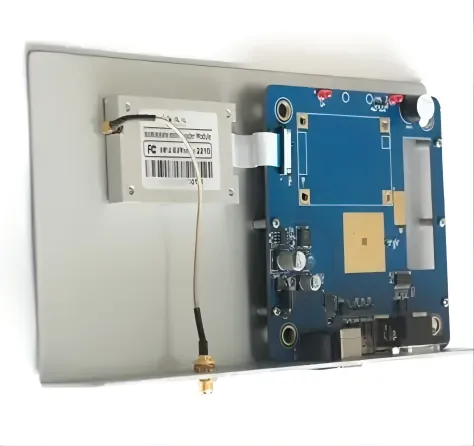
This comparative diagram likely uses symbolic representations (like signal flow lines, connector icons, and perhaps graphs of VSWR or loss) to illustrate a key point in the guide: while an MCX-to-MCX jumper and an MCX-to-SMA adapter chain might connect the same two points mechanically, their electrical performance differs significantly. It visually demonstrates how a direct cable (like in Fig 4) has fewer impedance discontinuities, while an adapter chain introduces multiple additional interfaces, each contributing to cumulative reflection and loss, especially at higher frequencies.
Electrically, these layouts behave very differently, even if they look similar in CAD.
When is a mcx to sma cable better than loose parts?
There are two common ways to reach SMA from MCX:
- A single-piece mcx to sma cable
- An MCX jumper combined with a mcx to sma adapter, followed by a standard SMA cable
On a schematic, both approaches appear equivalent. In practice, they are not.
A single assembly minimizes connector count, reduces insertion loss, and limits VSWR variation. Adapter-based chains add flexibility, especially in labs where SMA cables are standardized and reused.
The cost of that flexibility is cumulative. Each additional interface adds reflection and mechanical tolerance stack-up. At higher frequencies, these effects stop being theoretical. In production designs—or in systems pushing into the upper GHz range—a dedicated mcx to sma cable usually provides a cleaner and more predictable result.
How do 50-ohm and 75-ohm mcx connectors change the plan?
One detail that quietly complicates MCX-based designs is impedance. Unlike SMA, which most engineers instinctively associate with 50 ohms, mcx connectors are available in both 50-ohm and 75-ohm versions. Mechanically, they look similar enough that mix-ups are common. Electrically, the consequences can linger for the life of the product.
In RF systems—GPS receivers, SDR front ends, wireless modules—the assumption is almost always 50 ohms end to end. In video and satellite IF chains, 75 ohms is the norm. MCX happens to serve both worlds, which is useful, but only if the distinction is handled deliberately.
A short 75-ohm mcx cable inserted into a 50-ohm RF chain will not cause instant failure. Power still flows. Signals still appear. What changes is the match. Reflections increase, effective noise figure degrades, and sensitivity margins quietly shrink. At lower frequencies and very short lengths, this may be tolerable. At higher frequencies or in marginal links, it rarely is.
This is why MCX decisions should be made at the system level, not the connector level. If the downstream path eventually hands off to SMA, the logic should already align with the same impedance discipline described in our SMA RF cable guide. MCX does not get a free pass just because it is internal.
MCX Port-Mapping Quick Sheet
Inputs
- board_port
Examples: “MCX female, 50 Ω”, “MCX male, 75 Ω”
- equipment_port
Examples: “SMA female panel”, “BNC female, 75 Ω”, “F-type”
- system_impedance
“50 ohm RF” or “75 ohm video”
- application_type
GPS, SDR, CCTV, satellite, lab test
Logic
- If system_impedance = 50 ohm RF and equipment_port is a 50-ohm interface → match OK
- Otherwise → flag Impedance mismatch risk
This check alone catches many subtle errors that only surface after integration.
Recommended connection chains
| Scenario | Recommended chain | Adapters used |
|---|---|---|
| MCX (50 Ω) → SMA (50 Ω) RF | Single MCX-to-SMA cable | None |
| MCX (50 Ω) → SMA, flexible lab setup | MCX-to-SMA adapter + SMA cable | MCX-to-SMA adapter |
| MCX (75 Ω) → BNC (75 Ω) video | MCX-to-BNC adapter + 75-ohm BNC cable | MCX-to-BNC adapter |
| Mixed impedance, short internal run | Conditional use only | Case-by-case |
Outputs
- recommended_chain: plain-language description
- adapters_used: none / mcx to sma adapter / mcx to bnc adapter
- impedance_note: warning text if mismatch is present
This quick sheet is intentionally simple. It does not replace RF simulation, but it prevents avoidable mistakes before hardware is built.
How can you plan mcx cable length and loss?
Because MCX assemblies are usually short, it is tempting to ignore loss planning altogether. That works—until frequency rises or connector count grows.
The physics does not change just because the cable is internal. Attenuation and reflection still scale with length, frequency, and interface quality.
What loss bands make sense for short mcx cable runs?
| Length range | Typical role | Practical guidance |
|---|---|---|
| < 0.2 m | Board-to-panel jumper | Loss usually negligible |
| 0.2-0.5 m | Internal enclosure routing | Check margin above 3-4 GHz |
| 0.5-1.0 m | Extended internal run | Often too long for high GHz |
These ranges are not hard limits. They are experience-based checkpoints. Once you cross into the longer band, the MCX segment begins to behave less like a jumper and more like a feeder.
At that point, the same thinking applied to RG and LMR families becomes relevant. Our broader discussion in the coaxial cable ultimate guide explains why thicker coax becomes attractive as distance increases.
How do connectors add to loss and reflection at 2–6 GHz?
In short MCX runs, connectors often dominate loss more than the cable itself.
A straight mcx connector typically maintains acceptable VSWR through much of the 6 GHz range. Right-angle variants tend to degrade earlier. Add a mcx to sma connector or an adapter stack, and each interface contributes incremental mismatch.
Individually, these effects look small. Combined, they explain why two “identical” builds can measure differently once fully assembled. This is especially noticeable in SDR and GPS systems where front-end margins are already tight.
The practical takeaway is simple: count interfaces, not just length.
When must an mcx cable hand off to a thicker feeder?
There is a point where MCX stops being the right tool for distance.
When frequency approaches 5–6 GHz and the required run exceeds roughly half a meter, many designs transition to a hybrid approach:
- A short mcx cable pigtail at the RF board
- A handoff to thicker RG or LMR coax for the longer path
This preserves the mechanical benefits of MCX at the board while keeping attenuation under control over distance. The same strategy appears repeatedly in higher-performance SMA and BNC systems, as outlined in our BNC cable selection guide.
How do you protect mcx cable mechanically?
Most MCX-related failures don’t show up as clean RF problems. They show up as “it worked before” issues. Someone nudges the cable. The enclosure flexes slightly. A unit that passed final test starts behaving differently a few months later.
That usually points to mechanics, not RF theory.
An mcx cable is small and flexible, but it is not a strain relief. Inside compact enclosures, it often ends up carrying stress it was never designed to handle. Once that happens, the connector becomes the weak link.
What bend rules apply to thin mcx cable runs?
Micro-coax is forgiving—up to a point. What causes trouble is the instinct to force a sharp turn right at the connector to make everything fit.
In practice, most MCX assemblies are happiest when the bend radius stays above roughly 10–13 mm, depending on the cable type. Tighter bends rarely fail immediately. Instead, they degrade quietly. The shield loosens. The dielectric deforms. Weeks or months later, you get intermittent behavior that is hard to reproduce on the bench.
If the layout demands a turn, it’s usually better to run the cable straight for a short distance first, then guide the bend gradually. That small adjustment often makes the difference between a cable that survives shipping and one that doesn’t.
Where should strain relief stop MCX connectors from peeling?
If you look at failed MCX assemblies, the damage is rarely in the middle of the cable. It’s almost always right at the connector.
Good designs assume the MCX joint cannot take load. They move stress elsewhere on purpose. Typical solutions are simple:
- a tie-down point near the board exit
- a clip or adhesive anchor at the first bend
- routing that avoids pulling the cable sideways
These details matter most in portable devices, vehicle-mounted equipment, or anything exposed to vibration. In those environments, MCX failures are mechanical long before they are electrical.
How can routing avoid hot and noisy zones inside the box?
Routing mistakes are often invisible in CAD. They only show up once power is flowing.
MCX runs should avoid close proximity to DC-DC converters, transformers, motors, and large heatsinks. Heat accelerates material aging. Switching noise raises the chance of coupling into the coax shield.
When space is tight, physical separation or a grounded metal partition helps. The same thinking applies to larger coax systems, and it’s discussed more broadly in the context of feeder routing in the RG cable guide. The scale is different, but the principle is the same.
When should mcx to sma adapters be used?
Adapters get blamed for problems they didn’t cause—and excused for problems they did. The difference is context.
An adapter is not “bad.” It’s just easy to overuse.
How do lab setups benefit from mcx to sma adapter use?
In a lab, priorities are different. Flexibility usually matters more than absolute optimization.
SDR platforms, evaluation boards, and test fixtures change configurations constantly. In those cases, leaving a mcx to sma adapter permanently attached to the device makes sense. It protects the MCX port and moves all daily cable handling into the SMA domain, where connectors and cables are more forgiving.
Once that adapter is in place, the rest of the setup behaves like any other SMA-based system. This is the same logic behind many bench practices described in the SMA RF cable guide.
When does a custom mcx to sma cable beat adapter stacks?
Production environments flip that logic.
When frequency is high, margins are tight, or units ship in volume, adapter stacks become liabilities. Each interface adds loss and reflection. More importantly, each interface adds variation. Over hundreds or thousands of units, that variation shows up as yield loss or inconsistent performance.
A single-piece mcx to sma cable reduces the number of things that can go wrong. It is easier to qualify, easier to document, and easier to keep consistent across builds.
A rough rule many teams settle into:
- adapters for labs and early prototypes
- dedicated cables for production and high-frequency paths
How do you document mcx to sma chains for future changes?
MCX problems often reappear years later, not because the design was wrong, but because the intent was lost.
Someone swaps a cable. Someone adds an adapter “just this once.” Over time, the original RF assumptions disappear.
Clear BOM entries prevent that drift. At minimum, they should spell out:
- MCX gender and orientation
- the opposite-end connector (SMA, BNC, F)
- cable family and impedance
- nominal length and tolerance
- whether adapters are allowed
This keeps MCX assemblies aligned with the same discipline applied to larger coax systems covered in the coaxial cable overview.
How are market trends shaping mcx cable demand?
How does RF cable assembly growth affect mcx cable use?
Across wireless, aerospace, and embedded systems, RF cable assemblies continue to grow steadily. Boards get smaller. Enclosures get tighter. Interfaces move closer together.
In that environment, connectors that balance size and durability become more attractive. MCX fits that role better than many alternatives.
Where do mcx connectors show up in new GPS and IoT hardware?
Modern GPS receivers and IoT gateways often reuse the same RF module across multiple products. The enclosure changes. The external connector changes. The board stays the same.
MCX enables that strategy. It lets the RF board export a compact, serviceable interface while leaving final connector choice to the cable assembly.
How do 50-ohm and 75-ohm MCX lines bridge RF and video markets?
Few miniature connectors comfortably serve both RF and video systems. MCX does, simply by existing in both impedance families.
That dual role allows mcx cable assemblies to appear in GPS receivers, SDRs, CCTV systems, and satellite tuners without forcing a mechanical redesign. As those markets continue to overlap in compact hardware, MCX remains useful.
How can teams standardize mcx cable specs?
What fields should every mcx cable BOM line include?
At a minimum:
- cable family
- impedance (50 Ω or 75 Ω)
- length
- MCX gender and straight or right-angle style
- opposite-end connector
- frequency range
- environment rating
This doesn’t add bureaucracy. It removes ambiguity.
How do you keep mcx cable quality under control in production?
Quality control usually starts simple:
- visual inspection
- continuity checks
- insulation resistance
Sampling RF tests then confirm insertion loss and VSWR. Extra attention is warranted when builds include mcx to sma adapters, since those are common sources of variation.
How should mcx cable lessons feed into RF design checklists?
The lessons here are not unique to MCX. Bend radius, impedance matching, adapter count, and routing discipline apply to every RF interface.
Writing these rules into a shared RF checklist prevents teams from relearning the same lessons on every project. That’s how MCX becomes boring—in a good way.
FAQ
Can I keep my existing PCB and just add an MCX to SMA adapter instead of redesigning the RF connector?
Yes, especially for prototypes or low-volume builds. For high-frequency or production systems, a dedicated mcx to sma cable is usually more consistent.
When is a custom mcx to sma cable worth the effort?
When frequency is high, length matters, or units ship in volume.
How long can an mcx cable be at 2.4 GHz or 5 GHz?
Often tens of centimeters up to roughly 0.5–1 m, depending on loss budget and connector count.
Is it acceptable to mix 75-ohm MCX with a 50-ohm RF system for a short run?
Sometimes, for non-critical paths. It’s not a good habit for sensitive links.
What information should I send a supplier when ordering a custom MCX cable?
Cable type, impedance, length, both-end connectors, frequency range, environment, and labeling.
Are MCX connectors robust enough for frequent lab use?
Yes, if side load and strain are controlled.
How does using an mcx cable compare with moving the RF connector directly to the panel?
MCX cables support modular boards and flexible enclosures, often simplifying product families over time.
Bonfon Office Building, Longgang District, Shenzhen City, Guangdong Province, China

A China-based OEM/ODM RF communications supplier
Table of Contents
Owning your OEM/ODM/Private Label for Electronic Devices andComponents is now easier than ever.