
MMCX to SMA Connector Layout & Routing Guide
Feb 04,2025

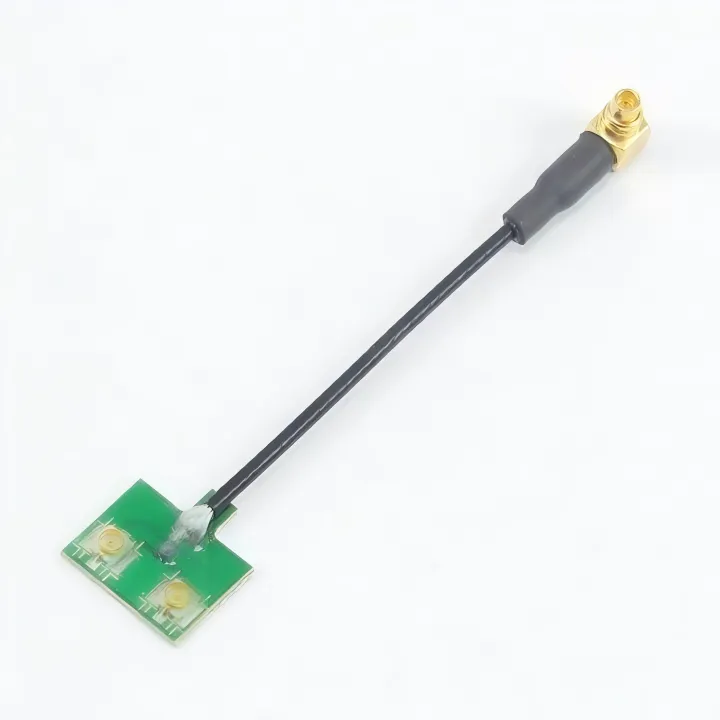
The context for Figure 1 (Page 1) describes how RF design failures are usually not immediate but appear subtly after the enclosure is closed, antenna mounted, or cable touched during testing. Therefore, this figure is likely an infographic or schematic establishing the visual concept of this “hidden problem.” It might show a block representing an “RF Device” in a “Normal Operation” state (e.g., displaying “Tx/Rx OK”). Then, through a series of arrows or step-by-step illustrations, it shows actions like “Close Enclosure,” “Mount Antenna,” or “Touch Cable,” leading to a “Problem Manifestation” state, such as “SNR Drift” or “RSSI Instability” on a signal quality chart. Its core purpose is to visually introduce, at the article's outset, the theme of the MMCX-SMA junction as a potential stability boundary.
Most RF designs don’t fail in obvious ways.
They boot. They transmit. Sensitivity looks fine during bring-up. Nothing screams “problem.”
The trouble usually starts later—after the enclosure is closed, after the antenna is mounted, or after someone touches the cable during testing. That’s often when the mmcx to sma connector quietly shows its influence.
On paper, this transition looks harmless. One small connector on the board. One familiar SMA on the panel. A short link in between. Easy.
In real hardware, it’s a boundary. Electrical, mechanical, and operational. That boundary is where small compromises stack up, and once they do, you don’t get the margin back.
This article isn’t about connector definitions. It’s about how to treat the MMCX-to-SMA link as part of the RF system—something you design, route, and validate deliberately.
Where does an MMCX to SMA connector sit in your RF chain?
In most compact RF products, the MMCX interface lives deep inside the device. The SMA interface, on the other hand, is exposed. Users touch it. Antennas hang off it. Test cables get swapped in and out.
The mmcx connector is usually mounted close to the RF module, sometimes only a few millimeters away from sensitive matching networks or shielding cans. The SMA port often sits on a metal wall that’s mechanically stable but electrically noisy.
The short section connecting those two worlds carries more responsibility than its length suggests.
Map the signal path from RF module to antenna
A typical path looks like this:
RF module → MMCX connector → short interconnect → SMA connector → antenna
Nothing exotic. But that “short interconnect” is rarely neutral.
Whether it’s a rigid adapter or a flexible mmcx cable, it behaves like a transmission line segment with its own loss, impedance variation, and sensitivity to movement. If you’ve ever seen S11 shift just by nudging a cable, you’ve already met this problem.
Thinking in terms of a continuous RF chain—not individual parts—helps frame the risk correctly. That same chain-level thinking shows up in longer coax discussions, such as in this overview of coaxial cable behavior across real installations. The scale is smaller here, but the physics is the same.
Distinguish MMCX to SMA connector vs MMCX to SMA adapter vs cable

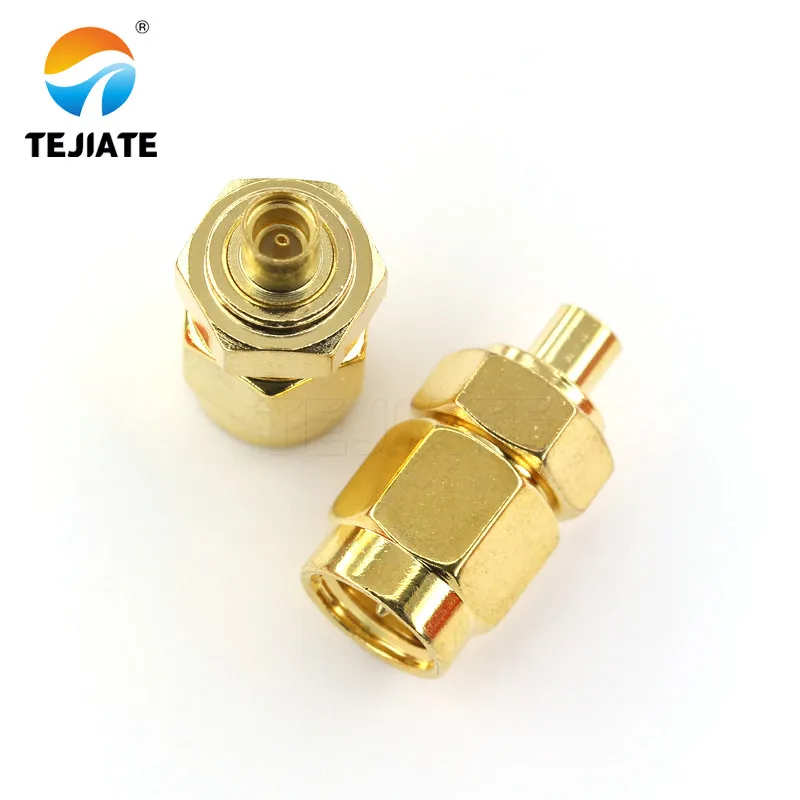
The title and context (Page 3) of Figure 2 explicitly refer to the “rigid MMCX to SMA adapter.” Therefore, this figure is undoubtedly a close-up display image of such an adapter. It is likely a high-definition product photo or precise engineering drawing showing a small metallic cylinder. The image would clearly distinguish both ends: one is the snap-on MMCX Female Interface, and the other is the threaded SMA Female Interface. It might include dimension callouts or annotations emphasizing its “rigid,” “monolithic” structural characteristic. This figure serves to give readers a concrete, visual understanding of the “rigid adapter” frequently discussed in the text, forming the basis for comparison with flexible cable solutions.
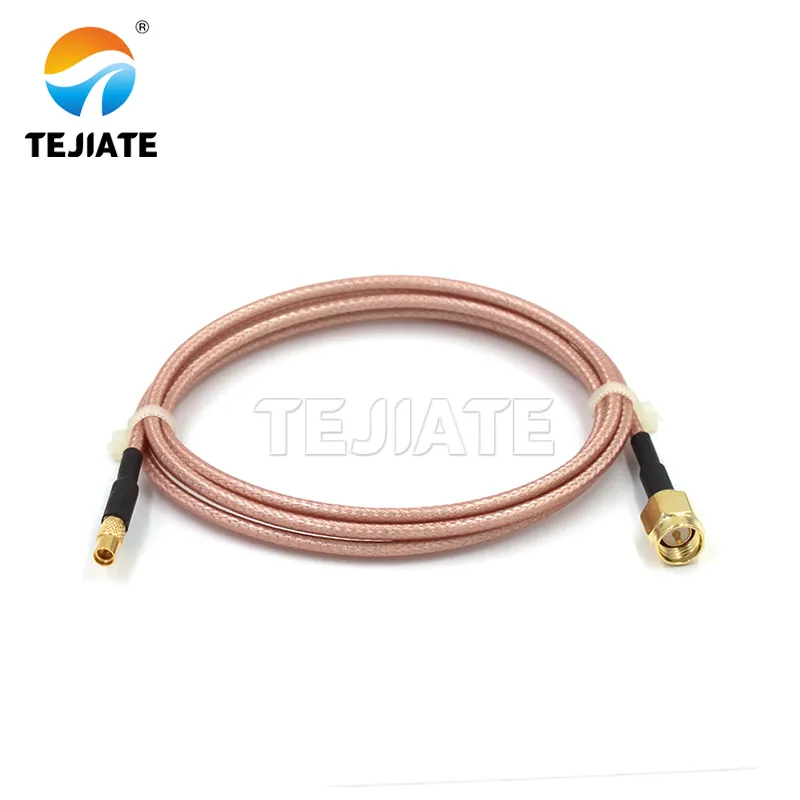
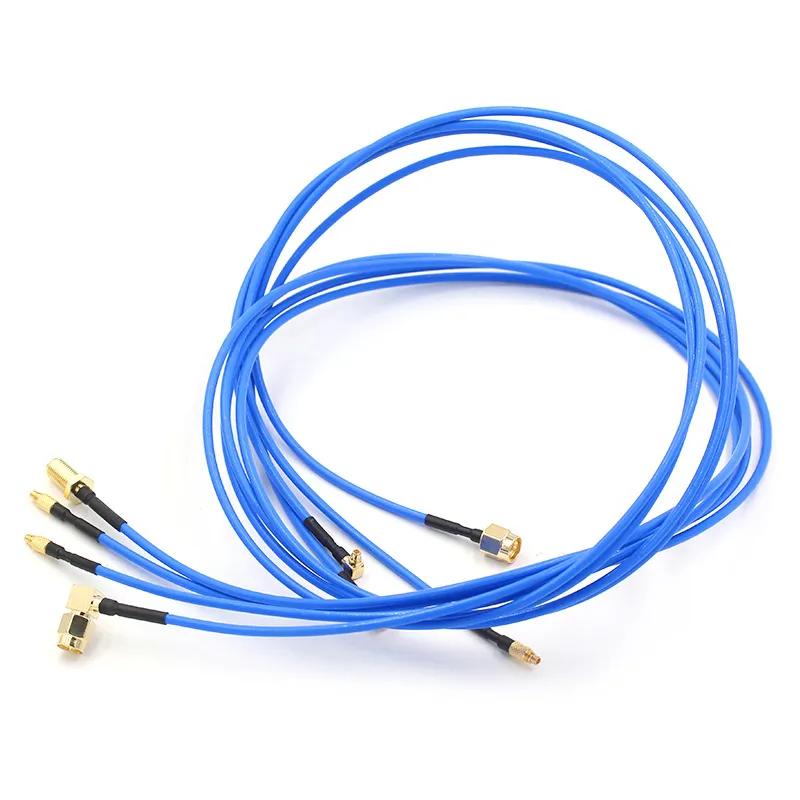
Figure 3’s title directly states its content, and its context (Page 4) is comparing the “rigid adapter” and the “cable-based solution,” noting that RG316 coaxial cable introduces flexibility to spread out stress. Therefore, this figure is a display image of a flexible MMCX to SMA cable assembly. It would highlight key features: the flexible body of the RG316 Coaxial Cable (perhaps shown with a slight bend to demonstrate its property), the MMCX Connector (typically female) on one end, and the SMA Connector (typically male) on the other. The image might emphasize how this solution protects the fragile onboard MMCX jack through cable flexibility—by visually contrasting the flexible cable with a rigid adapter outline or by adding annotations like “Distributes Mechanical Stress” or “Flexible Link.” This creates a direct contrast with the rigid solution in Figure 2.
These terms get mixed up constantly, and that confusion causes bad assumptions.
A rigid mmcx to sma adapter assumes near-perfect alignment between the PCB and the panel. If that alignment drifts by even a millimeter, stress has to go somewhere—usually into the MMCX jack on the board.
A cable-based solution spreads that stress out. A short pigtail, often built with RG316 coaxial cable, introduces flexibility at the cost of a little extra loss.
Both approaches are valid. They are not interchangeable.
How should you define requirements for an MMCX to SMA connector?
Connector problems are rarely about the connector itself. They’re about missing constraints.
Before picking hardware, it helps to answer a few uncomfortable questions up front.
Capture RF specs: bands, power, and VSWR targets

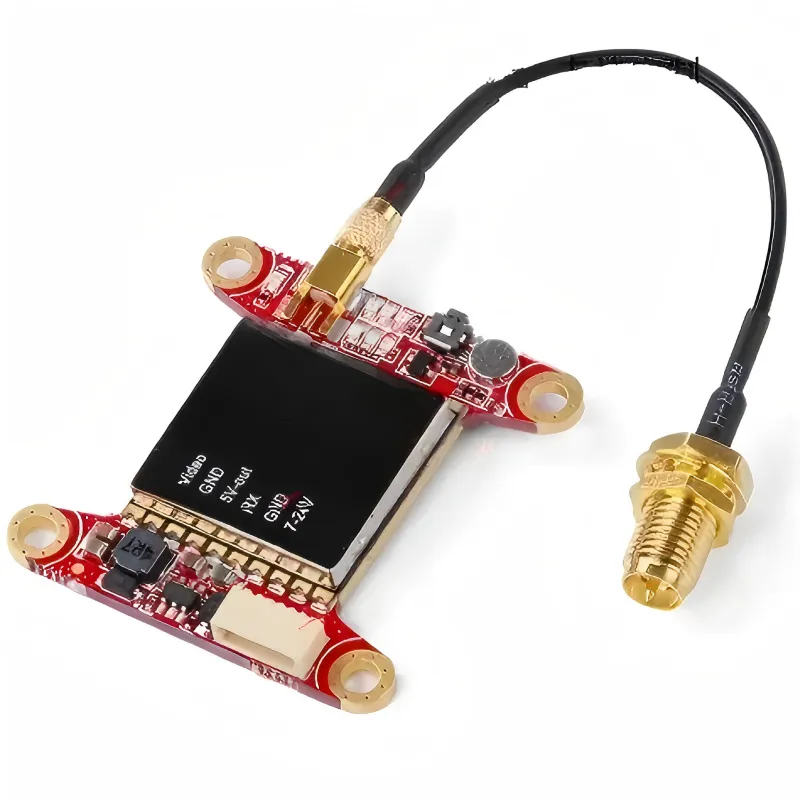
The context for Figure 4 emphasizes that design should start with frequency, power, and VSWR targets, not just connector size. Therefore, this figure should be a product-level integration schematic, not a purely theoretical chart. It likely depicts a simplified cross-section of a “Product Enclosure.” Inside, there is a “PCB” with an “RF Module” and the critical “Onboard MMCX Connector.” A “Short Coaxial Cable” (possibly labeled RG316) extends from this connector, routing through constrained internal space, and finally connects to an “SMA Connector” (e.g., a bulkhead) mounted on the “Enclosure Wall.” An “External Antenna” or “Test Cable” is shown connected outside. Key annotations in the image might not be specific values but design considerations, such as labeling near the RF module as “High-Frequency Sensitive Area,” near the cable path as “Minimum Bend Radius,” at the SMA interface as “Torque/Grounding,” and possibly highlighting the entire path with a note like “Total Loss Budget” or “VSWR Impact Zone.” The core purpose of this figure is to visualize “link-level thinking”—showing engineers that every RF specification they define (band, loss, VSWR) ultimately corresponds to this specific, mechanically constrained physical path that must be realized within the spatial and structural limits of the product design.
Start with frequency, not connector size.
A transition that behaves perfectly at 900 MHz may already be marginal at 5 GHz. At higher bands, every interface counts, and the combination of MMCX, cable, and SMA can consume more return-loss budget than expected.
Power levels matter too, even in receive-heavy systems. Thin sma rf cable assemblies can heat up, drift, or age faster than thicker options.
Most importantly, define what “acceptable” means. If the antenna needs a certain VSWR to meet sensitivity targets, the connector chain needs its own budget. Otherwise, you’re debugging blind.
Capture mechanical specs: envelope, panel position, and cable exit
Mechanical constraints usually decide the topology long before RF theory does.
Ask simple questions:
- How far is the PCB from the enclosure wall?
- Is the SMA port centered or offset?
- Does the interconnect need to bend immediately, or can it exit straight?
A rigid adapter only works when those answers are tightly controlled. Once offsets or tolerance stack-ups appear, a flexible sma coax cable section often becomes the safer option—even if it wasn’t in the original plan.
Capture reliability specs: mating cycles and environment
MMCX connectors tolerate some abuse, but they aren’t designed for constant handling. SMA connectors are.
That difference matters in real products. In lab gear, adapters get swapped daily. In deployed devices, they shouldn’t.
A common strategy is to treat the MMCX side as internal and semi-permanent, while the SMA side handles user interaction. Designs that blur that boundary tend to suffer earlier.
How do you select between MMCX to SMA connector, adapter, or pigtail?
This is usually the point where RF theory meets mechanical reality.
On a whiteboard, all three options—direct connector, adapter, or cable—look equivalent. In hardware, they behave very differently once tolerances, assembly steps, and service access enter the picture. The right choice depends less on the connector datasheet and more on how the product is built and used.
Compare direct MMCX to SMA connector vs inline adapter
A rigid MMCX-to-SMA adapter works only when several conditions line up at the same time.
The PCB must land very close to the enclosure wall. The MMCX jack must be aligned cleanly with the SMA opening. The enclosure itself must be stiff enough that nothing shifts under torque when the SMA nut is tightened.
When those assumptions hold, a rigid adapter can be electrically clean and mechanically simple. There’s no extra cable loss, no bend radius to worry about, and assembly is fast.
When they don’t hold, things go downhill quickly. Even small misalignments can load the MMCX connector in directions it was never meant to tolerate. Over time, that stress often shows up as intermittent contact or cracked solder joints—not immediate failure.
That’s why many teams abandon rigid adapters after the first enclosure revision.
When should you use an MMCX cable or RG316 coaxial cable pigtail?
A short pigtail buys freedom.
Using an mmcx cable decouples PCB placement from panel geometry. It also spreads mechanical stress along the cable instead of concentrating it at the MMCX jack. That matters more than most people expect, especially in compact enclosures.
RG316 coaxial cable is a common choice here for good reasons. It handles heat well, stays flexible in tight spaces, and is widely supported by MMCX and SMA terminations. It isn’t the lowest-loss option, but for short runs inside a product, the trade-off is usually acceptable.
If the design needs to route around shielding cans, batteries, or structural ribs, a flexible pigtail is often the only realistic option.
MMCX to SMA connection planning matrix
Rather than guessing, it helps to evaluate the transition the same way you’d evaluate any other RF link.
Below is a practical planning matrix that engineers often use to sanity-check MMCX-to-SMA decisions before hardware is frozen.
| Parameter | Typical Input |
|---|---|
| Frequency_band | 1-2 GHz / 2-6 GHz / >6 GHz |
| Max_total_loss_dB | From system link budget |
| Cable_type | RG316 / RG174 / semi-rigid |
| Run_length_m | PCB-to-panel distance |
| Connector_count | MMCX + SMA (+ adapters) |
| Environment class | Lab / Indoor / Outdoor / Automotive |
Loss estimation (first-order):
- Cable_loss_dB = Run_length_m × Loss_per_meter
- Connector_loss_dB = Connector_count × Loss_per_connector
Typical connector loss is often in the 0.05–0.2 dB range per interface, depending on frequency and quality.
- Total_link_loss_dB = Cable_loss_dB + Connector_loss_dB
Design constraint:
Total_link_loss_dB ≤ Max_total_loss_dB
A practical rule of thumb: if the connector chain consumes more than about 80% of the allowed loss, the design is fragile. At that point, shortening the run, removing an adapter, or upgrading the cable usually pays off.
Route MMCX to SMA connectors and SMA RF cables without killing margin
Routing is where many otherwise-correct designs quietly lose performance.
The problem isn’t usually the cable itself. It’s how the cable is forced to behave inside the enclosure.
Plan the 3D path for MMCX cable and SMA coax cable
Think in three dimensions from the start.
A coaxial cable wants gentle curves, not sharp corners. Minimum bend radius matters, especially for small-diameter cables like RG316. If the cable has to make a tight turn immediately after the MMCX connector, that stress doesn’t disappear—it gets transferred into the connector and the PCB.
Leaving a little extra length for a smooth arc often improves both RF stability and mechanical life. It looks sloppy in CAD, but it behaves better in hardware.
Avoid coupling and interference around the connector chain
Short internal cables are still antennas in the wrong environment.
Routing an MMCX-to-SMA link directly past a switching regulator, high-speed digital bus, or noisy RF front-end block is asking for trouble. Even if the cable is shielded, coupling can occur through imperfect grounds and connector shells.
Keeping distance and using predictable routing corridors usually works better than trying to “fix” noise later.
This kind of separation strategy aligns with general RF grounding and connector practices described in standard references on the SMA connector family and its controlled-impedance assumptions, as outlined in resources like the SMA connector overview.
Coordinate with enclosure and mechanical teams early
SMA connectors need wrench clearance. MMCX connectors need stable support. Neither requirement is optional.
If the enclosure team places a rib too close to the SMA nut, torque control becomes impossible. If the PCB team doesn’t reserve keep-out around the MMCX jack, reinforcement becomes difficult.
These conflicts are much easier to resolve on a drawing than on a finished prototype.
How do you keep MMCX to SMA connectors mechanically reliable?
Control strain on MMCX cable and RG316 coaxial cable
The MMCX jack should never carry cable load.
A simple clip, tie-down, or adhesive anchor placed a few centimeters away can absorb most of the stress caused by vibration or handling. Without it, the connector sees every tug and twist directly.
This is especially important with RG316 coaxial cable, which is flexible enough to move—but stiff enough to transmit force.
Manage mating cycles and field-service use cases
MMCX connectors tolerate limited mating cycles. SMA connectors tolerate many more.
In lab environments, repeated insertion is unavoidable. That’s where sacrificial adapters or test cables make sense. In deployed products, the MMCX interface should ideally be mated once and left alone.
Designs that ignore this distinction often degrade gradually rather than failing cleanly.
Handle vibration, drop, and thermal cycling scenarios
In automotive or industrial products, vibration and temperature cycling work together. The cable expands and contracts. The enclosure flexes slightly. Over time, that motion accumulates at the weakest point.
Anchoring the cable, supporting the PCB near the MMCX connector, and avoiding rigid load paths all help. These steps aren’t exotic—they’re standard mechanical hygiene that just happens to matter more at RF interfaces.
How should you test an MMCX to SMA connector path in the lab?
Most MMCX-to-SMA problems don’t show up as failures.
They show up as behavior.
The radio still links. Power still comes out. The antenna still “works.” What changes is how stable the numbers feel once the setup is no longer perfectly still.
That’s why testing this connector path needs to go beyond a single clean sweep.
Verify return loss and insertion loss across bands
Start by measuring the entire chain, not individual parts.
Connect your VNA from the MMCX side to the SMA end and sweep across the full operating band. This captures the combined behavior of the mmcx connector, the interconnect, and the SMA interface as one system.
What you’re looking for isn’t perfection. You’re looking for consistency. A smooth return-loss curve that degrades slowly with frequency is usually acceptable. Sharp notches or irregular ripples often point to a local discontinuity—sometimes inside the connector, sometimes at the cable transition.
If you’ve done enough RF measurements, you’ll recognize the pattern immediately. If not, it helps to revisit how S-parameters are interpreted in practical measurements, as outlined in general references on vector network analyzers.
Perform flex and movement tests on MMCX cable assemblies
This is where many designs quietly fail.
While watching S11 or S21 live, gently move the mmcx cable or pigtail. Don’t bend it aggressively. Just simulate the kind of motion it will see during assembly, enclosure closing, or normal handling.
If the trace shifts noticeably when the cable moves, something is wrong. Usually it means the cable is loading the MMCX jack, or the bend radius near the connector is too tight. These issues almost never fix themselves later.
Engineers sometimes dismiss this as “measurement noise.” In production, it becomes intermittent field behavior.
Capture test data for production guidelines
Once you’ve seen a few good units and a few bad ones, the difference becomes obvious.
Document insertion loss ranges, return loss limits, and how much variation is acceptable during light movement. These numbers don’t need to be pretty. They need to be realistic.
When manufacturing asks what to check, this data gives you an answer that’s grounded in actual hardware behavior, not theory.
What industry trends are changing MMCX to SMA connector usage?
Smaller RF modules driving denser MMCX layouts
RF modules keep shrinking, and shielding gets tighter. The MMCX connector hasn’t changed much, but the space around it has.
As layouts get denser, the margin for mechanical error disappears. Cable exits that were forgiving before are now constrained. That makes routing discipline and strain relief more important than they were a few product generations ago.
Higher frequencies squeezing connector and cable budgets
At higher frequencies, the connector chain stops being “invisible.”
An extra adapter, a longer sma coax cable, or a poorly controlled transition can eat more margin than expected. Designs that worked fine below a few gigahertz often need rethinking once they move into higher bands.
This is where reducing connector count usually matters more than switching connector families.
Growing demand for pre-assembled MMCX to SMA cable kits
More teams are moving away from field-assembled interconnects.
Pre-assembled mmcx to sma connector pigtails reduce variability. They also reduce the number of ways a build can go wrong. In volume production, that consistency often outweighs the flexibility of assembling everything in-house.
It’s not a trend driven by marketing—it’s driven by yield.
Document MMCX to SMA connector choices for procurement and manufacturing
Create a standardized MMCX to SMA connector BOM block

The context for Figure 5 (Pages 13-14) explicitly discusses documentation, creating a standardized BOM block to include the MMCX jack, RG316 cable, SMA connector, etc., and treating it as a unit. Therefore, this figure should be a system integration or parts explosion diagram. It might depict the entire “MMCX-SMA Path” within a dashed box or a clear “Functional Block.” Inside the block, key components are exploded: an “MMCX Jack” on a “PCB,” a segment of “RG316 Coaxial Cable,” an “SMA Connector” (likely a bulkhead), and possibly “Strain-Relief Hardware” (e.g., a clip). Arrows indicate signal flow. Outside the block, items like “Alternate Part Numbers,” “Lifecycle Status,” or “Inspection Criteria” might be listed. This figure visualizes an engineering management best practice: abstracting a complex interconnect across physical interfaces into a manageable, reusable, and substitution-controlled standalone unit within documentation.

Instead of scattering connectors and cables across the BOM, define the MMCX-to-SMA path as a single functional block.
That block might include the MMCX jack, the rg316 coaxial cable, the SMA connector, and any strain-relief hardware. Treating it as a unit makes reuse easier and substitutions safer.
Capture alternate parts and end-of-life risks
Connectors disappear. Cable constructions change. Plating specs get revised.
Listing approved alternates—and noting where behavior might differ—prevents quiet changes from slipping into production without engineering review.
Align documentation with test and inspection criteria
The final step is alignment.
The parameters you measured in the lab should show up again in manufacturing inspection and quality checks. When those two worlds drift apart, RF performance drifts with them.
Frequently Asked Questions
Q: Can I connect an MMCX module directly to an SMA antenna?
A: No. MMCX and SMA are mechanically incompatible. You need a proper adapter or cable assembly designed for that transition.
Q: When is a rigid MMCX to SMA adapter acceptable?
A: Only when alignment is well controlled and mechanical stress is minimal. Any tolerance stack-up usually favors a cable.
Q: Is RG316 always the right cable for MMCX to SMA links?
A: It’s common because it balances flexibility and durability, not because it’s perfect. Length, frequency, and environment still matter.
Q: How do I know if my MMCX to SMA path is hurting VSWR?
A: Measure the full chain and repeat the test while gently moving the cable. Instability is usually more telling than absolute numbers.
Q: Are MMCX connectors reliable in vibration-heavy products?
A: Yes, when they’re treated as internal interfaces and properly strain-relieved. Exposing them directly to user handling is where problems start.
Bonfon Office Building, Longgang District, Shenzhen City, Guangdong Province, China
A China-based OEM/ODM RF communications supplier
Table of Contents
Owning your OEM/ODM/Private Label for Electronic Devices andComponents is now easier than ever.
