
FPV Antenna Guide for 5.8GHz Drone Setup
Mar 29,2026

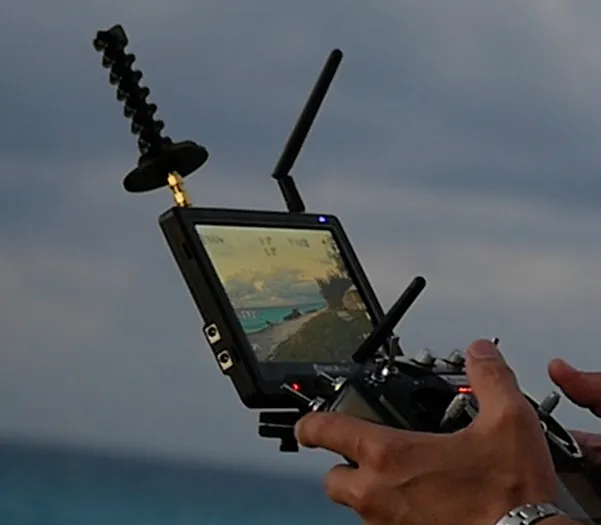
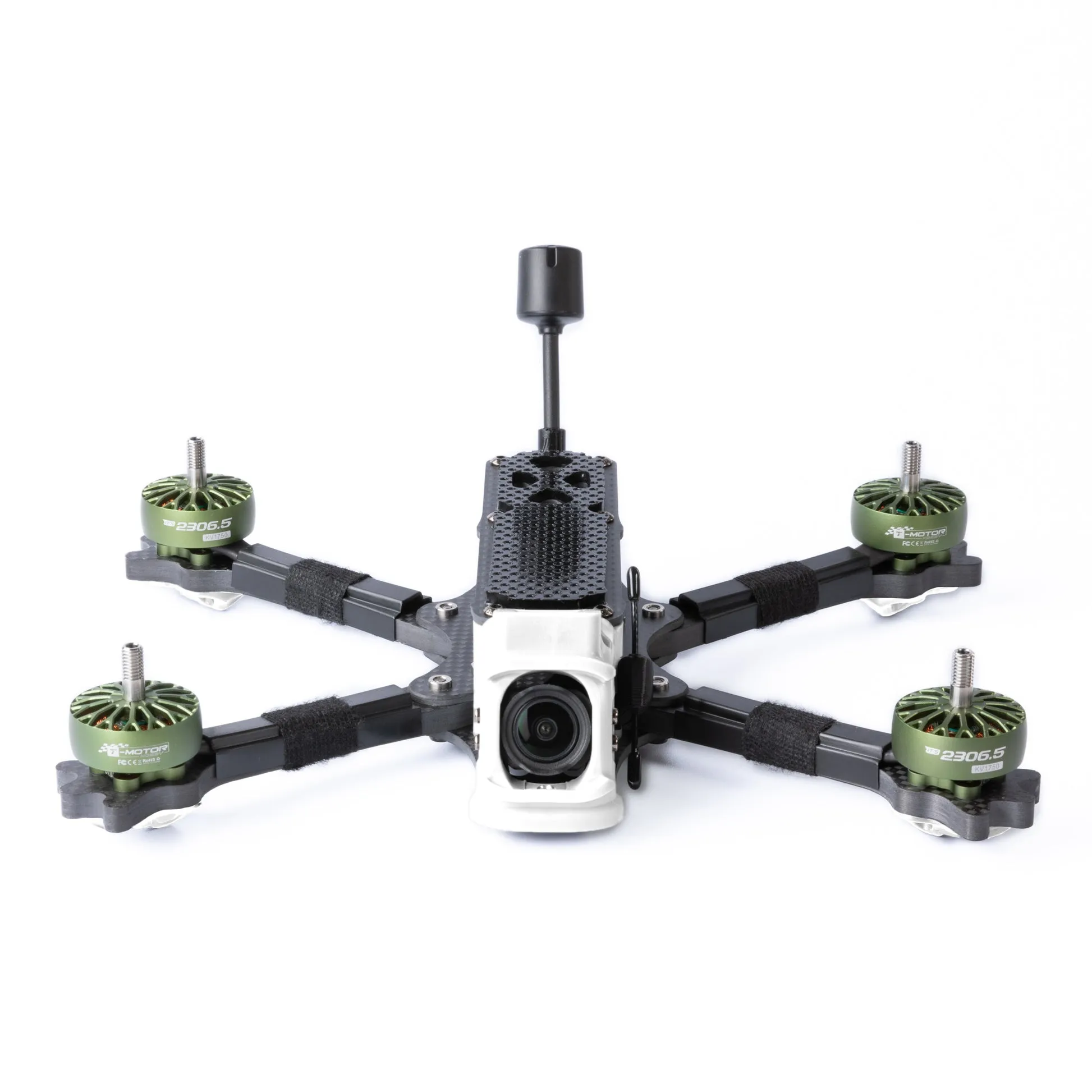
This figure shows a small FPV drone resting on a workbench. The video transmitter (VTX) is visible, with a 5.8GHz antenna mounted on it. The image highlights that while the drone appears ready for flight, the antenna is often overlooked during setup. Once the pilot moves away, signal breakup—flicker, noise, or blackouts—often traces back to an antenna mismatch or poor placement rather than the VTX or camera. The scene emphasizes the antenna’s critical role in the real-world RF link.
A small FPV build lands on the bench.
Everything else looks right. VTX is powered. Camera feed is clean. Channels are set correctly.
Then the pilot walks ten meters away.
The image starts breaking up.
Not gone—just unstable.
Flicker. Noise. Occasional blackouts.
At this point, most people don’t suspect the antenna. They look at power output, firmware, even interference. But in many setups, the weakest link is sitting right on top of the drone—small, overlooked, and chosen last.
The antenna.
And more specifically, the wrong antenna for that exact link.
Start with the video link, not the antenna shelf
On a bench, a splitter feels harmless.
In a real home, it becomes part of the system.
Once installed, it quietly reshapes:
- signal balance
- loss budget
- cable tolerance
- future expandability
That’s where most installs go off track—not at the product, but at the decision before it.
Start with the signal path before you pick a coax splitter
Most buying mistakes start the same way:
search fpv antenna, scroll, pick something that looks durable, usually with an SMA connector, and move on.
That approach skips the actual question:
what link are you trying to build?
An FPV system isn’t one antenna. It’s a chain:
- VTX (transmitter)
- Air-side antenna
- RF path (free space + reflections)
- Receiver antenna(s)
- Goggles or ground station
Changing one part affects the whole chain.
A short mushroom-style 5.8GHz antenna might work perfectly on a freestyle quad but fail quickly on a long-range cruising build. Not because it’s “bad,” but because the link expectations are different.
Match the antenna job to VTX, VRX, goggles, or ground station
On the aircraft side, space and survivability usually dominate.
You’re dealing with vibration, crashes, prop wash, and limited mounting points.
That’s where most fpv antennas end up being:
- omnidirectional
- circular polarized
- compact
- mechanically tolerant
On the receiver side, priorities shift:
- directionality
- range extension
- better signal recovery
Which is why serious setups rarely use identical antennas on both ends.
Separate freestyle, racing, cruising, and indoor whoop use cases
A racing quad doesn’t behave like a cinematic drone.
Racing
- aggressive movement
- short distance
- high crash risk
Freestyle
- unpredictable angles
- urban reflections
- mid-range
Cruising
- stable direction
- distance priority
Indoor whoop
- heavy multipath
- very short range
The same 5.8GHz antenna performs differently because the environment—not the spec—changes.
Define when a short mushroom FPV antenna is the right fit
This is where most compact mushroom antennas sit:
- 5.8GHz band
- circular polarization
- omnidirectional
- SMA interface
- short reinforced body
They’re not built for maximum range.
They’re built to survive real flying.
If your drone:
- crashes often
- has tight frame spacing
- exposes the antenna
then a shorter antenna usually lasts longer—and performs more consistently over time.
Why do so many FPV pilots default to circular polarization?
Circular polarization didn’t become standard because of theory.
It became standard because linear antennas fail in real flight.
Compare circular and linear polarization in real drone flight
Linear antennas need alignment.
FPV drones don’t stay aligned.
They:
- roll
- yaw
- flip
Circular polarization tolerates that movement.
It keeps signal usable even when orientation constantly changes.
Decide between RHCP and LHCP before you compare gain
This is where most mistakes happen.
Users compare:
- gain
- size
- price
But ignore polarization.
RHCP ≠ LHCP
If they don’t match:
- signal weakens
- noise increases
- range collapses early
And the system still “kind of works,” which makes it harder to detect.
Check how polarization mismatch quietly ruins the link

This diagram shows two antennas: one labeled RHCP (right-hand circular polarized) and the other LHCP (left-hand circular polarized). The mismatch is indicated by a broken or wavy line between them, with annotations showing noise, flicker, and reduced range. The image emphasizes that polarization mismatch is a common mistake that doesn’t cause outright failure but makes the system behave unpredictably. The correct approach is to ensure both ends of the link use the same polarization.
Mismatch doesn’t kill the signal.
It degrades it.
You’ll see:
- unstable video
- random noise
- inconsistent range
Instead of a clean failure.
Match SMA details before you order the antenna
Connector mistakes don’t show up online.
They show up when the antenna doesn’t fit.
Distinguish SMA from RP-SMA without relying on product photos
SMA and RP-SMA look almost identical.
The difference is internal:
- pin vs socket
- reversed polarity
Photos often don’t make this clear.
The only safe way:
- check your VTX port
- confirm center contact
- match exactly
Verify pin and socket combinations on VTX and receiver ports
Common setups include:
- SMA male (pin)
- SMA female (socket)
- RP-SMA reversed versions
Wrong combination = cannot install
Not “reduced performance”—just unusable
Avoid stack-ups, loose adapters, and fragile port loading

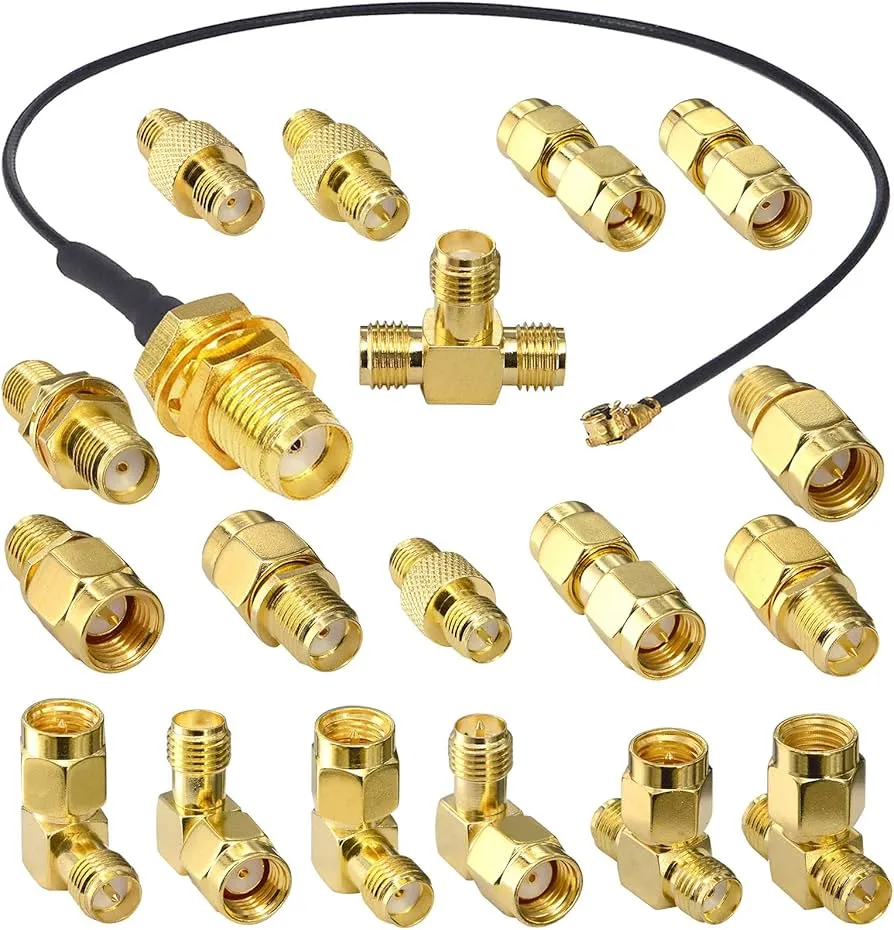
This figure illustrates a problematic setup where multiple rigid adapters are stacked between the VTX port and the antenna. Each adapter adds a small loss and creates leverage that stresses the VTX connector. The image contrasts this with a cleaner solution: a short, flexible adapter cable that absorbs movement and reduces torque. The message is to avoid stacking adapters; instead, use a purpose-built cable or direct-mount antenna when possible.
Stacking adapters seems convenient:
SMA → RP-SMA → extension → antenna
But this creates problems:
- extra signal loss
- mechanical instability
- stress on PCB connector
Small RF ports are not designed to carry weight or torque.
Short adapter cables are often safer than rigid stacks.
Use size, weight, and housing strength to narrow the shortlist
A build that looks clean on the bench doesn’t always survive the first week outside.
The antenna is usually the first thing to take damage. Not because it’s weak, but because of where it sits. Rear mount, slightly exposed, right in the line of impact.
This is where spec sheets stop helping.
You’re not deciding between 2 dBi and 5 dBi anymore. You’re deciding whether the antenna is still there after three crashes.
Decide when a stubby antenna beats a taller antenna
A taller antenna can look like the “better” option. More structure, more presence, sometimes higher gain.
Then it hits the ground.
The problem isn’t electrical—it’s leverage. A longer antenna creates more force at the connector during impact. On a small quad, that force transfers straight into the VTX port.
Short antennas behave differently. Less leverage. Less bending. They give up a bit of theoretical reach but tend to stay usable longer.
On builds that get pushed hard—freestyle, tight spaces, low altitude—this trade-off is usually worth it.
Check whether ABS housing helps or hurts your build priorities
Most FPV antennas now come with molded housings. ABS is common. It’s not there for looks.
It spreads impact.
Without that outer shell, the internal radiating structure takes the hit directly. With it, part of the force gets absorbed or redirected. That’s why some antennas feel slightly “softer” when pressed—they’re designed that way.
The downside shows up on ultra-light builds. Every gram matters. A heavier housing can shift balance, especially on micro frames.
So the question becomes practical:
is this build weight-sensitive, or crash-sensitive?
Balance protection, clearance, and camera angle on compact frames

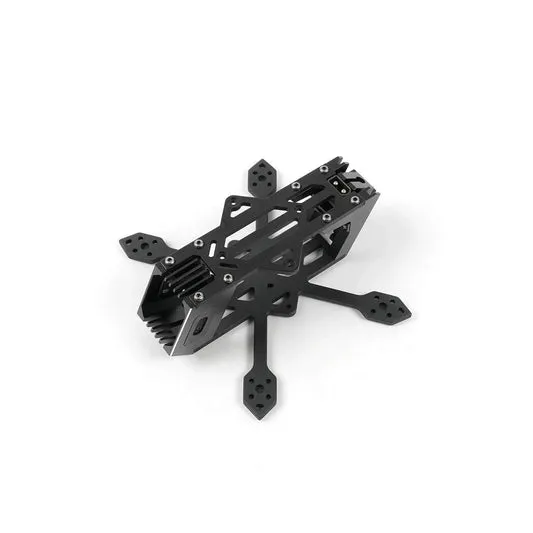
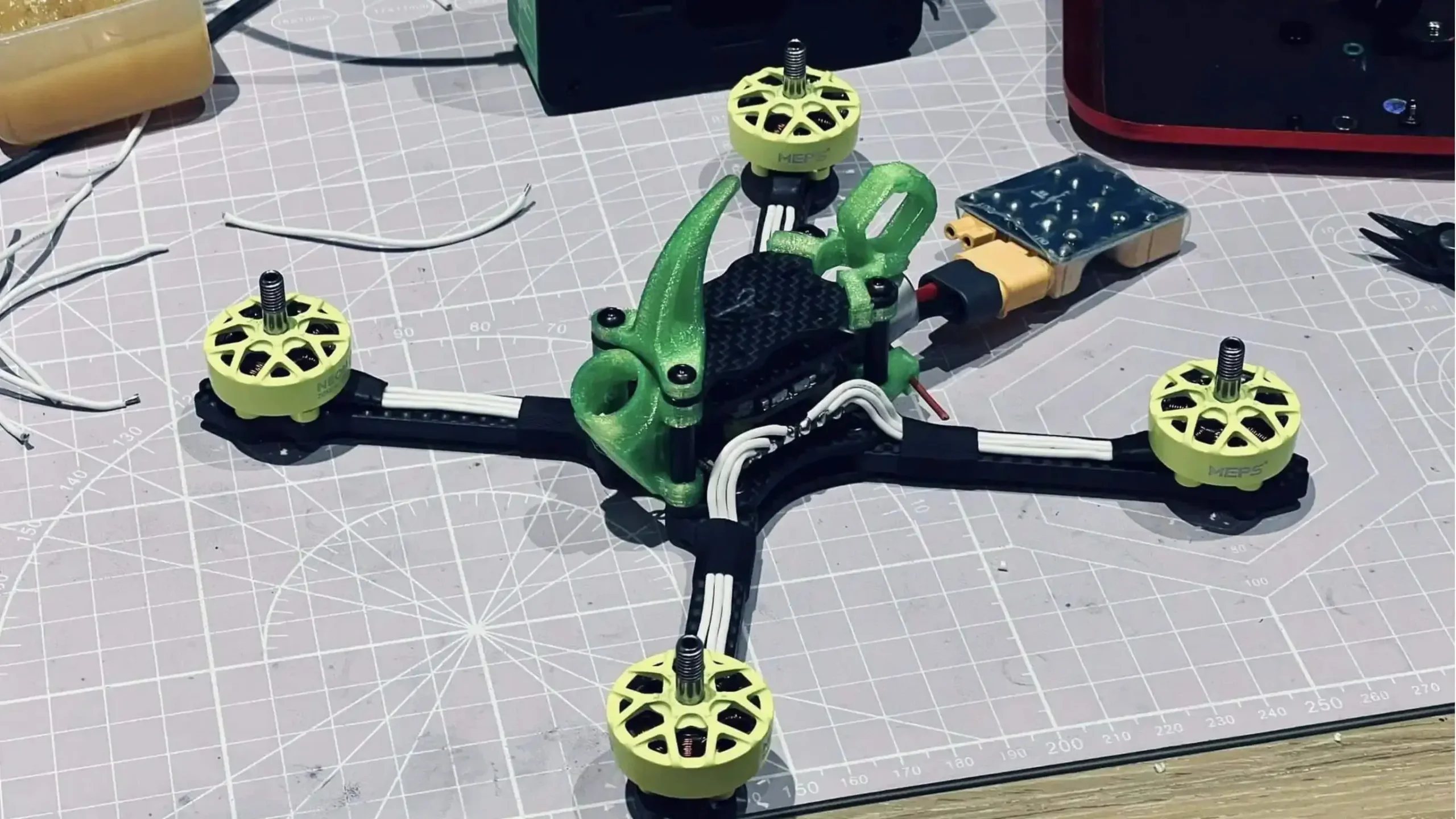
This image shows a close-up of a small FPV drone frame. The antenna is mounted near the camera, and the image highlights the limited space available. The camera tilt angle is indicated, showing how the antenna may lean back into the frame or props if too long. The text notes that a compact omnidirectional antenna is often the most practical choice for such builds because it fits without creating new clearance problems.
This side-view diagram of a drone shows the antenna protruding at an angle. The image highlights potential interference zones where the antenna could contact the frame or propeller path. It emphasizes that antenna placement affects both RF performance and mechanical safety. A properly positioned antenna stays clear of moving parts while maintaining a good radiation pattern. The text recommends choosing an antenna that fits the physical envelope of the build.
Mounting position ends up being a compromise, whether planned or not.
Too low, and the frame blocks part of the signal.
Too high, and the antenna becomes a target.
Then there’s camera tilt. On high tilt angles, the antenna leans back into airflow. Sometimes into props. Sometimes into frame edges.
You don’t fix this with a better antenna. You fix it by choosing one that fits the space.
That’s why compact omnidirectional designs keep showing up in real builds. Not because they win on paper, but because they fit without causing new problems.
Read gain, VSWR, and coverage claims without guessing
This is usually where people slow down.
Specs look simple. Numbers look precise. But they don’t tell you how the antenna behaves once the drone leaves the bench.
A lot of confusion starts here.
Judge whether 5 dBi is useful for your actual flight pattern
“5 dBi” gets used as a safe middle ground. Not too weak, not too focused.
But that only holds if your flight style matches it.
Higher gain doesn’t mean “better everywhere.” It reshapes how the signal spreads. You get more reach in some directions, less in others.
On a drone that keeps changing orientation, that trade-off shows up fast. You’ll see moments where the signal feels strong, then suddenly drops as the angle shifts.
For general freestyle or casual flying, a slightly lower, more forgiving pattern often feels more stable—even if the number looks smaller.
Use VSWR as a sanity check, not a magic score
VSWR tends to scare people because it sounds technical.
In practice, it’s simpler than it looks. It tells you whether the antenna is reasonably matched to the system.
If it’s around 1.5 or below, it’s already doing its job.
Going from 1.5 to 1.2 won’t suddenly clean up your video feed. You won’t notice that difference in flight. What you will notice is bad placement, wrong polarization, or interference.
So treat VSWR like a gate:
acceptable or not.
Not a ranking system.
Check whether the stated 5.8GHz band really matches your channel plan
“5.8GHz antenna” sounds universal. It isn’t always.
Different antennas are tuned slightly differently across that band. Some favor lower channels, others sit more centered.
Most of the time, it’s fine. But if you’re flying in a crowded RF environment and switching channels often, small differences start to show.
You might notice one channel feels clean, another slightly noisy, even with the same setup.
That’s not random. It’s part of how the antenna responds across frequency.
If you want to understand how signal behavior ties back to cable and impedance consistency, this background piece connects the dots without turning into theory:coaxial cable guide
Understand why “98% radiation coverage” should be read carefully

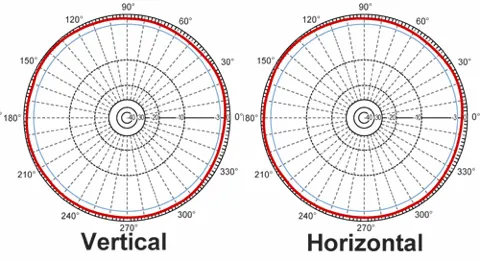
This figure illustrates a typical radiation pattern of a compact omnidirectional antenna. The pattern is mostly spherical but shows small dips or nulls in certain directions. The image is annotated with “98% coverage” and highlights the weak spots. It explains that marketing claims of high coverage can be misleading; in flight, when the drone changes orientation or passes behind obstacles, signal may drop at those angles. The takeaway is to prioritize real-world testing over spec-sheet percentages.
Coverage percentages sound reassuring.
But no small omnidirectional antenna is perfectly uniform. There are always weak spots. The goal is to minimize them, not eliminate them.
In real flying, those weak spots show up when:
- the drone dips behind an object
- the angle changes quickly
- reflections interfere with the direct path
The signal doesn’t vanish. It just drops enough to affect image quality.
That’s the difference between marketing language and field behavior.
Choose the right antenna pair for your drone and your goggles
Most setups that feel “solid” aren’t relying on a single antenna choice. They’re balancing two ends of the link.
And those ends don’t have to match.
Pair an omni on the aircraft with the right receiver strategy
On the drone side, simplicity wins.
An omnidirectional antenna keeps things predictable. No aiming. No alignment issues. It works regardless of how the drone moves.
Trying to run directional antennas on the aircraft side usually creates more problems than it solves.
Decide when to combine omni and directional antennas on the ground
The receiver side is where you can get more strategic.
A common setup is diversity:
- one omni for general coverage
- one directional for reach
The system switches between them depending on signal quality. You don’t notice it happening, but it extends usable range without making close-range flying unstable.
It’s a practical mix. Not perfect, but flexible.
Map connector choices across drone, goggles, and extension parts
Connector mismatches don’t always show up immediately. Sometimes everything fits—just not cleanly.
Adapters get added. Then another. Then a short extension.
Now the signal path has multiple interfaces, each adding a small loss and a bit of mechanical play.
If you’re already working with extension or relocation, using something purpose-built like RF adapter cables tends to keep things more stable than stacking rigid pieces together.
Less stress on the connector. Fewer failure points.
Build your shortlist with a pass-fail matrix
At this point, comparing specs one by one stops being useful.
It’s faster to rule things out.
This kind of matrix isn’t about finding the “best” antenna. It’s about removing the ones that don’t fit your setup.
| Field | Description |
|---|---|
| Flight style | Racing / Freestyle / Whoop / Cruising |
| Video system | Analog / Digital |
| Polarization | RHCP / LHCP |
| Connector | SMA / RP-SMA |
| Contact type | Pin / Socket |
| Form factor | Stubby / Standard / Patch |
| Clearance risk | Low / Medium / High |
| Crash exposure | Low / Medium / High |
| Target distance | Short / Mid / Long |
| Weight sensitivity | Low / Medium / High |
A simple scoring method helps make the final call:
Fit Score = Polarization (30) + Connector (25) + Clearance (15) + Durability (10) + Weight (10) + Distance (10)
85–100 → solid match
70–84 → workable, double-check details
<70 → likely wrong fit
Most experienced builders do this mentally. Writing it out just makes the decision clearer.
Watch where FPV antenna design is moving next
You can tell where antenna design is going by looking at what breaks first in real builds.
It’s not frequency coverage.
It’s not gain.
It’s size, weight, and how the antenna survives repeated use.
The trend isn’t about pushing performance higher. It’s about keeping performance stable while everything else gets smaller.
Track the shift toward lighter 5.8GHz antennas for micro FPV builds
Micro builds changed the expectation.
Older FPV setups had room. You could run longer antennas without thinking too much about placement. Now, frames are tighter. Weight budgets are stricter. Every extra gram shows up in flight behavior.
So antennas are shrinking.
Shorter bodies. Lighter materials. More compact internal structures.
Not because engineers forgot how to build high-gain antennas, but because most FPV setups don’t benefit from them in real conditions.
A lighter antenna that stays intact and keeps a consistent signal often outperforms a larger one that shifts, loosens, or gets damaged over time.
Follow compact circularly polarized designs built for omnidirectional coverage

This product photograph shows a modern 5.8GHz FPV antenna designed for compact drones. The antenna has a short stubby form factor, a molded ABS housing, and an SMA connector. The internal structure (often a cloverleaf or similar circular polarized element) is hidden inside the protective shell, making it more crash-resistant than older exposed-lobe designs. The image represents the trend toward lighter, more durable antennas that maintain stable omnidirectional circular polarization in real flight conditions.

Circular polarization isn’t new. What’s changing is how compact those designs have become.
Older cloverleaf antennas were fragile. Exposed lobes, easy to bend, not ideal for repeated crashes.
Now, most designs hide that structure inside protective housings. The radiation pattern stays similar, but the physical form changes.
You end up with something that behaves like a traditional circular polarized antenna but fits into tighter builds and handles impact better.
That shift lines up with how FPV is actually used today—closer, faster, less controlled environments.
Questions that usually come up only after something goes wrong
Should an FPV antenna be chosen by connector first or polarization first?
Polarization first.
Connector issues can be fixed with the right part. Polarization mismatch affects the entire link and isn’t something you can “patch” later without replacing hardware.
Why does a stubby antenna sometimes feel more stable than a longer one?
Because stability isn’t just about signal strength.
A longer antenna might give better reach in ideal conditions, but once it starts moving, bending, or taking hits, its behavior becomes inconsistent. A shorter antenna often trades peak performance for repeatability.
Can I mix antenna types on the receiver side?
Yes, and many setups do.
Using one omnidirectional and one directional antenna on the receiver creates flexibility. The system can favor coverage or range depending on the situation.
But polarization still needs to match across the link. Mixing RHCP and LHCP without intention usually causes more problems than it solves.
How do I know if my antenna is stressing the VTX port?
Look at how it sits.
If the antenna leans, wobbles, or extends far from the mount without support, it’s applying torque. Over time, that can loosen or damage the connector.
In those cases, using a short extension or a more flexible solution—like properly built RF adapter cables—can reduce direct stress on the board.
Does a lower VSWR always mean better FPV video?
Not in a noticeable way.
A decent VSWR ensures the antenna isn’t wasting power, but video quality depends more on placement, environment, and polarization. A well-mounted antenna with average VSWR usually outperforms a perfectly matched antenna in a poor position.
When should I avoid using only an omnidirectional antenna on the receiver?
When your flight path becomes predictable and distance increases.
If you’re flying out in one direction, a directional antenna on the receiver can extend usable range significantly. Omnidirectional alone is more suited for close-range or unpredictable movement.
Is upgrading the antenna still worth it if the VTX and camera are already good?
Often, yes.
The antenna is the last part of the chain before the signal leaves the system. Improvements here translate directly into what you actually see in the goggles.
A final way to look at it before you buy
Most antenna decisions don’t fail because the specs were wrong.
They fail because the antenna didn’t match how the drone was actually used.
Too long for the frame.
Wrong polarization for the receiver.
Extra adapters added just to make it fit.
Mounted in a position that looked clean but blocked part of the signal.
None of those show up in product listings.
A good antenna choice usually feels uneventful.
It fits. It stays in place. It doesn’t draw attention during flight.
If you’re still comparing options, it helps to step back and look at the full RF chain—antenna, connector, and cable together. This broader perspective is outlined in this RF cable and antenna matching guide, which focuses on how small mismatches accumulate across the system.
That’s usually where the difference shows up. Not in one component, but in how they all connect.
Bonfon Office Building, Longgang District, Shenzhen City, Guangdong Province, China
A China-based OEM/ODM RF communications supplier
Table of Contents
Owning your OEM/ODM/Private Label for Electronic Devices andComponents is now easier than ever.
