
Coaxial Cable Ultimate Guide: Types, Uses, Adapters & Tips
Aug 19,2025
Introduction
Every setup—whether it’s a home theater, internet network, or RF test bench—relies on the right cable. Use the wrong one, and you’ll likely deal with grainy TV images, unstable Wi-Fi, or sound that cuts in and out. That’s why the coaxial cable has remained a backbone of communication systems for decades.
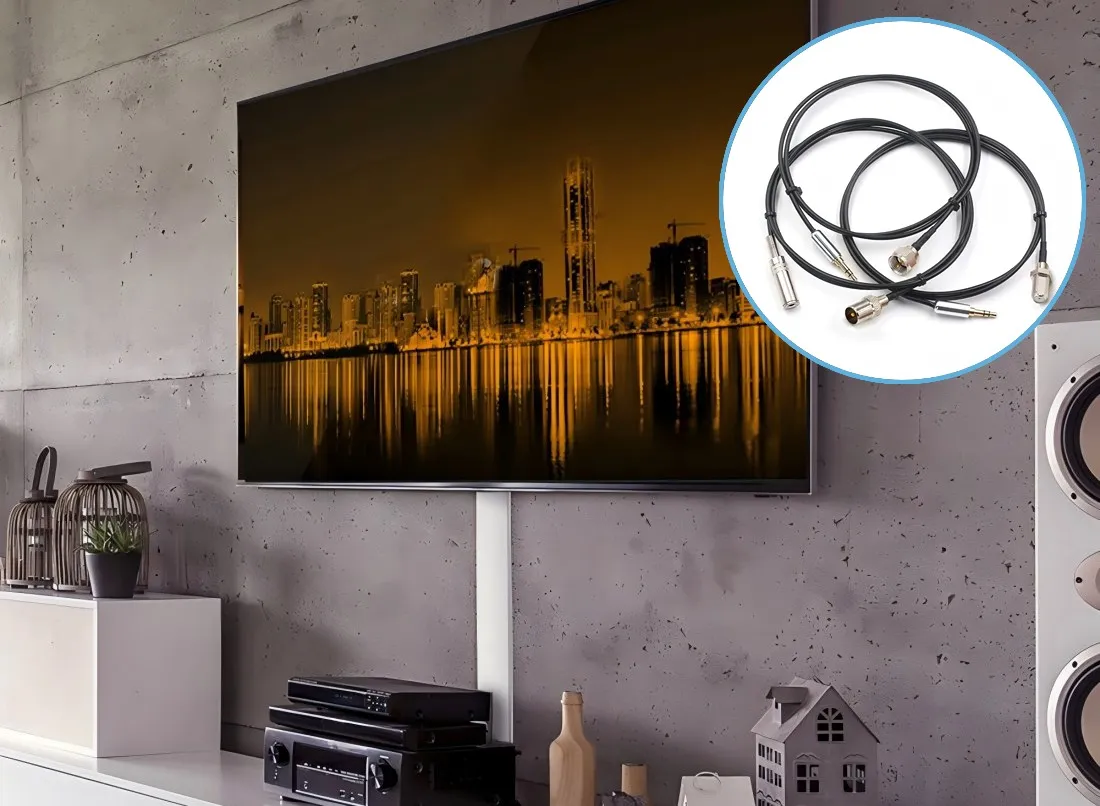
This image illustrates coaxial cable’s role as a foundation in communication systems, ensuring clear signals in home and professional environments.
Unlike ordinary wires, coaxial cables are engineered to carry high-frequency signals with minimal loss and strong resistance to interference. From TV antennas and satellite receivers to digital coaxial speaker cable connections and specialized RF equipment, coax keeps signals clear and stable.
Yet many questions remain. What’s the difference between RG6, RG316, and RG11 coaxial cable? How can you convert a coaxial line to HDMI when your TV no longer has a coax input? Is there really a way to reuse coax with Ethernet using a coaxial cable to Ethernet adapter?
In this guide, we’ll unpack everything you need to know about coaxial cable cables—from their layered structure to real-world applications. You’ll also find answers to practical questions, like “How to hook up cable to a TV without a coaxial input?” or “Can I adapt HDMI to a coaxial cable?”
Whether you’re troubleshooting old gear or installing a brand-new system, this article will give you the clarity to pick the right cable, the right adapter, and the right installation method.
What is a Coaxial Cable?
A coaxial cable—often just called coax—isn’t your everyday wire. It’s a purpose-built cable designed to move high-frequency signals from one point to another while keeping interference to a minimum. The term coaxial comes from its structure: the inner conductor and the outer shielding share the same axis, which is where its excellent noise resistance comes from.
Unlike standard electrical wires, coaxial cables are built in multiple layers, each with a specific role. This layered design maintains stable impedance and protects the signal from outside interference, making it ideal for applications where clarity is non-negotiable—television, internet broadband, RF test equipment, security cameras, and even digital audio setups using a coaxial speaker cable.
Peel back the jacket of any coaxial cable coaxial line and you’ll see four simple but essential layers working together:

This structural view explains why coaxial cables maintain impedance and resist interference, making them ideal for TV, broadband, and RF modules.
| Layer | Description | Why it Matters |
|---|---|---|
| Inner Conductor | Copper or copper-clad steel | The path your signal actually travels |
| Dielectric Insulator | Foam or solid plastic | Keeps spacing steady and controls impedance |
| Shielding | Foil plus copper braid | Guards against outside interference |
| Outer Jacket | PVC or polyethylene | Armor against weather, abrasion, and sunlight |
This design is the reason coax can carry RF signals across long runs without falling apart in noise. A thick RG11 coaxial cable, for instance, is perfect for outdoor broadband lines where you need to cover distance. On the other end of the scale, a tiny RG316 is what you’ll find inside aerospace modules or IoT devices—anywhere space is at a premium.
In other words, a coaxial cable isn’t just “a wire.” It’s a carefully engineered pipeline to keep communication clean and stable.
Types of Coaxial Cables
Not every coax is built for the same job. The cable you’d use to hook up a satellite dish is very different from what you’d pick for a handheld ham rig or a cramped RF board. That’s where the RG rating comes in—a number that hints at size, impedance, and loss.
Here are four types you’ll see most often:
- RG6 – The household staple for TV and satellite. Flexible, affordable, and low-loss for everyday broadband.
- RG58 – Slim and easy to bend, often used in radio and lab setups. Fine for short runs, but losses climb fast over distance.
- RG316 – Miniature, with a Teflon jacket. Ideal for aerospace, RF modules, and other tight-space builds where heat resistance matters.
- RG11 coaxial cable – Thick and heavy. Its low attenuation makes it the go-to for long outdoor broadband lines and backbone feeds.
Quick Comparison
| Cable Type | Impedance (Ω) | Diameter | Loss per 100 ft @ 1 GHz | Best Use Case |
|---|---|---|---|---|
| RG-6 | 75 Ω | ~6.9 mm | ~6.5 dB | TV, satellite, broadband |
| RG-58 | 50 Ω | ~5 mm | ~10.8 dB | Radios, test labs, short runs |
| RG-316 | 50 Ω | ~2.5 mm | ~15 dB | Aerospace, RF modules, tight enclosures |
| RG-11 | 75 Ω | ~10.5 mm | ~4.5 dB | Long outdoor cable runs |
When you’re wiring a drone or packing parts into a dashboard, a slim RG316 makes life easier. On the other hand, if you’re running cable across the yard to a satellite dish, a heavier RG11 is the better pick because it holds signal over distance.
Where Coaxial Cables Show Up
The beauty of the coaxial cable is its versatility. Thanks to reliable shielding and controlled impedance, you’ll spot it almost everywhere—behind TVs in living rooms, tucked under dashboards in vehicles, feeding routers in data centers, and even in military comms gear.
In short: if the signal matters and interference is a threat, chances are someone’s running coax.
Applications & Use Cases of Coaxial Cables
The versatility of the coaxial cable is why it still hasn’t gone out of style, even in today’s digital-first world. Thanks to its shielding and stable impedance, coax finds its way into living rooms, vehicles, data centers, and even military bases. Let’s look at the most common uses.
1. Television & Satellite
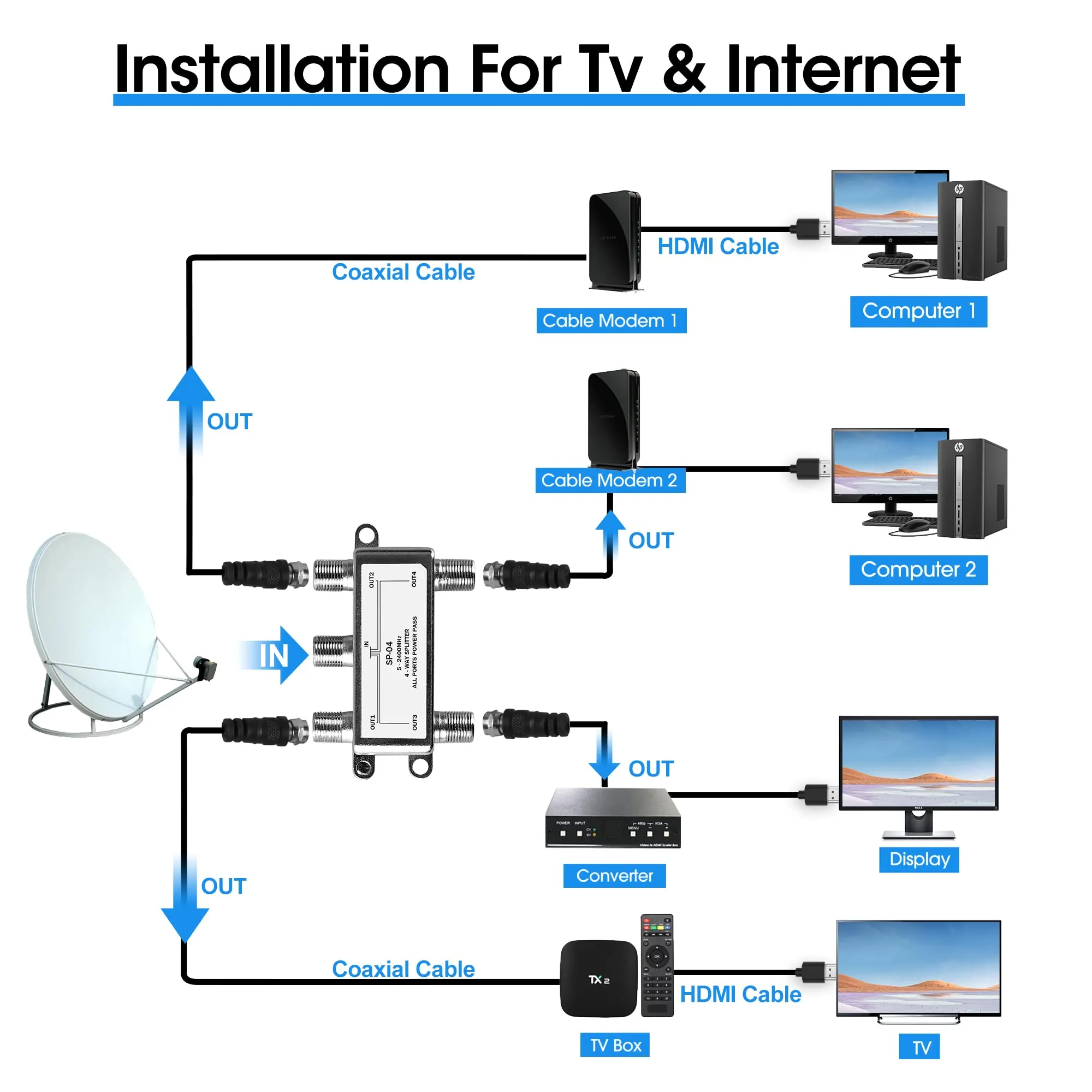
This image demonstrates coaxial cable’s traditional role in television networks and hybrid fiber-coax broadband systems.
This is where most people first meet coax. A coaxial cable links your antenna, cable box, or satellite dish to the TV, carrying both analog and digital signals. Even with streaming services booming, coax remains the backbone of cable TV networks. In fact, when you ask “Which network type uses a coaxial cable to receive its signal?” the answer is almost always cable television or hybrid fiber-coax (HFC) broadband.
2. Internet & Networking

This image highlights structured cabling best practices in a data center—clear labeling, tidy patching, separation of power and data paths, and proper strain relief—to maintain airflow, uptime, and stable low-loss links for high-traffic services.
Coax plays a vital role in broadband. Providers often rely on RG6 and RG11 coaxial cable to deliver internet over long distances. In many cities, the “last mile” to your home still runs on coax, even if the backbone is fiber. With the help of a coaxial cable to Ethernet adapter (like MoCA), you can also reuse existing coax wiring to extend wired internet inside your home.
3. Audio & Speakers

This image highlights coaxial cable’s shielding advantage, ensuring clear audio transmission over longer distances.
A coaxial speaker cable is used in digital audio systems—think DVD players, receivers, or subwoofers. Unlike regular speaker wire, it resists interference better, which helps maintain sound clarity over longer runs. Audiophiles sometimes adapt coax for subwoofers or surround systems because of that shielding advantage. (If you’ve ever wondered “Can you use coaxial cable for speaker wire?” the answer is yes, but it’s best for digital or subwoofer connections, not for driving full-range speakers directly.)
4. Automotive & Transportation

If you open up a modern car, you’ll find coax everywhere. GPS antennas, satellite radio, backup cameras, even some infotainment links all rely on coaxial lines. In dashboards or door panels where space is tight, thinner options like RG316 really shine—they’re flexible enough to snake through cramped paths without breaking, yet still hold signal quality.
5. Industrial, Military & Aerospace

This image highlights the resilience of coaxial cables in extreme environments, resisting vibration, heat, and interference.
In tougher settings—factories, base stations, or military gear—coaxial cables are trusted because they don’t give up easily. They keep impedance steady even with heavy vibration or electrical noise around. Aerospace engineers often favor Teflon-jacketed types (like RG316 or similar) since they can handle heat and still perform. That’s why you’ll see coax running inside aircraft, radars, and high-power RF systems. From a home theater rack to a fighter jet, the story is the same: coaxial cables earn their keep by staying stable under conditions where regular wire would fail.
Adapters & Converters: Bridging Old and New Devices

This image demonstrates how adapters extend coaxial cable usability across TV, internet, and audio systems.
Technology has shifted quickly—many modern TVs, laptops, and receivers no longer come with a coaxial input. Instead, they rely on HDMI, Ethernet, or USB. That doesn’t mean your old gear is useless; it just means you may need the right adapter or converter to bridge the gap.
Coaxial Cable to HDMI Converter
If you’ve ever asked “How do I convert coaxial cable to HDMI?” the answer is simple: you’ll need an active coaxial cable to HDMI converter. This device takes the RF-modulated coax signal and processes it into digital HDMI format your TV understands. A passive plug alone won’t work, because coax and HDMI speak completely different “languages.”
HDMI to Coaxial Cable Adapter
What about the other way around? Say you’ve got a Roku, Blu-ray player, or streaming stick with HDMI output, but your TV only has a coax input. In that case, an HDMI to coaxial cable adapter with a built-in RF modulator is what you need. It re-encodes HDMI into RF so the older TV can tune it as a channel. This answers a common reader question: “My Roku has HDMI, but my old TV only accepts a coaxial connection—is there an adapter?” Yes, but it has to be an active HDMI-to-coax unit, not just a plug.
Coaxial Cable to Ethernet Adapter
For networking, a coaxial cable to Ethernet adapter (commonly called MoCA) is one of the most practical solutions. It allows you to reuse existing coax lines in the wall to extend your home’s wired internet. Many homeowners find this faster and more reliable than Wi-Fi, especially for streaming or gaming.
RCA and Digital Audio
In home theater setups, coaxial speaker cable outputs can also be adapted to RCA or SPDIF digital audio ports. This is common for subwoofers or receivers that don’t share the same connectors. If you’ve wondered “Is there an adapter for coaxial cable to HDMI or RCA?”, the answer is yes—just be sure you’re choosing an active converter when the signal types differ.
The rule of thumb: if the signal format changes (analog RF to digital HDMI, for example), you’ll need an active converter. If it’s just about plug shapes but the signals are identical, a passive adapter will do.
Installation & Maintenance Tips
Even the best coaxial cable won’t save you if it’s installed badly. More than once I’ve seen someone blame their TV provider or internet box, only to find the real culprit was a kinked line or a connector left open to the rain.
Here are a few habits that’ll keep your CB antenna cable or ham radio coax cable in good shape:
- Keep runs short – Every extra foot adds loss. Indoors, RG6 or RG58 is fine, but once you push past 100 feet, step up to a thicker RG11 coaxial cable to avoid signal fade.
- Go easy on the bends – Coax doesn’t like sharp corners. Crush the dielectric and you’ll see reflections or SWR spikes. Always route in wide curves instead of tight kinks.
- Weatherproof everything outside – Don’t leave connectors naked to the elements. A splash of rain creeping into your CB coax cable ends can corrode shielding fast. Use self-sealing tape or boots and you won’t be replacing cable every season.
- Use the right tools – Cutting RG11 coaxial cable with pliers is a rookie mistake. Its copper-clad steel core needs a heavy-duty coax cutter or a ratcheting crimper. If you’ve ever wondered “What tool cuts RG11 properly?”—that’s your answer.
- Check it before it fails – Rising SWR, slower internet, pixelated TV… they’re early warnings. A quick meter check can spot problems before you lose the whole signal.
Bottom line: treat coax like a core part of your system, not an afterthought. Protect it, test it, and it’ll last for years.
Buying Guide & TEJTE Solutions
Not all coax is created equal. The right choice depends on distance, frequency, and environment—not just what’s cheapest at the hardware store.
Here’s what to weigh before buying:
- Match impedance – Most TVs and broadband use 75Ω coax (RG6, RG11 coaxial cable). Radios and lab gear need 50Ω (RG58, RG316). Mix them and you’ll waste signal in reflection.
- Think about distance – Under 50 ft? RG6 or RG58 works fine. Past 150 ft? Go with RG11—it’s bulkier, but it preserves your signal where thinner lines fail.
- Frequency & power – Higher frequencies need low-loss cables. For tiny RF modules or aerospace, RG316 is popular—it’s heat-resistant and stable. Power handling though? RG58 beats RG316 hands down.
- Flexibility vs toughness – Routing inside a car dash or drone? Use slim RG316. Running broadband outdoors? Heavy-duty RG11 with a UV-resistant jacket will hold up against sun and weather.
- Don’t overlook adapters – A wrong connector can cause just as much loss as the wrong cable. You may need RF adapter cables—SMA, BNC, N-type—to make your system click.
At TEJTE, we build custom solutions: from short SMA jumpers to RG316 assemblies for high-frequency boards, all the way up to RG11 coaxial cable for long-haul outdoor broadband.
Explore more:
Pick wisely, install carefully, and your coax won’t just connect devices—it’ll protect signal quality and keep your system humming for years.
Frequently Asked Questions (FAQ)
How to hook up cable to a TV without a coaxial input?
You’ll need an active coaxial cable to HDMI converter or, if your TV has analog ports, a coax-to-RCA adapter. A passive plug won’t work—coax carries RF-modulated signals that must be converted before the TV can read them.
Which network type uses a coaxial cable to receive its signal?
Coaxial cables are most often used in cable television networks and hybrid fiber-coax (HFC) broadband. Providers typically run RG6 or RG11 coaxial cable into homes for both TV and internet service.
In a coaxial cabling system, what does the RG rating measure?
The RG number indicates a coaxial cable’s size, impedance, and construction. For example, RG316 is a thin, heat-resistant cable for high-frequency RF, while RG11 is thick and optimized for long runs.
My Roku has HDMI, but my old TV only takes a coaxial input. Is there an adapter?
Yes—an HDMI to coaxial cable adapter with a built-in RF modulator. It converts HDMI output into a signal your older TV can tune. A simple HDMI-to-coax plug will not work.
Which of the following are characteristics of coaxial network cable?
If you’ve worked with old Ethernet (10Base2/10Base5) or TV lines, you’ll know coaxial network cable has a few stand-out traits:
- Stable impedance, usually 50 Ω or 75 Ω, so signals don’t bounce around.
- Built-in shielding, which keeps interference low.
- Tough outer jacket that makes it usable both indoors and outside.
That mix of durability and noise resistance is why coax stuck around in networking for so long before twisted pair took over.
Can you use coaxial cable for speaker wire?
Sort of—but only in the right scenario. A coaxial speaker cable is perfect for digital audio links (like SPDIF or a subwoofer line), since it’s shielded and maintains impedance. But if you’re thinking of replacing your regular speaker wires with RG6 or RG59 to drive passive speakers, that’s not ideal. Coax isn’t designed to carry high-current analog audio, and you’ll likely lose performance.
How can I plug a regular speaker into a digital coaxial audio cable?
That’s one of the common mistakes. You can’t run a speaker directly from a coaxial digital cable—it doesn’t carry analog sound, it carries encoded data. What you need is a receiver or DAC (digital-to-analog converter) that takes the coaxial input, decodes it, and then sends amplified audio out to your speakers. Without that step, all you’ll get is silence.
How do I convert coaxial cable to HDMI?
Use an active coaxial cable to HDMI converter. These devices demodulate the RF signal and output HDMI. Simply adapting the connector won’t work.
Do all digital adapters convert coaxial to HDMI?
No. Only converters with active circuitry handle this. Passive adapters are only for matching connector shapes, not signal types.
What is the difference between RG174 and RG316?
At first glance they look similar—both are slim 50 Ω coax cables. The difference shows up once you push them. RG316 has a Teflon jacket, so it can handle more heat and higher frequencies without breaking down. RG174 is cheaper and fine for short, low-stress runs, but it’s less durable and starts to struggle when the frequency climbs.
Which cable has a higher power rating, RG58 or RG316?
That crown goes to RG58. It’s thicker, has lower loss per foot, and carries more power safely. RG316 isn’t built for brute strength—it’s chosen when you need flexibility, small size, or stability at high frequencies. Think of RG58 as the “workhorse” and RG316 as the “precision tool.”
How to connect RG316 cable to a FrSky RX?
Most FrSky receivers use tiny U.FL connectors, while some setups rely on SMA. To hook up an RG316 cable, you’ll need the right connector crimped or soldered on. Be gentle—overheating or sloppy crimping can ruin the shielding and add loss. Once the connector is fitted, snap it to the RX port firmly. A quick tug test (without yanking) makes sure it’s seated properly.
What size conduit for RG11 coaxial cable?
Since RG11 coaxial cable is about 10.5 mm thick, a ¾-inch conduit is recommended to allow smooth pulling and leave room for upgrades.
What tool will cut RG11 coaxial cable with a 14 ga steel or copper-clad center wire?
Use a heavy-duty coaxial cutter or ratcheting tool designed for large-diameter cables. Regular wire cutters may deform the conductor or jacket.
What is RG11 coaxial cable used for?
RG11 coaxial cable is mainly used for long-distance broadband and TV backbone lines. Its low attenuation makes it ideal for outdoor and underground installations where signal must stay strong over long runs.
Conclusion
From living rooms to labs, the coaxial cable keeps proving its worth. The simple stack of conductor, dielectric, shielding, and jacket might look ordinary, but that design is why it still beats most alternatives when it comes to stable, interference-free transmission. It’s why you still see coaxial cables running TV networks, broadband lines, RF test benches, and even coaxial speaker cable setups in audio gear.
Of course, devices don’t always age at the same pace. That’s where adapters come in. Maybe you’ve got an older VCR and a new flat-screen—you’ll need a coaxial cable to HDMI converter. Want to reuse existing wiring for networking? A coaxial cable to Ethernet adapter can do the trick. The key is knowing when you need an active converter (which actually processes the signal) versus a simple passive adapter. Get that wrong, and you’ll waste money—or worse, end up scratching your head wondering why nothing works.
Cable choice matters just as much. A slim RG316 is fantastic when you’re squeezed for space inside RF modules or aerospace systems, while a chunky RG11 coaxial cable shines outdoors when distance and low loss are the priority. Pair the right cable with solid connectors, keep the installation clean, and you’ll avoid 90% of the headaches people run into.
At TEJTE, we build more than just generic cable—we deliver RF adapter cables and custom coax assemblies made to spec. Need a short SMA jumper for a lab setup? A shielded RG316 assembly for IoT gear? Or maybe a heavy-duty RG11 solution for a long broadband run? We’ve got you covered.
Explore our solutions here:
At the end of the day, a coaxial cable isn’t “just a wire.” It’s the backbone of your system. Pick wisely, install with care, and your signals will stay clear and strong for years.
Bonfon Office Building, Longgang District, Shenzhen City, Guangdong Province, China

A China-based OEM/ODM RF communications supplier
Table of Contents
Owning your OEM/ODM/Private Label for Electronic Devices andComponents is now easier than ever.