
BNC Coaxial Cable Structure and Selection
Jan 31,2026
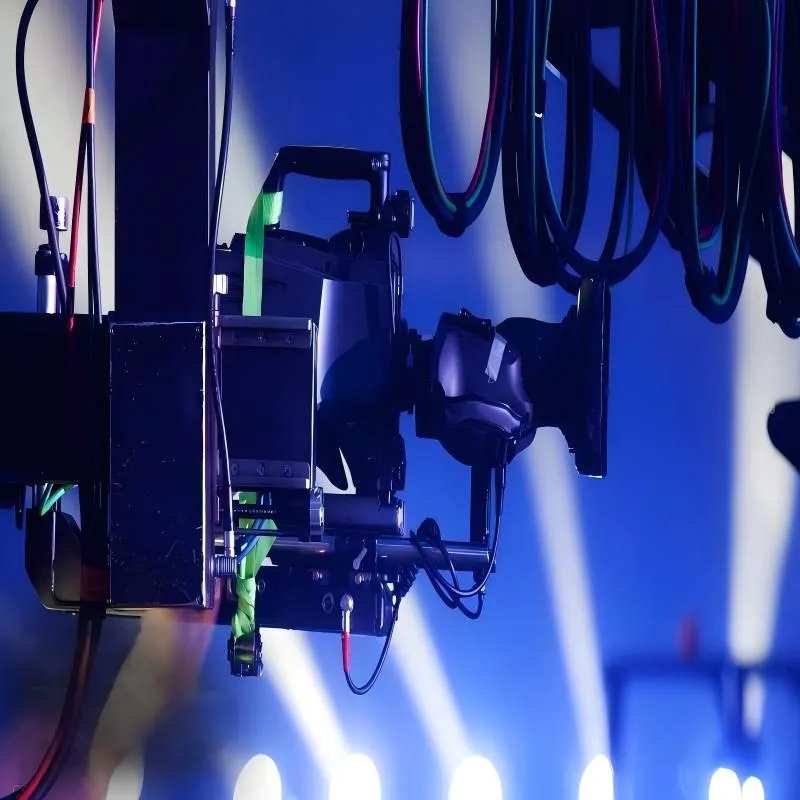
Figure 1 aims to establish the premise for discussion: because BNC connectors are familiar and easy to work with, their electrical behavior is often underestimated. In reality, a BNC coaxial cable is a transmission line with strict impedance assumptions. When those assumptions are violated, systems usually continue to function, but with less margin than anyone realizes. The image emphasizes the risk of treating a BNC coaxial cable as generic hardware instead of a controlled part of the signal path.
Most signal paths don’t fail in obvious ways. They fade. A CCTV feed that once looked clean starts showing faint noise at night. A scope trace shifts slightly when someone reroutes a cable. A video link passes commissioning tests but becomes unstable after installation. In many cases, engineers first suspect the camera, the recorder, or the instrument itself, while the cable quietly escapes attention. That’s the hidden risk of treating a BNC coaxial cable as generic hardware instead of what it really is: a controlled part of the signal path.
BNC connectors are familiar and easy to work with, which is exactly why their electrical behavior is often underestimated. In reality, a BNC coaxial cable is a transmission line with strict impedance assumptions. When those assumptions are violated, systems usually continue to function, but with less margin than anyone realizes. Over time, that lost margin turns into noise, drift, or intermittent failures that are difficult to trace back to early cabling decisions.
How do you decide if your project really needs a bnc coaxial cable?
Not every connection that uses a BNC connector truly requires a coaxial transmission line. The connector defines the mechanical interface, not the electrical behavior. What actually matters is how the signal propagates, how sensitive it is to reflections, and whether the system can tolerate loss and noise. Problems usually begin when a BNC cable is chosen simply because it fits, not because the signal genuinely requires controlled impedance from end to end.
In practice, this shows up when a system works well on the bench but degrades after installation. At that point, teams often start troubleshooting power, grounding, or firmware, even though the real issue lies in a signal path that was never treated as a transmission line in the first place.
Typical use cases: CCTV, broadcast video, RF test benches
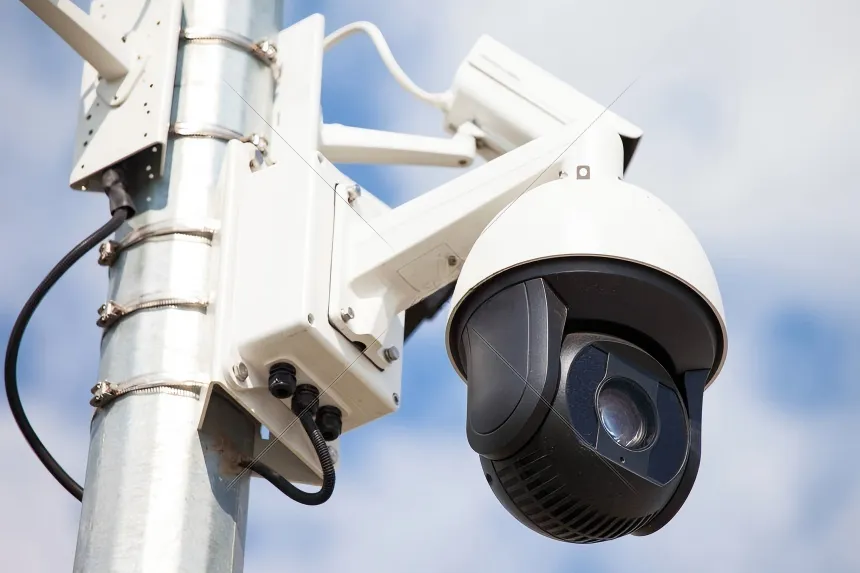
Figure 2 appears in the section discussing how to decide if your project really needs a BNC coaxial cable. It is used to illustrate that in these environments, coaxial behavior is part of the signal definition itself: CCTV systems rely on long, continuous analog paths without active regeneration; broadcast/SDI links push high data rates over an analog physical layer; RF test benches are built around known impedances. Therefore, experienced teams treat BNC cabling as infrastructure rather than accessories.
There are several environments where bnc coaxial cable is not optional but assumed by design. CCTV systems rely on long, continuous analog paths without active regeneration, making shielding and impedance stability critical. Broadcast and SDI video links push high data rates over an analog physical layer where even small reflections can affect image quality. RF test benches are built around known impedances, and minor discontinuities are enough to distort measurements or reduce repeatability.
If a system falls into one of these categories, coaxial behavior is part of the signal definition itself. This is why experienced teams treat BNC cabling as infrastructure rather than accessories, especially in environments where measurement accuracy or image stability matters.
Positioning bnc cable vs HDMI, Ethernet, and fiber
HDMI, Ethernet, and fiber are often discussed as alternatives to coax, but they solve fundamentally different problems. HDMI is optimized for short, tightly controlled links and relies heavily on receiver-side equalization. Ethernet assumes packet recovery and buffering, which hides many physical-layer imperfections. Fiber eliminates electrical interference altogether but introduces higher cost, fragility, and more complex termination.
A bnc cable, by contrast, carries a continuous analog or serial digital signal with no retry mechanism and no protocol layer to mask distortion. Whatever loss, reflection, or noise the cable introduces becomes part of the signal itself. That fundamental difference is why cable construction and impedance control matter far more here than in packet-based systems.
Reading device front panels: DVRs, cameras, oscilloscopes, signal generators
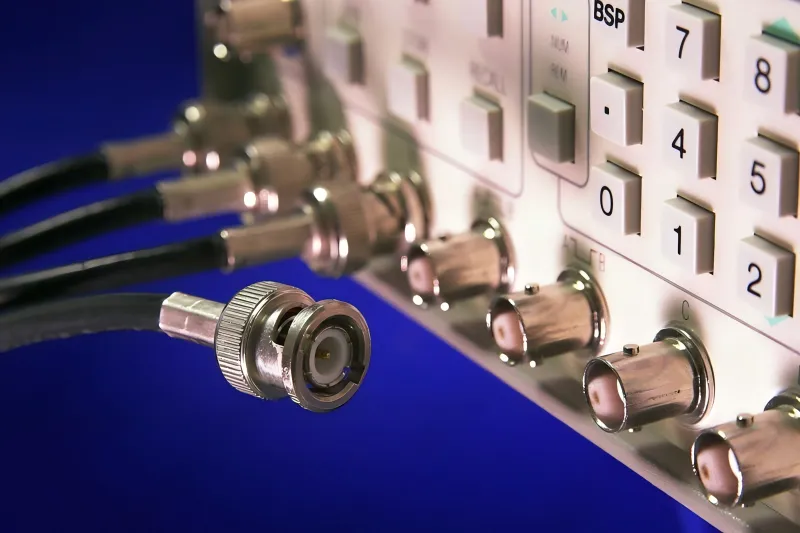
Figure 3 appears in the section explaining how to decide whether coax is required by reading device front panels. It serves as a key visual tool to illustrate that when a DVR, analog camera, oscilloscope, or signal generator exposes a BNC port, the designer assumed a coaxial transmission line with a specific impedance. Substituting with a “close enough” cable may pass signal but breaks the electrical model the device was designed around. This assumption becomes especially visible in RF environments as systems scale.
One of the most reliable ways to decide whether coax is required is to look directly at the device interface. When a DVR, analog camera, oscilloscope, or signal generator exposes a BNC port on its front panel, the designer assumed a coaxial transmission line with a specific impedance. Substituting that path with a “close enough” cable may still pass signal, but it breaks the electrical model the device was designed around.
In RF environments, this assumption becomes especially visible as systems scale. Many engineers only start questioning their cabling after encountering repeatability problems that persist across instruments and setups, a situation commonly explored in depth when teams dig into impedance verification practices like those discussed in 50 ohm BNC Cable Testing & Impedance Matching Guide during serious bench troubleshooting.
How do 50 ohm and 75 ohm bnc coaxial cables differ in real applications?
50 ohm bnc cable for RF test benches and lab instruments
RF measurement environments are almost universally standardized around 50 ohm bnc cable. Oscilloscopes with selectable 50 Ω inputs, spectrum analyzers, signal generators, and RF sources are all designed with this impedance in mind. When impedance is consistent across the signal chain, reflections are minimized and measurements remain predictable.
When impedance continuity is broken, the symptoms tend to appear indirectly. Readings vary depending on cable routing. Amplitude appears frequency-dependent. Results differ between benches that should be identical. These effects are often blamed on calibration or instrument drift, even though the cable is the underlying cause. This is why experienced labs treat BNC jumpers as consumables rather than permanent fixtures.
75 ohm bnc cable for video, CCTV, and SDI links
Video systems operate in a different impedance ecosystem. Analog CCTV, SD-SDI, HD-SDI, and higher-rate SDI standards are built around 75 ohm bnc coaxial cable, with geometry optimized for lower attenuation over distance and stable impedance across the bandwidth used by video signals.
Using a 50-ohm cable in a 75-ohm video system often still produces an image, which is what makes the mistake so persistent. As distance increases or bandwidth rises, reflections accumulate and begin to degrade picture quality in ways that are difficult to diagnose later. In real CCTV deployments, these issues often surface during routing and installation decisions similar to those examined in practical guides such as BNC Camera Cable CCTV Monitoring Selection and Cabling Guide, where cable choice becomes far more critical than it first appears.
What happens when you mix impedances: reflections, distortion, image artifacts
How should you read the construction and rating of a bnc coaxial cable?
Conductor, dielectric, braid, and jacket vs RG types (RG58, RG59, RG6, etc.)
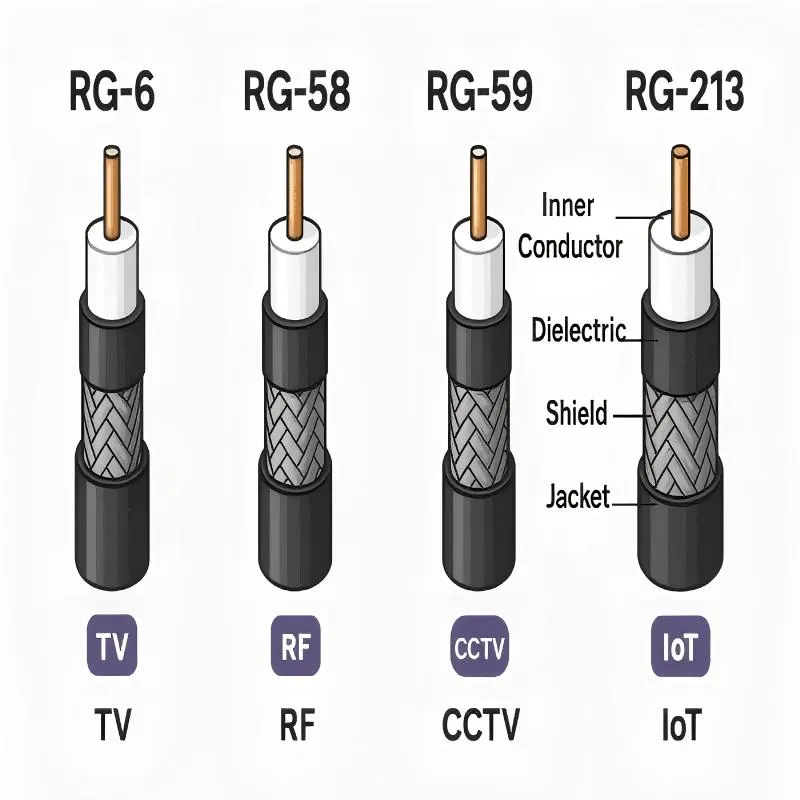
Figure 4 appears in the section guiding how to read the construction and rating of a BNC coaxial cable. It aims to correct the misconception of treating it as “just a wire with shielding,” revealing the factors that actually control performance and long-term reliability. The image illustrates that most BNC coaxial cable assemblies are based on established RG standards, and changing the RG type changes how the cable behaves at frequency, even when the connector looks identical from the outside.
Most bnc coaxial cable assemblies are based on established RG standards. RG58 is flexible and commonly used in RF labs. RG59 is thinner and often used for shorter video runs. RG6 and RG11 are thicker, lower-loss options favored for longer CCTV and SDI links.
Each RG type reflects a different balance between attenuation, flexibility, diameter, and mechanical durability. Changing the RG type changes how the cable behaves at frequency, even when the connector looks identical from the outside.
Key specs: impedance, bandwidth, shielding coverage, flexibility rating
When evaluating a BNC cable, the most important details are often the least visible. Impedance tolerance matters more than nominal impedance. Frequency ratings should reflect real operating conditions rather than optimistic marketing numbers. Shielding coverage becomes critical in electrically noisy environments, while flexibility and minimum bend radius determine how the cable behaves after repeated handling.
Specifications that are missing are often the ones that cause problems later.
Market naming: “bnc cable” vs “bnc coaxial cable”
How should you plan length, loss, and margin for a bnc coaxial cable run?
Length planning is where most BNC cable problems quietly begin. On the bench, short jumpers make almost everything look fine. Once the cable run grows, attenuation, reflections, and accumulated connector losses start to matter, often more than expected. This is especially true for video and high-frequency test signals, where the usable margin can disappear long before the cable reaches its theoretical maximum length.
A common mistake is to treat published “maximum distance” numbers as guarantees rather than optimistic upper bounds. In real installations, those limits are reduced by connectors, bends, aging, and environmental noise. Planning margin up front is usually far cheaper than troubleshooting later.
Typical attenuation trends across RG types (MHz / GHz ranges)
Different RG types behave very differently as frequency increases. Thinner cables like RG58 or RG59 are easier to route but lose signal faster. Thicker cables such as RG6 or RG11 offer lower attenuation but demand more careful handling and strain relief. These tradeoffs are well documented in coaxial transmission theory, which is why attenuation curves are usually specified per frequency decade rather than as a single number, a concept rooted in basic transmission line behavior described in references such as coaxial cable fundamentals from Wikipedia.
What matters in practice is not just loss, but how predictable that loss is across the operating band. Video systems are often more tolerant of absolute attenuation than of frequency-dependent distortion, while RF test setups are sensitive to both.
Using a simple formula to estimate line loss and margin
A practical estimate works surprisingly well for early planning:
Loss (dB) = length (m) × attenuation (dB/m at operating frequency)
This calculation gives a baseline. From there, experienced engineers add margin for connectors, adapters, and installation effects. In RF environments, this is often where teams begin correlating cable loss estimates with measured discrepancies, a process that frequently leads back to disciplined impedance verification practices similar to those discussed when troubleshooting bench accuracy in the 50 ohm BNC Cable Testing & Impedance Matching Guide.
Bench estimates vs installed reality
How do you choose the right bnc camera cable for CCTV systems?
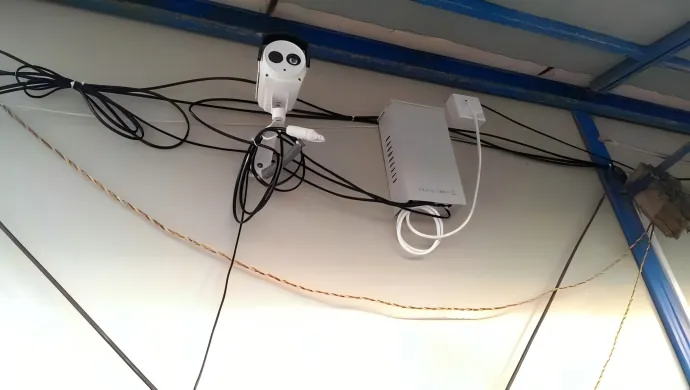
Figure 5 appears in the section specifically discussing how to choose the right BNC camera cable for CCTV systems. It first illustrates that CCTV systems are deceptively forgiving—they often work with marginal cabling, masking underlying problems until conditions change (e.g., nighttime noise, weather exposure, camera upgrade). The image further shows the typical coax topology and emphasizes that since there is no active regeneration along the path, whatever degradation occurs in the cable directly affects the image. Therefore, cable quality, shielding, and impedance stability matter more here than in many digital systems. The image likely also distinguishes the different requirements for jacket, conduit, and connector protection in indoor versus outdoor applications.
Typical CCTV topology over coax
Indoor vs outdoor: jacket, conduit, and connector protection
Indoor-rated coax may perform perfectly on day one, then degrade rapidly outdoors. UV exposure hardens jackets. Moisture intrusion changes dielectric properties. Temperature cycling accelerates connector wear. These are not theoretical concerns; they are among the most common causes of intermittent CCTV failures.
Experienced installers often treat outdoor cable selection and routing as a separate design step rather than a simple extension of indoor practices, an approach reinforced by real-world CCTV cabling lessons discussed in depth in the BNC Camera Cable CCTV Monitoring Selection and Cabling Guide.
Power and video over distance: tradeoffs
How do you plan bnc video cable for SDI and professional video links?
SD-SDI through 12G-SDI bandwidth vs cable requirements
12G-SDI constraints on 75 ohm bnc coaxial cable and connectors
Rack-to-camera runs: controlling jitter and reflections
Industry trend: coax vs fiber in 4K/8K projects
How should you route and terminate bnc coaxial cables on RF test benches?
Common 50 ohm bnc cable setups on oscilloscopes and analyzers
Effect of jumpers, attenuators, and adapters
Bench hygiene: labeling, length management, replacement strategy
How can you use a single table to shortlist the right bnc coaxial cable?
Most cable selection mistakes don’t come from missing specs. They come from too many specs, scattered across datasheets, vendor notes, and half-remembered rules of thumb. When engineers are under time pressure, decisions collapse into habit: “We always use RG59,” or “Grab whatever 75-ohm cable is on the shelf.” That works—until it doesn’t.
A good selection table doesn’t try to be exhaustive. Its job is to force the right questions in the right order. Application comes first. Impedance follows naturally. Frequency and distance narrow the field further. By the time you reach connector details, the options should already be limited to a small, manageable set.
BNC Coaxial Cable Selection Matrix
| Application Scenario | Impedance (Ω) | RG Type | Frequency Range | Max Recommended Length | Connector | Environment Notes |
|---|---|---|---|---|---|---|
| CCTV (Analog / HD) | 75 | RG59 / RG6 | 0-100 MHz | ~300 m | Standard 75Ω BNC | UV- and moisture-resistant jacket outdoors |
| Broadcast SDI (HD / 3G) | 75 | RG6 | up to ~3 GHz | 80-100 m | Precision 75Ω BNC | Avoid tight bends, clean terminations |
| 12G-SDI / UHD | 75 | Low-loss RG6 | up to ~12 GHz | 50-80 m | Tight return loss tolerance | Very limited margin |
| RF Test Bench | 50 | RG58 | DC-3 GHz | Short runs | Match instrument ports | High mating cycles |
| General Video | 75 | RG59 | <1 GHz | Medium | Cost-focused | Indoor preferred |
Turning the table into an internal checklist or Excel tool
How do you test and troubleshoot common bnc coaxial cable issues in the field?
Basic checks: swap tests, continuity, visual inspection
The fastest diagnostic step is still substitution. Swap the suspected cable with one you trust. If the problem follows the cable, you already have your answer. A quick continuity check catches obvious breaks, while visual inspection often reveals crushed jackets, over-tight bends, or connector damage that explains intermittent behavior.
These basic steps resolve a surprising percentage of CCTV and video issues, especially in systems that have been running for years.
Advanced tests: TDR and return loss measurements
When basic checks don’t settle the question, measurement tools do. A TDR can reveal impedance discontinuities caused by damaged sections or poor terminations. Return loss and VSWR measurements show how well the cable maintains impedance across frequency, a concept rooted in transmission line behavior that’s well described in general references like coaxial cable and transmission line theory on Wikipedia.
In RF labs, these measurements are often what finally separates “instrument drift” from “aging cable,” especially when the symptoms are subtle but persistent.
CCTV symptoms: snow, rolling images, frame drops
Lab drift: starting with cable aging and connector wear
What industry trends are reshaping future choices for bnc coaxial cable?
12G-SDI and 4K/8K pressure
Compact and push-pull BNC-style connectors
When coax gives way to fiber
Incremental upgrades for legacy systems
Frequently Asked Questions
Can I use a 50 ohm BNC coaxial cable in a 75 ohm video system?
It will often produce a picture, but reflections reduce margin. It’s fine for short tests, not for permanent installs.
How far can a 75 ohm BNC coaxial cable run for HD-SDI or 12G-SDI?
HD-SDI can approach 100 m on RG6 under good conditions. 12G-SDI typically drops into the 50–80 m range, depending on cable and connectors.
Is there a real difference between “bnc cable” and “bnc coaxial cable”?
Usually no. The real difference is whether impedance and RG type are clearly specified.
When should analog CCTV over BNC be upgraded to SDI or IP?
When resolution requirements rise, reuse of existing coax is no longer practical, or operational simplicity becomes more important than raw distance.
How do I quickly check whether a cable is causing video noise or ghosting?
Swap it, shorten the run temporarily, and inspect connectors. If symptoms change, the cable is involved.
Is it safe to bundle power and video with BNC camera cables?
It can work over short distances, but separation improves stability as runs get longer.
How often should BNC cables be replaced in a busy test lab?
Base it on usage, not age. High-mating-count jumpers should be treated as consumables.
Bonfon Office Building, Longgang District, Shenzhen City, Guangdong Province, China

A China-based OEM/ODM RF communications supplier
Table of Contents
Owning your OEM/ODM/Private Label for Electronic Devices andComponents is now easier than ever.