
A WiFi antenna cable can look correct and still cause trouble after installation.
The connector may mate. The continuity test may pass. The antenna may even work during a short bench test. Then the real device goes into a metal enclosure, the cable is bent around a PCB shield, and the signal becomes unstable. Sometimes the issue is not the antenna. It is the small RF path between the WiFi module, connector, enclosure, and antenna.
That is why a wifi antenna cable should not be ordered only by length and connector name. For routers, gateways, access points, and IoT terminals, the cable must match the device port, antenna interface, impedance, frequency band, cable routing space, and inspection requirement.
How Should a WiFi Antenna Cable Be Matched to the Device Port?
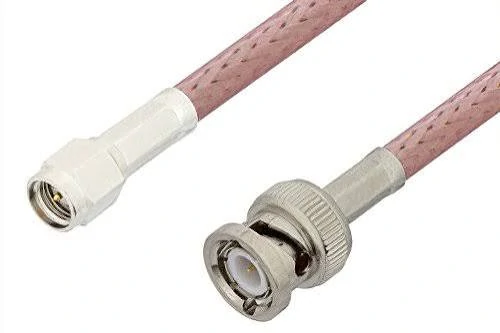
This image shows RF antenna cable assemblies with SMA and BNC connectors, demonstrating common connector interfaces used in WiFi antenna extension cables and RF communication systems.
The first check is not the cable length. It is the RF path.
A WiFi device may use an internal antenna, an external antenna port, or a short pigtail cable from a PCB module to a panel-mounted connector. These cases may all be called “WiFi antenna cable” in a purchase request, but they are not the same part.
A router antenna cable may use RP-SMA on the outside of the housing. A compact WiFi module may use U.FL, IPEX, MHF series, or another miniature RF connector on the PCB. An enclosure feedthrough may need SMA or RP-SMA bulkhead mounting. If the buyer only writes “SMA WiFi cable,” the supplier still has to guess the gender, polarity, cable diameter, and board-side interface.
That is where many sourcing mistakes begin.
Identify the antenna path inside routers, gateways, and wireless modules
Inside a WiFi product, the antenna path is usually short but sensitive. The cable may run from a wireless module to an enclosure wall, from a PCB connector to a small internal antenna, or from an RF output port to an external antenna connector.
For embedded devices, the cable is often a miniature coaxial pigtail. The benefit is size. The risk is handling. A 1.13 mm or 1.37 mm mini coax can fit inside a compact IoT terminal, but it does not tolerate rough bending, twisting, or repeated pulling as well as a thicker external cable.
For external antenna extensions, the cable may be RG316 or another flexible 50 ohm coax. It is easier to handle, easier to route outside a housing, and more durable than very small coax. But if the run becomes long, attenuation must be checked before the cable is approved.
Confirm whether the cable connects an internal antenna or external antenna port
An internal antenna cable usually has tighter space limits. The cable may need to bend around plastic ribs, batteries, shields, or screw posts. The connector may be pressed into place only once during assembly, so the mating direction and strain relief matter.
An external WiFi antenna cable has different concerns. It may be handled by installers or end users. The connector may be mated and unmated many times. If it goes through a panel, the nut, washer, thread length, and mounting thickness must be confirmed. For outdoor access points, the cable route may also need environmental protection, though the cable itself should not be treated as waterproof unless the full connector and enclosure design support it.
A useful rule: do not approve the cable until you know both ends of the RF path.
For example, “U.FL to SMA cable, 150 mm, 50 ohm, for WiFi module to enclosure port” is far clearer than “WiFi antenna extension cable.” It tells the supplier the board-side connector, external connector family, length, impedance, and application.
Separate WiFi antenna cables from general RF antenna cables
A WiFi antenna cable is a type of RF antenna cable, but not every RF antenna cable is suitable for WiFi equipment.
The reason is not only frequency. WiFi devices often involve miniature PCB connectors, reverse-polarity SMA interfaces, limited enclosure space, and production assembly constraints. A cable that works in a lab RF setup may be too thick for the device housing. A small internal cable may be too lossy for a longer external antenna run.
The cable should be selected from the actual use case, not from the broad label.
| Device Scenario | Cable Role | Key Check |
| Router to external antenna | Extension link | Connector polarity and length |
| WiFi module to enclosure port | Internal pigtail | U.FL/IPEX to SMA or RP-SMA |
| Access point antenna port | RF output path | 50 ohm impedance and shielding |
| IoT wireless terminal | Compact antenna link | Cable diameter and bend space |
| Test setup | Temporary RF link | VSWR, insertion loss, and connector fit |
This table is not a specification by itself. It is a sorting step. Once the device scenario is clear, the real specification can be written with connector type, gender, polarity, cable type, length, impedance, and test requirement.
How Can SMA, RP-SMA, and U.FL Interfaces Be Verified?
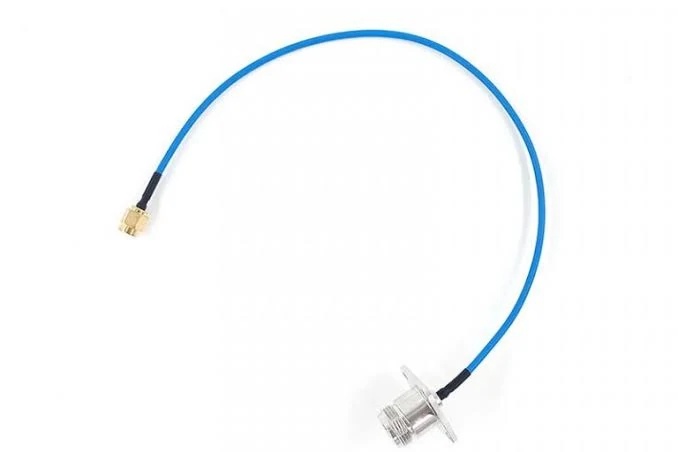
This WiFi antenna cable features a miniature RF connector on one end and an SMA interface on the other, designed for wireless modules, routers, IoT devices, and embedded communication systems.
Connector names are often the most confusing part of a WiFi antenna cable order.
SMA and RP-SMA can look similar in a small product photo. U.FL and IPEX are often used casually as if they always mean the same thing. A buyer may also describe the outside thread instead of the center contact. That can lead to a cable that looks right but cannot mate with the antenna or device port.
The safest approach is to verify the interface from three directions: mechanical structure, center contact, and application position.
Check SMA and RP-SMA polarity before ordering
Standard SMA and reverse-polarity SMA are not interchangeable just because the threaded shell looks familiar. The center pin and socket arrangement must match.
This is common in WiFi routers and wireless devices, where RP-SMA is frequently used for external antenna ports. A buyer may say “SMA antenna cable” while the device actually uses RP-SMA. If the supplier follows the written name without checking photos or drawings, the received cable may fail at the first installation step.
For replacement orders, photos should show the front face of both mating interfaces. Side photos are not enough. The thread, center contact, insulation, and nut structure should be visible. If the connector is panel-mounted, include the mounting area as well.
A good RFQ note would be:
“RP-SMA female bulkhead to U.FL cable, 50 ohm, 200 mm, for WiFi module to external antenna port. Please confirm center contact and thread structure before production.”
That sentence removes several risks.
Match U.FL or IPEX ends with compact WiFi modules
Small WiFi modules often use miniature RF connectors. U.FL, IPEX, MHF, and similar names are sometimes mixed in buyer messages, but the exact mating interface still matters.
The cable end must match the module connector. Even a small difference in connector series, height, or mating geometry can cause loose contact, poor retention, or damage during assembly. This is especially important for production builds, because operators may press the connector into place quickly. If the fit is not correct, the failure may not appear until vibration, shipping, or final wireless testing.
Miniature connectors also need cable routing control. A very short cable may pull upward on the connector. A longer cable may be easier to install but adds loss and may be harder to place cleanly inside the housing.
For WiFi module assemblies, confirm:
Connector series
Mating height if required
Cable diameter
Cable length
Exit direction
Bend space near the connector
Retention or strain relief method
A continuity test can confirm that the inner conductor and shield are not open or shorted. It cannot confirm that the miniature connector is mechanically suitable for the module.
Choose SMA-to-U.FL direction based on the board and antenna side
“SMA to U.FL cable” and “U.FL to SMA cable” may describe the same physical assembly, but the direction still helps the supplier understand the application.
If the U.FL side connects to the PCB module and the SMA side mounts on the enclosure, the SMA may need a bulkhead structure with nut and washer. If the SMA side connects to an antenna directly, the gender and polarity may be different. If the cable is only used inside a test fixture, durability and repeated mating may become more important than panel mounting.
The following table can be used as a quick verification step before sending a WiFi antenna cable RFQ.
| Interface | Common Position | What to Verify |
| SMA | External antenna or enclosure port | Male/female structure and standard polarity |
| RP-SMA | Many wireless devices | Reverse-polarity center contact |
| U.FL / IPEX | PCB wireless module | Exact micro connector size and mating height |
| SMA to U.FL | Module to external antenna path | Cable length, bend space, and bulkhead need |
| SMA to SMA | External antenna extension | Impedance, frequency, and cable loss |
The part may be simple. The description should not be vague.
A supplier can build a more consistent cable when the request includes photos, drawings, or a clear BOM line. For production, the BOM should not say only “WiFi antenna cable.” It should define the connector at each end, polarity, cable type, length tolerance, impedance, and inspection method.
How Do Frequency Range and 50Ω Matching Affect WiFi Cable Choice?
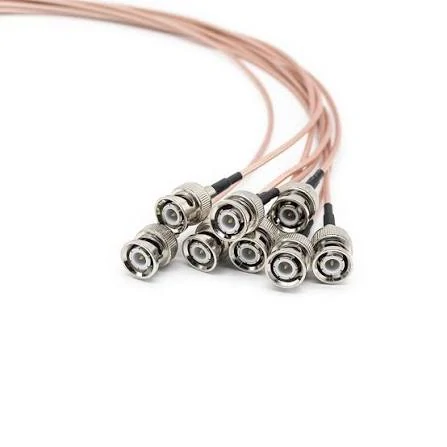
This image shows multiple BNC terminated coaxial cables used in RF testing systems, antenna links, and wireless communication equipment requiring reliable signal transmission.
A WiFi antenna cable is usually part of a 50 ohm RF path. That sounds simple until a replacement cable is sourced from appearance alone.
The connector fits. The cable diameter looks close. The length is similar. The result may be weak range, unstable throughput, higher reflected power, or inconsistent test results between samples.
For WiFi devices, the cable should be treated as an RF component, not just a wire between the board and antenna.
Match cable impedance with the WiFi RF path
Most WiFi RF antenna paths use 50 ohm coaxial cable. The antenna, module, connector, adapter, and cable should all be checked as one chain. Mixing a 50 ohm module with an unknown cable or mismatched connector can create return loss problems, even if the assembly passes basic continuity.
This is especially easy to miss in procurement. A buyer may find a cable with the same connector names and assume it is equivalent. But RF cable behavior depends on the center conductor, dielectric, shielding structure, cable diameter, termination quality, and connector geometry. Two cables with the same outer length are not automatically equal.
Check operating frequency before selecting cable and connector
WiFi applications may use 2.4 GHz, 5 GHz, 6 GHz, or mixed-band operation depending on the device design. The cable and connector should be selected for the highest required operating band, with some practical margin.
Do not rely only on the connector family name. “SMA” does not tell the whole story. The cable type, assembly method, and adapter count may limit performance before the connector name does. A poorly terminated cable can perform worse than expected even when the connector rating looks acceptable on paper.
| RF Requirement | Practical Check | Sourcing Risk |
| 2.4 GHz WiFi path | Confirm 50 ohm cable and connector | Low if length is short and routing is controlled |
| 5 GHz / 6 GHz WiFi path | Check cable loss and termination quality | Higher if using long mini coax or adapter stacks |
| Embedded module pigtail | Verify U.FL/IPEX fit and cable diameter | Connector damage or loose mating |
| External antenna extension | Confirm cable type and total length | Loss may reduce antenna benefit |
| Test or validation cable | Consider VSWR and insertion loss testing | Continuity test alone is not enough |
This table is a practical filter. Exact limits should come from the device requirement, cable datasheet, connector drawing, and test standard used by the project.
Avoid choosing WiFi cables only by connector appearance
Connector appearance is useful for early identification, but it should not be the final approval method.
A cable can have the correct SMA shell but wrong polarity. It can have the correct U.FL-style plug but poor retention on the module. It can have the correct length but excessive bend stress near the connector. It can also pass a DC test while showing poor RF behavior at the working band.
For WiFi antenna cable replacement, request a front-face photo of both mating connectors, a cable marking photo if available, and the application position. For a new design, use a drawing or BOM note that includes connector A, connector B, cable type, length, impedance, frequency band, and mounting structure.
How Can Cable Length Be Planned Without Weakening WiFi Signal?
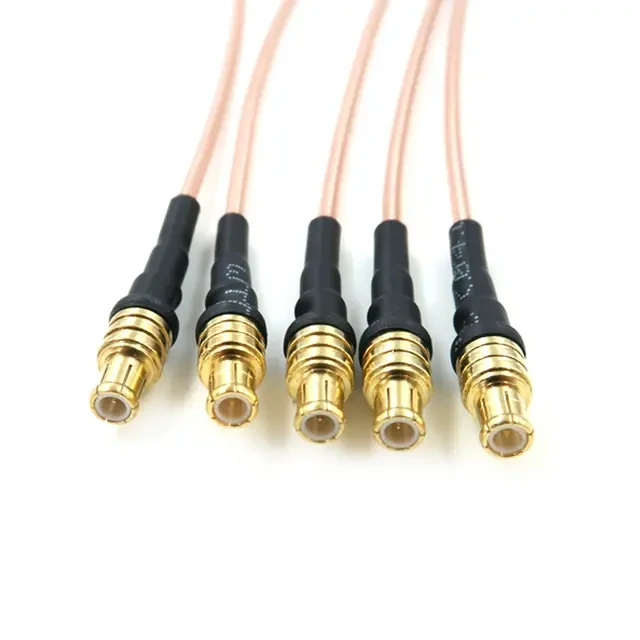
This image displays miniature coaxial cable assemblies with small RF connectors, suitable for WiFi modules, IoT devices, embedded systems, and high-frequency signal applications.
Longer cable is not free.
Every extra centimeter adds attenuation. At lower frequencies and short internal lengths, the loss may be acceptable. At higher WiFi bands, long pigtails, thin cable, and adapter stacks can quietly reduce the benefit of an external antenna.
This does not mean every WiFi antenna cable must be as short as possible. It means the length should be chosen from the installation route, not guessed from convenience.
Estimate cable attenuation before selecting length
The exact attenuation value should come from the selected cable datasheet or supplier test data. If the project is sensitive, ask for insertion loss data at the target frequency instead of assuming a generic value.
| Field | Example |
| Cable Type | 1.13 mm / 1.37 mm / RG178 / RG316 / low loss coax |
| Frequency | 2.4 GHz / 5 GHz / 6 GHz |
| Cable Length | 100 mm / 300 mm / 1 m |
| Connector Count | 2 pcs or more |
| Adapter Count | 0 / 1 / multiple |
| Test Need | Continuity / VSWR / insertion loss |
| Estimated Risk | Low / Medium / High |
A short 1.13 mm pigtail inside a WiFi module enclosure may be acceptable. The same cable used as a long antenna extension may become the weak point. Cable type and length should always be judged together.
Keep internal pigtails short when space allows
Inside routers, gateways, and IoT devices, a shorter cable usually reduces loss and makes the RF path cleaner. But very short is not always better for assembly.
If the cable is too short, it may pull upward on a U.FL or IPEX connector. It may force a tight bend near the solder joint or crimp sleeve. During production, operators may have to press the connector at an awkward angle, which increases the chance of connector damage.
A better internal pigtail route has enough slack for assembly, no sharp bend at the connector exit, and no unnecessary loop near noisy power components. The cable should not be trapped under screws, housing clips, heat sinks, or metal covers.
Add connector and adapter loss to the full RF link
Adapter stacks are convenient during testing, but they should not be ignored in the final RF path.
Each connector interface adds some discontinuity. Each adapter adds another mating point. At WiFi frequencies, one adapter may not ruin the design, but several unnecessary transitions can make measurements look inconsistent. They also create more places for loose mating, worn threads, contamination, or wrong polarity.
For production, avoid building a permanent antenna path with multiple adapters just because the original cable was not specified correctly. It is usually better to define one custom cable assembly with the correct connector at each end.
How Should Shielding and Mini Coax Size Be Balanced?
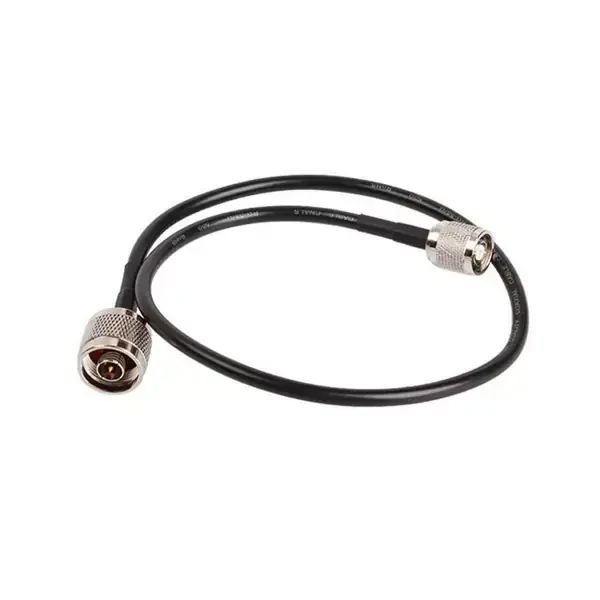
This image shows an N type RF coaxial cable assembly designed for antenna extension, wireless communication equipment, RF testing, and outdoor connectivity applications.
Shielding, flexibility, diameter, and loss do not move in the same direction.
A very small cable helps compact routing, but it may have higher loss and lower mechanical margin.
| Requirement | Better Cable Direction | Trade-Off |
| Compact PCB routing | 1.13 mm or 1.37 mm mini coax | Higher loss and lower handling margin |
| Flexible external cable | RG316 | Moderate loss, larger than mini coax |
| Longer antenna extension | Low loss coax | Larger diameter and harder routing |
| EMI-sensitive area | Shielded coax | Less flexibility in tight spaces |
| Repeated movement | Flexible jacket cable | Check strain relief and bend life |
For WiFi antenna cable selection, shielding should be considered when the cable passes near power wiring, switching regulators, displays, motors, metal enclosures, or other RF devices. Still, shielding cannot fix a wrong connector, poor grounding, damaged braid, or excessive cable length.
The final choice is usually a trade-off: short and compact for internal module links, stronger and more flexible for external handling, lower loss for longer antenna extensions. Write that trade-off into the RFQ before ordering, otherwise the supplier may optimize for the wrong thing.
How Do WiFi Antenna Cables Support Routers, Gateways, and IoT Devices?
The same cable name can hide very different jobs.
A router antenna extension, a gateway bulkhead pigtail, and a small IoT module cable may all be called a WiFi antenna cable in a purchase request. That does not make them interchangeable. The connector may be similar, but the mechanical stress, routing space, handling condition, and test requirement can be completely different.
For a router or access point, the cable is often handled from the outside. The installer may screw on an antenna, move the device, or reroute the cable after installation. In that case, connector durability and strain relief matter. RP-SMA is also common in wireless equipment, so the center contact must be checked before ordering. A standard SMA cable may look close in a catalog photo and still be wrong at the port.
For a gateway or enclosure-mounted wireless device, the cable usually works as a short internal bridge. One end connects to the PCB module. The other end mounts through the housing. Here, the bulkhead thread length, nut, washer, panel thickness, and cable exit direction need attention. If the connector rotates during tightening, the cable can twist inside the enclosure and damage the termination.
IoT terminals are less forgiving. The cable may need to pass between a battery, plastic ribs, PCB shields, and other small parts. A 1.13 mm or 1.37 mm mini coax can save space, but the assembly team still needs enough slack to press the connector straight down. Too short, and it pulls on the U.FL or IPEX connector. Too long, and it becomes a loop inside the product.
How Should WiFi Antenna Cable Assemblies Be Tested Before Use?
A cable that passes continuity is not automatically a good RF cable.
Continuity testing is still necessary. It catches open circuits, center-to-shield shorts, and some obvious assembly mistakes. For many simple replacement orders, that may be the basic outgoing inspection. But it does not show whether the cable behaves well at 2.4 GHz, 5 GHz, or 6 GHz. It also does not prove that the miniature connector will stay seated after vibration or enclosure assembly.
The termination area deserves special attention. On small coax, a weak crimp or poor braid contact can create intermittent faults. On soldered versions, overheating may deform the dielectric or shift the center conductor. On bulkhead cables, the cable-side joint may look fine before installation, then become stressed when the nut is tightened into the panel.
For sample approval, inspect the real mating condition, not just the loose cable on a desk. Plug the U.FL or IPEX side onto the actual module. Mount the SMA or RP-SMA side into the intended panel if possible. Check whether the cable exits naturally or bends sharply within the first few millimeters.
| Inspection Point | What to Confirm |
| Connector fit | Correct SMA, RP-SMA, U.FL, IPEX, or specified interface |
| Polarity | Standard or reverse-polarity structure confirmed |
| Cable type | Matches BOM, drawing, or approved sample |
| Length | Within agreed tolerance |
| Continuity | Center conductor and shield path pass |
| Short circuit | No short between center and shield |
| Termination | No loose crimp, damaged jacket, or exposed braid issue |
| RF test | VSWR or insertion loss if required by project |
This table is useful because it separates basic electrical inspection from RF validation. Buyers and suppliers often argue later because this was not stated early enough.
FAQ
How do I know which WiFi antenna cable connector I need?
Check the device port and antenna side separately. For SMA and RP-SMA, confirm the center contact, not only the thread. For U.FL, IPEX, or other miniature connectors, compare the actual mating connector on the WiFi module. Clear front photos usually prevent most selection mistakes.
Does a longer WiFi antenna cable reduce signal strength?
Usually, yes. Longer cable adds attenuation. The effect becomes more obvious at higher frequencies and with thinner coax. A longer cable may still be acceptable, but the cable type and expected loss should be checked before approving the design.
Is RP-SMA the same as standard SMA?
No. They are different connector structures. Many WiFi devices use RP-SMA, so ordering a standard SMA cable from appearance alone can cause a mating failure. Ask for drawings or front-face photos when the interface is uncertain.
What should I provide for a custom WiFi antenna cable?
Provide connector A, connector B, polarity, cable type, length, impedance, application, quantity, and inspection requirement. For replacement orders, photos help. For new designs, a drawing or BOM note is better.