
Receiver Antenna Guide for FPV Diversity Systems
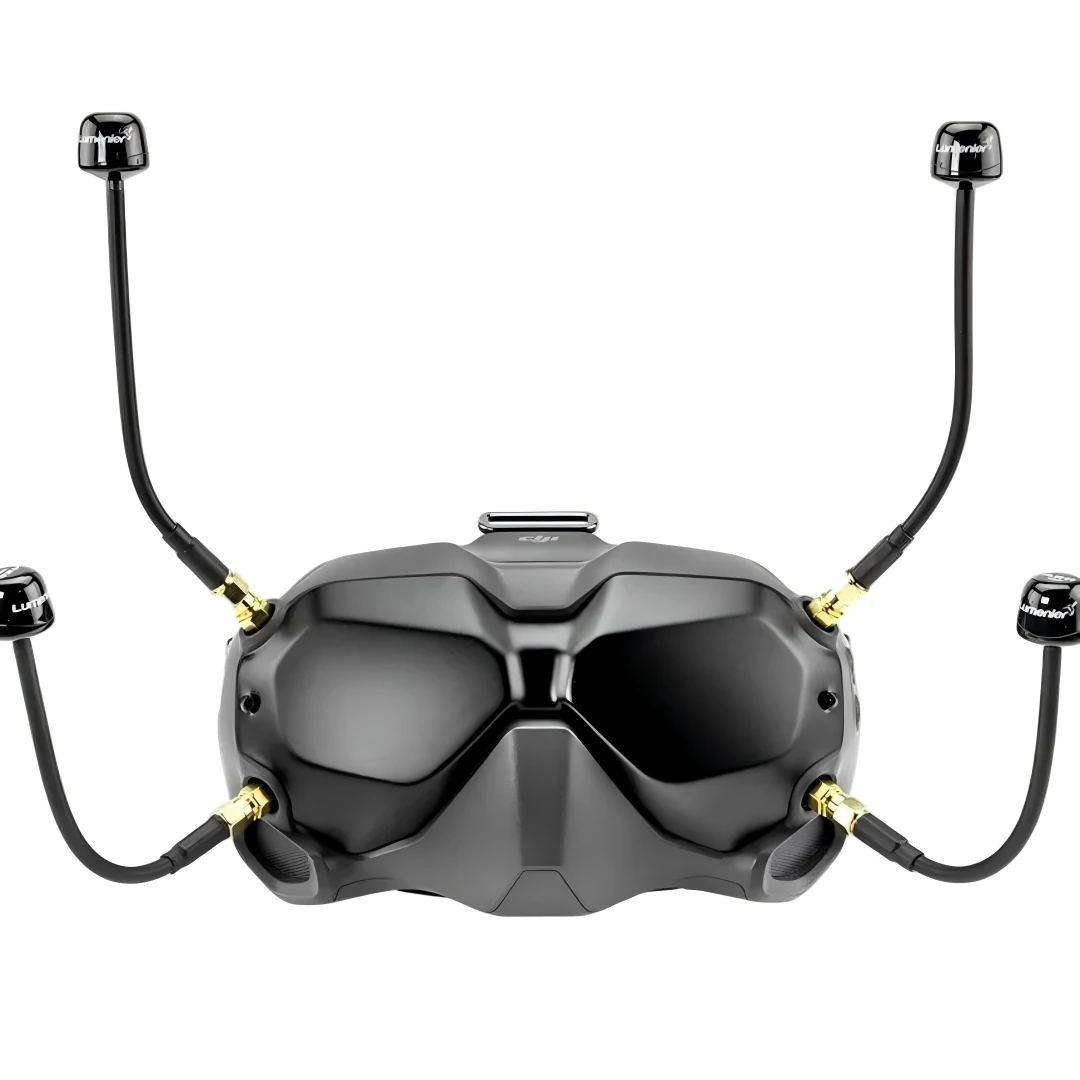
This image shows FPV goggles equipped with multiple omni antennas. It supports the article topic of receiver coverage, antenna pattern selection, and diversity antenna planning.
A set of FPV goggles sits on the bench. Two antenna ports. One is already occupied by a familiar omni. The second port gets whatever is lying nearby — often another omni, sometimes a patch someone bought after watching a video.
Power on. Signal looks fine. Short range always does.
Then the drone moves behind a tree line. The picture breaks earlier than expected. The VTX is already running higher power than it probably should. The pilot assumes the transmitter side is still the weak link.
It usually isn’t.
On a diversity receiver, the antenna is not an accessory you “add.” It is part of the receive logic itself. The system is only as good as how those two antennas divide their jobs.
Start with the receiver chain, not the drone antenna
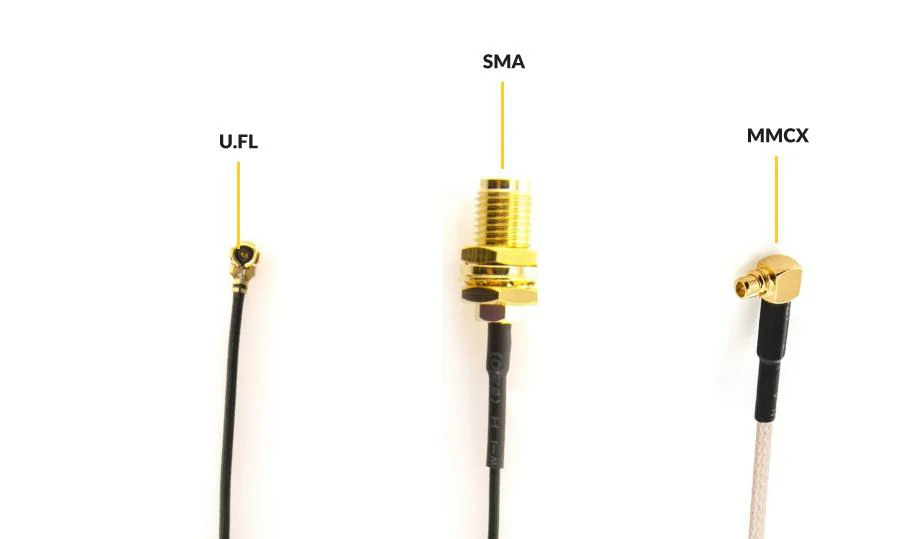
This image compares U.FL, SMA, and MMCX connector types used in FPV systems. It supports the article section about connector compatibility, RF adapter cables, and receiver antenna connections.
The aircraft antenna is already doing its job — staying connected while orientation keeps changing. That part of the system has been discussed in guides like how ground-station strategy turns into receiver antenna selection.
The receiver side is different. It doesn’t move. It doesn’t adapt physically. It compensates through antenna choice and switching logic.
Separate the aircraft antenna job from the receiver antenna job
On the aircraft, the antenna fights rotation, flips, and body shadowing. That’s why circular polarization dominates.
On the receiver side, the job shifts:
- capture the strongest available signal
- maintain continuity when the aircraft moves across space
- handle reflections, not just direct path
That means the receiver antenna is a strategy decision, not a component choice.
A diversity receiver doesn’t “boost” signal. It selects between two different reception patterns. If both patterns are the same, the system has nothing to choose from.
Check when goggle reception is enough and when diversity becomes necessary
Short-range freestyle in an open field? A single good omni on the goggles can hold up.
Start adding:
- distance
- directional flying
- buildings or trees
- repeated flight paths in one direction
The limitations show up fast.
That’s where diversity earns its place. Not because it adds antennas, but because it allows coverage shaping.
Some goggles integrate diversity internally. Others rely on external modules or full ground station builds. The decision point isn’t the hardware — it’s whether your flight pattern benefits from two reception behaviors.
Decide whether your weak point is receive strategy, not transmit power
Increasing VTX power is the easiest mistake to make.
It hides the real issue temporarily.
If the receiver side is poorly configured, more transmit power only stretches the same weaknesses further out. You still hit the same dropout — just later.
A typical pattern:
- dual omni antennas
- random mounting angle
- no attention to coverage overlap
The system looks redundant but behaves like a single antenna.
If you want a deeper understanding of how loss accumulates across the RF chain, the coaxial cable guide explains why small inefficiencies stack up.
Why does receiver antenna choice matter more once you move into diversity?
Plugging in two antennas does not create a working diversity system.
It creates the possibility of one.
The receiver still has a single signal path. It simply switches to whichever antenna currently provides a better signal. That switching only works if the antennas behave differently enough.
Compare single-antenna reception with diversity reception in real FPV use
A single antenna setup is predictable. It fails gradually as signal drops.
A diversity setup can fail abruptly if both antennas share the same blind spots.
That’s the difference.
| Setup Type | Behavior in Open Field | Behavior Near Obstacles | Risk Pattern |
| Single Omni | Smooth degradation | Weak behind obstacles | Predictable |
| Dual Omni (similar placement) | Slight improvement | Same blind spots | False redundancy |
| Omni + Directional | Strong forward link | Better recovery on turns | Complementary |
| Dual Directional | Strong focused link | Weak outside beam | Coverage gaps |
The table reflects real flying conditions, not lab specs.
The takeaway is simple: diversity works when antennas disagree.
Explain why two identical antennas do not always create a better receiver setup
Two identical antennas:
- same polarization
- same radiation pattern
- same mounting angle
The receiver sees nearly identical signals. Switching logic becomes irrelevant.
In practice, this creates a system that behaves like a slightly improved single antenna, not a true diversity setup.
Even worse, if both antennas are mounted too close together, spatial diversity disappears.
Real diversity needs difference:
- pattern
- direction
- sometimes position
Not just quantity.
Separate “more antennas” from “better coverage”
It’s tempting to think adding antennas expands coverage automatically.
It doesn’t.
Coverage depends on:
- where each antenna is pointing
- how wide its beam is
- how the two patterns overlap
Two poorly aimed directional antennas can perform worse than one omni.
This becomes obvious when pilots move toward more structured setups like ground stations and realize aiming matters.
Match the receiver strategy before you choose between omni and directional
Most FPV setups eventually land on the same combination: omni + directional.
Not because it’s trendy, but because it solves a practical problem.
Still, the order matters. You don’t start by picking antennas. You start by defining how the receiver should behave.
Decide when an omni receiver antenna is still the smarter choice
An omni antenna on the receiver side still carries a large part of the workload:
- close-range flying
- constant direction changes
- orbiting around obstacles
- freestyle environments
It provides coverage where aiming would fail.
Removing the omni too early often makes the system feel stronger in one direction but weaker overall.
In diversity setups, the omni acts as the safety net.
Check when a directional antenna solves more than a stronger VTX
Directional antennas come into play when:
- the flight path is predictable
- distance increases
- the pilot can roughly face the flight zone
Instead of pushing more power out of the drone, the receiver focuses its sensitivity.
That shift often produces cleaner video than simply increasing VTX output.
For a structured comparison between connector types often used in these setups, see SMA vs BNC vs N-Type, especially when building external receiver systems.
Use diversity logic when one pattern cannot cover the mission
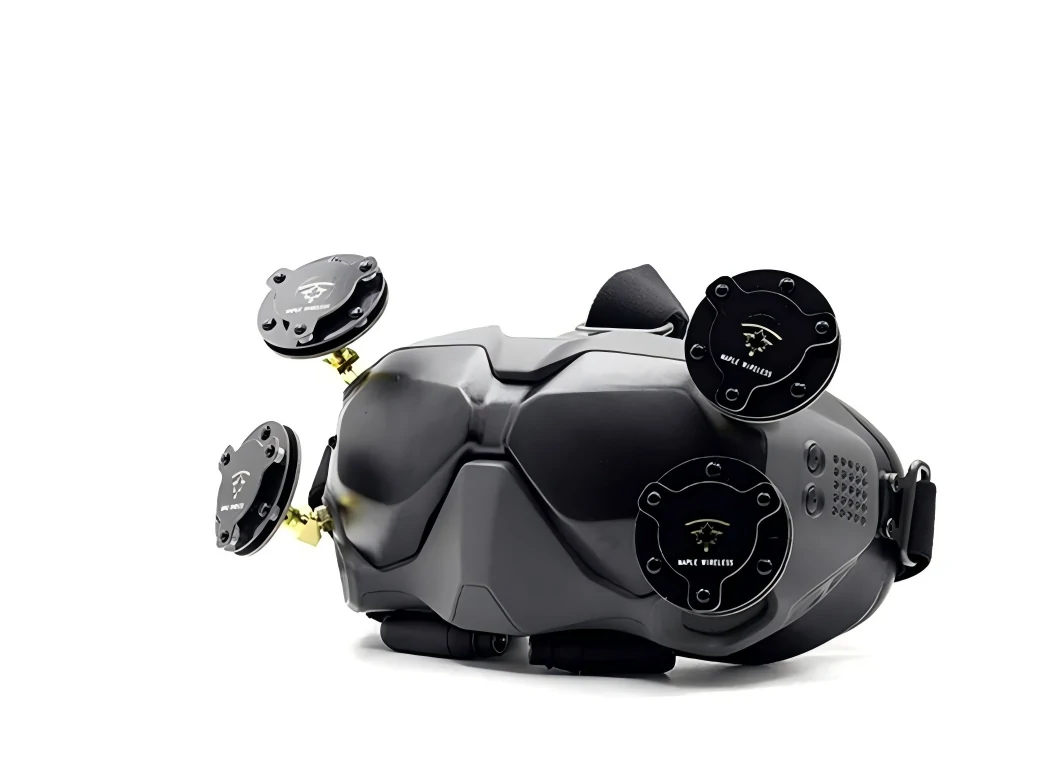
This image shows FPV goggles fitted with multiple patch-style antennas. It relates to directional antenna coverage, beam aiming, and diversity receiver antenna selection.
This is where the combination becomes useful.
- omni handles unpredictable movement
- directional handles distance and focus
The receiver switches between them automatically.
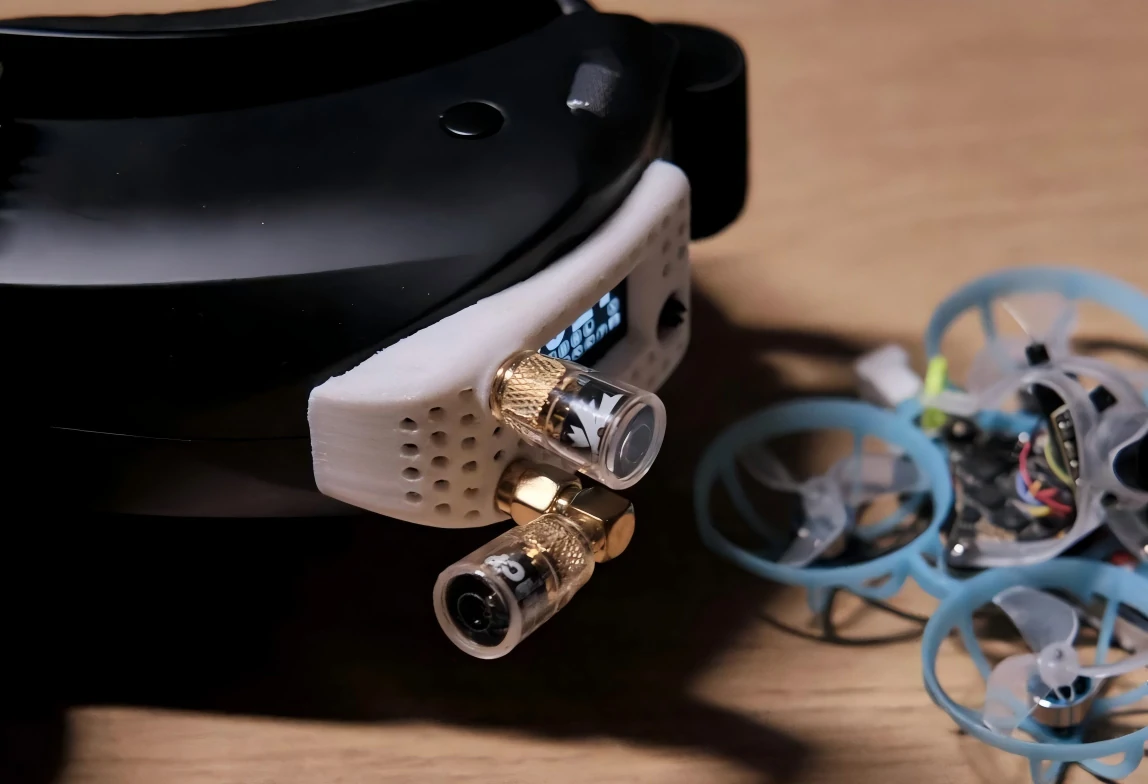
This image shows FPV goggles with two receiver antennas beside a small drone. It supports the article’s explanation of diversity receiver behavior, antenna placement, and close-range FPV reception.
A well-matched pair behaves like a single adaptive receiver.
A poorly matched pair behaves like confusion.
Read patch antenna claims as part of a receiver system, not as a standalone upgrade
Patch antennas get marketed as upgrades.
Higher gain. Longer range. Cleaner signal.
All true — under the right conditions.
But patch antennas are directional by nature. Their performance depends heavily on alignment and beam width.
Compare patch and broader directional options without flattening the differences
Not all directional antennas behave the same.
| Antenna Type | Beam Width | Typical Use | Strength | Limitation |
| Patch | Medium | General FPV diversity | Balanced gain and usability | Requires aiming |
| Helical | Narrow | Long-range focused flight | High gain | Very directional |
| Panel | Wide-medium | Ground station setups | Stable coverage | Bulkier |
Patch antennas sit in the middle. That’s why they appear so often in FPV diversity builds.
They are directional, but still forgiving enough for real flying conditions.
Check beam width before you chase dBi
Gain numbers attract attention. Beam width determines usability.
A narrow beam:
- gives strong signal in one direction
- drops off quickly outside it
A wider beam:
- offers less peak gain
- but tolerates movement better
In actual FPV flying, beam width often matters more than peak gain.
Decide when a compact patch beats a larger directional build
Portability plays a role that rarely shows up in specs.
Goggle-mounted patch antennas:
- easy to deploy
- move naturally with head direction
Tripod-mounted directional antennas:
- more stable
- better for long-range setups
The decision isn’t purely RF.
A compact patch often wins because it fits how people actually fly.
Use polarization matching to stop wasting receiver-side potential
A receiver can be set up correctly in every visible way — good antennas, solid placement, even a clean diversity pairing — and still lose signal earlier than expected.
That usually points to polarization.
It’s one of the few factors that can quietly erase gains without leaving obvious clues. The antennas look fine. The connectors fit. The system powers up normally. But the link never feels as strong as it should.
Check whether the aircraft is RHCP or LHCP before configuring the receiver side
Start from the aircraft. Not from what’s installed on the goggles.
If the drone is running RHCP, the receiver side needs to match it. Same for LHCP. Mixing them reduces usable signal significantly, especially once distance increases.
This is not a minor tuning issue. It directly affects link reliability.
If you need a refresher on how circular polarization behaves in FPV systems, the breakdown in why polarization matching still matters on the receiver side is still one of the clearer references.
A common mistake shows up in shared flying fields:
- pilots bring their own goggles
- antennas get swapped or borrowed
- polarization gets ignored
The system still works — but never performs at its real capacity.
Decide when circular polarization matters more than added receiver gain
There’s a tendency to upgrade antennas first.
Higher dBi numbers feel like progress.
But if polarization is mismatched, increasing gain doesn’t recover the lost signal. It amplifies the wrong alignment.
In practice:
- correct polarization + moderate gain → stable link
- incorrect polarization + high gain → inconsistent link
That trade-off shows up clearly once the drone moves behind obstacles or shifts orientation.
Avoid shared-field receiver setups that ignore polarization planning
Group flying adds another layer.
Multiple pilots. Multiple channels. Mixed equipment.
If polarization isn’t coordinated:
- interference increases
- receiver switching becomes less effective
- video noise appears even at short range
Some pilots intentionally mix RHCP and LHCP to reduce interference between systems. That works — but only if both transmitter and receiver are matched within each setup.
Diversity receivers don’t fix polarization mistakes. They just choose between antennas that are already compromised.
Verify connectors and feedlines before blaming the receiver antenna
There’s a pattern that shows up in troubleshooting.
A pilot upgrades antennas. Performance barely changes.
Then the focus shifts back to antennas again.
The real issue often sits in between — the feedline and connectors.
At 5.8 GHz, small losses add up quickly. A few extra adapters or a longer cable can quietly offset the gain from a better antenna.
Distinguish SMA and RP-SMA on receiver hardware in under five seconds
SMA and RP-SMA confusion still causes unnecessary problems.
They look similar. They thread together. But the center pin arrangement differs.
- SMA: male has a pin
- RP-SMA: female has a pin
Mismatch doesn’t just affect fit. It affects electrical continuity.
Many FPV goggles and antennas use SMA, but WiFi-derived hardware often uses RP-SMA. Mixing them leads to weak or unstable connections.
If you’re unsure how these connectors differ across RF systems, this RF connector guide outlines common families and where confusion usually happens.
Check whether your extension cable is quietly canceling the better receiver antenna
Raising antennas above the goggles or moving them onto a tripod is common.
That introduces extension cables.
Short extensions are manageable. Longer ones introduce loss.
Typical issues:
- thin coax with higher attenuation
- unnecessary length
- poor shielding
At 5.8 GHz, even small increases in length can reduce signal strength noticeably.
The effect is subtle. The system still works. But range and clarity drop earlier than expected.
Avoid adapter stacks that fix fitment but add loss and fragility
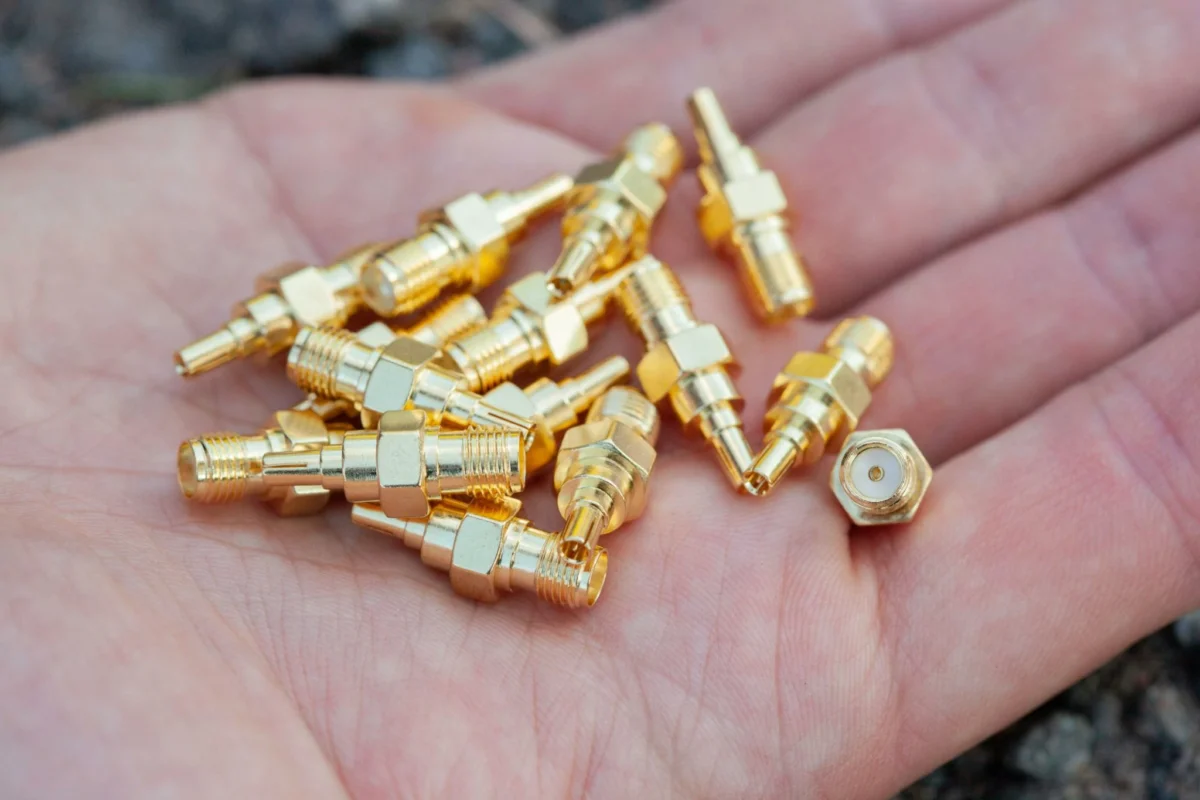
Adapters solve mechanical problems.
They rarely solve RF problems.
Stacking adapters:
- increases insertion loss
- creates mechanical stress points
- makes the setup more fragile
A cleaner solution is often a proper cable assembly instead of multiple adapters. Short, purpose-built RF adapter cables tend to perform better than stacked rigid connectors.
The difference becomes more obvious in field use than on the bench.
Build a receiver-side pass-fail sheet before you lock the setup
Most antenna decisions are made piece by piece.
Buy one antenna. Test it. Add another. Adjust later.
That works, but it’s slow — and easy to misjudge.
A structured check helps avoid obvious mismatches before going to the field.
Score the receive strategy before you score the product
Before comparing brands or specs, define the setup:
- what kind of flying
- how wide the coverage area is
- how much aiming is acceptable
- how the receiver will be mounted
Then evaluate whether the antenna combination fits that scenario.
Apply a red-flag check before you finalize the field kit
Look for common failure patterns:
- identical antennas in diversity
- mismatched polarization
- long, low-quality extension cables
- excessive adapter stacking
- directional antennas without clear aiming strategy
These issues show up more often than defective hardware.
Receiver Antenna Fit Matrix
| Field | Example Input |
| Flight profile | Freestyle / Mid-range / Long-range |
| Receiver mode | Single / Diversity |
| Receiver platform | Goggles / Ground station |
| Primary antenna role | Omni |
| Secondary antenna role | Patch |
| Frequency band | 5.8GHz |
| Polarization plan | RHCP |
| Aircraft-side polarization | RHCP |
| Connector family | SMA |
| Feedline type | Short extension |
| Feedline length | 10–30 cm |
| Beam aiming requirement | Medium |
| Flying-area spread | Moderate |
| Recommendation | Use |
Optional scoring logic:
Fit Score =
Coverage Complement (25) +
Polarization Match (20) +
Feedline Loss Control (15) +
Connector Match (10) +
Aiming Suitability (15) +
Flight-Profile Fit (15)
Interpretation:
- 85–100 → solid configuration
- 70–84 → usable, but check alignment and cable losses
- below 70 → likely to fail under real flight conditions
This kind of evaluation catches structural issues early, before field testing.
Watch where receiver-side FPV setups are moving next
There’s been a shift over the past few years.
Less focus on “stronger antennas.” More focus on how antennas work together.
Track the move from single-antenna thinking to receiver-role planning
Older setups treated antennas as isolated upgrades.
Newer setups treat them as roles within a system:
- coverage anchor (omni)
- range extender (directional)
That change reflects how FPV flying has evolved. More range. More structure. More predictable flight paths.
Follow how patch-plus-omni remains the practical baseline in many diversity builds
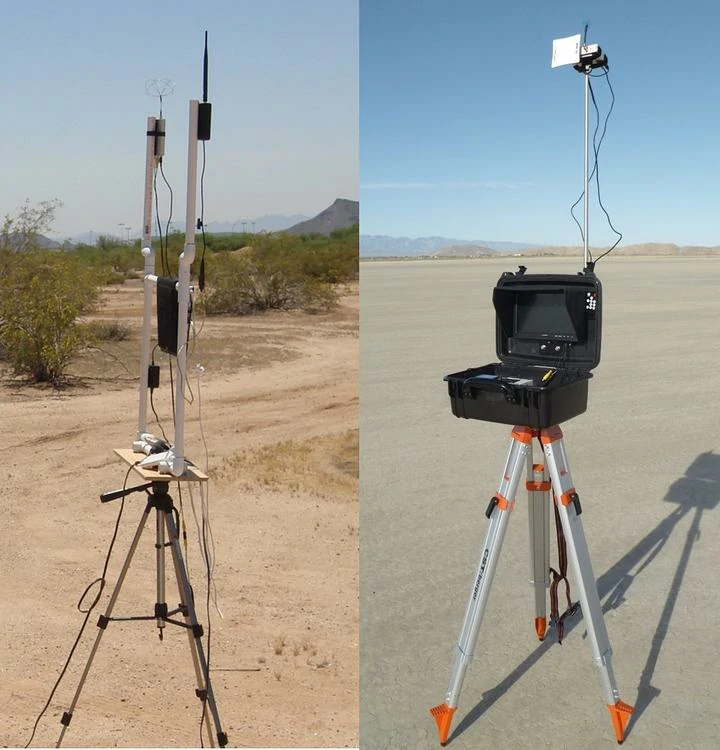
This image shows FPV ground station antenna setups mounted on tripods. It relates to diversity receiver planning, directional antennas, antenna height, and long-range FPV video reception.
Despite newer antenna designs, the patch + omni combination still shows up everywhere.
Not because it’s the most advanced option.
Because it balances:
- coverage
- usability
- tolerance to movement
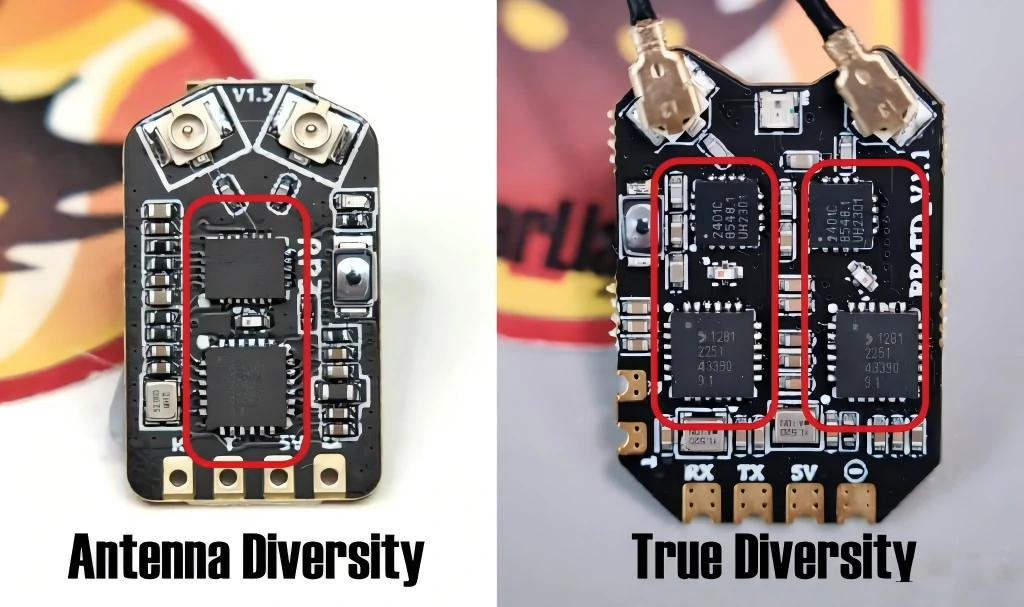
This image compares antenna diversity and true diversity FPV receiver boards. It helps explain why receiver architecture matters when choosing antenna combinations for diversity systems.
More complex systems exist — multiple directionals, tracking antennas — but they introduce complexity that most pilots don’t need.
The baseline remains stable for a reason.
Watch where receiver-side FPV setups break down in real use
Bench testing rarely exposes the weak points.
Everything is aligned. Distance is short. There are no trees, no buildings, no unexpected angles. Even a poorly matched receiver setup can look acceptable.
Then the drone moves.
That’s where most receiver antenna issues finally show themselves.
Notice how bench setups hide switching behavior problems
On a diversity receiver, switching between antennas is the whole mechanism.
On the bench:
- both antennas receive strong signal
- switching is rarely triggered
- the system appears stable
In flight:
- signal strength fluctuates constantly
- switching becomes active
- mismatched antennas create instability instead of redundancy
This is why two similar antennas can pass initial testing but fail once the aircraft moves across space.
The system never had a meaningful decision to make.
Track how coverage gaps show up only in motion
A directional antenna looks solid when pointed correctly.
But drones don’t stay in one position.
Common failure pattern:
- strong signal directly ahead
- sudden drop when the drone exits the beam
- delayed recovery when switching back to the omni
That delay is small, but visible in video.
The effect feels like intermittent interference rather than a clear coverage issue.
Recognize when aiming becomes part of flying

With directional antennas, aiming isn’t optional anymore.
It becomes part of the control loop:
- pilot orientation affects signal
- head movement affects patch alignment
- ground station angle affects range
This is manageable, but it changes how the system behaves.
Pilots moving from simple goggle setups to tripod-mounted receivers often underestimate how much positioning matters.
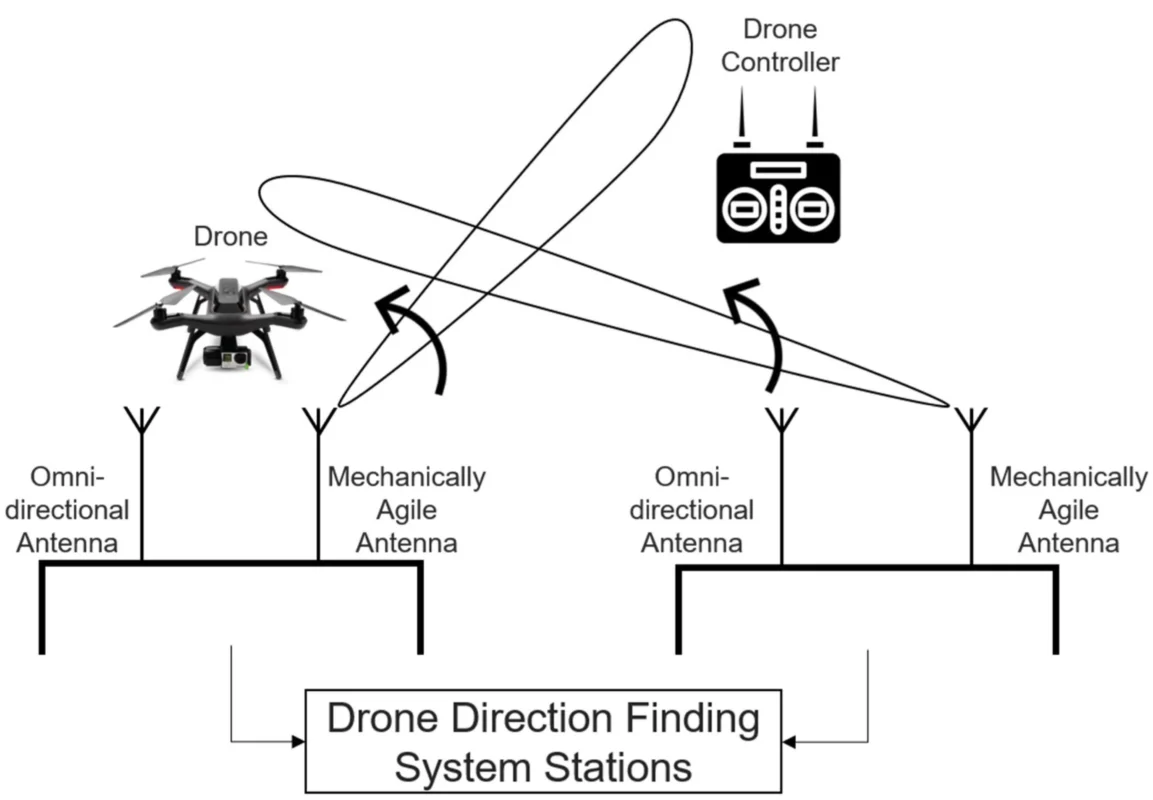
The receiver stops being passive. It becomes part of the workflow.
Reduce common receiver antenna mistakes before they show up in flight
Most failures are not caused by extreme conditions.
They come from small, repeatable mistakes.
Stop assuming higher gain solves inconsistent reception
Gain improves signal strength in a defined direction.
It does not:
- fix polarization mismatch
- compensate for poor antenna placement
- recover loss from long feedlines
A high-gain antenna in the wrong role performs worse than a moderate one used correctly.
Avoid treating antenna upgrades as isolated changes
Swapping one antenna without considering the system rarely produces consistent results.
Typical upgrade sequence:
- replace omni with “higher gain” version
- keep everything else unchanged
- expect noticeable improvement
The outcome is usually marginal.
Receiver performance depends on how both antennas interact, not just individual specifications.
Check mechanical stress before blaming RF performance
This shows up more often in compact setups.
- antennas mounted directly on goggles
- adapters used to adjust angle
- cables under tension
Over time:
- connectors loosen
- internal contacts wear
- signal becomes unstable
It looks like RF degradation. It’s often mechanical.
If the setup relies on multiple adapters, replacing them with a short, purpose-built cable assembly can improve both durability and signal consistency. The difference between rigid adapters and flexible assemblies is explained in RF adapter cables, especially for portable systems.
Connect receiver choices back to the full RF chain
Receiver antennas don’t operate in isolation.
They sit at the end of a chain that includes:
- aircraft antenna
- VTX output
- air path conditions
- receiver front end
- feedline and connectors
Any weak link limits the whole system.
Keep the diversity receiver simple, but intentional
The most reliable setups tend to share a few traits:
- one antenna covers movement
- one antenna extends reach
- both are correctly matched in polarization
- feedlines are kept short and clean
- connectors are consistent and secure
Nothing extreme. Nothing exotic.
Just deliberate choices.
Why a simple omni + patch setup keeps working
It handles most real-world conditions:
- unpredictable movement
- moderate distance
- occasional obstacles
The omni fills gaps. The patch strengthens forward coverage.
The receiver switches between them without needing constant adjustment.
Where more advanced setups actually make sense
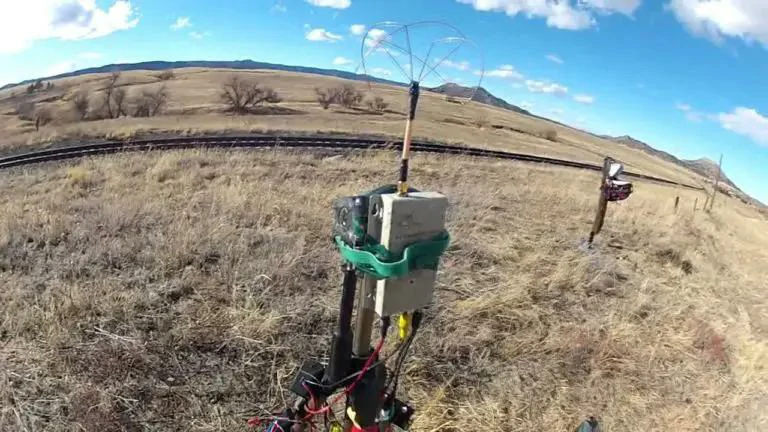
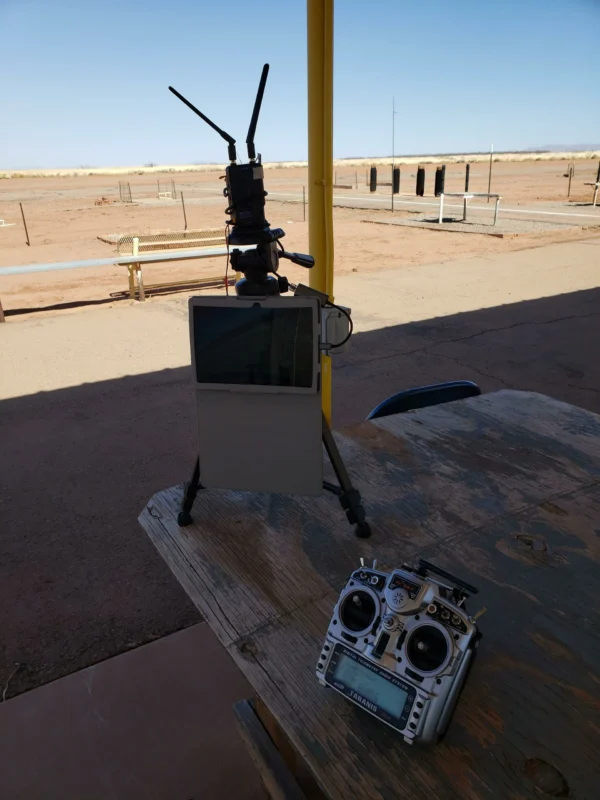
This image shows an outdoor FPV receiver station with elevated antennas in a field environment. It supports the article sections about directional reception, antenna aiming, and ground station setup.
Complex receiver builds start to make sense when:
- flying long-range with defined paths
- operating from a fixed ground station
- using tracking systems
In those cases, multiple directional antennas or tracking mounts can improve performance.
But they require planning and setup discipline.
For most use cases, the added complexity doesn’t justify itself.
FAQ
Why doesn’t a diversity receiver always work better with two identical antennas?
Because the receiver has nothing to switch between. If both antennas behave the same, they share the same weaknesses.
Should I improve the receiver antenna setup before increasing VTX power?
Yes. Fixing receive-side inefficiencies usually provides more consistent improvement than increasing transmit power.
Can a long extension cable reduce receiver performance?
Yes. At 5.8 GHz, cable loss becomes noticeable quickly, especially with thin or low-quality coax.
When is a patch-plus-omni setup better than two omni antennas?
When your flight path has direction and distance. The patch adds focused gain, while the omni maintains general coverage.
How do I identify whether my issue is polarization, aiming, or feedline loss?
- inconsistent signal in all directions → check polarization
- strong forward signal, weak elsewhere → check aiming
- generally weak performance → check cables and connectors
Can upgrading the receiver antenna help if the drone antenna is poorly matched?
Only partially. A mismatched aircraft antenna limits the entire link.
Why does the system work on the bench but fail in flight?
Because real flight introduces movement, angle changes, and obstacles — all of which activate the weaknesses in the receiver setup.
