
Coax Cable Connector Guide for TV Systems
Mar 27,2026

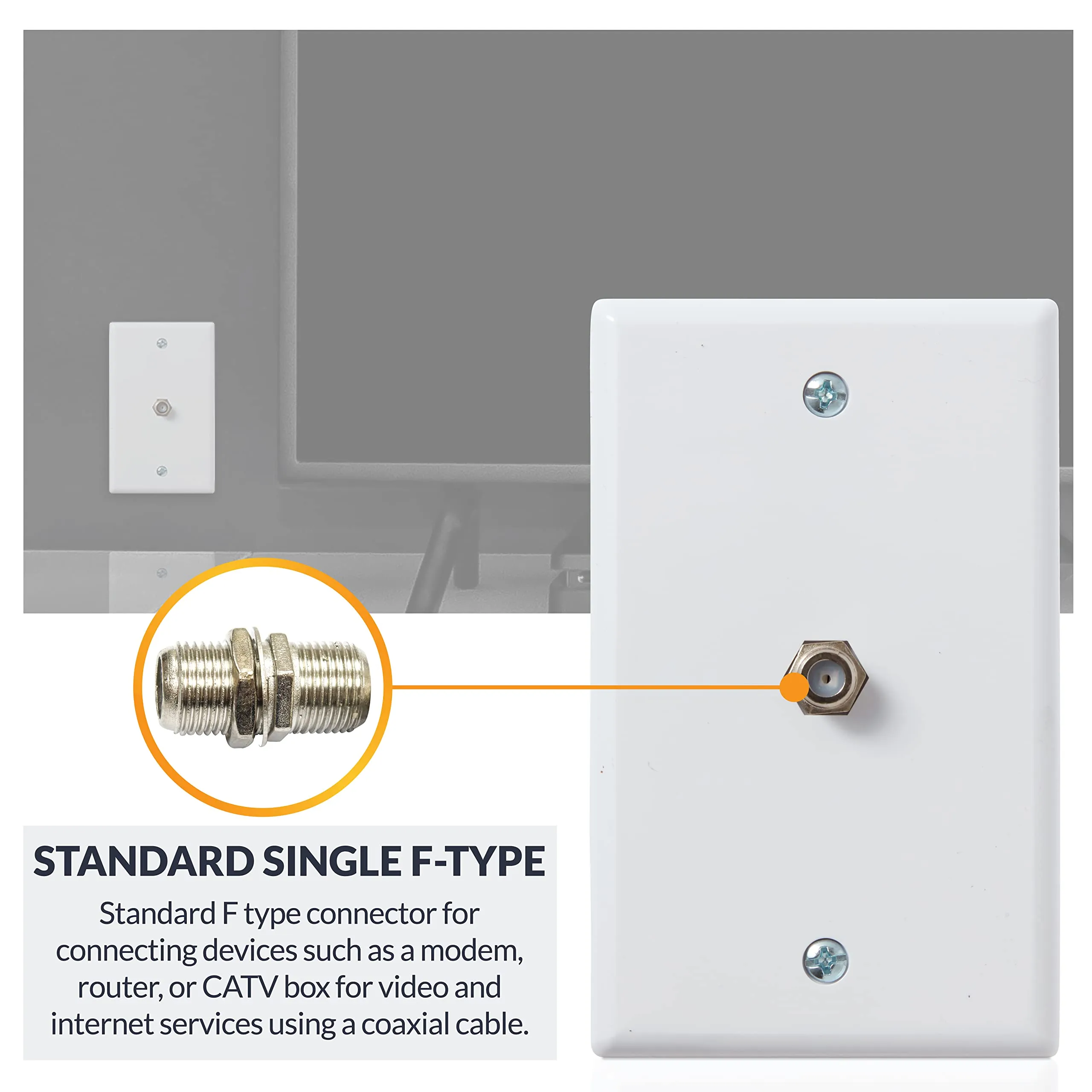
This figure depicts a realistic home TV installation where a flat-screen television is mounted close to the wall. A coaxial cable exits from a wall plate and connects to the TV. The image highlights the use of a threaded F-type connector and a right-angle coax fitting near the back of the TV, which helps manage limited clearance and prevents sharp bending of the cable. This setup illustrates a common scenario where connector choice directly impacts installation feasibility and long-term reliability.
A TV goes on the wall, the bracket sits close to the plaster, and suddenly the coax line that worked fine in open air no longer fits cleanly. The cable sticks out too far. The connector presses against the wall. Someone grabs the first small metal part they can find online — coupler, splitter, adapter, it all looks similar enough in the listing photo — and the install turns messy fast.
That is usually where TV coax problems begin. Not with the cable itself. Not with the signal from the provider. With a tiny passive part chosen by shape instead of job.
In home TV systems, a coax cable connector is rarely acting alone. It sits between a wall plate and a set-top box, between an antenna feed and a TV, or between one incoming line and two destinations. That sounds simple until the wrong part adds the wrong function. A joiner gets used where a splitter was needed. A splitter gets used where a straight gender change would have done less damage. An F-type fitting gets ordered for a device that actually expects a TV-style push-in plug.
Placement: after the opening scenario describing a wall-mounted TV installation with limited connector clearance
Prompt: realistic home TV installation scene with flat screen mounted close to wall, coax cable exiting wall plate, visible threaded F-type connector and right-angle coax fitting near the back of the TV, natural indoor lighting, accurate consumer electronics details, no text overlay
Match the connector role before you match the part
A catalog name can mislead people here. “Coax connector” is too broad to help. So is “TV cable adapter.” The faster way is to define the task first.
Are you extending one line? Splitting one feed into two rooms? Converting between interface styles? Solving a clearance problem behind the TV? Those are different jobs, and the part should follow the job.
A straight joiner is for continuity. A splitter is for distribution. An adapter changes interface style or gender. A right-angle fitting solves space and bend problems. Once that is clear, half the buying mistakes disappear before the order is placed.
Separate joiners, splitters, adapters, and right-angle fittings
The confusion starts because many of these parts are small, metallic, and sold under overlapping keywords. But they do not do the same thing.
A coupler or joiner keeps one path going. Think of it as a bridge between cable ends or connector genders. It does not create a second usable output.
A splitter does the opposite. It creates branches. That can be useful, but it also introduces division loss and makes the signal path more sensitive to weak incoming levels.
An adapter changes interface format. In TV work, that often means threaded F-type on one side and a TV-style push-in end on the other. It can also mean male-to-female conversion.
A right-angle fitting is not mainly about electrical conversion. It is about mechanical survival. It protects the first bend, reduces wall pressure, and stops the connector body from acting like a lever.
Before going any further, it helps to flatten these parts into one practical comparison:
| Part type | Best use | What it actually does | Common mistake |
|---|---|---|---|
| Coupler / joiner | Extend one existing line | Keeps one signal path continuous | Used by mistake where two outputs are needed |
| Splitter | Feed two or more devices from one source | Divides one line into branches | Used as if it were just a connector saver |
| Adapter | Change interface style or gender | Converts the physical mating format | Bought without checking both endpoint styles |
| Right-angle fitting | Tight wall spacing or rear clearance | Redirects the connector exit path | Treated as universal even when thread or gender is wrong |
Map TV, set-top box, wall plate, and antenna endpoints
The next mistake is assuming every endpoint in the room speaks the same coax language. It does not.
In many U.S. installations, the wall plate and broadband hardware use threaded F-type interfaces. That part is familiar. The confusion usually appears at the device end. Some TVs, antenna accessories, and older regional hardware may expect a push-in TV-style connector rather than a threaded F connector. If the installer only checks one end of the run, they buy a part that solves half the problem and creates the other half.
A cleaner habit is to map both endpoints before opening a catalog page:
- What is the wall side?
- What is the device side?
- Do you need to keep the line straight, split it, adapt it, or turn it?
- Is there enough clearance behind the equipment?
That sounds obvious, but in practice it is the difference between buying one finished part and buying three small parts that stack into a weak little tower behind the TV.
Where does a coax cable connector actually sit in the signal path?
This point gets missed because TV connectors are treated like accessories. In reality, they are part of the signal path.
Every passive piece adds another mechanical interface. Sometimes that is harmless. Sometimes it becomes the weak point — not because the connector is exotic, but because the install is cramped, twisted, or under constant pull from a stiff RG6 line.
That is why connector choice should not be separated from cable path planning. A short, clean, direct connection with the right interface is usually safer than a pile of fixes assembled from whatever was already in the toolbox. The same logic shows up in more technical coax systems too, even outside TV work, which is why broader references like TEJTE’s RG cable guide and its article on coaxial cable connectors and termination tips are useful when a “simple TV connector issue” starts turning into a cable routing issue.
Which coax cable connector fits a TV install without guesswork?
The quickest answer is not a brand name. It is endpoint logic.
Check the physical interface on both sides. Then match the job. That order matters more than most product descriptions.
Use F-type when the thread is the interface

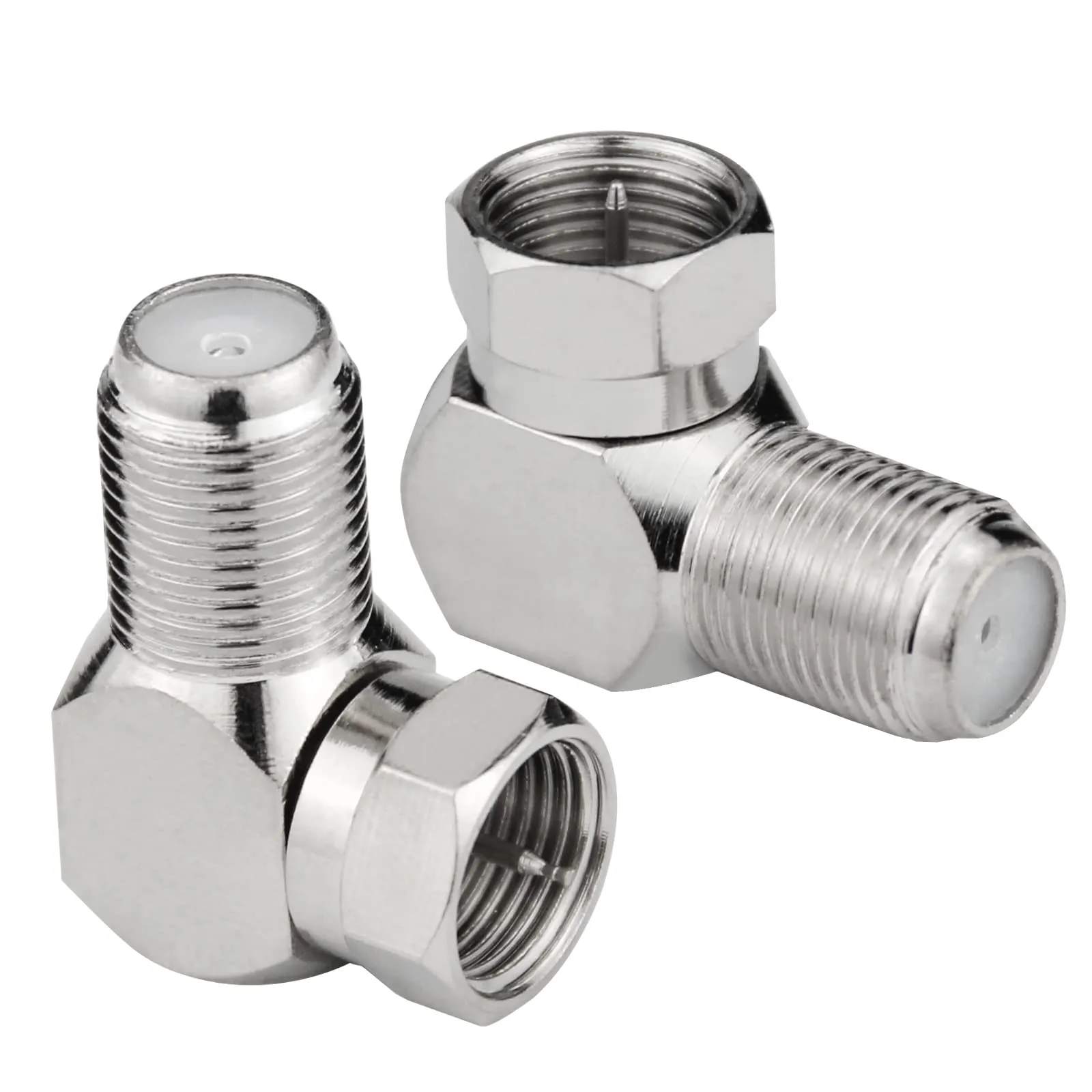
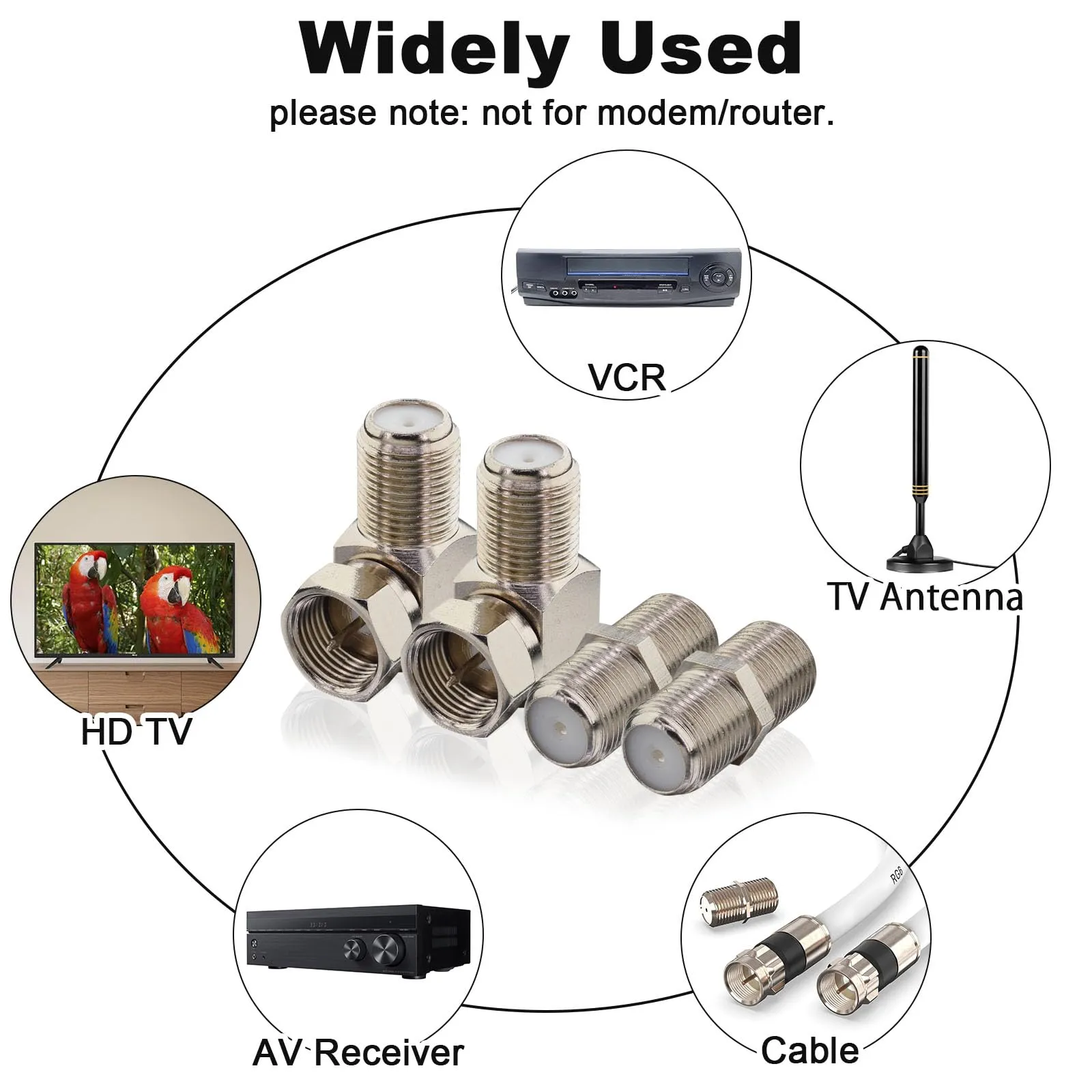
This image is a close-up product-style photograph showing a collection of common TV coax connector components. It includes F-type male and female fittings, a straight coupler/joiner, a splitter, and a right-angle coax adapter. The parts are displayed on a neutral surface with realistic metal textures and accurate thread details. The image helps viewers distinguish between different component types—each serving a distinct role (extension, splitting, adaptation, or redirection)—which is essential for selecting the correct part for a specific installation task.
If the port is clearly threaded, start with F-type logic. That is still the standard shape across a large share of cable TV, satellite, broadband, and in-home coax hardware. It is simple, cheap, and easy to recognize once you stop mixing it up with push-in TV plugs.
Where people go wrong is assuming “coax” automatically means “F-type everywhere.” It does not. F-type works where the equipment expects that threaded contact. If the receiving device does not, the clean solution is not force. It is the correct adapter.
Placement: after the section explaining when threaded F-type ends are the correct match
Prompt: close-up product style photo of several TV coax connector parts including F-type male and female fittings, coupler, splitter, and right-angle coax adapter on a neutral surface, realistic metal texture, accurate thread details, studio lighting, no text overlay
Use TV-style push-in ends when the device expects an aerial plug
This is where a lot of “wrong part delivered” complaints start. The installer sees coax cable, finds an F connector, and assumes the job is done. Then the device side refuses to mate because the port expects a TV-style aerial plug.
At that point, the issue is not signal theory. It is interface mismatch.
If one side is threaded F-type and the other side is a push-in TV connector, buy the part that explicitly bridges those two worlds. Do not improvise with stacked pieces unless there is no other option. Stacking solves the immediate fit, but it also increases length behind the device and makes the assembly more vulnerable to side load.
When is a male-to-female coupler the cleaner fix?
A coupler is the cleaner fix when the line itself is already correct and you only need continuity or a simple gender bridge.
That is a narrower job than many buyers think. A coupler is not there to create outputs, and it is not there to solve every port mismatch in the room. It is best when two cable ends need to meet cleanly or when a short extension is needed without changing the basic signal path.
Used this way, it stays invisible. Used in place of a splitter or a real interface adapter, it becomes the source of the next problem.
Can one article cover F-type, TV cable connector, and splitter choices together?
It has to—because the install itself doesn’t separate them.
A single TV setup often touches all three in one path. A wall plate brings in an F-type feed. A short adapter converts to a TV-style plug. Then a splitter appears because someone wants a second screen in another room. None of those parts live in isolation, even if they are sold that way.
The mistake is trying to optimize each part separately. The cleaner approach is to treat the whole path as one chain, then reduce unnecessary transitions.
Connectors that keep the line straight
Straight-through parts look boring. They are also the least likely to cause trouble.
An F male-to-female extension, or a female-to-female coupler, keeps the geometry simple. No change in direction, no extra branch, no conversion between interface standards. In many cases, that simplicity is exactly what keeps the signal stable and the install clean.
Where things go wrong is over-solving a simple extension problem. A coupler plus a short patch cable plus another adapter may technically work, but it introduces more interfaces than necessary.
Parts that solve angle and clearance problems

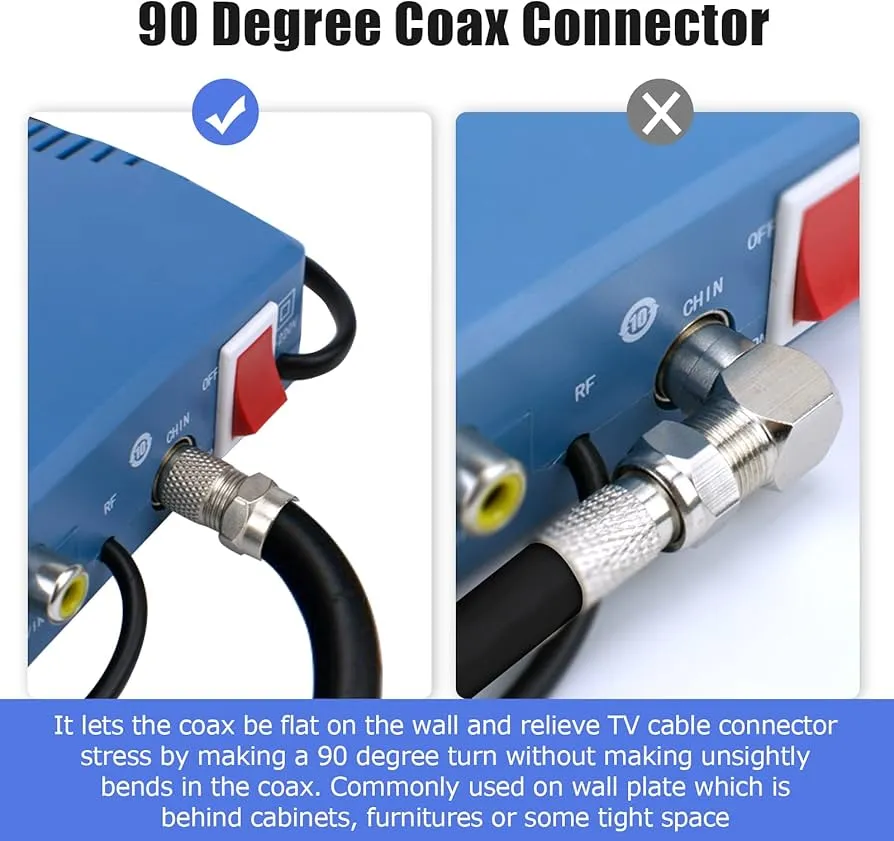
This figure shows a close-up photograph of a 90-degree coax connector, specifically a right-angle F-type adapter. The image highlights its threaded F-type interface on one end and the compact right-angle bend that redirects the cable path. Such connectors are used behind wall-mounted TVs or in tight spaces where a straight connector would protrude too far or force the cable into a sharp bend. The right-angle design protects the first bend near the connector, reducing mechanical stress and improving long-term reliability.
This is where right-angle fittings earn their place.
Behind a wall-mounted TV, the first bend is usually the weakest point in the entire cable path. A stiff RG6 cable pressed into a tight radius can slowly stress both the cable and the connector.

This illustration demonstrates a practical application of a 90-degree coax connector. The connector is attached to a wall plate that is located behind furniture or in a confined area. The right-angle design allows the coaxial cable to lie flat against the wall, avoiding the need for a sharp bend and reducing the space required behind the equipment. This configuration is commonly used in home installations where clearance is limited, helping to protect the cable and connector from mechanical stress over time.
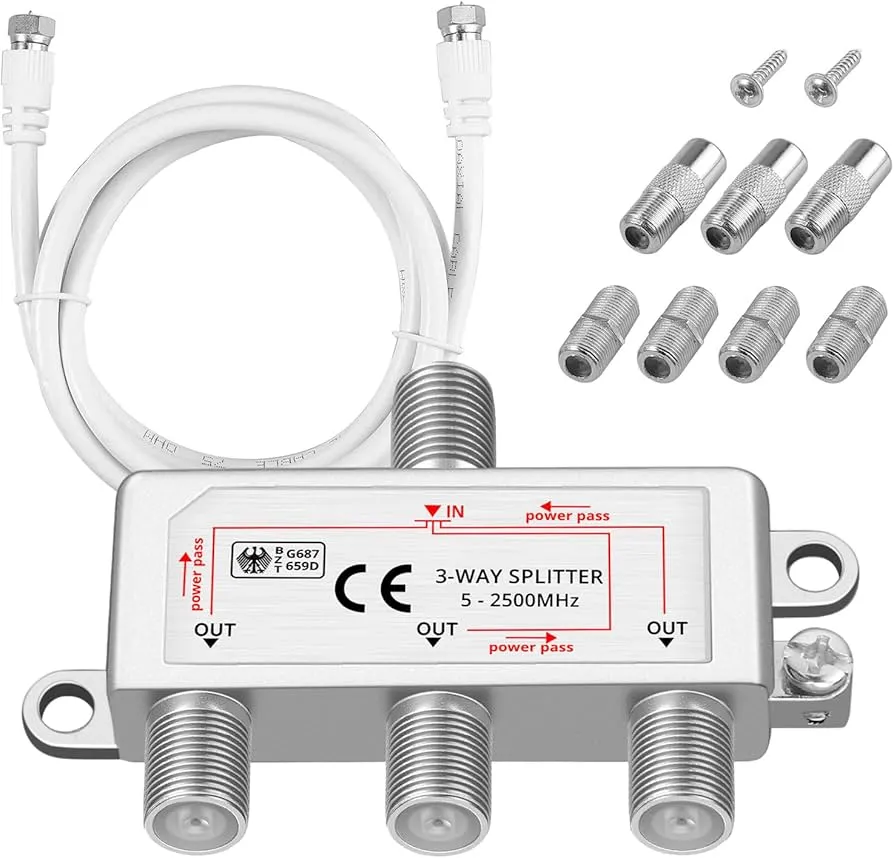
A right-angle connector shifts that stress away from the mating interface. It also reduces how far the cable sticks out from the back of the TV, which matters more than people expect when the bracket leaves very little space.
There is a mechanical detail worth paying attention to: the connector body should not carry the cable’s weight. If the cable is pulling downward, even a right-angle part can loosen over time.
Parts that divide one feed into two or three

This image shows a typical coaxial cable splitter, featuring one input port and two (or more) output ports. It is used when a single incoming feed needs to serve multiple devices, such as connecting a cable signal to both a TV and a set-top box. The figure emphasizes that while splitters solve distribution problems, they also introduce predictable insertion loss. In home installations with limited signal margin, this loss can lead to pixelation or instability, making it important to select the correct splitter type and minimize unnecessary splitting.
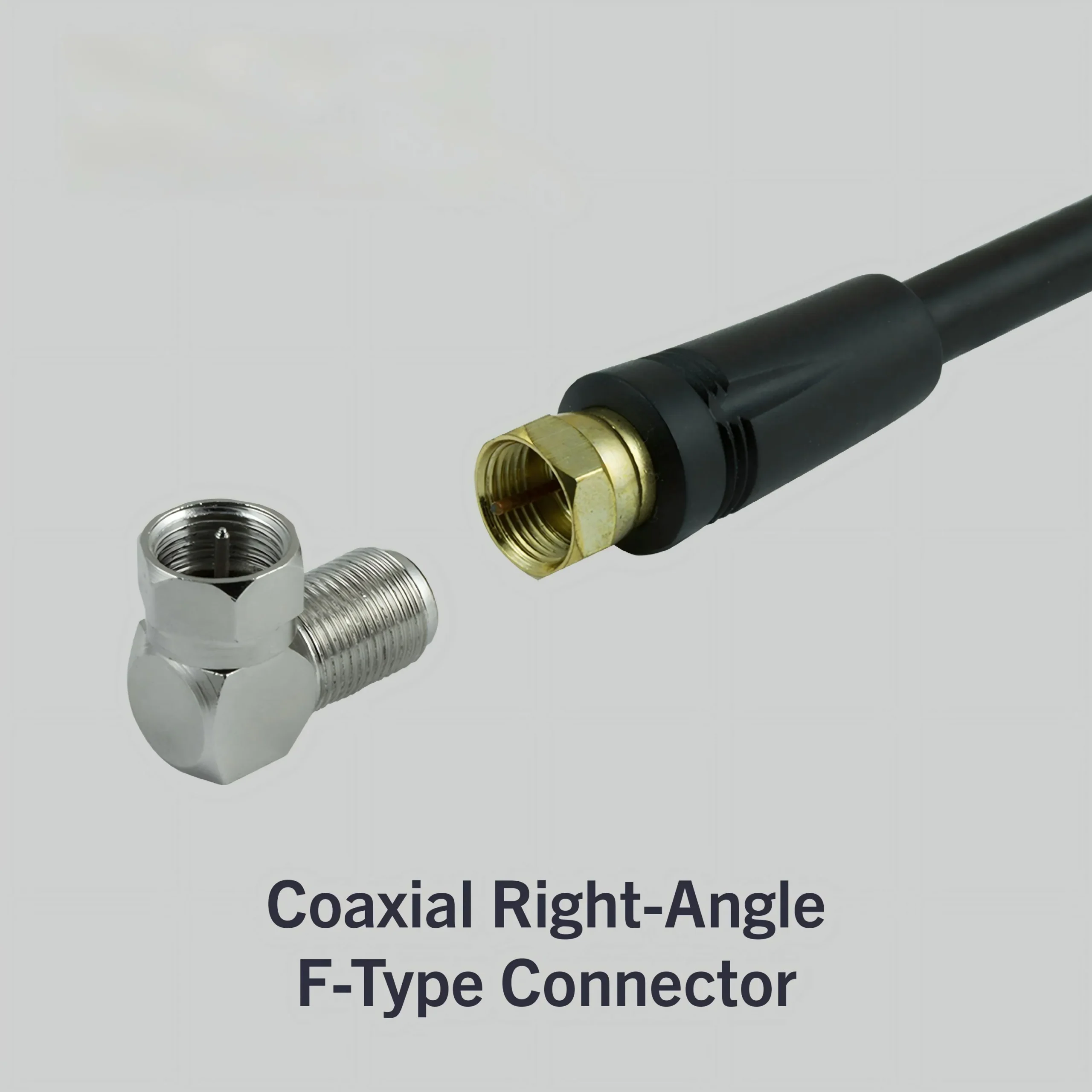
Splitters are where convenience starts to collide with physics.
They solve a real problem—one incoming feed, multiple destinations—but they do it by dividing signal power.
Even a basic two-way splitter introduces noticeable insertion loss. Add more ports, and the loss increases further.
In homes where the signal margin is already tight, this is where problems start to show up—pixelation, unstable channels, or inconsistent performance across rooms.
How do you avoid the three buying mistakes that break TV coax installs?
Buying the wrong gender
This is still the most common issue.
The part looks correct. The thread size matches. But the gender is reversed. The result is a connector that almost fits—but doesn’t.
The fastest fix is not memorizing terminology. It is checking both endpoints before buying. A 10-second verification avoids a replacement cycle.
Mixing join, split, and adapt functions
A coupler is not a splitter. A splitter is not an adapter.
When these roles get mixed, the install becomes layered with unnecessary parts. Each additional interface increases both mechanical risk and signal loss.
The better approach is simple: define the task first, then pick one part that does exactly that.
Forgetting cable size and 75-ohm context
TV systems operate in a 75-ohm environment.
That matters more over longer runs and after adding passive components like splitters. Mixing mismatched components may appear to work initially, but stability drops as the system becomes more complex.
Choose by endpoint, not by catalog name
| Field | Example | What to check |
|---|---|---|
| Endpoint A | Wall plate | Usually F-type |
| Endpoint B | TV | F-type or push-in |
| Task | Adapt / Extend / Split | Define clearly |
| Gender change | Yes / No | Avoid mismatch |
| Cable | RG6 (75 Ω) | Keep consistent |
| Clearance | Tight (wall mount) | May need angle |
| Passive count | 1–2 | Keep minimal |
| Splitter loss | 3–7 dB | Only if splitting |
| Connector loss | ~0.15 dB each | Adds up slowly |
| Result | Correct part | Fewer adapters |
When does a coax cable splitter help, and when does it quietly hurt?
A splitter is helpful when one signal genuinely needs to serve multiple active devices.
It becomes a problem when used out of habit.
Split one source only when both branches truly need it
If only one device is active at a time, splitting the signal adds loss without benefit.
In some cases, running a second line is the cleaner long-term solution.
Read insertion loss before you chase signal problems
Most people only look at connectors, not signal loss.
But once a splitter is installed, loss is guaranteed—not optional. Understanding that upfront avoids confusion later.
Why a splitter is not a universal adapter
This is a common mistake in search-driven buying.
A splitter is sometimes used just because it has multiple ports. But it is not designed to replace a coupler or adapter.
Using it that way adds unnecessary complexity and weakens the signal path.
Handle clearance, wall spacing, and cable bend before the install starts
Most TV coax issues don’t show up when the system is first powered on. They show up weeks later—after the cable has been pushed back, slightly twisted, or slowly pulled by its own weight.
The weak point is almost always the first bend.
In a tight wall-mounted setup, the cable exits the connector and immediately has to change direction. If that bend is forced instead of guided, the stress transfers directly into the connector body. That’s where intermittent contact begins.
Use right-angle parts to protect the first bend

This figure illustrates a critical mechanical principle for coax installations, especially behind wall-mounted TVs. It shows a right-angle coax fitting attached to the device port, allowing the cable to change direction immediately without a sharp bend. The image contrasts this with a scenario where a straight connector would force the cable into a tight curve, concentrating stress at the connector-cable junction. The right-angle fitting protects this vulnerable area, extending the life of the connection and preventing intermittent signal issues caused by mechanical fatigue.

A right-angle fitting doesn’t improve signal quality. It protects the physical interface.
It changes the direction of the cable at the connector itself, so the cable doesn’t need to bend sharply right after the connection. That reduces stress on both the connector threads and the internal conductor alignment.
There’s a practical rule installers follow: protect the first 2–3 cm after the connector. If that section is forced into a tight curve, the rest of the cable doesn’t matter. That’s where damage begins.
Keep the connector body from carrying cable weight
A coax connector is not a load-bearing component, even if it looks solid.
In vertical drops—like when the cable runs down from a wall-mounted TV—the weight of the cable can slowly pull on the connector. Over time, that introduces slight loosening or internal misalignment.
The fix is simple but often skipped:
- let the cable rest against the wall
- add a small clip or guide
- avoid letting the connector hang freely
This is especially relevant with thicker cables like RG6. They hold their shape, which also means they hold tension.
Plan service access for future swaps
Installations rarely stay untouched.
Devices get upgraded. TVs are replaced. Set-top boxes move. If the connector is buried behind a tightly mounted panel with no clearance, even a simple swap becomes difficult.
Leaving just enough space to disconnect and reconnect without forcing the cable is part of a good install—even if it feels unnecessary at the time.
Build a cleaner internal link from TV installs back to cable selection
Sometimes the connector is not the real problem.
It just happens to be the most visible part of a deeper issue.
Escalate to cable choice when the connector is no longer the bottleneck
If connectors are correctly matched, properly installed, and still the system behaves inconsistently, the next place to look is the cable itself.
Longer runs, older cables, or poorly shielded lines can introduce losses that no connector change will fix.
In those cases, stepping back to cable selection makes more sense than continuing to adjust connectors. This is where broader references like TEJTE’s coaxial cable guide start to matter, because they address the full signal path rather than just the endpoints.
Replace rigid transitions with short jumper cable when the path becomes unstable
Mechanical stability sometimes outweighs the theoretical electrical advantage of a rigid adapter.
Rigid adapters keep the signal path short, but they also transfer mechanical force directly into the connectors. If the cable pulls sideways or the device moves slightly during operation, that force concentrates at the connector threads.
Flexible coax jumpers absorb those movements instead.
Short cable assemblies built from thin coax families — such as RG316 — appear frequently in RF systems for exactly this reason. The cable bends easily and isolates the connectors from torque.
A detailed explanation of why compact RF systems often rely on that cable type appears in this RG316 coaxial cable guide.
If a signal path requires multiple rigid adapters or experiences repeated handling, replacing the adapters with a purpose-built cable assembly usually improves long-term stability.
Connect this topic to broader RG and coax selection
Connector choice and cable choice are not separate decisions. They are linked.
A well-matched connector on the wrong cable still produces a weak system. A correct cable with poorly chosen connectors creates unnecessary failure points.
That’s why many installers treat connectors as part of the cable system—not as accessories added at the end.
What changed in 2026 for home coax and broadband layouts?
The hardware looks familiar. The expectations are not.
Home networks are carrying more data through the same physical infrastructure. That changes how small losses and passive components behave in real setups.
DOCSIS 4.0 upgrades make in-home passive loss more visible
With higher bandwidth expectations, small losses inside the home become more noticeable.
A splitter that was “good enough” before may now push certain channels or services closer to instability. The margin is smaller, so every passive component matters more.
MoCA keeps coax relevant where Ethernet runs are hard to add
In many homes, running new Ethernet lines is not practical.
Technologies like MoCA over coax keep existing coax infrastructure useful for networking. But they also rely on the same physical paths—connectors, splitters, and cables.
That means the quality and correctness of those small components directly affect network performance, not just TV signal.
Broadband events in 2026 still treat the last meters as an engineering problem
Industry discussions continue to focus on the “last meters” inside the home.
Not because the technology is new—but because the variability in installation quality still creates inconsistent results. The external network can be stable, but poor in-home distribution reduces the real-world performance users experience.
That brings the conversation back to connectors again. Not as isolated parts, but as part of a system that either holds together—or slowly degrades.
FAQ
Can a coax cable connector extend a TV line without changing signal direction?
Yes, a coupler or straight connector can extend a line without altering direction, as long as both ends match in interface and impedance.
Is a coax cable coupler the right choice when one wall outlet needs two TVs?
No. That requires a splitter. A coupler only maintains a single signal path.
Why does an F-type connector fit one device but not the TV in the same room?
Because some devices use threaded F-type interfaces while others use push-in TV connectors. The interface style must match both endpoints.
When should a right-angle fitting replace a straight TV cable connector?
When space behind the device is limited or when the cable would otherwise bend sharply right after the connector.
Does every coax cable splitter reduce signal enough to matter indoors?
Not always, but every splitter introduces loss. Whether it matters depends on the original signal margin.
How do you tell whether the install needs a connector, a coupler, or a splitter?
Define the task first: extend, adapt, split, or redirect. Then choose the part that performs only that function.
Which part usually causes more mistakes in a TV coax install: gender, angle, or port style?
Port style mismatch is often the first issue, followed by gender confusion, then clearance problems.
Bonfon Office Building, Longgang District, Shenzhen City, Guangdong Province, China
A China-based OEM/ODM RF communications supplier
Table of Contents
Owning your OEM/ODM/Private Label for Electronic Devices andComponents is now easier than ever.
