
SMA to BNC Adapter for RF Work
Mar 21,2026
Introduction

This figure illustrates a common lab scenario where an RF module with an SMA port needs to connect to an older test instrument with a BNC input. An SMA to BNC adapter is shown as a rigid transition between the two. The image emphasizes that while the adapter appears simple, it introduces a rigid mechanical interface into the signal chain, which may affect stress distribution and impedance continuity depending on the setup.
A connector mismatch rarely shows up in the design review slides.
It shows up on the workbench.
A small RF module arrives with an SMA port. The lab instrument beside it—often an older spectrum analyzer or signal generator—still exposes BNC. Everything else in the setup is ready: firmware loaded, antenna selected, cable already on the bench. Then someone notices the ports don’t match.
That’s when an SMA to BNC adapter quietly becomes part of the RF signal path.
On paper it looks trivial: two connectors and a short metal body. In practice it introduces a rigid transition into a system that might otherwise rely on flexible coax assemblies. Whether that transition is harmless or problematic depends on where it sits in the chain, how the equipment is mounted, and whether the mechanical load stays under control.
This article focuses on the decision process engineers and buyers go through when selecting one of these adapters. Not just “what it is,” but when a rigid transition works, when it becomes risky, and how to avoid buying the wrong variant before procurement locks the order.
Where does an SMA to BNC adapter belong in RF setups?
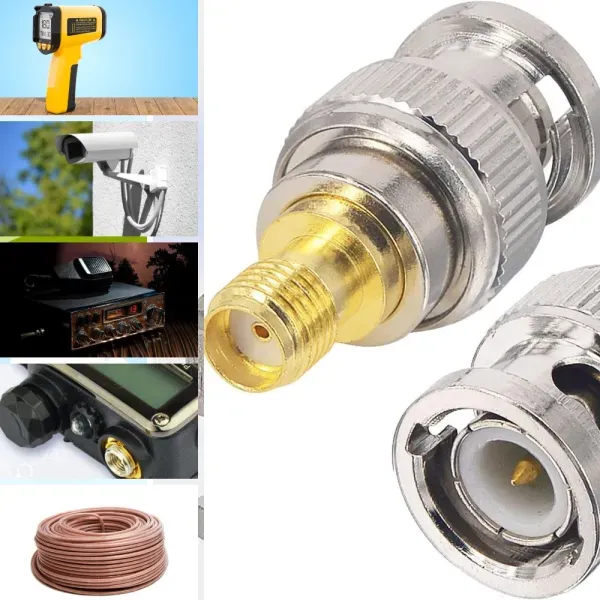
This figure illustrates the typical connector ecosystems in RF environments. On one side, modern compact devices (radios, modules, antennas) commonly use SMA connectors. On the other side, laboratory instruments, oscilloscopes, and legacy RF gear often feature BNC connectors. An SMA to BNC adapter is shown as the bridge between these two worlds. The image highlights that while mechanically compatible, the transition must also maintain electrical impedance consistency (50 ohms) for predictable RF performance.
Connector ecosystems in RF hardware tend to form their own habits.
Certain connectors appear again and again in certain environments.
Small radios, embedded wireless modules, compact antennas, and many test accessories lean heavily on SMA. It’s compact, threaded, and capable of operating across a wide RF frequency range. Inside IoT gateways, GNSS receivers, telemetry units, and development kits, SMA ports are everywhere.
BNC lives in a different world.
Older measurement instruments, broadcast hardware, oscilloscopes, and many rack-mounted RF tools still rely on BNC connectors. They’re fast to connect and mechanically forgiving. In many labs the signal chain still includes a mix of modern SMA-based hardware and legacy BNC equipment.
The SMA to BNC adapter sits between those two connector ecosystems.
Instead of replacing cables or rebuilding an entire test setup, engineers insert a rigid transition between the device and the instrument. Electrically it behaves like a very short section of transmission line. Mechanically it becomes a solid extension of whichever connector sits on the weaker side.
That second point is where problems sometimes begin.
Connect SMA radios to BNC instruments and legacy gear
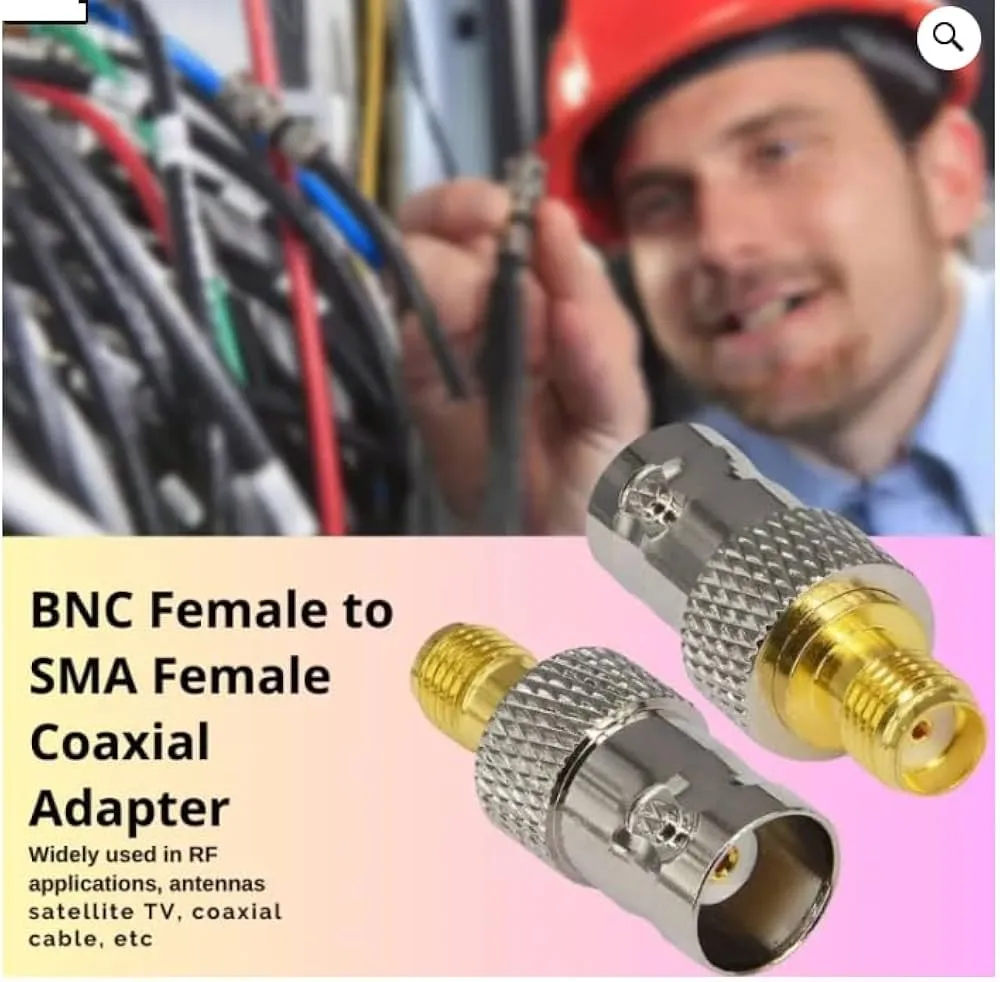
This figure depicts a straightforward test setup: an RF module (with SMA output) is connected via an SMA to BNC adapter to a bench instrument (with BNC input). The adapter provides a rigid, short transition that is often sufficient for static lab environments where connectors are aligned and the setup does not move. The image reinforces that in such fixed conditions, a rigid adapter is a clean and efficient solution.
A typical case looks like this:
• RF module with SMA output
• bench instrument with BNC input
• short coax jumper already installed on the instrument
Rather than rebuild the cable assembly, someone installs an adapter at the device port. Within seconds the setup is operational.
For quick bench work this is often the cleanest option. The connection stays compact and the signal path remains short. In fixed test fixtures the adapter can remain installed permanently.
But the same configuration can behave differently once the hardware moves out of the lab.
During transport, vibration, or repeated cable handling, the rigid adapter begins acting as a lever arm. If the coax cable pulls sideways, the torque transfers directly to the SMA connector—sometimes the smallest and most delicate port in the chain.
When a cable assembly replaces the rigid transition, that stress distributes along the flexible coax instead.
Engineers who have watched an SMA jack loosen from a thin panel usually remember this lesson quickly.
Keep the transition inside a 50-ohm RF path
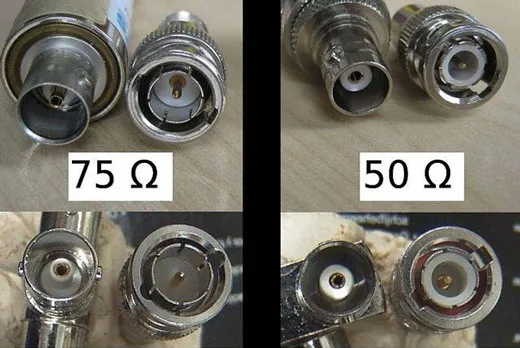
This figure visually contrasts 50-ohm and 75-ohm BNC connectors. While they appear nearly identical externally, the internal dielectric and center conductor dimensions differ to achieve the required characteristic impedance. The image serves as a warning that mechanical compatibility does not guarantee electrical compatibility. In RF systems (especially test setups), using a 75-ohm BNC adapter in a 50-ohm chain introduces impedance discontinuity, causing reflections and return loss degradation. Engineers must verify the BNC side impedance before ordering.
Another detail tends to hide beneath the mechanical discussion: impedance.
Most RF systems—especially radios, antennas, and measurement equipment—operate in a 50-ohm coaxial environment. That includes cables, connectors, and adapters along the signal path.
The distinction matters because BNC connectors appear in both 50-ohm and 75-ohm variants. Visually they look almost identical. In video distribution or broadcast equipment, the 75-ohm version is common.
An adapter that mixes those impedance systems doesn’t always cause immediate failure. Signals still pass. Measurements still appear on the screen.
But the mismatch introduces reflections inside the line. As frequency climbs, those reflections quietly degrade return loss and measurement accuracy.
Anyone planning an RF signal path usually checks the cable family first. A good reference for how coaxial impedance families are organized can be found in the RG Cable Guide, which breaks down how different RG cable types fit into the 50-ohm ecosystem.
Adapters follow the same logic.
If the RF path is designed around 50-ohm coax, the adapter should belong to the same impedance system. Treating connectors as purely mechanical interfaces often leads to subtle electrical issues later.
Separate rigid adapters from cable assemblies before design freeze
A surprising number of procurement mistakes appear because engineers specify the connector interface but forget to specify the transition format.
Both of these descriptions might appear in an order sheet:
• SMA to BNC
• BNC to SMA
Neither line tells a supplier whether the transition should be rigid or flexible.
An adapter is a rigid mechanical bridge between connectors.
A cable assembly inserts a flexible coax segment between them.
In early prototypes the difference might seem minor. When equipment becomes part of a field system, that distinction becomes important.
Rigid adapters work best when:
• the connectors align naturally
• the distance between ports is minimal
• the cable routing is straight and stable
• the equipment remains stationary
Cable assemblies become safer when:
• ports sit on different planes
• the equipment vibrates
• cables move during service
• panels introduce offset or recess
Teams that delay this decision often end up stacking adapters to correct alignment problems. That approach increases connector count, adds insertion loss, and amplifies mechanical stress.
By the time a design reaches procurement review, it helps to know whether the signal transition should remain rigid or move into a short coax jumper instead.
Choose adapter or cable before you choose the connector gender
The conversation around RF connectors often starts with gender:
plug versus jack, male versus female.
That’s natural, but it isn’t always the first decision that matters.
Before deciding whether the adapter should expose an SMA plug or jack, engineers usually need to confirm whether the transition should even be rigid.
A surprising number of projects reverse this order. Procurement receives a request for an “SMA male to BNC female adapter,” only to discover later that the equipment ports don’t align well enough for a rigid part.
Once that happens, the adapter specification has to be replaced with a cable assembly.
Taking a moment to evaluate the mechanical setup first saves time and reduces connector stress later.
Use an adapter when ports are aligned and strain-free
Rigid adapters perform well when the connection environment is simple.
Bench setups are the classic example. A radio module sits on the desk. A coax cable runs to a nearby instrument. The connectors face each other with almost no offset.
In that environment an adapter can sit comfortably between the two ports. The entire transition remains short, clean, and electrically stable.
Adapters also appear frequently inside fixed RF test fixtures. Once installed, the connection rarely moves. Cable routing stays controlled, and vibration levels remain low.
When those conditions hold, a rigid adapter is often the simplest and most reliable option.
Use a cable when offset, vibration, or repeated handling exists
Once connectors move onto different planes, rigid transitions start becoming awkward.
A recessed panel port is a common example. If the SMA jack sits several millimeters behind the enclosure wall, a rigid adapter may not reach comfortably. Stacking another adapter to extend the length solves the reach problem but adds another mechanical joint.
Cable assemblies handle these situations more gracefully.
A short coax jumper—often built from RG316 coaxial cable—can bridge offset connectors without transmitting mechanical stress directly into the ports. Flexible coax absorbs vibration and makes routing easier when equipment shifts during maintenance or transport.
Systems that experience regular handling tend to benefit from cable transitions even when a rigid adapter technically fits.
Avoid stacking multiple rigid transitions into one weak point
Stacked adapters are one of the quiet reliability risks in RF setups.
A single adapter rarely causes trouble. Two or three in series create a different situation:
• each joint adds insertion loss
• each joint adds mechanical play
• torque increases as the stack length grows
The result behaves like a miniature lever attached to the connector.
The signal path might still work electrically, but the mechanical load on the first connector in the chain increases significantly. In many setups that first connector happens to be the SMA port on a device.
Replacing the stack with a single short coax jumper usually removes that stress entirely while keeping the signal path predictable.
Match impedance before you match appearance
Connector compatibility often gets evaluated visually.
If the threads fit and the coupling mechanism locks, the connection appears correct. In RF systems that assumption can hide subtle mismatches.
Adapters may connect two ports perfectly while quietly inserting an impedance transition that was never intended.
BNC connectors illustrate this clearly because the interface exists in both 50-ohm and 75-ohm variants.
The difference isn’t obvious from a quick glance.
Confirm whether the BNC side is really 50 ohms
Many RF test instruments use 50-ohm BNC connectors, but video distribution equipment frequently uses 75-ohm BNC instead.
In mixed laboratories it’s common to find both.
If the device port expects a 50-ohm environment and the BNC side belongs to a 75-ohm system, the adapter creates a discontinuity in the transmission line. The signal still flows, yet the mismatch produces reflections along the path.
A quick overview of how coaxial transmission lines behave can be found in the Coaxial cable reference, which explains how impedance continuity influences signal integrity.
In low-frequency applications the mismatch may remain tolerable. As frequencies rise, the same transition begins to influence measurement accuracy and link performance.
Keep 50-ohm systems inside one consistent RF path
In most wireless or RF measurement systems the safest approach is simple: keep the entire signal path inside one impedance family.
That includes:
• coax cables
• connectors
• adapters
• test fixtures
When all components share the same impedance, reflections remain minimal and measurements stay predictable.
Adapters designed for RF work normally follow the same rule. If the rest of the system runs at 50 ohms, the adapter should as well.
The challenge appears when two different systems meet—something that happens more often than many engineers expect.
Add a dedicated transition when 50-ohm and 75-ohm systems must meet
Sometimes the impedance mismatch isn’t avoidable.
A measurement setup may involve a 50-ohm RF transmitter feeding equipment designed around 75-ohm video infrastructure. In those cases the transition needs to be deliberate.
Instead of inserting a generic adapter and hoping the system behaves, engineers usually introduce a controlled interface—often with impedance-matching hardware or dedicated test accessories.
This keeps the mismatch predictable and prevents hidden reflections from accumulating inside the signal path.
Adapters should never become accidental impedance bridges.
They work best when they simply continue an RF path that already follows the correct impedance standard.
Verify the mechanical combination before ordering in volume
Electrical compatibility usually gets the most attention during early design reviews. Impedance checks out, frequency range looks fine, and the connectors appear compatible on paper. That still leaves the mechanical side.
With SMA to BNC adapters, mechanical details often determine whether the transition behaves quietly for years or starts causing trouble within months.
Small differences in connector gender, thread orientation, panel depth, and connector style can change the way the adapter sits in the signal chain. In low-volume lab work those differences are inconvenient. In production systems they become recurring problems.
Engineers who order RF adapters in batches usually check the mechanical stack before placing the purchase order.
Confirm SMA side gender, polarity, and panel role
The SMA side of the adapter tends to be the most sensitive part of the connection.
An SMA jack mounted on a thin panel or directly on a PCB does not tolerate much side load. When a rigid adapter extends from that port, the adapter becomes part of the lever acting on the connector.
Before specifying the adapter, teams usually verify three details:
• connector gender
• connector polarity
• connector mounting context
Gender mismatches still happen surprisingly often in RF procurement because product descriptions sometimes mix the terms plug, jack, male, and female. Polarity adds another layer when RP-SMA connectors enter the system. The center pin configuration changes even though the outer threads remain the same.
The mounting context matters just as much.
A bulkhead SMA connector fixed to a thick enclosure wall behaves differently from a board-mounted SMA jack. The first can tolerate moderate cable load. The second may loosen or rotate if the adapter becomes part of a rigid cable extension.
Once a cable starts pulling sideways, the adapter simply transfers that force to the connector underneath.
Confirm BNC side plug, jack, and mounting context
BNC connectors appear mechanically forgiving compared with SMA, but they still come in several variations.
The most common are:
• BNC plug (male center pin)
• BNC jack (female center contact)
Lab instruments typically expose BNC jacks. Cable assemblies often terminate with BNC plugs. When adapters enter the picture, the orientation of those connectors matters.
If both ends of the chain expect the same gender, the adapter becomes unusable even though it looks correct on paper.
Mounting context also deserves attention.
Some rack-mounted equipment places the BNC connector slightly recessed behind a panel. A rigid adapter may not seat fully if the body of the adapter contacts the panel before the connector locks. This is a small detail that rarely appears in datasheets but shows up quickly during installation.
A short cable assembly often solves the problem immediately because the connector body no longer needs to clear the enclosure wall.
Choose straight or right-angle by stress and clearance
Adapter shape usually gets decided late, sometimes after the first prototype arrives.
Straight adapters are the default option because they preserve the shortest electrical path. They also keep the signal chain simple.
Right-angle adapters appear when space becomes tight.
A compact enclosure might place the SMA port close to a wall or adjacent component. If a coax cable must turn sharply after the connector, a right-angle adapter redirects the cable path before the cable begins bending.
The choice is rarely about aesthetics.
A poorly routed cable can introduce repeated side-load on a connector. Over time that load loosens the mating threads or damages the port. When space constraints push the cable into a sharp bend immediately after the connector, a right-angle adapter often reduces stress across the entire assembly.
What matters is not how the adapter looks, but how the cable exits the connection.
Calculate transition loss before the adapter becomes the hidden bottleneck
Adapters are physically short. That often leads engineers to assume their electrical impact is negligible.
In many systems that assumption holds true.
A single RF adapter may contribute only a small fraction of a decibel in insertion loss. When systems include multiple transitions—cables, connectors, adapters—the small losses accumulate.
The total loss across a signal path depends on three things:
• coaxial cable attenuation
• connector count
• adapter transitions
The cable portion usually dominates. Yet in systems operating near their link margin, even small connector losses begin to matter.
Engineers planning RF links sometimes review the entire chain instead of focusing only on cable length.
Budget adapter loss together with cable loss
Cable loss calculations normally start with the coax type and length.
For example, a short RF jumper might introduce only a fraction of a decibel across the working frequency band. That looks harmless until connectors and adapters join the calculation.
Each additional transition adds a small electrical discontinuity. In many RF setups, a single adapter contributes roughly 0.1–0.2 dB of insertion loss depending on frequency and connector quality.
That number alone rarely causes problems. A chain with several connectors and two adapters begins to look different.
A simple budgeting approach treats every connector pair as a small additional loss element. Even rough estimates help engineers visualize where signal margin disappears.
Cable assemblies built from RG316 coaxial cable appear frequently in these calculations because they are widely used for short RF jumpers in compact equipment. Their attenuation characteristics remain predictable across many common RF frequencies.
Adapters then become just another element in the loss budget.
Watch connector count when frequency rises
As operating frequency climbs, connectors become more sensitive to discontinuities.
At lower RF frequencies, several connector transitions may pass signals with minimal visible degradation. When systems approach multi-gigahertz ranges, the same chain behaves differently.
Return loss becomes harder to maintain. Small reflections begin interacting with the cable length. Measurement repeatability becomes sensitive to connector torque and alignment.
Adapters do not automatically create these problems. They simply add another transition to the system.
In high-frequency environments engineers sometimes reduce connector count wherever possible. That might mean replacing two stacked adapters with a single cable assembly or relocating connectors so the signal path remains cleaner.
The goal is not to eliminate adapters entirely. The goal is to avoid unnecessary transitions.
Replace rigid transitions with short cable when the path becomes mechanically unstable
Sometimes the electrical analysis looks fine while the mechanical arrangement remains questionable.
This happens when a rigid adapter extends the connection between two heavy cables or between equipment mounted on different surfaces. The adapter becomes a mechanical hinge.
A short cable assembly often resolves the situation immediately.
Flexible coax absorbs motion and reduces the bending moment applied to connectors. The electrical path remains nearly the same length, while the mechanical stress drops dramatically.
That trade-off explains why RG316 cable assemblies appear so frequently in RF setups that require short, flexible jumpers. They preserve signal continuity while protecting the connectors at each end.
Rigid adapters still have their place—especially in stable bench environments—but once cables begin moving, flexibility usually improves reliability.
Route the connection so the ports survive service and transport
Most RF connection problems do not appear during the first test.
They appear weeks later, often after the hardware has been moved, installed, or serviced several times.
Transport vibration, cable routing changes, and repeated connector handling slowly change the mechanical forces acting on the ports. If the adapter sits at the wrong point in the chain, those forces concentrate at a single connector.
Routing strategy becomes just as important as electrical design.
Stop torque from reaching the SMA jack
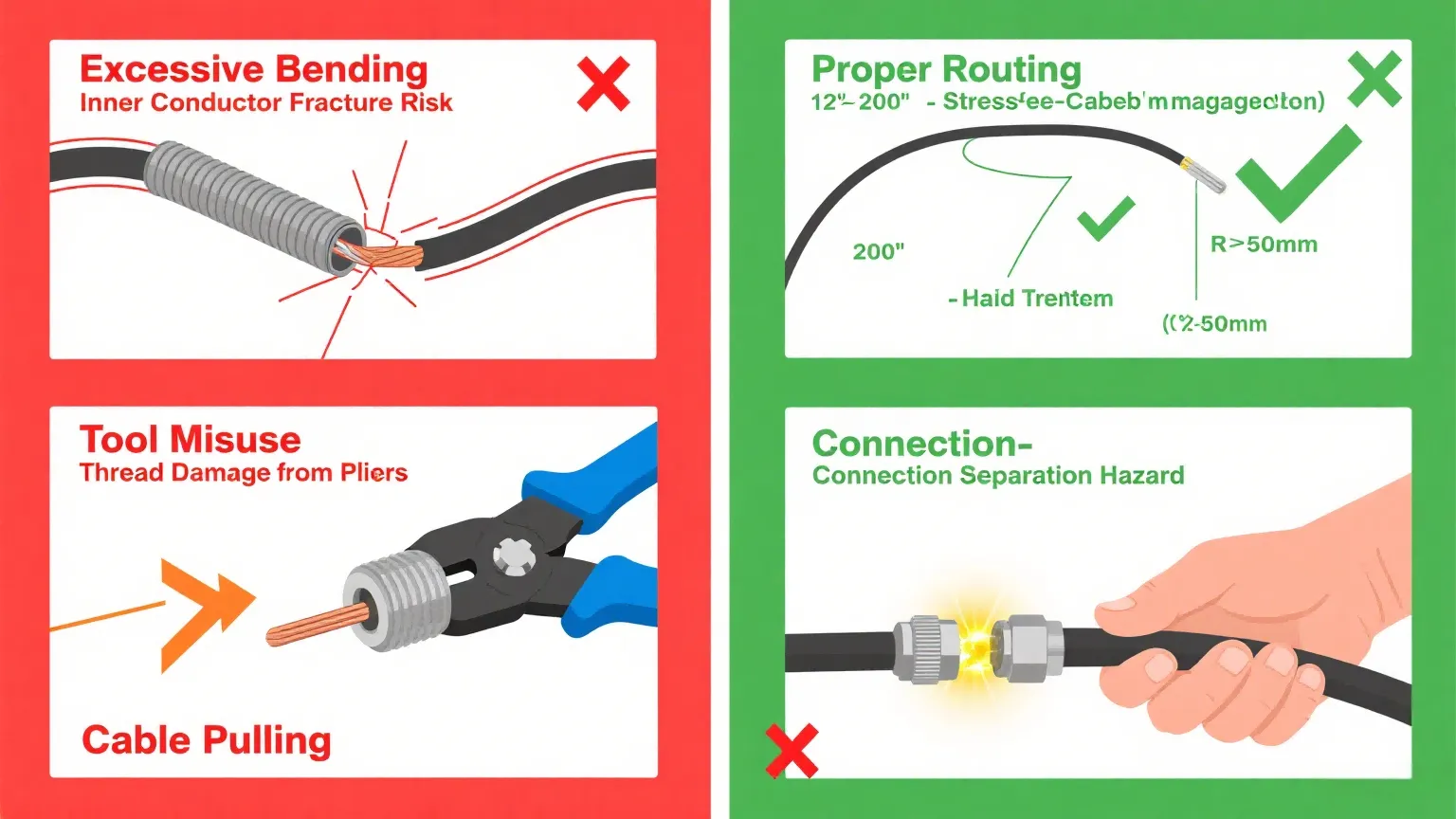
This figure illustrates a critical installation practice for SMA to BNC adapters. It shows a user holding the SMA connector body steady (e.g., with a wrench) while tightening the adapter coupling nut, preventing rotational force from transferring into the device’s SMA jack. The image emphasizes that the SMA port—especially board-mounted variants—is vulnerable to over-torque and side-loading. Proper installation technique significantly extends connector life and prevents solder joint fatigue or thread damage.
Among the connectors in an SMA to BNC adapter chain, the SMA side is usually the weakest mechanically.
The threaded coupling provides excellent electrical contact but offers limited resistance to bending forces. When a heavy coax cable pulls sideways, the torque transfers directly to the SMA jack.
Over time this can loosen the connector or damage the mounting interface.
Several installation habits help avoid that outcome:
• route cables so they approach the connector straight
• avoid tight bends immediately after the adapter
• support heavier cables with clamps or cable ties
• reduce cable weight hanging from the connector
None of these steps require special hardware. They simply shift mechanical load away from the connector.
Move mechanical load to the enclosure, not the connector pair
A useful mental rule during installation is simple:
connectors should carry signal, not weight.
If a cable must travel across an enclosure or rack system, the mechanical support should come from the structure of the equipment rather than the connectors themselves.
Cable clips, tie points, and strain-relief brackets often achieve this easily. Once the cable is secured to the enclosure, the connector pair only maintains electrical continuity.
Without that support, the adapter and connectors gradually become structural elements in the system—something they were never designed to be.
Treat transport vibration and bench handling as design inputs
Lab setups sometimes ignore vibration because the equipment rarely moves.
Field systems behave differently.
Transportation, installation, and routine servicing introduce repeated motion into the cable assembly. A rigid adapter that behaved perfectly during testing may become the weakest mechanical point during real deployment.
This is why engineers sometimes treat connector transitions differently when moving from prototype to production hardware.
Bench prototypes often rely on adapters because they simplify experimentation. Production systems frequently replace those rigid transitions with short coax jumpers that absorb motion more gracefully.
The electrical path stays the same. The mechanical behavior improves significantly.
Use real setups to decide if an SMA to BNC adapter makes sense
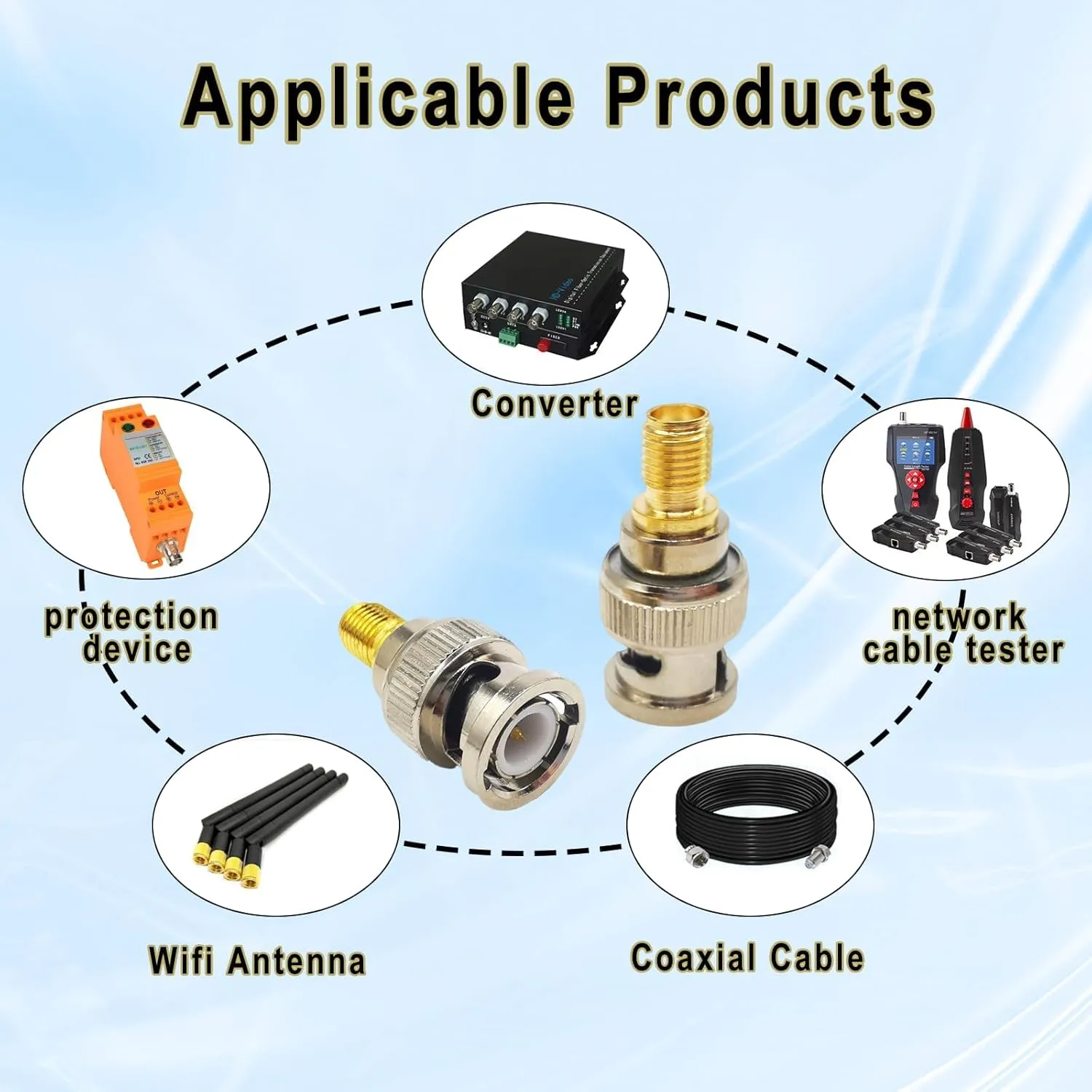
This photograph shows a practical application of an SMA to BNC adapter in a laboratory or test environment. On one side, a compact RF module or device with an SMA port is visible. On the other side, a test instrument (such as a spectrum analyzer or oscilloscope) with a BNC input is shown. The rigid SMA to BNC adapter sits directly between them, creating a short, clean connection without the need for a flexible cable. This setup is typical for stationary bench testing where connectors are well-aligned, the equipment does not move, and a minimal-length signal path is desired. The image emphasizes that in such controlled environments, the rigid adapter is often the simplest and most reliable solution.
The easiest way to understand when an SMA to BNC adapter works well is to stop thinking about the connector itself and look at the setup around it.
Adapters rarely exist in isolation. They sit between equipment. A radio board, a test instrument, a coax jumper, sometimes a panel connector in between. The stability of that whole chain determines whether the adapter behaves quietly or becomes the weak mechanical link.
In many RF labs the adapter appears during the last five minutes of setup. Someone plugs the device into the analyzer, notices the connector mismatch, and grabs a small metal adapter from a drawer. The system powers on and the measurement starts immediately.
Nothing seems wrong.
But the same connection might behave very differently when the system leaves the bench.
Fixed lab equipment is where rigid adapters usually behave best
In stationary environments, rigid adapters tend to work exactly as expected.
Think about a simple lab measurement chain:
• RF module with SMA output
• short adapter
• coax cable
• instrument with BNC input
Everything sits on a workbench. The cable runs only a short distance. Nothing moves during testing. In that situation the adapter behaves almost like part of the connector itself.
Many engineers even leave adapters permanently attached to instruments so they do not need to search for them every time a measurement begins.
Because the equipment rarely moves, the mechanical forces remain small. The adapter carries almost no load, and the SMA connector underneath is not being stressed.
Under those conditions the rigid transition is perfectly reasonable.
Portable setups usually benefit from flexible cable instead
Things change once the hardware stops living on a quiet workbench.
Portable test kits, rack installations, and field measurement systems introduce motion into the signal path. Cables get moved, coiled, unplugged, or routed around other equipment. Suddenly the adapter is no longer just a connector transition.
It becomes a hinge.
A rigid SMA to BNC adapter sitting between two heavy cables can amplify mechanical force dramatically. If the cable shifts or bends, the adapter transfers that load directly into the connector underneath.
Replacing the adapter with a short cable assembly usually removes that stress immediately.
A flexible jumper—often built with RG316 coaxial cable—absorbs movement instead of transmitting it into the connector. The electrical path changes only slightly, but the mechanical behavior improves a lot.
That is why many RF engineers keep both options in the lab: rigid adapters for quick testing, and short coax jumpers for anything that might move.
Reverse-direction searches describe the same engineering problem
From a mechanical perspective, SMA to BNC adapter and BNC to SMA adapter describe the same physical relationship.
The wording changes depending on which connector someone sees first.
An engineer working with a BNC instrument may search for “BNC to SMA adapter.” Someone connecting an SMA radio module may search for the opposite phrase. The hardware itself is usually identical except for connector gender.
The engineering questions do not change:
• does the impedance match the rest of the RF path
• does the mechanical orientation fit the ports
• will the connection remain stable under load
Treating both search directions as the same problem avoids unnecessary confusion during sourcing.
Build a simple adapter decision sheet before procurement
Connector adapters are inexpensive parts, which is exactly why mistakes slip through procurement so easily.
A connector might look correct in a catalog image but arrive with the wrong gender or impedance. Another may technically fit yet create awkward cable routing that stresses the port.
Some RF teams avoid these issues by using a small decision worksheet before ordering adapters in volume. It does not need to be complicated. The goal is simply to check both electrical and mechanical assumptions before the purchase order goes out.
Suggested fields for a practical adapter selection sheet
A typical evaluation sheet might include the following fields.
Use_case
Bench test / rack installation / field measurement / legacy equipment link
Connector_A
SMA / RP-SMA / bulkhead SMA
Connector_B
BNC plug / BNC jack
System_impedance
50Ω or 75Ω
Adapter_count
Estimated_adapter_loss_dB
Adapter_count × 0.15
Cable_length_m
Cable_loss_dB_per_m
Cable_loss_total
Cable_length_m × Cable_loss_dB_per_m
Total_path_loss_dB
Estimated_adapter_loss_dB + Cable_loss_total
Allowed_loss_dB
Margin_dB
Allowed_loss_dB − Total_path_loss_dB
Offset_or_recess
Yes / No
Strain_risk
Low / Medium / High
Service_accessibility_score
1–5
Cost_score
1–5
Overall_score
Weighted combination of loss margin, mechanical risk, serviceability, and cost.
The sheet does not need to produce a perfect answer. It simply forces the engineer to consider the entire signal path rather than only the connector type.
Often that quick review reveals that a cable assembly would behave better than a rigid adapter.
Example: SMA device connected to a BNC instrument
Imagine a development bench where a small RF board must connect to a measurement instrument.
The board exposes an SMA connector. The instrument exposes BNC. The distance between them is short and the equipment rarely moves.
Filling in the decision sheet might look like this:
Use_case: bench measurement
System_impedance: 50Ω
Adapter_count: 1
Cable_length: 0
Offset: no
Strain_risk: low
Loss remains extremely small because the path contains almost no cable length and only one adapter.
In that environment the rigid adapter is the obvious choice.
Now imagine the same hardware placed into a portable test case where cables are routed through foam cutouts and equipment shifts during transport.
The strain risk suddenly increases. The sheet now suggests replacing the adapter with a short coax jumper instead.
The electrical difference remains minor, but the mechanical reliability improves.
Turn the decision sheet into a receiving inspection checklist
The same worksheet can serve another purpose after procurement.
When adapters arrive from the supplier, teams sometimes verify several small details before releasing them to production:
• connector gender matches the order
• SMA polarity is correct (standard vs RP)
• BNC impedance matches the RF system
• adapter orientation (straight or right-angle) is correct
• threads and mating surfaces appear clean
These checks only take a few minutes but can prevent incorrect connectors from entering assembly lines.
Connector mistakes rarely appear until the first installation attempt.
Market shifts affecting RF adapter and connector choices
Although adapters look simple, the broader RF interconnect market continues evolving.
Connector materials, compliance requirements, and system frequencies are all changing slowly. Those shifts influence how adapters and cable assemblies get selected.
RF interconnect demand continues to grow
Wireless infrastructure, IoT hardware, and test equipment continue pushing demand for RF connectors and cable assemblies.
Market analysis suggests that the global RF interconnect sector will keep expanding over the rest of this decade. More connected devices mean more connectors, adapters, and coax assemblies linking those devices together.
That growth also brings more suppliers and more variations of the same connector types.
For engineers and procurement teams this means adapter options will continue multiplying, making careful specification even more important.
Environmental compliance is beginning to influence connector design
Material compliance rules are gradually reaching RF components as well.
Some manufacturers have begun releasing connector lines designed to reduce or eliminate certain fluorinated materials commonly used in older connector designs. These changes are driven by evolving environmental regulations in several global markets.
The electrical behavior of the connectors typically remains the same, but procurement teams may start seeing new material declarations attached to adapter products.
For companies shipping equipment internationally, these small compliance changes can eventually affect sourcing decisions.
Smaller RF devices increase sensitivity to mechanical stress
Modern wireless hardware keeps shrinking.
Compact modules, small antenna ports, and thin enclosure panels leave less mechanical margin around connectors. A rigid adapter that behaved perfectly in older equipment might apply too much stress to a tiny board-mounted connector.
That shift is one reason flexible coax assemblies appear more frequently in modern RF products.
Instead of relying entirely on rigid transitions, designers sometimes introduce short cable segments that absorb movement and protect the connectors on compact boards.
The electrical performance remains stable while the mechanical stress drops significantly.
Questions engineers often ask about SMA to BNC adapters
When should an SMA to BNC adapter be used instead of a cable?
Rigid adapters work well when the connectors line up naturally and the equipment remains stationary. Bench testing environments are the most common example.
If the cable path involves movement, vibration, or offset connectors, a short coax cable assembly usually provides better long-term reliability.
How can I tell if the BNC connector is 50 ohms or 75 ohms?
The safest approach is checking the equipment documentation. RF measurement gear typically uses 50-ohm BNC connectors, while broadcast video systems often use 75-ohm versions.
Mixing those impedance systems can introduce reflections in the signal path.
What installation setup makes rigid adapters risky?
Adapters become problematic when they support the weight of heavy cables or sit between equipment mounted on different surfaces.
In those cases the adapter acts like a lever and transfers bending force directly into the connector.
How much signal loss does a small RF adapter introduce?
Most RF adapters add a very small insertion loss—often around 0.1 to 0.2 dB depending on frequency and connector quality.
That loss usually becomes noticeable only when several connectors and adapters appear in the same signal path.
When is it better to switch to an RG316 jumper cable?
A short RG316 cable assembly becomes useful when connectors are offset, when cables move frequently, or when vibration may stress the ports.
The flexible cable absorbs movement while maintaining the same RF connection.
How can strain on the SMA connector be reduced?
Routing cables carefully is the simplest solution.
Approach the connector straight, avoid tight bends immediately after the adapter, and secure heavier cables to the enclosure using clips or tie points. These steps prevent the connector itself from carrying mechanical load and significantly extend its service life.
Bonfon Office Building, Longgang District, Shenzhen City, Guangdong Province, China

A China-based OEM/ODM RF communications supplier
Table of Contents
Owning your OEM/ODM/Private Label for Electronic Devices andComponents is now easier than ever.