
Mast Mount Antenna Installation & IP Sealing Field Guide
Dec 21,2025
Which mast mount antenna class fits your site and spectrum?
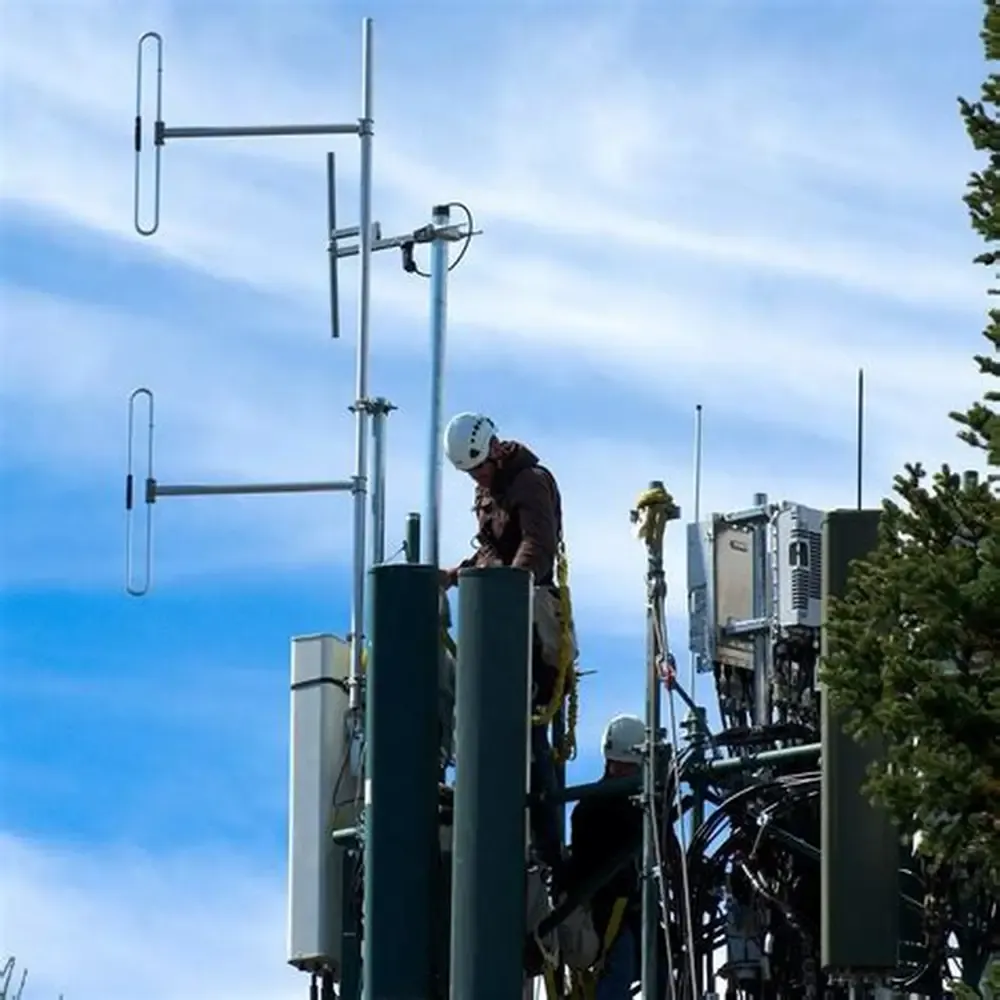
This figure appears at the beginning of the document to help answer the question “Which mast mount antenna class fits your site and spectrum?” It visualizes different deployment scenarios (e.g., narrow corridors, wide rooftops, open yards), emphasizing the importance of selecting antennas based on the physical environment, not just frequency bands, to ensure long-term link stability in wind and rain.
Choosing the right mast mount antenna isn’t only about frequency bands — it’s about your physical site, exposure, and how long the hardware will survive in wind and rain. In practice, every deployment has its geometry: narrow corridors, wide rooftops, open yards, or pole-top gateways. The antenna form you pick defines whether your link margin stays stable or fades after the first storm.
For compact Wi-Fi or IoT gateways, an outdoor omni antenna often does the job. It radiates evenly in all directions, ideal for circular coverage zones around a mast or tower. Sector antennas, on the other hand, narrow their beam to 60°–120° and provide higher gain for focused corridors or point-to-multipoint backhauls. When distance is your priority, a small yagi or panel array outperforms an omni, concentrating signal power like a flashlight beam — though it demands more precise alignment.
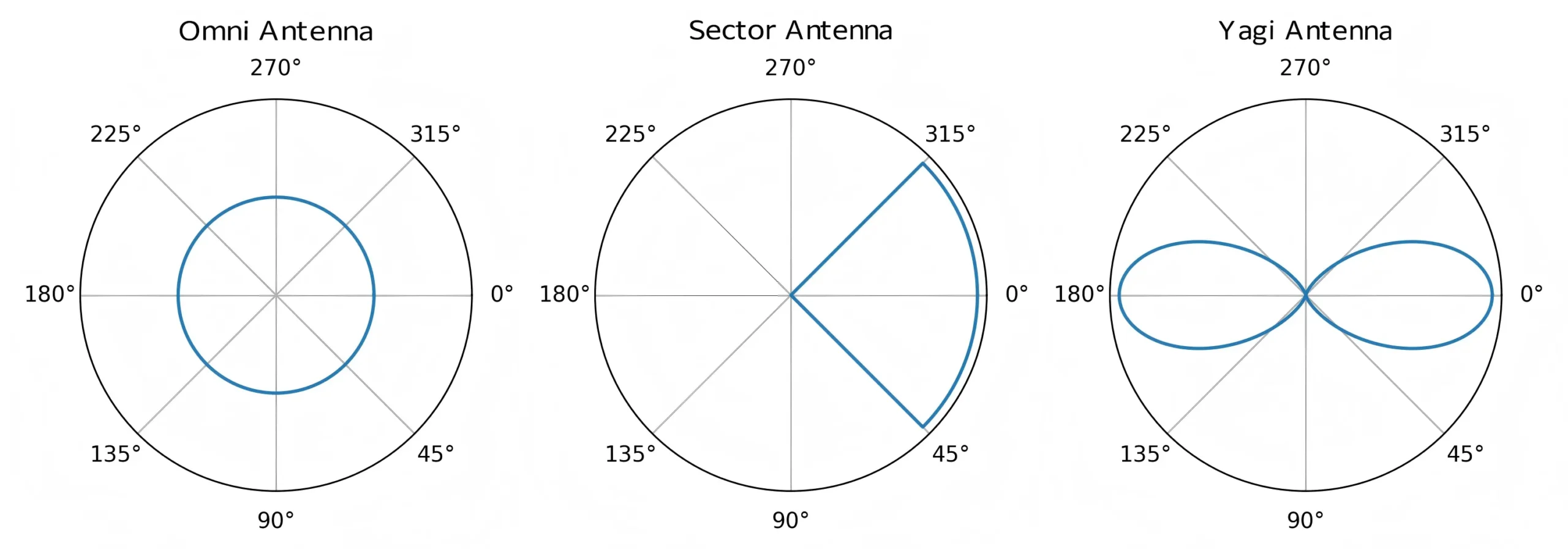
This figure is located in the section discussing antenna selection for compact gateways. It visually compares the beam shapes of three main antenna types: omnidirectional (360° uniform coverage), sector (60°-120° narrow beam), and yagi (high-gain directional beam). The azimuth scale (0°, 90°, 180°, 270°) in the figure helps understand their coverage focus and directivity differences, providing a basis for selecting antennas based on coverage distance and shape.
If your project involves a small warehouse or a multi-floor building, consider whether an omnidirectional Wi-Fi antenna can maintain consistent RSSI through reflective surfaces. In denser sites, too much gain can actually backfire, causing self-interference or dead zones right beneath the antenna. For that reason, engineers often pair 3–6 dBi antennas for sub-GHz IoT or short-range Wi-Fi, and reserve high-gain 9–12 dBi types for outdoor backhaul.
Mounting hardware matters too. A reliable mast mount antenna comes with an appropriate bracket — typically U-bolt, wall-mount, or chimney strap. U-bolts are the most common: they grip round masts and allow quick alignment. Wall mounts help where you have no pole, and chimney straps offer non-invasive installs on rooftops. When in doubt, match your bracket’s load rating with the antenna’s projected area and weight; most failures trace back to mismatched brackets rather than bad antennas.
Pro tip: For more baseline setup practices, check Outdoor Omni Antenna: IP67 & Mounting Guide — it explains sealing and torque specs that still apply to mast mounts.
How do you size the mast, U-bolts, and bracket for wind and weight?
A mast that looks sturdy on paper can twist like a fishing rod in the first 40 mph gust. The trick is balancing diameter, wall thickness, and bracket spacing. Most installations use 38–50 mm steel tubes, but what truly matters is the center-of-pressure height — the vertical distance from your lower bracket to the antenna’s midpoint. The greater this offset, the higher the bending moment.
If your mast mount antenna carries more than 0.03 m² of projected area, you’ll want at least two brackets spaced 300–400 mm apart. The top bracket holds position, while the lower one resists torque. If your site faces coastal winds, extend that spacing or add guy wires to distribute load. Even a thin fiberglass pole can survive hurricane conditions when properly guyed and sealed.
| Parameter | Typical Value | Field Note |
|---|---|---|
| Mast diameter | 38 – 50 mm | Standard steel or aluminum tubing |
| Bracket spacing | 300 – 500 mm | Increase for large antennas or high winds |
| Rated torque | ≥ 40 N·m | Verify via torque wrench, not guesswork |
| Stand-off distance | 150 – 300 mm | More spacing = less coupling with mast |
| Max wind speed | 30 – 50 m/s | Design for local gust data, not averages |
Vibration is another silent killer. When the U-bolt threads vibrate loose, the antenna slowly drifts off-axis, degrading coverage. To avoid that, apply thread-locker or use lock-nuts rated for outdoor UV exposure. Torque the nuts to spec, then re-torque after the first temperature cycle. Always leave a bit of compliance in the bracket — overly rigid clamps tend to crack under thermal expansion.
If you’re working on rooftops or light poles, test your stand-off assembly for lateral flex. A 150–200 mm stand-off helps prevent RF shadowing from the mast but increases leverage; so if the antenna vibrates more than 3 mm at the tip, consider double brackets or damping pads. Remember, wind isn’t the only load — installers often lean or pull on the mast during cable routing, which adds unplanned torque.
For field engineers who’ve handled omni antennas before, this step echoes lessons from the Omnidirectional Wi-Fi Antenna Selection & Coverage Guide. Wind and mast geometry can quietly turn perfect datasheet gain into erratic field behavior.
Will your feedline type and length erase EIRP at 2.4/5/6 GHz?
Even the best mast mount antenna can’t compensate for poor feedline design. Every meter of coax eats part of your signal. If you’re running long outdoor lines, understanding cable loss is non-negotiable. Engineers typically weigh between LMR-240, LMR-400, and thinner micro-coax like 1.13 mm or 0.81 mm for compact enclosures.
At 2.4 GHz, LMR-240 loses roughly 0.26 dB per meter, while LMR-400 cuts that in half to about 0.14 dB/m. Tiny micro-coaxes are far worse — 1.13 mm averages 0.60 dB/m, and 0.81 mm up to 0.80 dB/m. Add 0.15 dB for every connector pair and 0.2 dB for each lightning arrestor. Once you hit 5 GHz or 6 GHz, those losses rise another 15–25 %. You can see how a 10 m run of 1.13 mm coax can erase more than half your transmit power.
| Cable Type | 2.4 GHz Loss (dB/m) | 5 GHz Loss (dB/m) | Typical Use |
|---|---|---|---|
| LMR-400 | 0.14 | 0.18 | Long outdoor runs |
| LMR-240 | 0.26 | 0.33 | Short-medium outdoor |
| 1.13 mm | 0.60 | 0.75 | Internal pigtails |
| 0.81 mm | 0.80 | 0.95 | Ultra-thin devices |
When calculating EIRP (Effective Isotropic Radiated Power), factor in every joint:
EIRP = Tx Power – Feeder Loss + Antenna Gain
If your link margin falls below 6 dB after including cable and connector losses, it’s time to shorten the cable or upgrade to a lower-loss type. Avoid stacking adapters — each bulkhead transition or arrestor adds small but cumulative loss.
In modern outdoor setups, most teams pre-terminate LMR-240 jumpers to save assembly time and ensure consistent VSWR. If you’re ordering kits through TEJTE or another vendor, specify both cable length and connector genders in your PO; mismatched SMA or N connectors remain one of the top causes of field delays.
To compare your EIRP margins against actual feedline losses, you can later use the Outdoor Feedline Loss & EIRP Mini-Calculator in Section #7 — it runs the same logic engineers use for quick link-budget checks.
For a deeper grasp of how frequency affects real-world coverage, refer to 2.4 GHz Wi-Fi Antenna Selection & Ordering Guide — it details how cable loss scales with distance and frequency bands.
Where should you put the antenna on the mast to avoid shadowing and detuning?
You can have the best mast mount antenna on the market and still lose signal if it’s mounted in the wrong spot. Placement defines how cleanly the antenna radiates — every nearby surface acts like a mirror or sponge for RF energy. A steel handrail, a sheet-metal roof, or even a nearby wall can reflect and detune your radiation pattern.
As a rule, maintain at least 0.5 m of vertical clearance from metallic roofs and 30 cm lateral spacing from the mast body for small omni antennas. For high-gain or directional antennas, double that. If you mount too close, the mast itself becomes part of the radiator, shifting impedance and ruining VSWR. Many installers forget this until they measure a return loss that’s 5 dB worse than on the test bench.
Spacing between multiple antennas matters too. If you’re running multiple 2.4 GHz or 5 GHz radios on the same mast, keep at least 1 m vertical separation to avoid CCI/ACI coupling. Crossing cables at 90° angles helps minimize mutual induction and keeps the feedline geometry stable. When you can’t achieve ideal spacing, rotate antenna orientations slightly — even a 15° offset reduces interference lobes.
| Placement Parameter | Minimum Recommended Distance | Reason |
|---|---|---|
| Roof clearance | ≥ 0.5 m | Prevent detuning from large conductive surfaces |
| Lateral mast spacing | ≥ 0.3 m | Maintain impedance and pattern symmetry |
| Inter-antenna spacing | ≥ 1 m | Reduce co-channel and adjacent-channel interference |
| Cable crossing angle | 90° | Avoid coupling and maintain isolation |
In open yards or rooftops, aim for the highest point that’s still accessible for maintenance. Avoid blocking lines of sight with HVAC ducts or parapets. A small tilt can improve coverage, but check your EIRP footprint with quick RSSI sweeps after mounting.
If your layout involves multiple mast mount antennas in the same cluster, it’s worth mapping signal zones on paper first. Engineers often sketch azimuth overlaps using simple circles to see where beams collide or leave gaps. This hands-on visualization prevents overcoverage — a problem as real as undercoverage in multi-AP setups.
Tip: When working near metal façades, raise the antenna above reflective structures rather than beside them. That extra 20 cm often cleans up multipath distortions that confuse Wi-Fi 7 or 6E radios.
For comparative insight on indoor setups that avoid such reflections, see Rubber Ducky Antenna Guide: Indoor Coverage & SMA Matching. It highlights how spacing and ground clearance also matter even at lower power levels.
How do you achieve IP/UV/weatherproofing without hurting VSWR?
Waterproofing is where theory meets reality. A field install can survive years of storms only if its seals stay tight without crushing the coax. Every mast mount antenna exposed to weather needs three levels of defense: connector sealing, strain relief, and drip management. Skip one, and moisture will find its way in.
Start from the antenna port. For threaded connectors like N-type or SMA, use a compression gland or rubber boot rated at least IP67. Slide the boot before tightening the connector, then compress it after torqueing to spec — around 0.8 N·m for SMA, 1.2 N·m for N-type. If the connector is fixed, apply self-amalgamating tape spiraled from bottom up, finishing with a drip loop so gravity leads water away.
| Seal Type | Best Use | Pros | Cautions |
|---|---|---|---|
| Gland | Fixed bulkheads | Reusable, neat | Needs correct OD matching |
| Boot | Short pigtails | Quick install | Degrades under UV unless rated |
| Tape | Field retrofit | Flexible, reliable | Must overlap correctly |
| Cold-shrink | Permanent outdoor | Uniform pressure | One-time use |
Seal order matters: connector first, then strain relief, then weatherproof tape. Many installers reverse it, which traps water inside. Always check that your drip loop is below the lowest seal point; otherwise, rainwater follows the cable straight into the port.
After installation, measure VSWR again. Over-compressing tape or boots can distort dielectric geometry near the connector, slightly raising return loss. Ideally, any sealing should leave VSWR ≤ 1.5 : 1 across your band.
If your environment involves direct sun, pick UV-resistant tape or silicone boots. Standard PVC boots turn brittle within months under UV-B exposure. In polar or high-altitude sites, avoid PVC entirely — use EPDM or silicone.
Pro tip: Re-torque every 6–12 months after thermal cycling. Metal expands and contracts, loosening clamps and seals even if they were perfect on day one.
For installers referencing earlier guides, this stage connects directly with Outdoor Omni Antenna: IP67 & Mounting Guide. The sealing hierarchy remains identical whether you’re protecting a wall-mount or a mast assembly.
Do you need bonding and surge protection on this run?
Absolutely — lightning protection isn’t optional. Every elevated mast mount antenna acts like a lightning rod, and the longer your coax, the more surge energy it can channel into sensitive equipment. A proper bonding plan protects not only your radio but also the building’s ground integrity.
Place a lightning arrestor as close as possible to the point where the coax exits the mast or enters the structure. Inline arrestors (N-type or SMA) should bond via short copper straps — under 30 cm — to the same grounding bar that ties to the building earth. The mast itself should have a ground lug welded or clamped to its base, connected through 6 AWG or thicker copper wire.
Avoid ground loops. Connecting the mast and radio chassis at multiple points with long, uneven paths can create current loops during surges. The safer path is a single-point ground where all conductive elements meet before entering the building. If your system already has a DC ground via shielded cable, isolate RF grounds using gas-discharge or hybrid arrestors with DC block capability.
| Protection Element | Placement | Function |
|---|---|---|
| Lightning arrestor | Inline, near mast exit | Diverts surge to ground |
| Ground lug | Mast base | Bonds mast to earth |
| Ground wire | Short, low-resistance copper | Conductive path |
| Bonding bar | Building entry panel | Common reference |
In lightning-prone regions, add a second arrestor near the equipment end. Yes, it adds 0.2 dB insertion loss, but it doubles protection. Keep the total coax resistance to ground under 1 Ω — test it with a simple multimeter or clamp meter.
A small but often overlooked detail: corrosion. Bare copper oxidizes quickly in humid air, raising resistance. Always coat exposed terminals with anti-oxidant compound and tighten the lugs firmly.
Field engineers often argue about whether to ground at both ends of the coax shield. The general rule: ground one end only if you’re using shielded twisted-pair data lines near the same path, otherwise you risk introducing hum or common-mode currents. For short mast runs, single-end bonding is sufficient.
This discipline not only prevents catastrophic failures but also keeps warranty claims clean. Many TEJTE clients include a “ground photo evidence” line in their acceptance checklist — a small habit that saves hours of back-and-forth later.
Can you validate coverage and mechanical safety before sign-off?
This figure appears in the section “Can you validate coverage and mechanical safety before sign-off?”. It is likely a structured workflow chart or schematic that clearly illustrates the two parallel verification paths that must be executed before acceptance:
Even when the mast mount antenna looks perfect, you shouldn’t call the job done until it proves itself on the air and under tension. Validation takes two angles — RF coverage and mechanical integrity — both of which can reveal mistakes invisible to the eye.
For coverage, capture quick RSSI and throughput snapshots right after installation. Run a speed test at several positions around the coverage zone, or use your radio’s built-in survey mode. Expect a 3 dB swing at most across the intended footprint; anything worse may point to tilt or reflection issues. Rotate the antenna ±5° to test beam symmetry, then lock it where the average RSSI peaks.
Take photo evidence of every critical angle — bracket tightness, cable routing, drip loops, and seal condition. Most professional crews now include those images in the commissioning report to prevent disputes months later.
Mechanical checks are simpler but often skipped. Mark each U-bolt with a paint line after final torque — it acts as a witness mark for future inspection. Verify cable clamps every 30–40 cm, tug lightly on the feedline to ensure strain relief holds, and pour a small amount of water along the cable to confirm it drips off the loop rather than into the connector.
| Inspection Item | Acceptance Criteria | Field Verification |
|---|---|---|
| Torque marks | All brackets painted and aligned | Visual |
| Cable clamps | Every 30-40 cm | Manual tug |
| Drip loop | Lowest point below connector | Water test |
| RSSI spread | ≤ 3 dB variation | Radio survey |
| Photos logged | All sides, seals visible | Report upload |
How should you order so the PO is buildable and field-friendly?
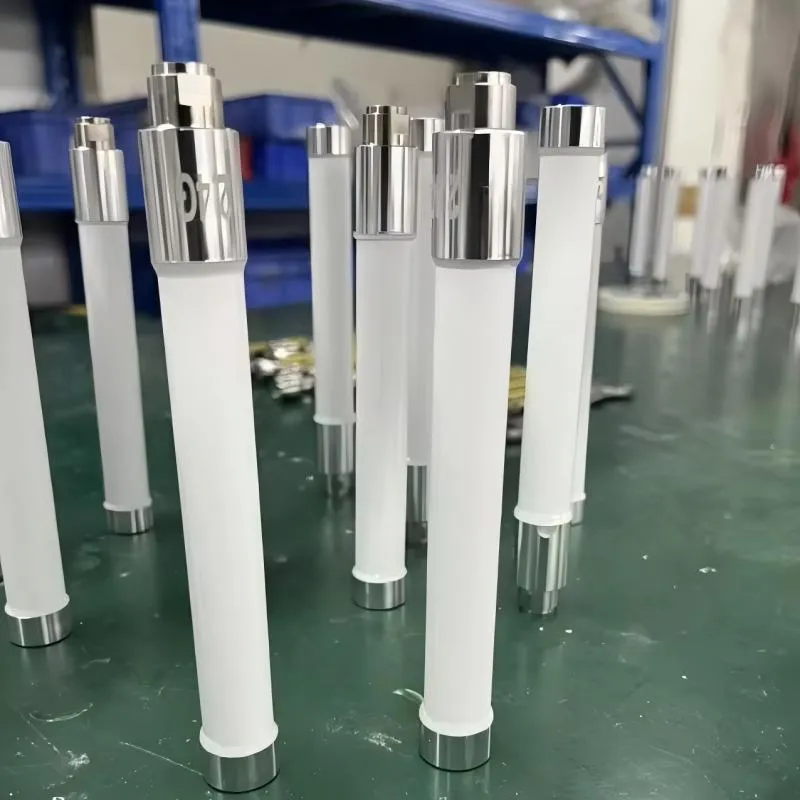
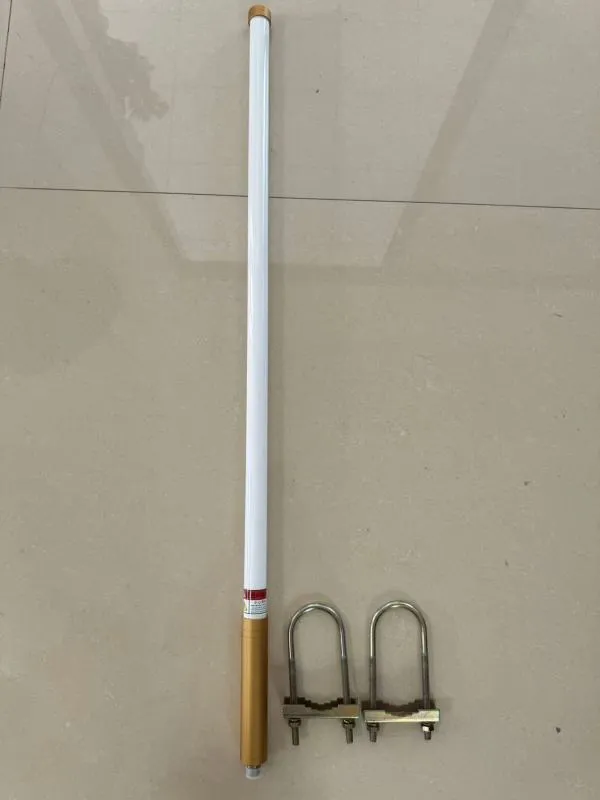
This figure is located in the section “How should you order so the PO is buildable and field-friendly?”. It likely displays the physical components included in a complete “field-ready” antenna kit (e.g., antenna, bracket, cable, lightning arrestor) and correlates to or directly includes a purchase order checklist table. The figure emphasizes the importance of specifying details such as antenna type/gain, connector gender, cable type/length, bracket specifications, etc., before ordering to avoid field rework and delays.
Field-Ready PO Checklist
A good purchase order prevents 80 % of installation headaches. Each mast mount antenna kit should be fully defined before production, not left to buyer interpretation. Missing details like connector gender or mast diameter often lead to rework, late shipments, or field adapters that ruin waterproofing.
When drafting your PO, include the following minimum fields:
Required Fields
- Antenna type / gain (e.g., 8 dBi outdoor omni)
- Connector gender / type (SMA-M, N-F, RP-SMA etc.)
- Bracket set (U-bolt, wall, chimney strap)
- Mast Ø range (mm or inch)
- Cable type & length (LMR-240 3 m, LMR-400 5 m etc.)
- Lightning arrestor kit (Y / N + connector gender)
- Label set (serial, frequency band, install ID)
Compliance and Logistics
- RoHS / REACH declaration
- IP rating (IP67 minimum for outdoor)
- Torque spec note (per bracket and connector)
- Packaging / RMA marks (for warehouse traceability)
- Lead time and MOQ
If you’re using TEJTE’s online quote system, these fields auto-populate — but on open POs, spell them out manually. An engineer signing the PO should double-check that cable lengths match the mechanical drawing; cutting 1 m too short can cost half a day on site.
Tip: Add a “witness mark required” line item to your PO. It reminds the installer to mark all final torques, easing later audits.
This section connects to the next information asset — the feedline and torque estimators engineers use to validate each design before the PO hits production.
Wind-Load & Mast Torque Estimator
Inputs
antenna_projected_area_m2, cd, wind_speed_mps, mast_standoff_m, bracket_spacing_m
Formulas
• F_wind = 0.5 × 1.225 × cd × A × v²
• T_mast = F_wind × mast_standoff_m
• shear_per_bracket ≈ F_wind / 2
Decision Rule
If T_mast exceeds your bracket or mast rating, widen the bracket spacing or add guy wires.
Keep shear_per_bracket within the U-bolt’s rated load to prevent slippage under gusts.
| Example Input | Result |
|---|---|
| A = 0.03 m², Cd = 1.1, v = 40 m/s, stand-off = 0.25 m | Tmast ≈ 147 N·m |
| Bracket spacing = 0.4 m | Shear ≈ 220 N per bracket |
Outdoor Feedline Loss & EIRP Mini-Calculator
Inputs
freq_GHz, tx_power_dBm, antenna_gain_dBi, cable_type, cable_len_m, connector_pairs, arrestor_pairs, rx_sensitivity_dBm, path_loss_dB
Typical Loss Per Meter
LMR-240 ≈ 0.26 dB, LMR-400 ≈ 0.14 dB, 1.13 ≈ 0.60 dB, 0.81 ≈ 0.80 dB
Formula
feeder_loss = loss_per_m × cable_len_m
+ 0.15 × connector_pairs
+ 0.2 × arrestor_pairs
EIRP = tx_power_dBm − feeder_loss + antenna_gain_dBi
link_margin = EIRP − path_loss_dB − rx_sensitivity_dBm
Rule of Thumb
If link_margin < 6 dB, shorten or upgrade the cable, reduce joints, or shift antenna position.
Use this mini-calculator during quoting or troubleshooting to catch feedline issues before deployment.
What changed in 2024–2025 for outdoor omni deployments?
The past two years reshaped outdoor Wi-Fi and IoT backhaul design. Wi-Fi 7 tri-band radios are hitting rooftops faster than expected, pushing more sites to support 2.4, 5, and 6 GHz simultaneously. This means higher frequency loss, stricter shielding, and greater attention to connector sealing.
Suppliers now ship standardized bracket kits with torque ratings engraved on the clamp. Pre-terminated short LMR-240 jumpers have become the norm, cutting installation time by nearly 30 %. Cold-shrink and tapeset kits are also more common, reducing the chronic “water ingress” returns that plagued early IoT deployments.
TEJTE’s own production lines have adapted with modular antenna-plus-bracket SKUs, letting integrators mix N-female, SMA-male, or RP-SMA options without re-specifying the entire assembly.
If your site plans for future Wi-Fi 7 or 5G fixed-wireless upgrades, reserve extra mast space and specify IP68 boots upfront — these small foresight moves save hours when technology rolls forward.
FAQ — mast mount antenna
1. How do I choose mast diameter and bracket spacing for local wind speeds?
Check local gust data (often 30–50 m/s). Use the Wind-Load Estimator above: larger mast diameters and wider bracket spacing reduce torque. For high-gain omnis > 0.05 m², two brackets spaced > 0.4 m apart are mandatory.
2. Where should the lightning arrestor sit — near the antenna or the entry point?
Ideally both: one inline at the mast exit, one at building entry. Bond each with < 30 cm ground straps to a single grounding bar.
3. How long can LMR-240 vs LMR-400 run before loss cancels my gain?
At 2.4 GHz, 20 m of LMR-240 costs ≈ 5 dB; the same run in LMR-400 costs ≈ 2.8 dB. If your antenna gain is 8 dBi, that difference equals nearly 40 % more usable range.
4. What spacing from metal edges and other antennas avoids shadowing and coupling?
Keep ≥ 0.3 m from mast metal and ≥ 1 m from neighboring antennas. Cross feedlines at 90°.
5. Which seal type maintains IP rating without hurting VSWR?
Compression glands for bulkheads, cold-shrink for permanent mounts, and self-amalgamating tape for retrofits. Never overtighten boots around coax.
6. What torque and re-check interval prevents bracket creep?
Tighten to spec (≈ 40 N·m for standard U-bolts), then re-torque after the first seasonal temperature cycle.
Bonfon Office Building, Longgang District, Shenzhen City, Guangdong Province, China

A China-based OEM/ODM RF communications supplier
Table of Contents
Owning your OEM/ODM/Private Label for Electronic Devices andComponents is now easier than ever.