
2.4 GHz Wi-Fi Antenna Selection & Ordering Guide

Dec 18,2025

Which 2.4 GHz Wi-Fi antenna form fits your device or site?

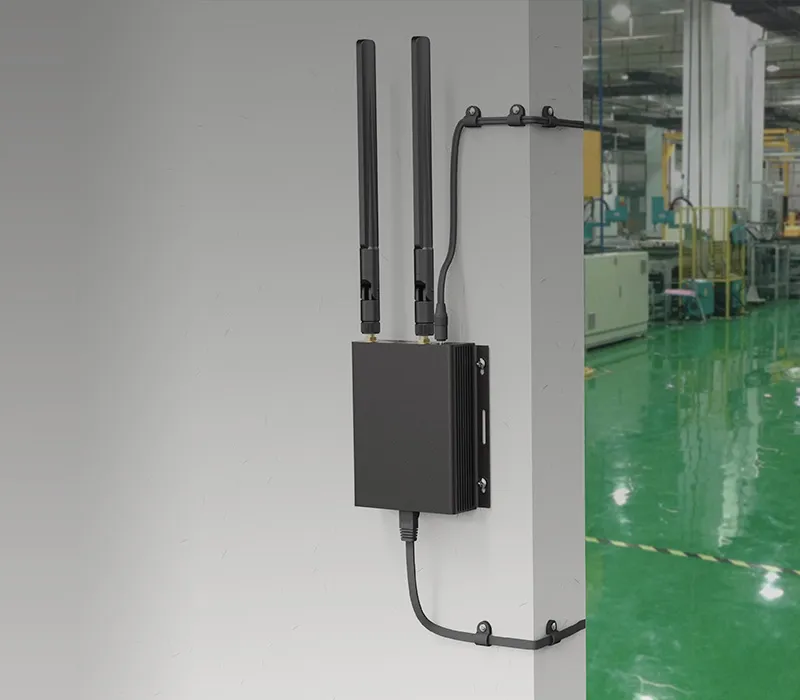
2.4 GHz Wi-Fi antenna form factor selection diagram: showing rubber-duck, outdoor omni, and internal FPC/PCB antennas with their application scenarios.

This graphic aims to help engineers look beyond simple mechanical fit, understanding the deep connection between antenna form (rubber-duck, outdoor omni, internal FPC/PCB) and deployment environment (indoor, outdoor, inside compact devices), emphasizing that correct form selection is the foundation for performance optimization.
2.4 GHz Wi-Fi Antenna Form Factor Selection Guide
Choosing a 2.4 GHz Wi-Fi antenna starts with the form factor. Most engineers default to whatever fits mechanically, but form and environment shape performance more than any datasheet can reveal. For compact routers or IoT gateways, three families dominate: rubber-duck, outdoor omni, and internal FPC/PCB antennas.
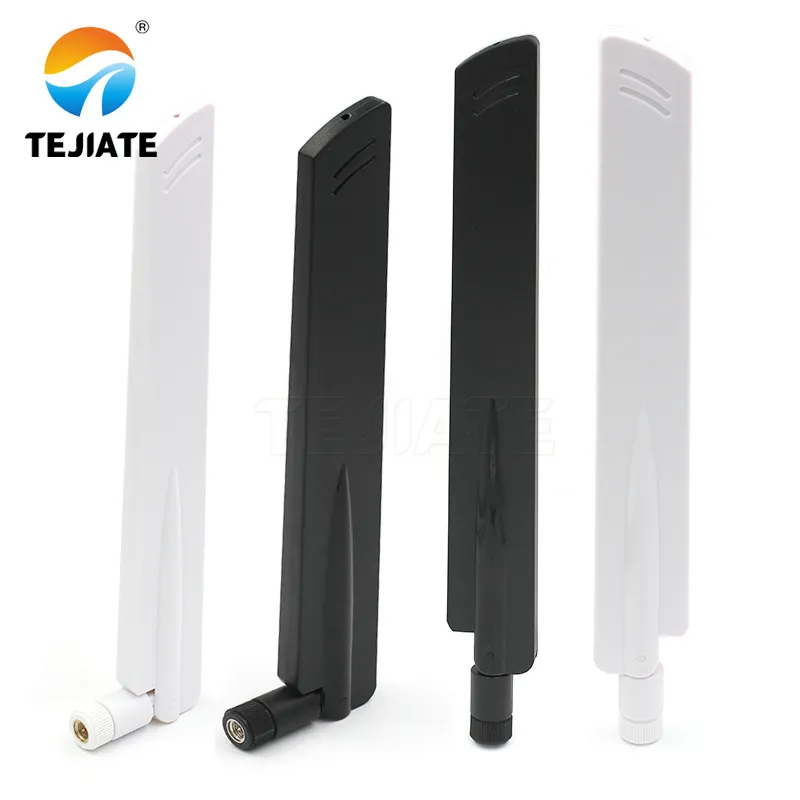
TEJTE rubber-duck antenna concept diagram: illustrating its application as an antenna for indoor access points and handheld gear.

The graphic highlights the advantages of rubber-duck antennas in cluttered test benches or retrofit designs, where their flexibility helps overcome spatial constraints. It represents the classic, reliable solution in TEJTE's antenna portfolio for standard indoor coverage.
Rubber-Duck Antenna: Indoor & Handheld Solution
Rubber-duck antennas—the familiar plastic-sleeved whip—suit indoor access points and handheld gear. They provide mechanical forgiveness, decent 2–3 dBi gain, and easy SMA or RP-SMA swapping. Their flexibility helps in cluttered test benches or retrofit designs.
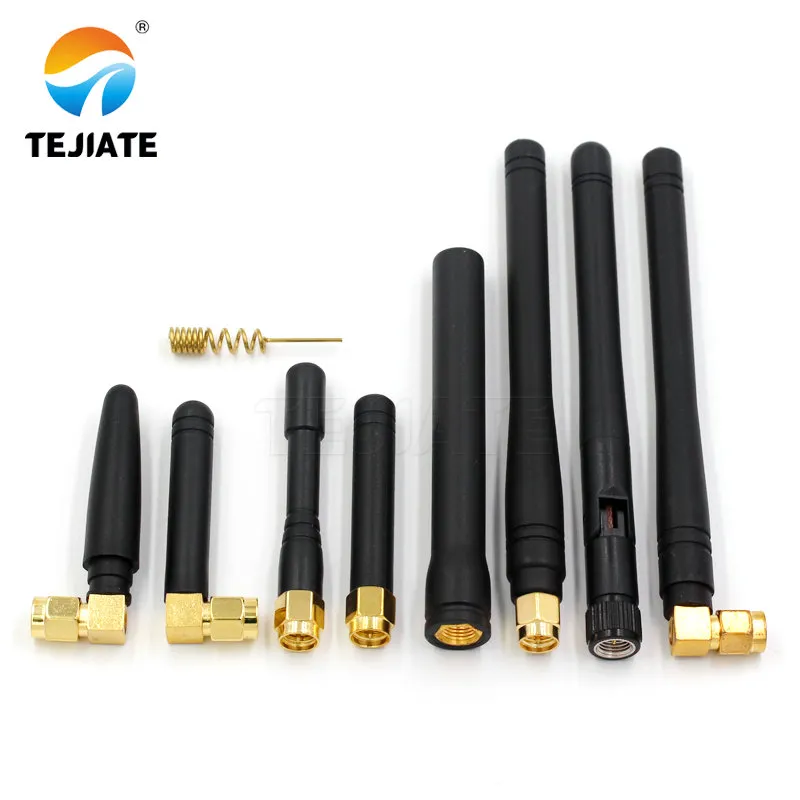
Outdoor omnidirectional antenna diagram: showing its high stability and extended reach when mounted on poles or building façades.

This diagram illustrates that outdoor omni antennas are the go-to solution for semi-outdoor corridors, warehouses, or parking areas. Their robust construction and weatherproof design ensure long-term reliable operation in harsh outdoor conditions.
Outdoor Omni Antenna: Stability & Long-Range Coverage
By contrast, outdoor omni antennas deliver higher stability and reach when installed on poles or façades. They’re typically IP67-rated and handle wind torque, making them the go-to for semi-outdoor corridors, warehouses, or parking areas.
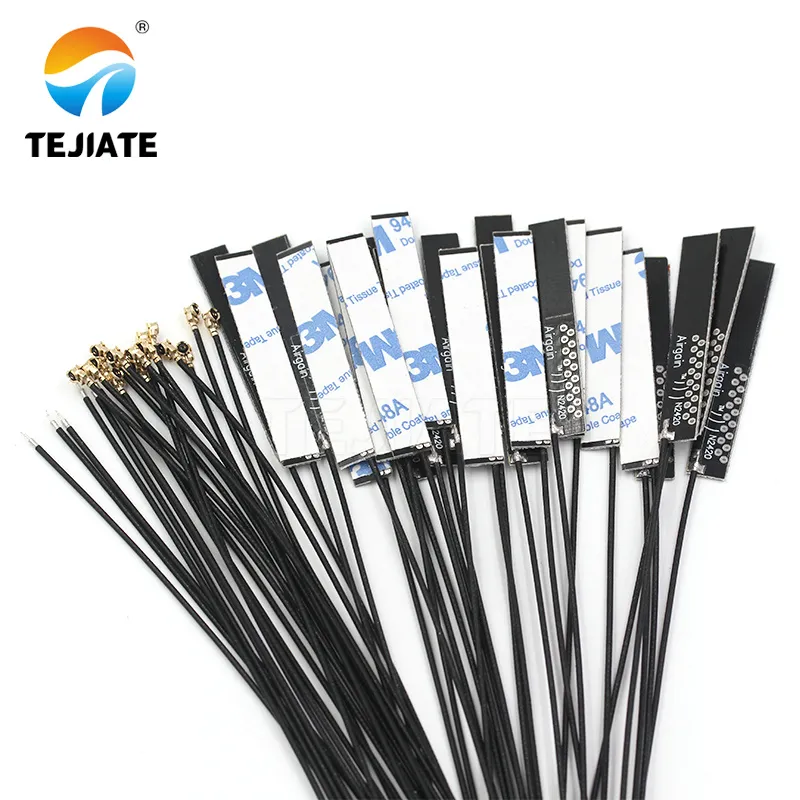
Internal FPC and PCB antennas diagram: showing their slim-profile integration in tablets, gateways, and compact IoT modules.

The graphic emphasizes the dual nature of internal antennas: while they save connector costs and maintain aesthetics, their performance depends heavily on ground clearance and the geometry of nearby metal. It implies that misplaced components like battery packs can detune them by several dB.
Internal Antennas: Slim-Device Integration

Inside devices, FPC and PCB antennas keep profiles slim. Designers often prefer them for tablets, gateways, and compact IoT modules where enclosure aesthetics or sealing matter. While they save connector cost, they depend heavily on ground clearance and nearby metal geometry. A misplaced battery pack can detune them by several dB.

Matching form to use case is more than visual fit—it’s about radiation freedom.

  • Handhelds need short, flexible whips.
  • Desktops or gateways work best with mid-length (50–100 mm) rubber-ducks.
  • Outdoor nodes justify longer omni or mast-mount units for 360° coverage.

When in doubt, start with TEJTE’s indoor rubber-duck reference and compare its S11 curve against your chassis test results before moving to FPC or omni alternatives.

How do you choose gain at 2.4 GHz without creating elevation dead zones?

It’s tempting to assume more dBi = more distance, but real deployments rarely work that way. At 2.4 GHz, antenna gain reshapes elevation—not just power. A 2 dBi rubber-duck casts energy broadly, while a 6 dBi high-gain omni flattens the lobe, perfect for long hallways yet weak directly above or below.

Consider your geometry:

  • Corridors or open floors: 5–6 dBi performs well, keeping coverage level across the plane.
  • Multi-story offices: 2–3 dBi avoids “floor holes.”
  • Outdoor line-of-sight links: high-gain omnis help, but ensure both ends share similar tilt.

Field engineers often test with temporary mounts at shoulder height and log RSSI deltas before locking the BOM. Co-existence with 5 GHz and 6 GHz bands also matters. A 2.4 GHz whip too close to 5 GHz elements can cause coupling or mismatch. Shared-chassis routers should space bands by at least one-quarter wavelength (~31 mm) or isolate via metal partitions.

“High-gain omni” isn’t always better; it’s just narrower. In many IoT nodes, modest gain keeps links stable under multi-path reflections that plague concrete interiors. TEJTE’s omni antenna families cover these mid-range gains for predictable patterns across common indoor topologies.

What connector standard prevents ordering mistakes (SMA vs RP-SMA)?

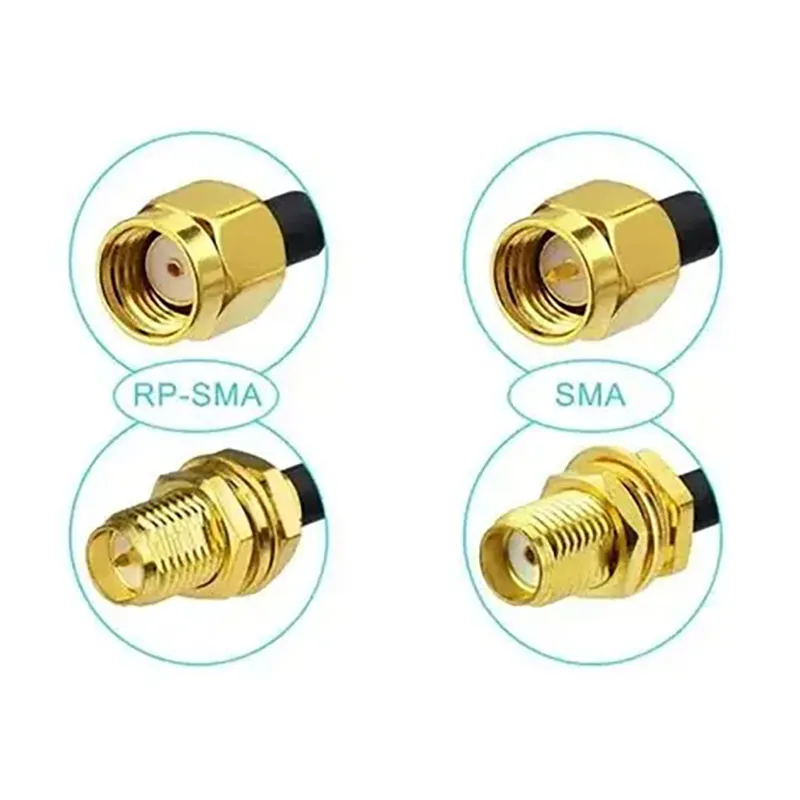
Side-by-side close-up comparison of SMA and RP-SMA connectors, clearly showing the polarity difference of the center conductors (pin vs. socket).

Figure is the core of the document’s “error-proofing guide.” It addresses a long-standing and costly pain point in RF connectivity. The image not only shows the difference but also teaches through clear visual labels (e.g., “RP-SMA”, “SMA”). Understanding this distinction is crucial for correctly connecting consumer Wi-Fi gear (often using RP-SMA) with standard RF test instruments (often using SMA). This figure is a must-know visual tool for engineers and procurement personnel.
SMA vs. RP-SMA Connector Comparison

Few sourcing errors waste as much time as mismatched SMA genders. The distinction between SMA and reverse-polarity SMA (RP-SMA) confuses even experienced buyers because mechanical and naming conventions differ across vendors.

The five-second rule for field ID is simple:

  • Pin = male, hole = female (regardless of external threads).
  • SMA-male has a center pin; RP-SMA-male does not.
  • Check both ends before ordering—never trust marketing photos.

Right-angle and straight versions share the same RF spec but differ in strain relief. Right-angles reduce mechanical stress on small routers; straights suit lab adapters or enclosures with vertical clearance. Bulkhead feedthrough SMAs with nut and washer assemblies are best for sealed panels—especially when used with LMR-240 cables that need torque-controlled tightening (~0.6 Nm).

To avoid mix-ups, label lab and field spares using color heat-shrink or barcode tags. Many engineers now print “SMA-M / RP-SMA-F” directly on zip-bags or cable boots—a small step that prevents shipment rework. For reference standards, see the IP67 outdoor omni article for threaded waterproof variants.

Will cable type and length quietly erase your 2.4 GHz link budget?

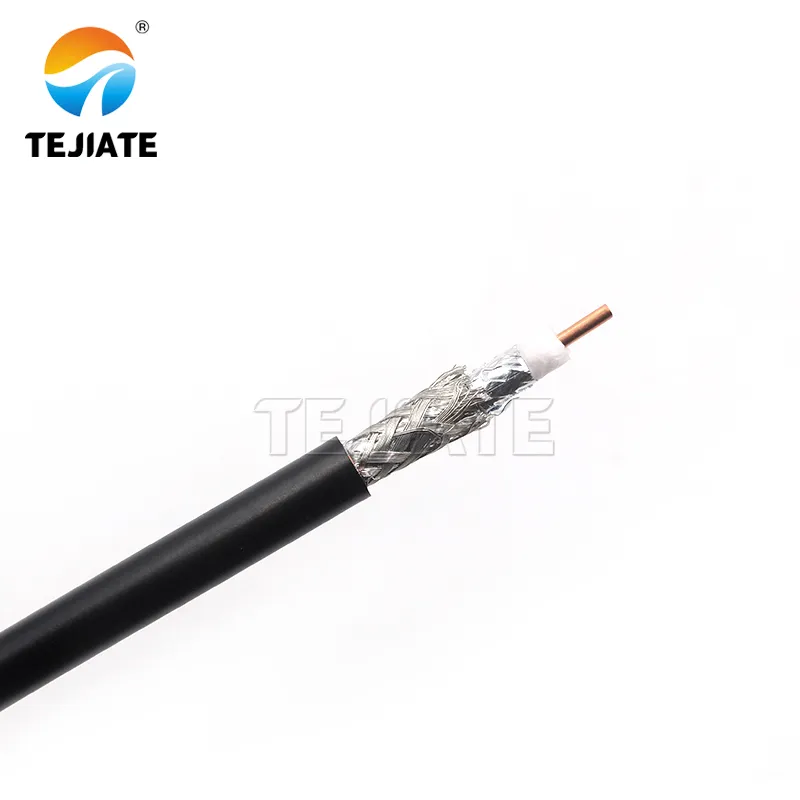
Product photo of TEJTE brand LMR-240 coaxial cable

As a counterpart to LMR-400, this image presents another common outdoor cable option. It helps engineers understand why LMR-240 is a better balance between loss and flexibility for feeder runs under 5 meters (as mentioned in the document) and sets expectations for its physical form.
LMR-240 Cable Product Photo
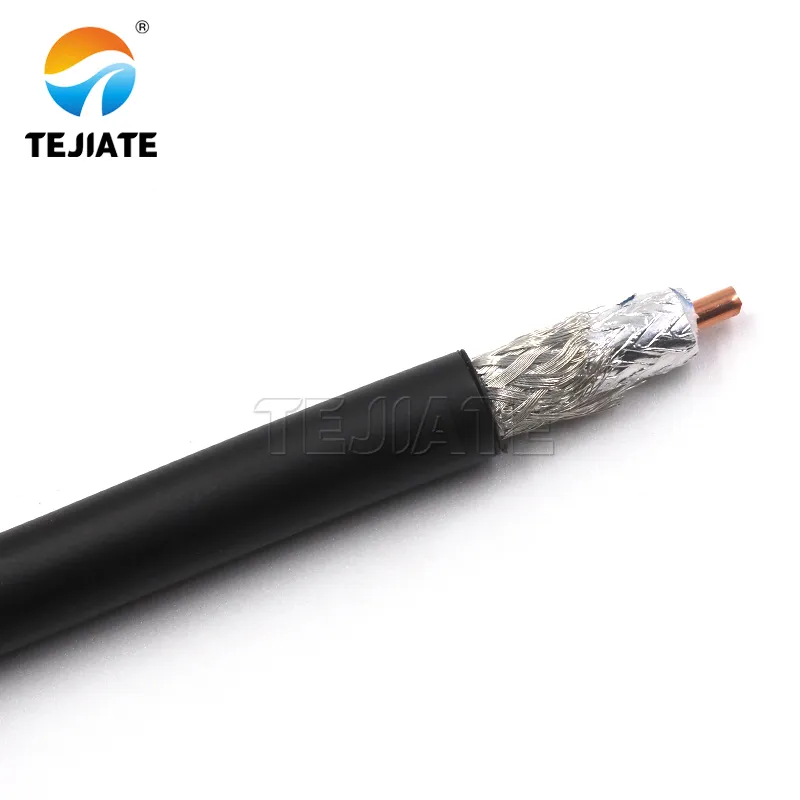
Product photo of TEJTE brand LMR-400 low-loss coaxial cable

This product image materializes the abstract “LMR-400” line from Figure 2. It gives engineers an intuitive sense of the cable‘s actual size, ruggedness, and connector interface, aiding in planning wiring space and selecting waterproof connectors.
LMR-400 Cable Product Photo
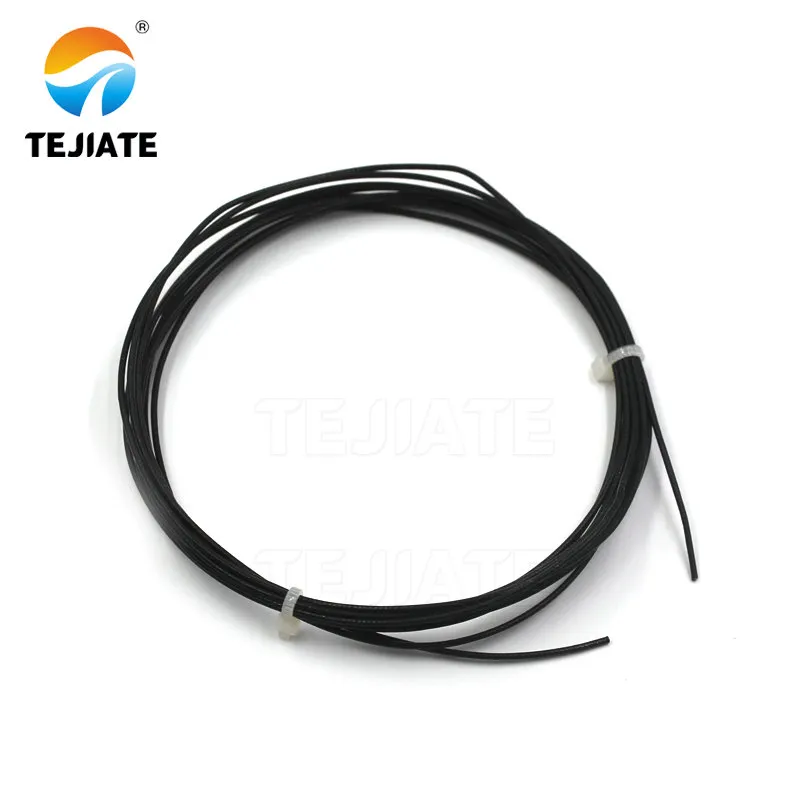
1.13 mm micro-coaxial cable product image.

This image presents the typical appearance of 1.13mm micro-coax cable. It is a common wire for connecting internal modules to antenna interfaces (e.g., IPEX) in compact devices, offering a relatively good performance compromise within confined internal space, though length must be controlled to manage loss.
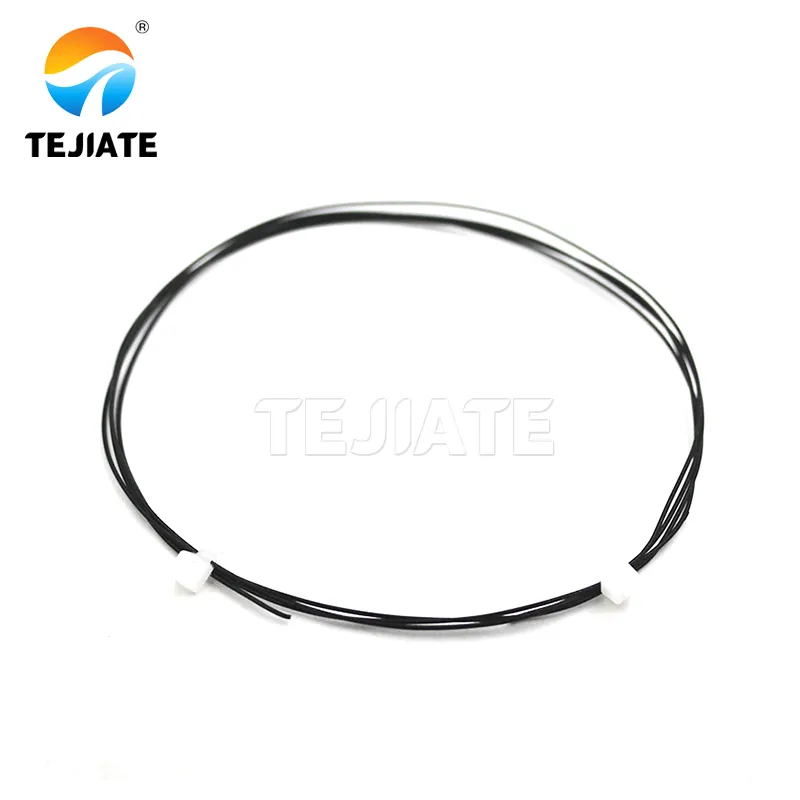
1.13 mm Micro-Coaxial Cable
0.81 mm micro-coaxial cable product image.

This image shows the extremely thin 0.81mm micro-coax cable. It represents the feeder solution that accepts higher loss for the sake of maximizing space savings, primarily used inside miniature IoT modules where space is extremely limited. Its high-loss nature requires strict control over routing length during design.

0.81 mm Micro-Coaxial Cable

Even perfect antennas can’t fix coax loss. At 2.4 GHz, attenuation rises fast with thin cables. Using the wrong feeder can silently cut half your EIRP.

Typical losses at 2.4 GHz per meter:

Cable Type Diameter (mm) Loss (dB/m) Best Use
0.81 mm micro-coax 0.81 ≈ 0.80 Internal modules, < 15 cm runs
1.13 mm micro-coax 1.13 ≈ 0.60 Short pigtails, IoT boards
LMR-240 6.1 ≈ 0.26 Gateways, mid-length outdoor
LMR-400 10.3 ≈ 0.14 Long mast cables > 5 m

Two connector pairs typically add ~0.3 dB total. Add this into your link budget:

feeder_loss = loss_per_m × length; conn_loss = pairs × 0.15.

If your EIRP margin falls below 6 dB, shorten the cable, reduce connectors, or upgrade to a lower-loss LMR type. Use TEJTE’s IPEX-to-SMA pigtails for board transitions—they minimize mismatch versus hobbyist jumpers.

Designers often overlook how thin coax warms under sustained transmit. Beyond 0.5 W, micro-coax loss increases further from dielectric heating. That’s why enterprise access points rarely exceed 1 m of internal feeder before reaching the antenna bulkhead.

Where should you place or mount the antenna to minimize metal detuning?

Placement errors cause most mysterious range failures. A perfectly matched antenna can detune by > 3 dB when near large ground planes or batteries.

Keep ≥ 10 mm ground clearance for FPC/PCB antennas, especially around shield cans or metal rails. Avoid running traces or screws underneath radiating sections. In enclosure corners, tilt the antenna 15–20° away from parallel metal to restore pattern symmetry.

Isolation from other antennas matters too. Adjacent 2.4 GHz and 5 GHz whips need ≥ ¼ λ spacing (≈ 31 mm) to cut coupling; for same-band diversity antennas, aim for 0.5 λ (~62 mm) spacing. If your industrial housing limits that, use ferrite-based isolators or cross-polarized pairs.

Good installers learn to “listen” to metal. Mount an omni on a non-metallic bracket before committing to holes. Move it 2–3 cm and watch the VSWR sweep—you’ll see the resonant shift disappear.

For internal antennas, TEJTE’s FPC keep-out guide covers measured detuning offsets from real enclosure builds.

Do you actually need an outdoor omni instead of an indoor rubber-duck?

It’s common to think a rubber-duck antenna can just be moved outdoors with a long cable. In practice, that shortcut wrecks signal reliability. The 2.4 GHz band is forgiving indoors, but once moisture, heat, and long feeders join the mix, performance nosedives.

Outdoor omni antennas are built for punishment. Their feed network sits inside an IP67-sealed shell with a small vent that lets pressure out but blocks water. The plastic is UV-resistant, so it doesn’t crack or fade after months of sun. Indoors, a ducky can last for years; outside, it may drift off-frequency in a single season.

For semi-covered corridors or warehouse docks, a rubber-duck with a silicone boot is often fine. Fully exposed rooftops, though, call for a mast-mount omni with a clamp tightened to 3–5 N·m. That mechanical rigidity keeps alignment steady in wind and rain.

In tight corridors, a directional panel antenna may outperform any omni. A 9 dBi flat panel aimed down the hallway keeps RSSI smoother and reduces multipath nulls. So don’t let popular keywords like high-gain omni antenna steer you toward the wrong pattern. Geometry beats hype every time.

To see it yourself, test both. Mount a TEJTE 2.4 GHz omni antenna outdoors and compare its throughput with a rubber-duck mounted just inside a wall. You’ll often find a 5–8 dB improvement—enough to justify the weatherproof hardware immediately.

Can you validate coverage fast before freezing the BOM?

The smartest RF teams never trust a spreadsheet alone. Before committing to parts, they validate 2.4 GHz Wi-Fi coverage on-site. All you need is a laptop or a small dev board. Walk the area, note RSSI readings every few meters, and you’ll see weak zones appear in minutes. That quick “walk-map” check prevents months of frustration later.

Then tweak what’s easy: angle, height, or gain. Tilt the antenna five degrees, swap a 3 dBi for a 6 dBi, and watch RSSI shift. For outdoor runs, use a drive-map app—it’s simple and shows how signal behaves under motion.

When results look odd, debug in order:

  1. Cable first – crushed coax equals silent dB loss.
  2. Connector second – a bad crimp or loose nut can steal 2 dB.
  3. Antenna last – replace only after the first two check out.

That hierarchy—cable to connector to antenna—saves time and parts. Once readings stabilize within ±3 dB, the setup is solid and the BOM is safe to lock.

How should you order so the PO is manufacturable and fool-proof?

Even flawless designs fall apart when the purchase order is vague. Every RF buyer has seen it: wrong gender, missing torque spec, or incomplete cable data. A good PO reads like an assembly drawing—clear, repeatable, and testable.

B. Antenna Selection & Ordering Matrix

Use Case Antenna Type Gain (dBi) Connector Angle Cable (Type / Length) Mount IP / UV Torque Compliance TEJTE SKU Lead Time MOQ Notes
Indoor AP Rubber-duck 3 RP-SMA Straight 1.13 mm / 0.15 m Panel - RoHS TD-RD-24G-3D 3 days 10 Standard router whip
Outdoor Node Omni 6 SMA Straight LMR-240 / 2 m Mast IP67 / UV 3 N·m RoHS / REACH TD-OMNI-24G-6D 7 days 5 Gateway link
Internal IoT FPC 2 IPEX - 0.81 mm / 0.1 m Embedded - - RoHS TD-FPC-24G-2D 5 days 50 Keep ≥ 10 mm clearance
Semi-outdoor Rubber-duck 5 SMA Right-angle LMR-240 / 0.5 m Bulkhead IP55 / UV 1 N·m RoHS TD-RD-24G-5D 5 days 10 Corridor APs

Every PO should explicitly list:

  • Gain / length
  • Connector gender & angle
  • Cable type & length
  • Mounting method (panel / bulkhead / mast)
  • Compliance tags like RoHS or REACH
  • Torque, lead time, MOQ, and RMA labeling notes

Write “SMA-M to SMA-F” instead of just “SMA.” Also define packaging expectations—individual polybags with printed torque specs cut warehouse errors to zero. TEJTE already prints these specs on every bag shipped globally.

A. 2.4 GHz Link-Budget Mini-Calculator

Parameter Typical Value Example Note
tx_power (dBm) 18 Router output
antenna_gain (dBi) 5 Omni antenna
feeder_type LMR-240 -
feeder_length (m) 2 -
connector_pairs 2 -
rx_sensitivity (dBm) -90 Wi-Fi chipset
path_loss (dB) 80 20 m indoor range

Formulas

feeder_loss = loss_per_m × length

conn_loss = pairs × 0.15

EIRP = tx_power − feeder_loss − conn_loss + antenna_gain

link_margin = EIRP − path_loss − rx_sensitivity

Worked Example

Step Calculation Result
Cable loss 0.26 dB/m × 2 m 0.52 dB
Connector loss 2 × 0.15 dB 0.30 dB
EIRP 18 - 0.82 + 5 22.18 dBm
Link margin 22.18 - 80 - (-90) 32.18 dB
If the link margin dips under 6 dB, shorten the feeder, remove one connector, or move to a lower-loss cable. Running this small check keeps every 2.4 GHz Wi-Fi antenna configuration within spec before mass production.

What changed in 2024–2025 for 2.4 GHz Wi-Fi antenna deployments?

While Wi-Fi 7’s 6 GHz band grabs headlines, the 2.4 GHz layer still carries control and IoT traffic—the quiet workhorse behind every tri-band router.

Two big shifts mark the current generation:

  1. Cleaner multi-band coexistence

Designers now share housings but isolate feed lines, reducing return-loss peaks and cross-band interference. Field logs show noticeably flatter VSWR curves than 2022 models.

  1. Standardized hardware & mounting

Nearly all outdoor omnis now use 1.5-inch universal clamps with torque markers. TEJTE’s 2025 stats show about a 40 % drop in overtightening failures compared with older designs.

Meanwhile, layout software grew smarter. CAD plug-ins predict detuning within ±1 dB, helping teams position FPC and PCB antennas correctly the first time.

So even in a world chasing higher frequencies, 2.4 GHz Wi-Fi antennas remain the backbone of stable networks—simple, predictable, and irreplaceable for long-range or low-power links.

FAQ — 2.4 GHz Wi-Fi Antenna

Does a higher-gain omni (6 dBi) always improve 2.4 GHz coverage in corridors?

Not necessarily. A 6 dBi omni tightens the vertical beam, which works well across a flat floor but creates “dead ceilings.”

In multilevel offices or stairwells, a 2–3 dBi rubber-duck antenna often delivers steadier coverage because its pattern extends upward and downward.

If you’re deploying both, keep high-gain units in open corridors and low-gain near stairways or mezzanines.

Real-world installers usually test by walking a few loops with a Wi-Fi scanner app before finalizing gain selection.

How can I confirm SMA vs RP-SMA on a live device in under five seconds?

Just look inside the connector—forget thread direction.

  • Pin = male, hole = female.
  • SMA-male has the center pin; RP-SMA-male has none.

That’s it. Don’t rely on catalog photos. Even major vendors mis-label pictures.

When ordering replacements, always write “SMA-M to SMA-F” or “RP-SMA-M to RP-SMA-F” on the PO line.

For outdoor versions with sealing nuts, see TEJTE’s IP67 outdoor omni reference for correct thread and washer specs.

What’s the practical maximum length for 1.13 mm pigtails before loss dominates at 2.4 GHz?

Around 25–30 cm. Beyond that, attenuation climbs above 2 dB and starts eating your link margin. Keep micro-coax runs short and route them gently—no sharp folds under 10 mm radius.

If you need more distance, transition early to LMR-240 or LMR-400 using an IPEX-to-SMA cable assembly.

This hybrid method is common in industrial Wi-Fi and IoT boxes where internal space is tight but external connectors must reach a sealed panel.

How much spacing from metal edges or nearby antennas prevents detuning?

Metal is the silent killer of radiation patterns.

Maintain at least 10 mm clearance from any battery, heat sink, or shield can. Between antennas on the same band, keep half a wavelength—roughly 62 mm at 2.4 GHz—for clean isolation.

If the enclosure won’t allow that, try cross-polarization (one vertical, one horizontal) to reduce coupling.

The internal FPC keep-out guide includes measured detuning offsets for several enclosure materials.

When should I choose an outdoor omni instead of an indoor rubber-duck for semi-outdoor corridors?

Use the environment test:

if sunlight, condensation, or wind ever reaches the mounting point, treat it as outdoor. Rubber-ducks may survive mild humidity but fail under UV and thermal cycling. A small IP55 omni or boot-sealed rubber-duck bridges that gap perfectly.

For full exposure, step up to a mast-mount omni; TEJTE’s line offers both straight and right-angle entries rated to IP67.

How can I request TEJTE samples or small-batch test antennas?

TEJTE provides low-MOQ evaluation units through tejte.com/contact so teams can validate mechanical fit and RF tuning before volume orders.

Which quick tests prove installation quality before final sign-off?

Engineers rely on three fast checks:

  1. RSSI snapshot — compare signal at fixed points before / after mounting.
  2. Throughput test — run a local file copy to see real data rate.
  3. Tilt A/B test — shift antenna angle 10 degrees and watch RSSI change.

If all readings stay within ±3 dB, the setup passes.

For larger sites, compile readings into a heatmap; many teams color-code the floor plan during commissioning.

Closing Summary — Bringing It All Together

Selecting a 2.4 GHz Wi-Fi antenna isn’t just picking a gain number; it’s matching form, feed, and environment.

Start by defining where the antenna lives—inside, semi-outdoor, or fully exposed.

Match gain to geometry: low for multi-floor, medium for corridor, high for long-range.

Double-check connectors and cable length before you buy; a wrong RP-SMA or an over-long feeder can waste the best design.

Use the two Info Assets from this guide—

the Link-Budget Calculator and Ordering Matrix—to verify margins and generate clean POs.

Those tools turn guesswork into repeatable, testable decisions.

As Wi-Fi 7 expands, the humble 2.4 GHz layer remains the dependable backbone.

It powers smart sensors, IoT nodes, and factory gateways that still need reach over speed.

TEJTE’s antenna lineup—from indoor rubber-duck to

IP67 outdoor omni to internal FPC designs—keeps that layer strong.

Explore more in the Wi-Fi Antenna Hub, where each category links back to field-tested configurations and real measurements.

Bonfon Office Building, Longgang District, Shenzhen City, Guangdong Province, China

customer service