Mastering Coaxial Cable Connectors: Termination Styles & Pro Tips
Aug 16,2025
Introduction

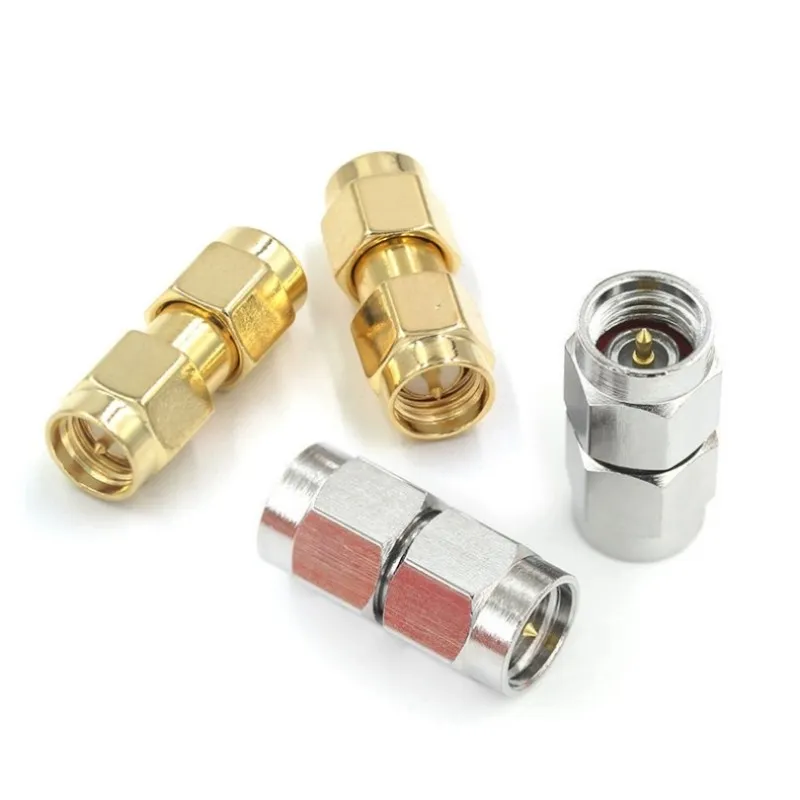
High-precision SMA connectors support frequencies above 18 GHz, offering stable impedance performance and suitable for RF systems requiring high reliability and vibration resistance.
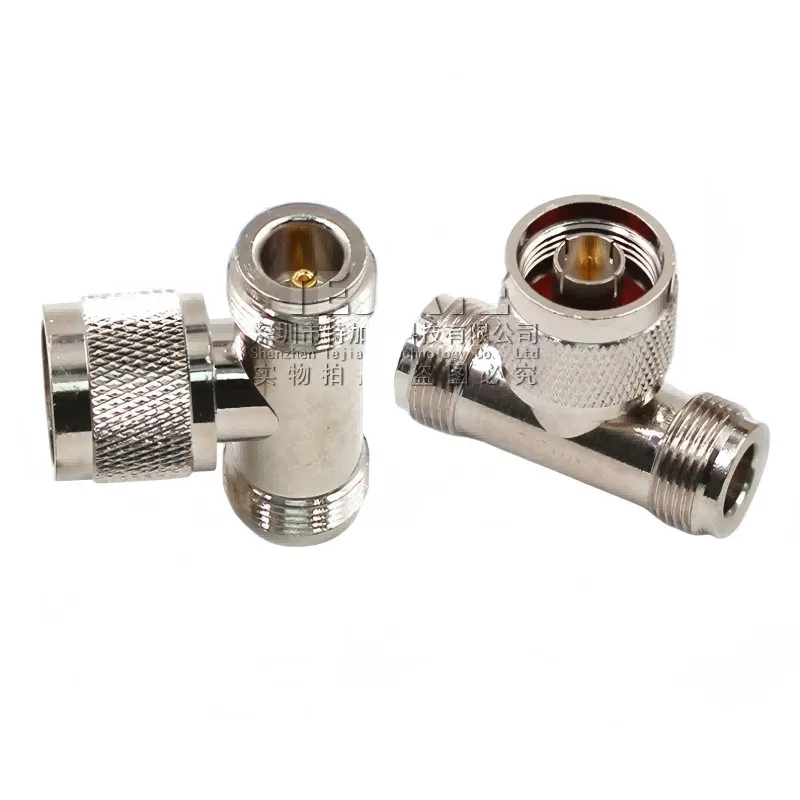
N-Type connectors support frequencies up to 11 GHz, featuring robust housing and excellent sealing performance, making them ideal for wireless communication, base stations, and radar applications.
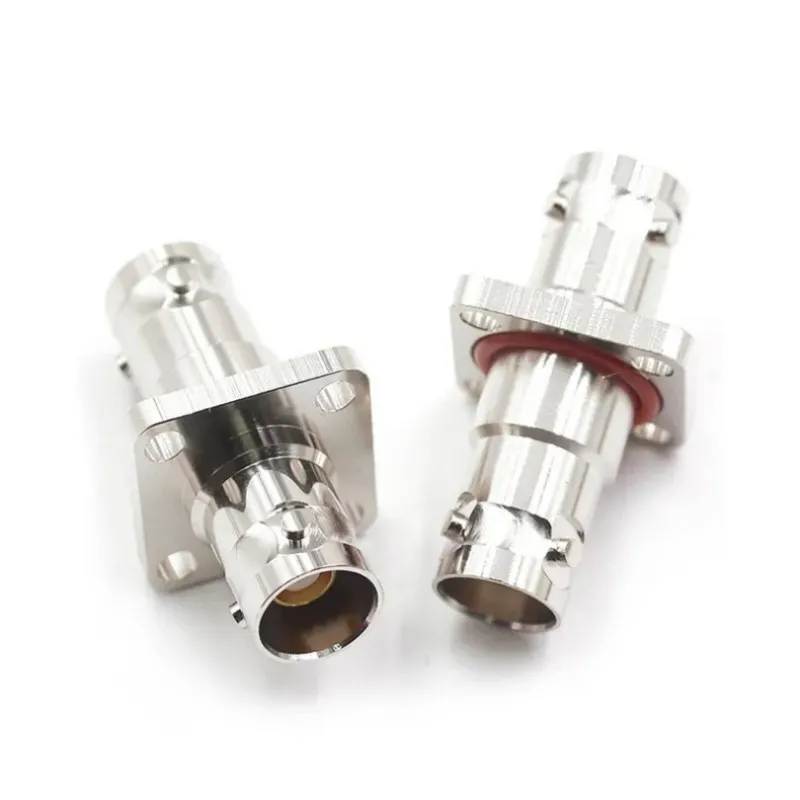
BNC connectors are available in 50 Ω and 75 Ω versions, supporting up to 4 GHz and 2 GHz respectively, ideal for applications requiring frequent connections.
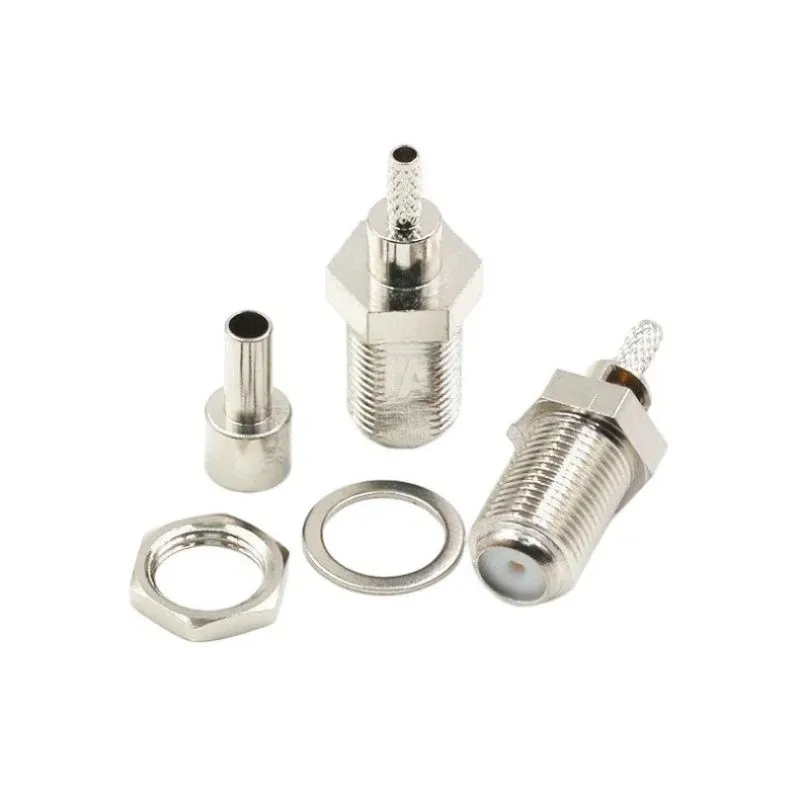
F-Type connectors support 75 Ω impedance and frequencies up to 3 GHz, providing reliable outdoor performance with weather boots.
Signal issues aren’t always about the cable. More often, the real weak point is the Coaxial cable connector or its termination. A high-quality RF coaxial cable can still fail if the SMA, BNC, N-type, or F-type ends are mismatched, poorly crimped, or wrong impedance.
In this guide, we focus on RF coaxial connectors and terminations — how 50 Ω vs 75 Ω choices affect performance, which coupling style suits each job, and when frequency limits matter. You’ll also get practical tips on crimp, solder, and compression methods, strip lengths, torque, sealing, and quick field tests to spot faults early.
For coax basics, see our RF Cable Guide or compare interfaces in SMA vs BNC vs N-Type.
Understanding Connector Impedance and Matching
In RF systems, impedance isn’t a suggestion — it’s the rulebook. Nearly every RF coaxial connector you’ll encounter is designed for either 50 Ω or 75 Ω operation.

The image illustrates the physical similarities but electrical differences between 50 Ω and 75 Ω connectors. In the article, this diagram supports the section explaining impedance matching, emphasizing that using the wrong impedance can cause signal loss, increased reflections, and reduced system performance.
The 50-ohm camp covers radios, cellular gear, Wi-Fi links, and most lab instruments. The 75-ohm side rules TV, satellite, and CATV installations. Mismatch the two and you invite higher VSWR, signal reflections, and a performance hit that ranges from barely noticeable to mission-killing.
Here’s the catch: mismatches don’t always scream at you right away. In a quiet lab test you might see only a small ripple in return loss, yet put that same setup in a marginal link and suddenly the video drops or the throughput tanks. That’s why seasoned techs check impedance continuity before anything goes on a tower or into a rack.
Coupling styles decide how a connector behaves in daily use.

This chart helps engineers make quick selections without browsing multiple datasheets.
- Threaded connectors like SMA or N-type are built for vibration resistance and repeatable torque. They’re a favorite outdoors or anywhere you can’t afford a loose connection.
- Bayonet styles such as the BNC connector excel where speed matters — think test benches or broadcast patch panels. Twist, click, done.
- Compression fittings, common with F-type connectors, dominate in TV and satellite work. They’re cheap, reliable, and with the right sealing boots, weatherproof enough for years of service.
Frequency capability is the quiet limiter. A connector spec’d for VHF might still pass a Wi-Fi signal, but with losses and mismatch creeping in. Above a few gigahertz, even small geometry errors in the connector body turn into measurable degradation.
The rule of thumb? Pick a connector family that’s rated comfortably above your highest operating frequency, then pair it with a quality cable from your RF Cable Guide.
Think of it this way: the connector isn’t just a piece of metal at the end of your coax — it’s part of the transmission line. Treat it with the same care you give the cable itself.
Coupling Formats: Threaded, Bayonet & Push-On
Not all RF coaxial connectors are equal — each has its sweet spot for impedance, frequency, and application. The chart below gives a quick side-by-side view so you can pick the right one without digging through datasheets.
| Connector | Impedance (Ω) | Typical Frequency | Coupling | Best Applications | Notes / Limit* |
|---|---|---|---|---|---|
| SMA | 50 Ω | ~18 GHz+ | Threaded | Wi-Fi, LTE modules, lab jumpers | Small, needs torque control |
| RP-SMA | 50 Ω | ~6-11 GHz | Threaded | Consumer Wi-Fi gear | Reverse-polarity pin/gender |
| BNC | 50/75 Ω | ~4 GHz / ~2 GHz | Bayonet | Test gear, video | Fast connect, not cross-compatible |
| N-Type | 50 / 75 Ω | ~11 GHz | Threaded | Outdoor runs, higher power | Rugged, weather-sealed |
| F-Type | 75 Ω | ~3 GHz | Threaded | TV, satellite | Compression ends standard |
| TNC | 50 Ω | ~11 GHz | Threaded | Vibration-prone setups | “Threaded BNC” style |
| FME | 50 Ω | ~2 GHz | Threaded | Vehicle/IoT | Compact, adapter-friendly |
| UHF (PL-259) | ~Non-constant | <300 MHz | Threaded | HF/VHF legacy | Not for microwave work |
| 7/16 DIN | 50 Ω | ~7.5 GHz | Threaded | High-power cellular | Low PIM, large size |
- Always confirm with the manufacturer for exact specs.
How to Choose the Right Coaxial Cable Connector
Choosing the right coaxial cable connector starts with understanding the system you’re working on — not the catalog page in front of you. Every choice you make here affects signal quality, long-term reliability, and even how quickly you can finish the job.
1. Match the impedance first.
Most TV, satellite, and CATV systems use 75 Ω connectors such as F-type or 75 Ω BNC. Radios, Wi-Fi links, LTE modules, and lab instruments almost always expect 50 Ω — think SMA, N-type, or 50 Ω BNC. Mixing impedances can cause higher VSWR, leading to reflections, dropped data, and in RF-sensitive applications, a total loss of lock.
2. Know your highest operating frequency.
Below 1 GHz, you’ve got plenty of connector choices. Push past 5–6 GHz, and you’ll want precision SMA or well-made N-type connectors. If you’re venturing into microwave territory (10+ GHz), choose connectors rated well above your max frequency; small geometry errors can translate into measurable loss.
3. Consider the environment.
Outdoor gear should favor weather-sealed, threaded designs like N-type or 7/16 DIN. Indoor test benches work best with quick-mate connectors such as BNC. Consumer TV work still leans on compression F-type connectors, which combine speed with decent environmental sealing when used with boots and tape.
4. Think about how often you’ll connect and disconnect.
A lab setup where connectors are swapped daily benefits from bayonet-style BNC for speed. High-vibration machinery or towers demand threaded options that hold torque, like SMA or TNC. For semi-permanent links, torqueable SMA connections ensure long-term stability.
Example Scenarios:
- Installing an outdoor 5.8 GHz Wi-Fi bridge? Use LMR-400 cable with N-type ends at both sides, plus short SMA pigtails at the radio ports.
- Setting up a satellite TV feed? RG-11 with F-type compression connectors keeps loss low and survives outdoor exposure.
- Building a bench harness for mixed instruments? Standardize on 50 Ω BNC jumpers, with SMA adapters only where required.
When in doubt, start by checking the device port type, then confirm impedance, frequency needs, and environmental factors. This approach beats guessing — and saves you from discovering a mismatch when the link is already live.
Cable to Connector Pairing Matrix

The right cable-to-connector combination ensures optimal mechanical and electrical performance, minimizing signal loss and environmental impact.
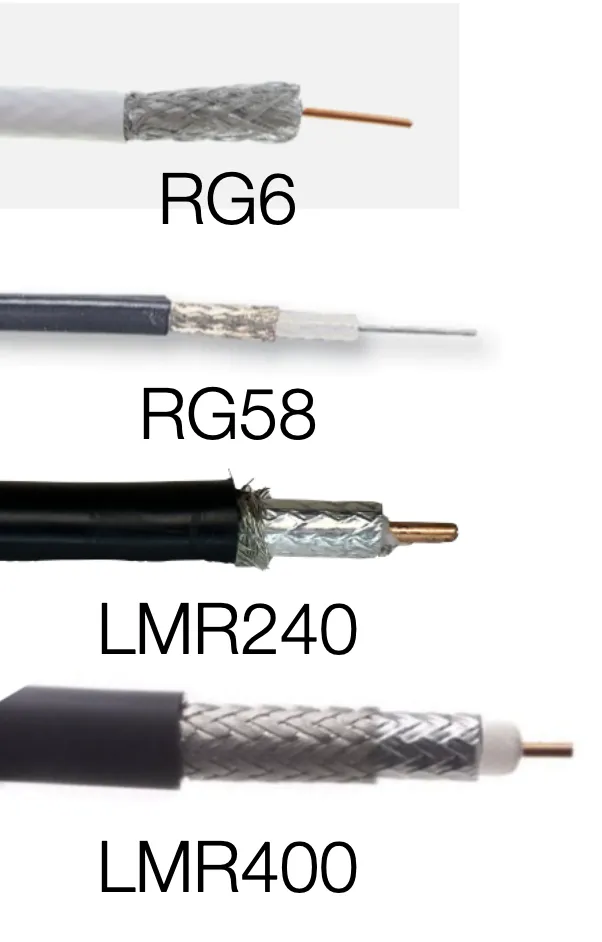
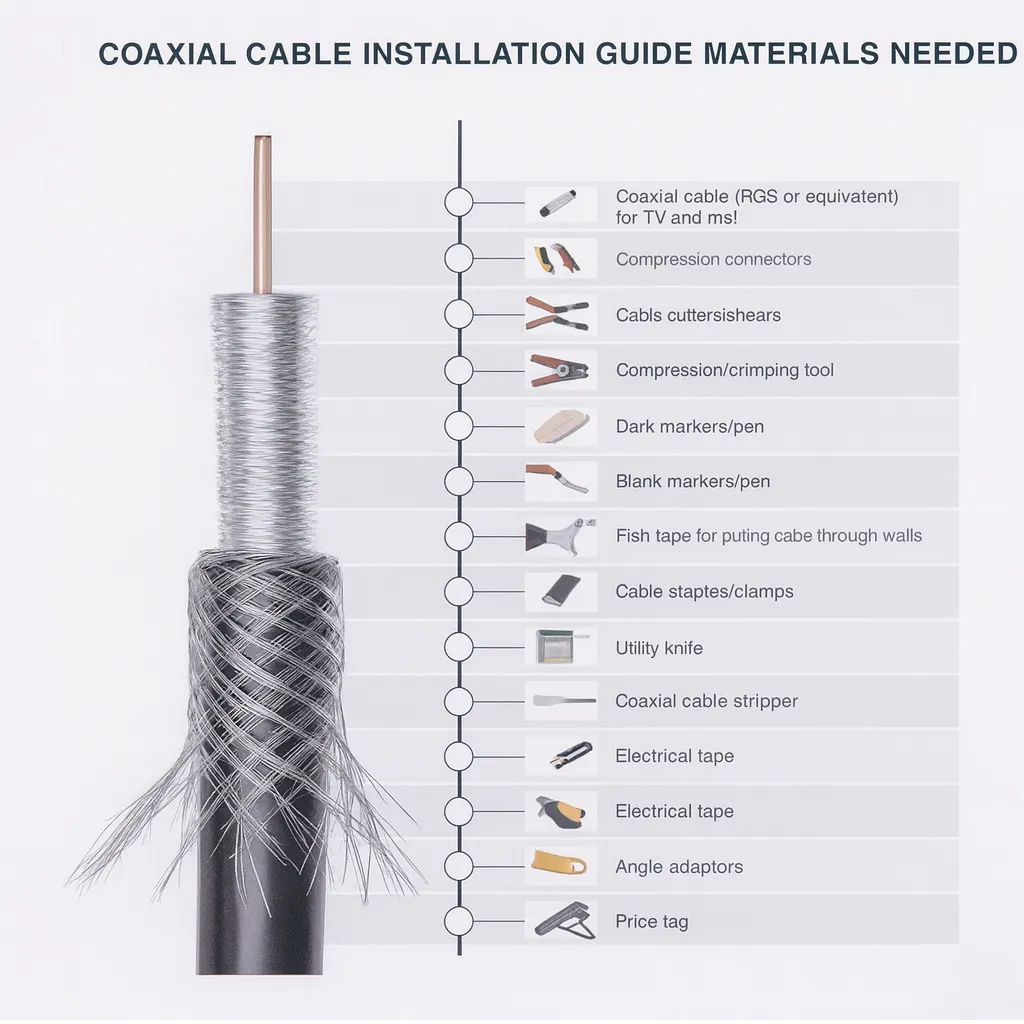
Matching RF coaxial cables to the right connectors isn’t just about making the ends fit. The outer diameter, braid coverage, dielectric type, and ferrule size all influence which connector family will give you the best mechanical and electrical performance. Below is a pairing guide for common cable families —The following are common RF cable types, broadcast, and telecom work.
| Cable Family | Impedance (Ω) | Typical Frequencies | Common Connector | Typical Use Cases | Notes |
|---|---|---|---|---|---|
| RG-6 | 75 Ω | Up to ~3 GHz | F-Type (compression), 75 Ω BNC/N | TV, satellite, cable modem | Compression F is standard; weather boots recommended |
| RG-11 | 75 Ω | Up to ~3 GHz | F-Type (compression), 75 Ω BNC/N | Long outdoor TV/SAT runs | Lower loss than RG-6; stiffer to pull |
| RG-58 | 50 Ω | Up to ~1 GHz | SMA, BNC, TNC | Radios, short jumpers | Flexible but higher loss above 1 GHz |
| RG-8 / RG-8X | 50 Ω | Up to ~1 GHz | N-Type, PL-259, BNC | Amateur/industrial VHF/UHF | PL-259 is legacy; check connector quality |
| LMR-240 | 50 Ω | Up to ~6 GHz | SMA, N-Type, TNC | Short outdoor runs, IoT | Good loss-to-flexibility balance |
| LMR-400 | 50 Ω | Up to ~6 GHz | SMA, N-Type, TNC | Wi-Fi/LTE backhaul | Popular for tower-to-radio jumpers |
| LMR-600 | 50 Ω | Up to ~6 GHz | N-Type, 7/16 DIN | Longer, low-loss outdoor links | Heavy; plan routing carefully |
| Semi-Rigid (e.g., RG-402) | 50 Ω | Microwave | SMA (precision), SMP, adapters | Lab/microwave modules | Bend once; excellent shielding |
Why this matters in practice
Pairing the wrong connector with a cable can lead to subtle — or not-so-subtle — problems. For example, forcing a standard SMA onto a semi-rigid cable without proper ferrule sizing risks mechanical stress that will show up later as intermittent faults. Similarly, using a push-on F-type instead of a compression F on outdoor RG-6 may save a minute during install, but the first rainstorm could introduce enough water ingress to ruin the signal.
Field tips from experience:
- For LMR-400 tower runs, always torque N-type connectors to spec and apply self-amalgamating tape at the weather seal.
- On RG-11, pre-plan bends before pulling; it’s stiff and unforgiving around tight corners.
- Semi-rigid coax is best for lab or aerospace builds — once bent and terminated, you don’t want to touch it again.
For readers sourcing ready-made solutions, our RF Cables (Products) page lists low-loss assemblies with the right connector options pre-installed, saving both time and potential rework.
Crimp, Solder, Compression, Clamp
Getting the right coaxial cable connector termination is as important as choosing the connector itself. Even a top-grade SMA or N-type will fail if it’s badly attached to the coax. The method you choose — crimp, solder, compression, or clamp — depends on the job, the environment, and the tools you have.
Crimp Terminations (Most Common for Field & High-Volume Work)

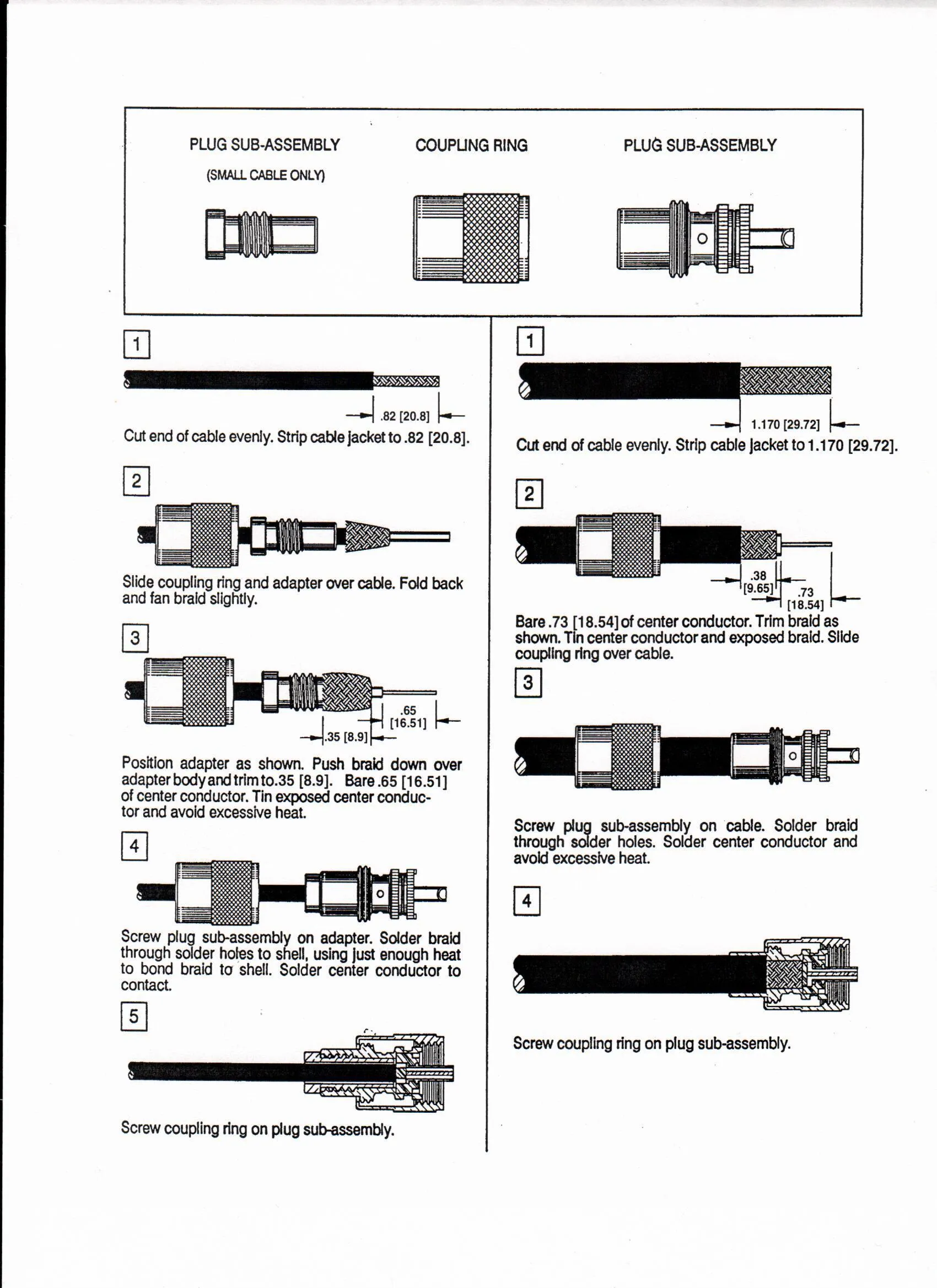
The figure appears in the crimp section, emphasizing that crimping is fast and repeatable when the tool, die, and connector match the cable; accurate strip lengths are crucial for performance.
Crimping is fast, repeatable, and widely used in both telecom and broadcast installs. When your crimp tool, die, and connector are matched to the cable, the process becomes almost foolproof.
Steps:
- Strip the cable to the exact lengths in the datasheet.
- Slide the ferrule over the jacket.
- Attach the center pin — either crimp or solder depending on the design.
- Fan out the braid if required, keeping it evenly distributed.
- Insert into the connector body until it seats.
- Crimp the ferrule with the specified hex die.
Pro tip: A 0.5 mm error in stripping can affect VSWR at higher frequencies. Always check dimensions with calipers before crimping.
Solder Terminations (Low-Volume, High-Reliability Builds)
Soldering the center pin offers a strong, conductive joint — ideal for aerospace, lab, or precision assemblies.
- Keep heat under control; too much can deform the dielectric.
- Support the cable to avoid wicking solder down the conductor.
- Many engineers still crimp the ferrule even with a soldered center pin for mechanical strength.
Why choose soldering? It’s slower but provides excellent electrical contact and can be inspected visually for quality assurance.
Compression Terminations (F-Type Standard Practice)
F-type connectors in TV and satellite installs are almost always compression-fit. This method is quick, weather-resistant, and doesn’t require soldering skills.
- Use the exact compression tool recommended by the connector brand.
- Test for a snug fit — a loose sleeve means water ingress and signal loss.
- Add weather boots and self-amalgamating tape for outdoor runs.
Clamp & Field-Replaceable Connectors
Some large-format connectors — like N-type or 7/16 DIN — use clamp-style assemblies with O-rings for sealing.
- Strip prep must be perfect for the clamp to seat evenly.
- Tighten to torque specs; “hand-tight” isn’t good enough at RF.
- These designs are serviceable in the field, making them popular for tower work and other high-maintenance sites.
Essential Termination Tools
- Coax stripper with adjustable or replaceable cassettes.
- Hex-die crimper sized for the ferrule.
- Calipers to check strip lengths.
- Torque wrench matched to connector family.
- Weatherproofing kit — self-amalgamating rubber tape, UV tape, boots.
For a deeper look at crimping fundamentals and safety tips, see our How to Use Crimp Connectors Guide.
Installation Checklist
Small mistakes compound fast in RF work. A slightly over-stripped dielectric, a ferrule crimp that’s 1 mm off, or forgetting to torque a connector can all turn a solid coaxial cable connector install into a troubleshooting nightmare.

The image supports the outdoor best‑practice notes: start wrapping at the connector body, overlap each turn by at least half, and use boots to keep moisture out of the cable.
Here’s a field-ready checklist you can print, laminate, and tape to your toolbox lid. Run through it before you seal a panel, climb a mast, or hand over the job.
| Step | What to Check | Pass Criteria | Common Pitfalls |
|---|---|---|---|
| Strip lengths | Dielectric & braid trim | Matches datasheet within tolerance | Over-strip exposes dielectric; under-strip lifts pin |
| Center contact | Crimp or solder joint | Fully seated, no wobble | Cold solder, nicked strands, crooked pin |
| Ferrule crimp | Hex geometry & position | Flush, centered, no cracks | Wrong die size, partial crimp |
| Shield continuity | Braid/foil contact | Low resistance end-to-end | Shield folded back unevenly |
| Jacket support | Strain relief | No jacket buckling | Over-tight bend radius, no boot |
| Torque | Final connector seating | Within spec, smooth rotation | Over-tightened by hand, seized threads |
| Weatherproofing | Boots/tape/O-rings | Fully sealed, no gaps | Moisture trapped, wrong tape layering |
| Basic tests | Continuity & insulation | Center-to-center OK; no shorts to shield | Pinched dielectric, stray braid whiskers |
Pro tips from the field:
- Keep a small caliper in your pocket for strip length checks — eyeballing is risky above 3 GHz.
- Always torque threaded connectors (like SMA or N-type) with the correct wrench. “Hand-tight” is inconsistent and can cause micro-movement under vibration.
- For outdoor installs, start your self-amalgamating tape right at the connector body, overlapping each wrap by at least half.
A 2-minute re-check here is cheaper than a site revisit later — especially if that site is a tower 30 meters up.
Field Scenarios That Actually Work in the Real World
No two RF jobs behave the same. A little rain, an awkward cable path, or even a stubborn building inspector can flip the “perfect” plan on its head. Here are a few setups I’ve personally seen hold up well — not just in theory, but after years in service.
1. Outdoor Wi-Fi/LTE link (~20 m at 5.8 GHz)

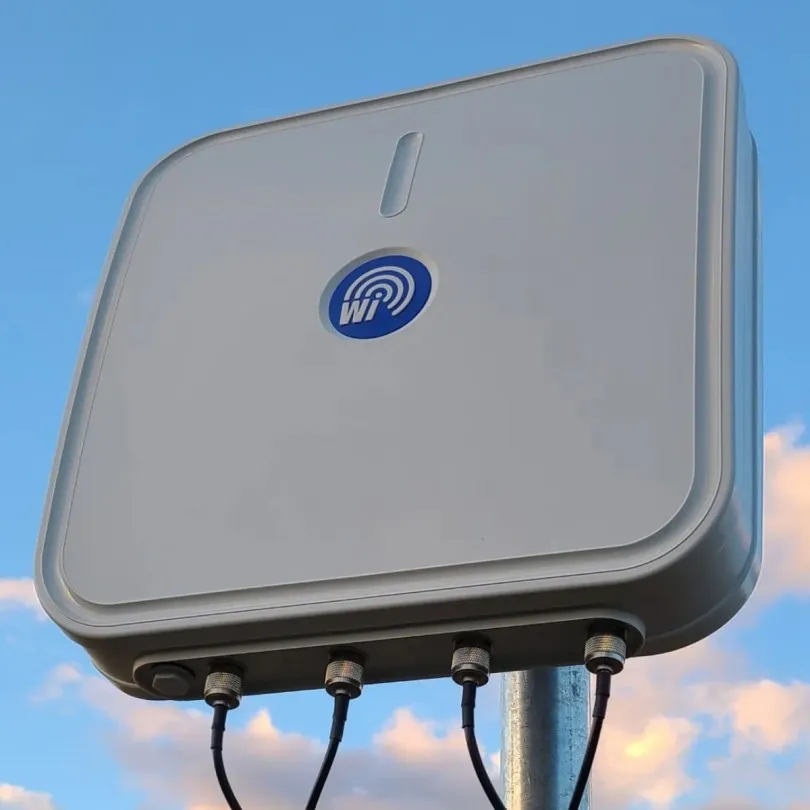
This figure illustrates a proven field scenario for short outdoor links: low‑loss cable outside with weather sealing, and short SMA jumpers to protect radio ports.
For this range, I reach for LMR-400 — it’s low-loss, UV-resistant, and doesn’t mind sitting in the sun. Outside, I stick with N-type connectors because they seal well, then drop to short SMA pigtails right at the radio to avoid twisting the tiny ports. Add compression boots, a simple drip loop, and self-amalgamating tape, and water stays where it belongs — outside the cable.
If you’re still figuring out antennas and aiming, the Wi-Fi Antenna Guide covers plenty of good placement ideas.
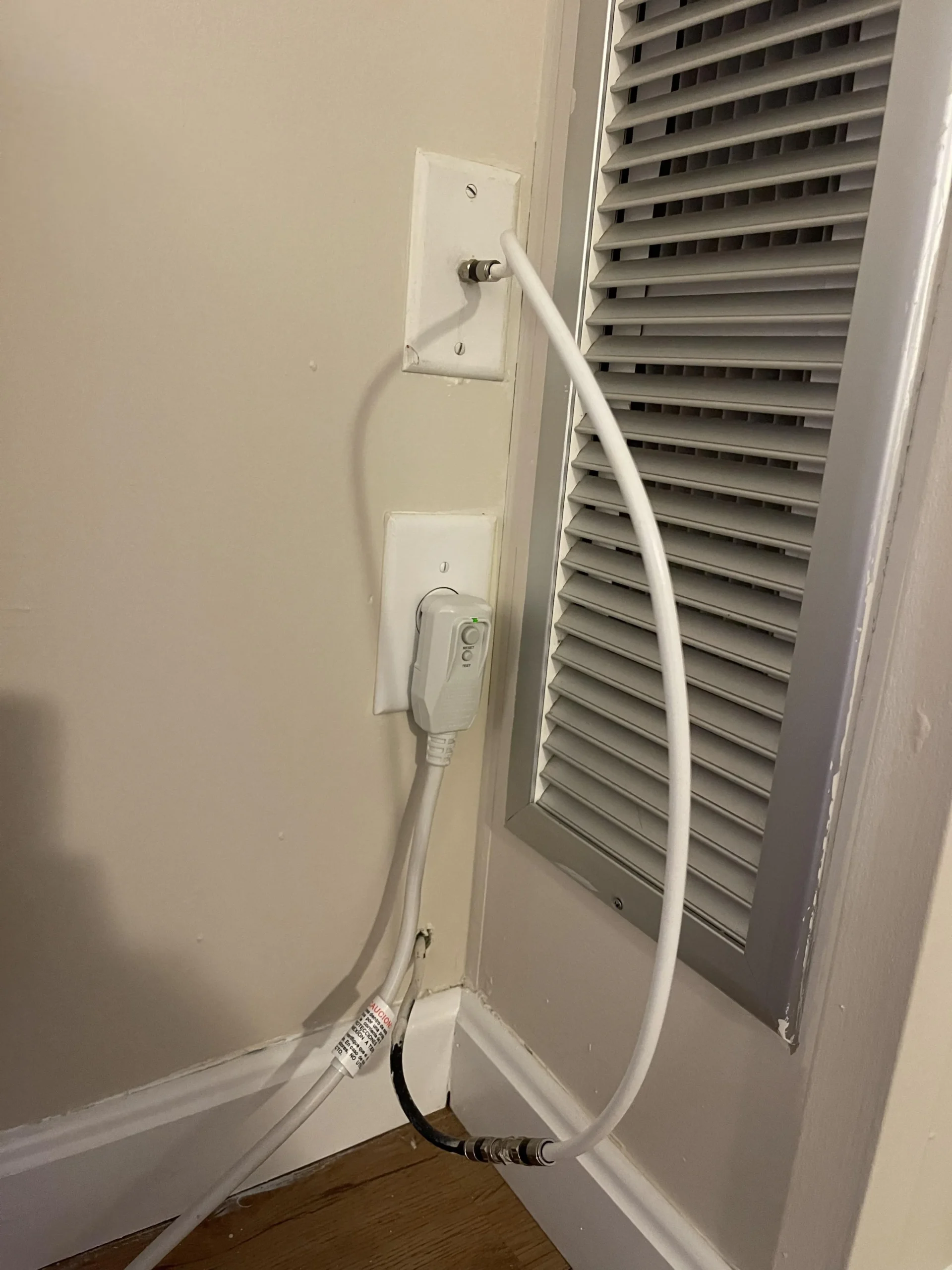
2. Long TV or satellite run through a wall

Positioned with the wall‑run scenario, this figure underscores loss control and weather sealing for reliable TV/satellite links over distance.
When the cable has to go the distance, RG-11 earns its keep. It drops less signal than RG-6, which keeps your satellite SNR happier. I crimp on F-type compression connectors, ground the outside run per code, and fill the wall entry with a weather-rated sealant. Done right, you can forget about it for years.
Curious about how much RG-6 really loses compared to RG-11? The Understanding RF Cables post has the charts.
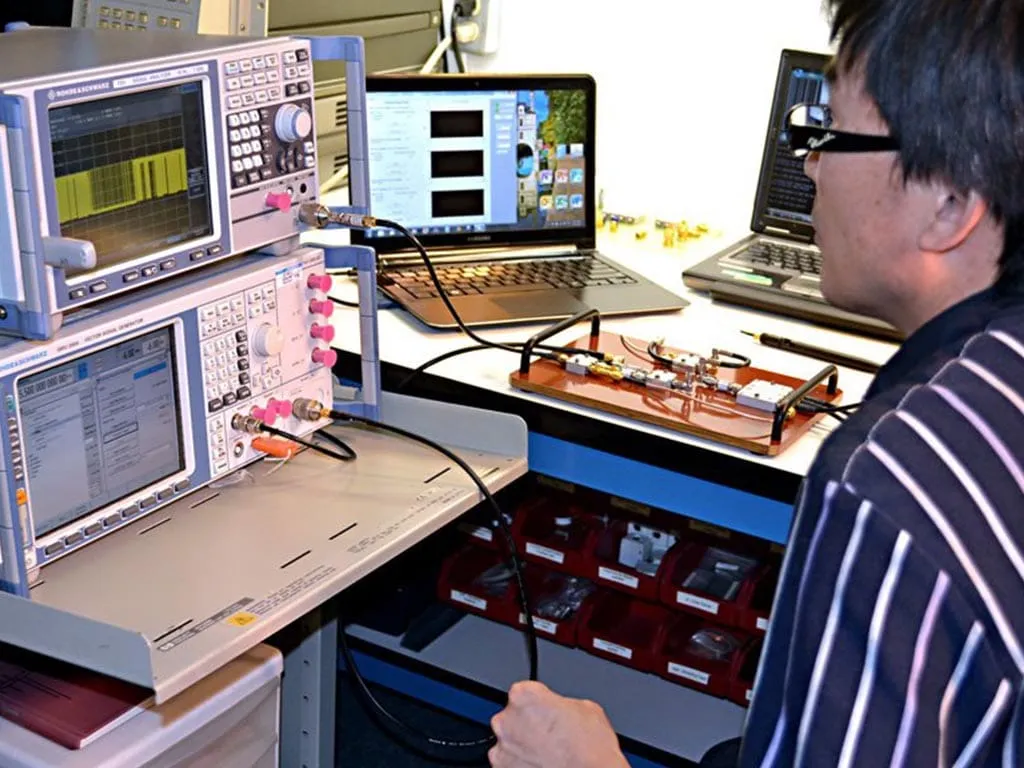
3. Lab bench harness for mixed gear

The figure demonstrates a practical bench harness that reduces port wear on instruments and keeps cabling manageable during frequent swaps.
In the lab, I like RG-58 or RG-223 — they coil nicely and aren’t a wrestling match on the bench. Most of my gear uses 50 Ω BNC, so I keep that standard. When something insists on SMA, I use a short jumper just for that connection. That way, I’m not wearing out the instrument’s own port during swaps.
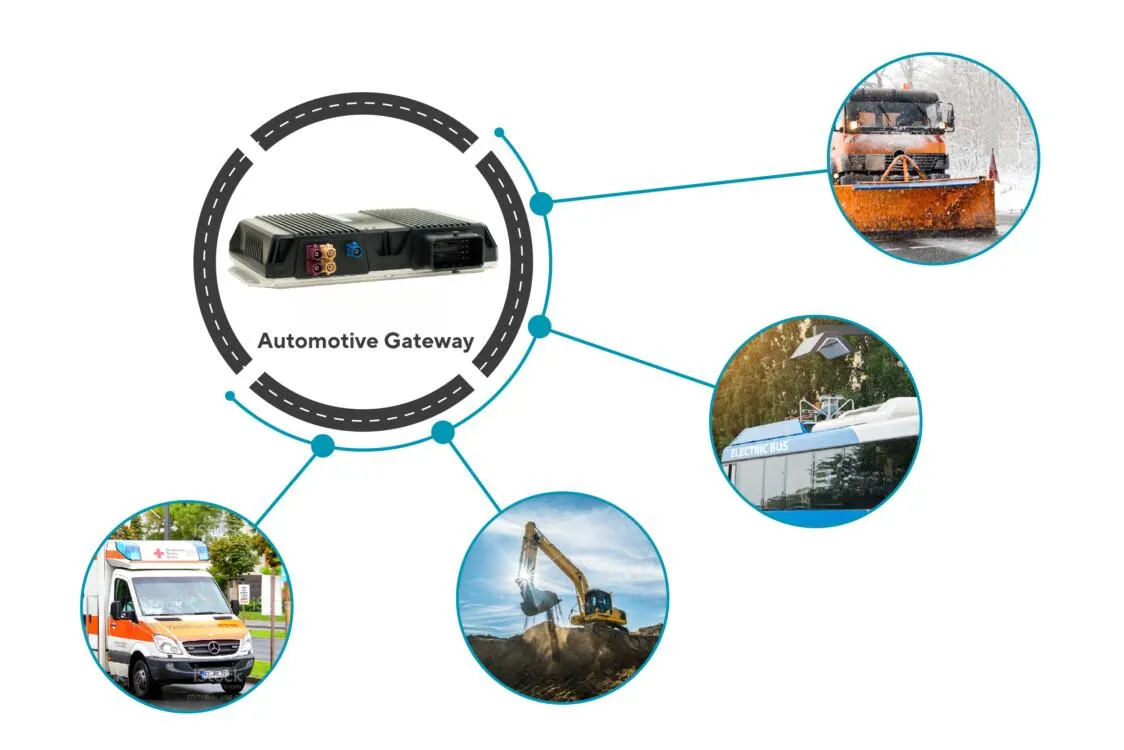
4. IoT gateway riding in a vehicle

The image shows a rugged IoT gateway installed in a vehicle, supporting technologies such as LTE, 5G, GPS, and Wi-Fi. In the article, it highlights how these gateways enable real-time data collection, fleet management, and V2X communication in automotive IoT systems.

Inside a moving vehicle, vibration is the silent killer. A short LMR-240 with FME or SMA connectors works well here, but only if it’s tied down — clamps, grommets, whatever it takes. Skip this and the connector will loosen or crack long before the RF side ever fails.
If GPS or GNSS is part of your setup, the GPS/GNSS Antenna Guide walks through placement tricks that really help in a mobile install.
Bottom line:
Picking a connector isn’t just about threading it on. Match it to the cable, frequency, and environment, and you’ll save yourself from repeat call-outs. Get it wrong, and one bad storm will teach you why that matters.
Common Mistakes You Can Avoid
- Impedance mismatch (50 Ω ↔ 75 Ω): Shows up as reflections and unpredictable SNR dips, especially on uplink paths and weak-signal receive chains.
- Mixing BNC families: 50 Ω and 75 Ω BNC connectors look similar but are not drop-in swaps. The wrong pair compromises the interface.
- RP-SMA confusion: Reverse-polarity versions swap the pin/gender on purpose. Forcing the mate damages both.
- Over-torque or no torque: Hand-tight is inconsistent. Use the proper wrench and stop at spec.
- Bad weatherproofing: One storm is all it takes. Use self-amalgamating tape from the connector body outward, then a UV outer wrap.
- Tight bends at the back shell: Respect minimum bend radius. Kinked dielectric = higher loss and intermittent faults.
- Random adapter stacks: Every added adapter is an added discontinuity. If you must adapt, keep it to one, high-quality part.
For a deeper look at common adapter myths and their real-world limits, check out our Coaxial to HDMI & Ethernet Adapter Guide and RCA to HDMI Adapter Guide.
Testing: Visual, Mechanical, Then RF
Start simple
A bright light and a magnifier catch more issues than you’d expect. Look for braid whiskers, crushed dielectric, mis-seated pins, and incomplete ferrule crimps. Gently tug the cable at the back shell; it shouldn’t move.
Electrical checks come next
Verify continuity center-to-center and insulation from center to shield. If the connector is removable, measure the DC resistance through the center contact—it should be tiny, not zeroed by a short.
RF validation closes the loop
On a VNA, you want a clean return loss for the frequency band of interest. Many practical links are fine with VSWR ≤ 1.5:1; precision setups aim lower. For installed systems, compare throughput or RSSI before/after replacement. Keep screenshots with time stamps—your next troubleshooting session will thank you.
If this is new to your team, RF Antenna Types article gives context for system-level margins and why small connector issues show up as big coverage swings.
FAQ
Q1: Can I use a 50 Ω connector on a 75 Ω cable?
You’ll create a mismatch that raises reflections. Some systems limp along; many don’t. Keep the chain consistent. See your RF Connector Selection Guide for quick rules.
Q2: What’s the practical difference between SMA and RP-SMA?
RP-SMA flips the pin/gender arrangement by design. They don’t mate. Consumer Wi-Fi gear often uses RP-SMA to comply with regional rules; lab gear uses standard SMA connectors.
Q3: Is BNC okay for microwave work?
It depends. 50 Ω BNC can be fine into the low GHz region, but for 5–6 GHz links you’ll typically get better repeatability with SMA or N-type.
Q4: Do compression F-type ends really seal better?
Yes—when installed with the right tool and boots. They’re standard in CATV/SAT because they’re quick and resilient outdoors.
Q5: Why does torque matter on threaded RF connectors?
Proper torque ensures the mating surfaces seat evenly. Under-torque raises contact resistance; over-torque risks cracking the dielectric. Use the wrench the datasheet calls for.
Q6: How short should a pigtail be?
As short as practical. A short, high-quality pigtail from a radio’s SMA to a bulkhead N-type reduces adapter stacks and improves weather sealing at the cabinet wall.
Q7: Which connector is “best” for 5.8 GHz?
There isn’t a universal best—pick for port type and environment. SMA is common at the device, N-type is common on the outdoor side. Keep adapters to a minimum.
Conclusion
Choosing and installing the right coaxial cable connector is more than just a matter of “making it fit.” Every decision — from matching impedance and selecting the proper coupling style to applying correct torque and weatherproofing — directly affects signal integrity, long-term reliability, and maintenance costs.
The takeaway is simple:
- Match impedance first (50 Ω or 75 Ω) to avoid VSWR issues.
- Select connectors for the environment — threaded N-type outdoors, quick BNC in the lab, compression F-type for TV/SAT.
- Respect frequency limits — above 5–6 GHz, choose precision SMA or high-quality N-type.
- Install with care — correct strip lengths, proper torque, and full weather sealing can add years to service life.
From field Wi-Fi links to satellite TV feeds and high-power cellular sites, the right coaxial cable connectors paired with the right cables make the difference between a system that just works and one that constantly needs attention.
If you need assemblies built to spec — with correct impedance, weatherproofing, and tested performance — see our RF Cables (Products) page. Investing in the right hardware up front will save you troubleshooting time, site revisits, and unexpected downtime later.
Bonfon Office Building, Longgang District, Shenzhen City, Guangdong Province, China
A China-based OEM/ODM RF communications supplier
Table of Contents
Owning your OEM/ODM/Private Label for Electronic Devices andComponents is now easier than ever.