
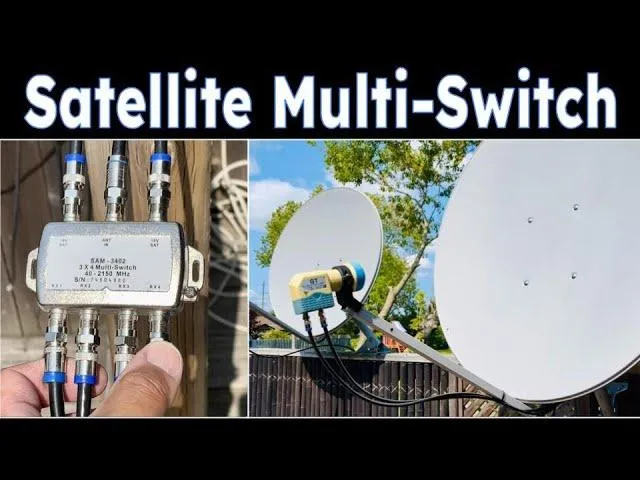
RF Cable Guide: Types, Uses, and How to Choose the Right One

Aug 15,2025

RF Cables Explained: A Quick Overview

Ever glance at the thick cable behind your TV and wonder what’s inside? There’s a good chance it’s an RF cable—short for Radio Frequency cable. These coaxial lines don’t get much attention, yet they’re quietly moving high-frequency signals between devices all day long.

RF cable connected to the back of a television set

The image shows an RF cable plugged into the rear panel of a television, illustrating its common use in home entertainment systems. In the article, this represents the everyday presence of RF cables in TV and antenna setups.
RF Cable in TV Setup

You’ll spot them in plenty of places: linking a rooftop antenna to your television, running from a satellite dish into its receiver, carrying Wi-Fi signals in specialized setups, or feeding two-way radio systems. They’re also common in lab testing gear where signal accuracy is critical.

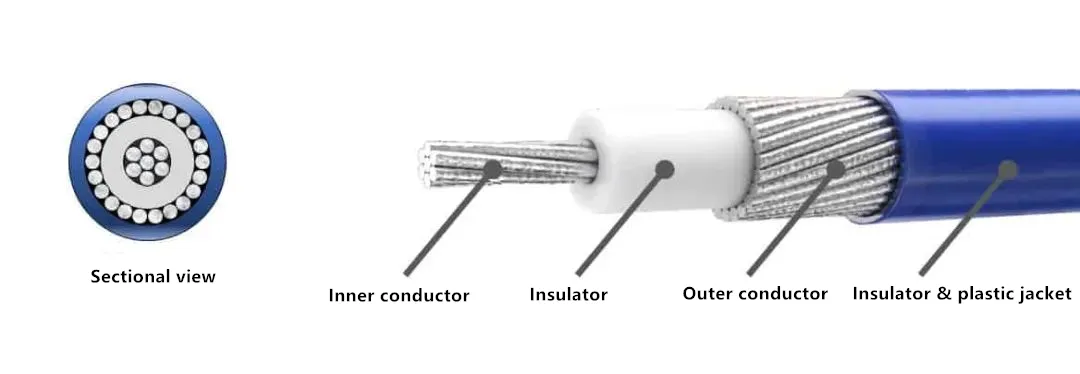
Cross-sectional view of RF coaxial cable showing conductor, dielectric, shielding, and jacket

This diagram explains the anatomy of an RF cable, including the central conductor, dielectric insulation, shielding layers, and outer jacket. In the article, it supports the discussion on why each component is critical to performance and signal integrity.
RF Cable Structure Diagram

An RF cable isn’t just a piece of copper wrapped in plastic. Inside, there’s a central conductor for the signal, insulation to keep it stable, and a shielding layer to block outside interference. That layered design is what keeps your TV picture sharp, your internet steady, and your radio transmissions clear.

In short, if your setup involves TV, antennas, networking, or radio communications, the RF cable is the unsung workhorse making it all happen—without it, the rest of your system wouldn’t even start the conversation.

What Is an RF Cable and How Does It Work?

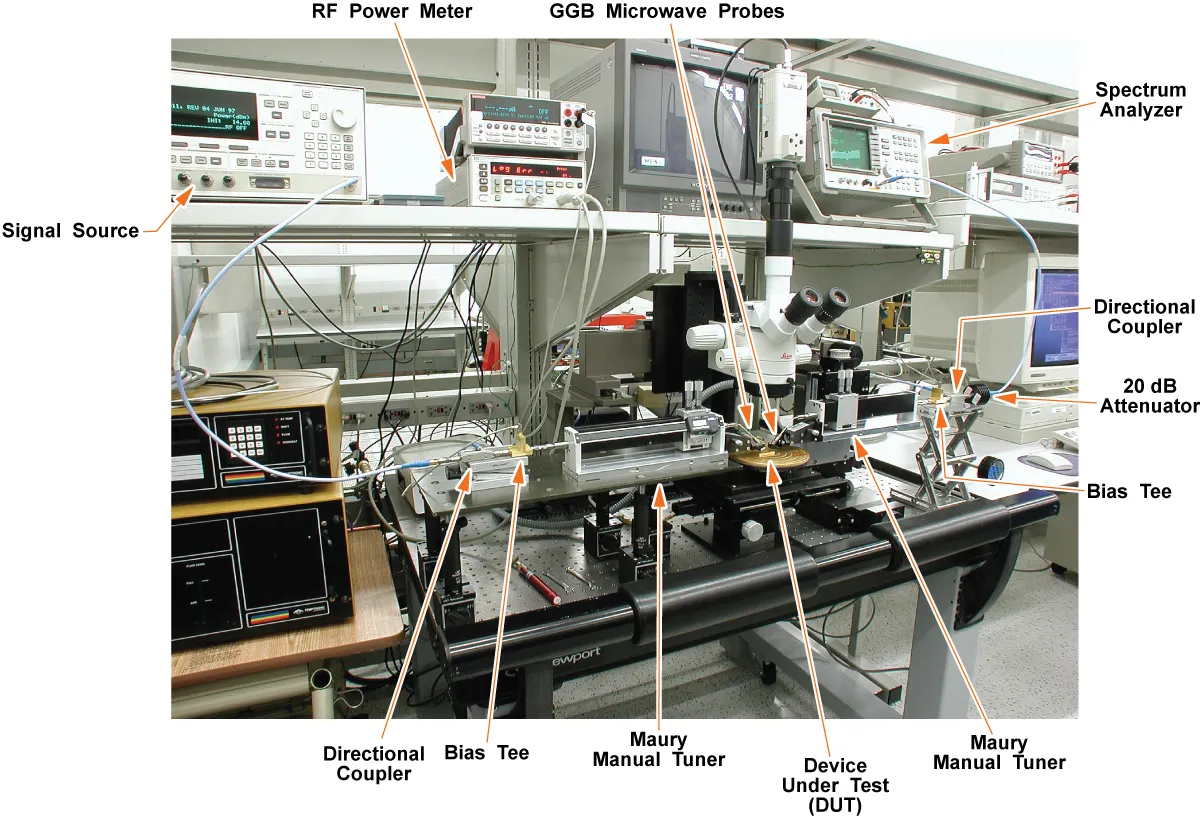
RF network analyzer measuring high-frequency coaxial cable performance

The image shows an RF network analyzer connected to coaxial cables, performing high-frequency measurements to verify signal integrity and transmission quality. In the article, it illustrates the importance of precise testing equipment for ensuring optimal RF cable performance in telecom and laboratory environments.
RF Network Analyzer for Cable Testing

Ask ten technicians what an RF cable is, and most will point to that thick coaxial line running from an antenna or satellite dish. They’re not wrong — but that’s just the surface. These cables are built to carry radio frequency signals, from a few kilohertz all the way into the gigahertz range. You’ll see them in TV setups, Wi-Fi gear, two-way radios, even in lab benches where every decibel counts.

Inside, it’s not just copper and plastic thrown together. There’s a central conductor doing the heavy lifting, a dielectric layer keeping it properly spaced, and shielding — sometimes more than one layer — to stop outside noise from bleeding in. Around all of that is a jacket tough enough to survive bending, sunlight, and the occasional careless installer yanking it around.

Impedance is where things get a little picky. Most RF cables are either 50 ohms (common for radios, wireless networks, and test instruments) or 75 ohms (standard for TV and satellite). Get that mismatch wrong and you’ll see it in the form of reflections, dropped signal strength, or mysterious glitches.

Common RF Cable Specs

Cable Type Impedance (Ω) Frequency Range Typical Uses Loss @ 100 MHz (dB/100 m)
RG-6 75 Up to 3 GHz TV, satellite, cable internet ~5.65
RG-11 75 Up to 3 GHz Long TV/satellite runs ~3.5
RG-58 50 Up to 1 GHz Radio comms, test gear ~13
LMR-400 50 Up to 6 GHz Wi-Fi, LTE, pro RF links ~2.7
LMR-600 50 Up to 6 GHz Low-loss, long outdoor runs ~1.8

Keeping the Signal Clean

Good RF cables don’t just move a signal — they protect it. Shielding is your first defense, and in noisy environments it can be the difference between a sharp image and unwatchable static. Correct impedance means power flows forward instead of bouncing back. The dielectric matters too; high-quality foamed polyethylene or PTFE cuts down on loss at higher frequencies. Even manufacturing precision plays a role — uneven spacing inside can quietly wreck performance.

Swap an old, budget cable for a well-built one, and you might be surprised. That little jump in clarity or speed? It’s not magic. It’s physics done right.

Common Types of RF Cables

Comparison chart of popular RF cable types and specifications

The chart summarizes the technical specs and trade-offs among various RF cable models. In context, it helps readers quickly choose the right cable for their application based on performance needs.

RF Cable Type Comparison

Walk into any electronics store or open an equipment rack, and you’ll see a mix of RF cables — some skinny and flexible, others thick and stubborn. They’re not all built the same, and knowing the difference can save you both frustration and performance loss.

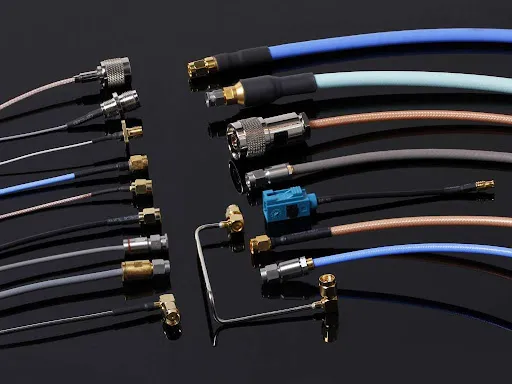
Example in action: Connecting an SMA adapter from a signal generator to a 2.92 mm adapter on a spectrum analyzer for high-frequency measurement.

3.1 RG Series Cables

The RG (Radio Guide) series is a bit of an old naming system, but it’s stuck around because people still use it every day.

  • RG-6 – The go-to for TV, satellite, and cable internet. Flexible enough to snake behind furniture, and good up to about 3 GHz.
  • RG-11 – Same impedance as RG-6, but thicker and with lower loss. Great for long runs, but try pulling it through a wall and you’ll know why it’s not used everywhere.
  • RG-58 – A 50-ohm classic in the radio and ham world. Handy for short RF runs, but losses climb quickly at high frequencies.
  • RG-8 – Beefier than RG-58, and can handle more power. Not something you want to wrestle with in tight spaces.

3.2 Low-Loss Cables (LMR Series)

If you’ve ever tried to run a high-frequency link over a long distance and watched the signal die, you’ll appreciate the LMR series.

  • LMR-240 – Slim, flexible, and good for shorter outdoor runs.
  • LMR-400 – A favorite for Wi-Fi, LTE, and pro RF installs. Strikes a nice balance between loss and flexibility.
  • LMR-600 – Heavy, low-loss, and perfect for long base station runs. You don’t buy this for convenience; you buy it to keep your signal alive.

3.3 Specialized RF Cables

Some jobs call for cables that don’t fit the usual “flexible and round” mold.

  • Semi-Rigid Coax – Looks like copper pipe, bends only once, but delivers excellent shielding and stable performance up into the microwave range.
  • Heliax – Corrugated outer conductor, often seen in broadcast towers. It’s tough, weatherproof, and a nightmare to cut without the right tools.

Comparison Table: Popular RF Cable Types

Cable Type Impedance (Ω) Max Frequency Loss @ 100 MHz (dB/100 m) Flexibility Common Uses Pros Cons
RG-6 75 3 GHz ~5.65 Medium TV, satellite, broadband Affordable, widely available Higher loss than RG-11 over long runs
RG-11 75 3 GHz ~3.5 Low Long TV/satellite runs Lower loss, durable Less flexible, harder to install
RG-58 50 1 GHz ~13 High Radio comms, test gear Flexible, easy to route Higher loss at high freq
RG-8 50 1 GHz ~7 Medium Amateur radio, HF/VHF transmission Handles higher power Thick, less flexible
LMR-240 50 6 GHz ~6.6 High Wi-Fi, LTE, short RF runs Flexible, low loss for size More loss than LMR-400 over long runs
LMR-400 50 6 GHz ~2.7 Medium Wi-Fi, LTE, professional RF links Low loss, good for long runs Thicker than RG-6
LMR-600 50 6 GHz ~1.8 Low Long RF links, base station connections Very low loss Stiff, harder to install

Tip from the field: If you’re not sure which one to pick, think about where it’s going and how much space you’ve got. You can have the lowest-loss cable in the world, but if it’s too stiff to route without kinking, you’ll end up replacing it sooner than you think.

Structure and Materials of an RF Cable

Pop open an RF cable (figuratively, unless you’ve got a spare to sacrifice) and you’ll see it’s more than just “wire in a jacket.” Every layer inside has a specific job — and if one fails, your signal suffers.

Main Components

  1. Central Conductor
    The main highway for your signal. It can be solid copper for best conductivity, copper-clad steel for strength, or even silver-plated copper in high-performance setups. Bigger conductors mean less resistance, but also less flexibility.

  2. Dielectric Insulator
    Keeps the conductor centered and controls impedance. Think of it as both the cushion and the ruler inside the cable. Foam polyethylene (PE) is common for lower loss, while PTFE shows up in high-frequency or harsh-environment cables.

  3. Shielding Layer
    This is the armor. It blocks electromagnetic interference (EMI) and keeps your signal from leaking out. Some cables use just foil, others use foil plus a braided copper mesh. High-end cables might stack multiple shields for serious protection.

  4. Outer Jacket
    The skin that protects everything inside. Indoors, PVC works fine. Outdoors, polyethylene (PE) resists UV and weather. In safety-critical areas, you might see LSZH (Low Smoke Zero Halogen) to reduce toxic fumes in a fire.

RF Cable Structure at a Glance

Layer Function Common Materials Why It Matters
Central Conductor Carries the signal Copper, Copper-Clad Steel, Silver-Plated Copper Conductivity, power handling, loss reduction
Dielectric Insulation, impedance control Foam PE, Solid PE, PTFE Affects loss, flexibility, and stability
Shielding EMI protection, signal containment Aluminum foil, Copper braid, Tinned braid Interference rejection, signal clarity
Outer Jacket Physical & environmental protection PVC, PE, LSZH Durability, weather/safety resistance

Why Materials Matter

  • Copper vs. Copper-Clad Steel – Copper wins for conductivity; copper-clad steel wins for pull strength (think aerial runs or places where the cable is under tension).
  • Foam vs. Solid Dielectric – Foam has lower loss but is more vulnerable to moisture if damaged. Solid PE is tougher but slightly higher loss.
  • Single vs. Multiple Shields – More layers mean better EMI rejection, especially in high-noise areas like near transmitters or industrial equipment.

From experience: Cheap, thin-shield cables might work indoors for short runs, but take them outside near other RF gear and you’ll notice the difference — often in the form of signal dropouts at the worst possible time.

How RF Cables Differ from Other Cables

At a glance, an RF cable might look like just another wire in the bundle behind your TV or router. But once you compare it to HDMI, Ethernet, or a basic power cable, the differences jump out — and they’re the reason you can’t just swap one for another.

5.1 Purpose and Signal Type

RF coaxial cable with pre-installed connectors for signal transmission

The image shows a finished RF coaxial cable with factory-installed connectors, suitable for broadcast, telecom, and instrumentation use. This product is highlighted in the article’s section about ready-to-use cable assemblies.
RF Coaxial Cable Product
  • RF Cables – Built for radio frequency signals, either analog or digital, spanning from kHz to GHz. Perfect for antennas, satellite feeds, and RF test gear.
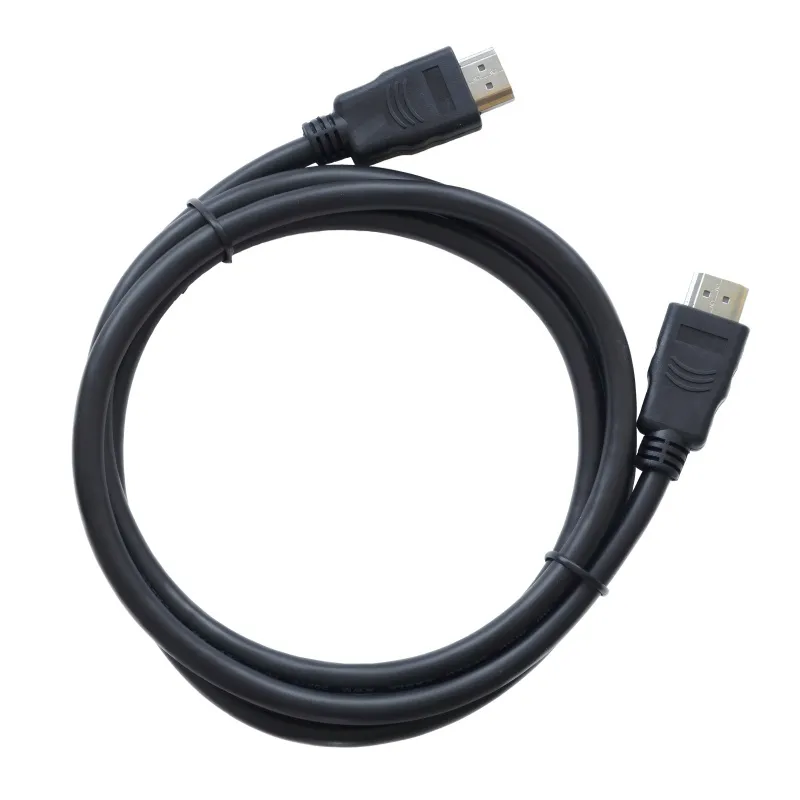
HDMI cable product with molded connectors for digital audio and video

The image shows a finished HDMI cable with molded strain‑relief connectors and a durable outer jacket, designed for reliable digital audio/video transmission between consumer electronics.
HDMI Cable Product Display
  • HDMI Cables – Carry uncompressed high-definition video and multi-channel audio in digital form. Think TVs, gaming consoles, home theater systems.

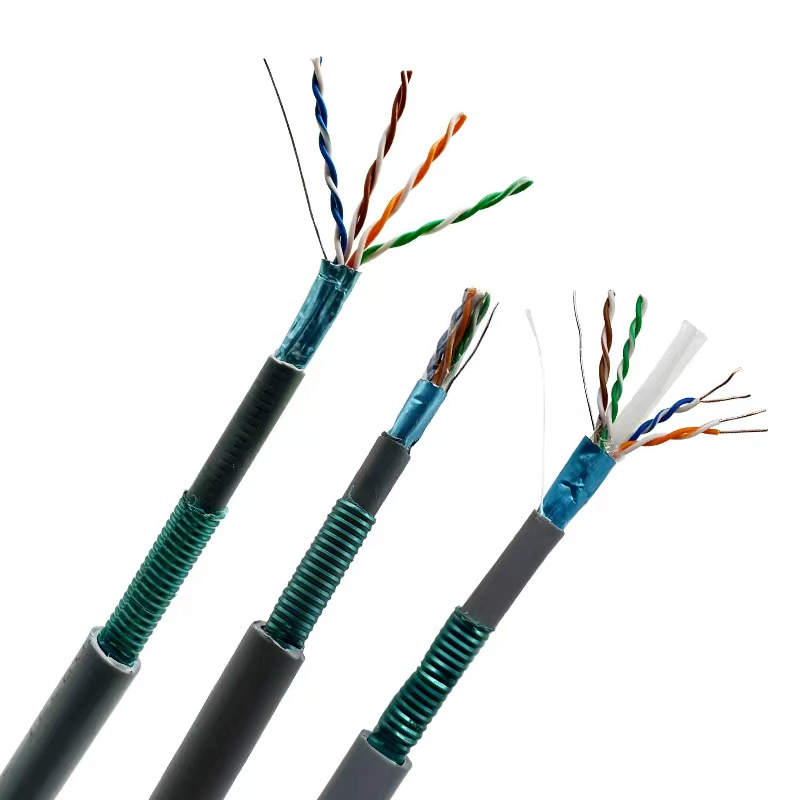
Ethernet patch cable product with RJ45 connectors for network devices

The photo presents a ready‑to‑use Ethernet patch cable featuring molded RJ45 connectors and flexible sheathing, suitable for wired LAN connections in home or office setups.
Ethernet Network Cable Product
  • Ethernet Cables – Move digital data packets between network devices. Common for internet, servers, and VoIP setups.
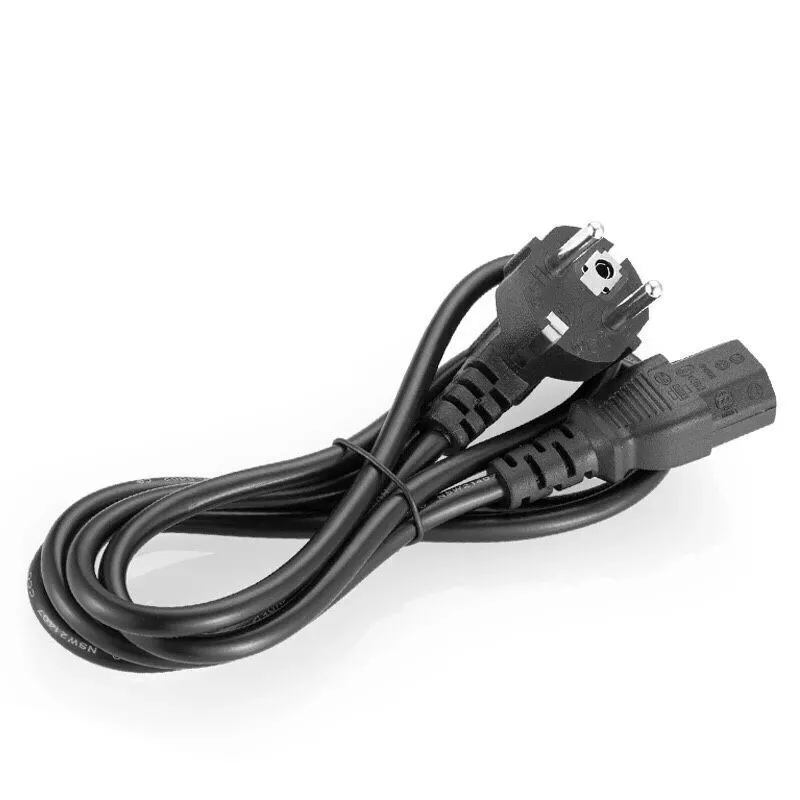
AC power cord product with mains plug and device‑side connector

The image shows a power cord with molded plugs and strain relief, designed to deliver stable mains power from an outlet to compatible devices while protecting the cable from bending stress.
AC Power Cord Product
  • Power Cables – Deliver electrical power only, no signal.

5.2 Structure and Design Differences

Feature / Cable Type RF Cable (Coaxial) HDMI Cable Ethernet Cable (Twisted Pair) Power Cable
Signal Type RF analog/digital Digital audio/video Digital data AC or DC power
Core Conductor Single solid or stranded copper Multiple twisted pairs + shielding 4 twisted copper pairs 2–3 solid/stranded copper cores
Shielding Foil + braid (often multi-layer) Foil + braid Foil/braid for STP; none for UTP Minimal or none
Impedance 50 Ω or 75 Ω ~100 Ω ~100 Ω Not impedance-controlled
Frequency Range Up to many GHz Several GHz (video bandwidth) Up to 500 MHz (Cat6a) 50–60 Hz AC or DC
Typical Connectors F-type, BNC, SMA, N-type HDMI-A, C, D RJ45 Plugs, terminal lugs

5.3 Why RF Cables Are Unique

RF cables aren’t just about moving a signal — they protect it from a noisy world.

  • Impedance control ensures minimal reflections, which is vital at high frequencies.
  • Robust shielding fights off interference from nearby electronics, something HDMI or Ethernet only partially handle.
  • Frequency capability allows RF cables to carry signals far into the GHz range without falling apart in performance.

Real-world example: Try replacing the coax between your satellite dish and receiver with an HDMI cable — it won’t fit, and even if it did, it couldn’t carry the RF signal. Same story with Ethernet. They’re built for different jobs, and mixing them is like trying to tow a trailer with a bicycle.

RF Cable Selection Guide

Picking an RF cable isn’t about grabbing the first coax you see on the shelf. The right choice depends on where it’s going, how far it needs to run, and what frequency you’re pushing through it. Get it wrong, and you’ll end up with signal loss, interference, or just wasted money.

6.1 Key Things to Consider

1.Frequency Range
The higher the frequency, the pickier the cable. A line that’s fine for TV might choke on a 5.8 GHz Wi-Fi link.

2.Cable Length
Every meter adds loss. Short runs can get away with cheaper cable; long outdoor runs need low-loss designs like LMR-400 or LMR-600.

3.ImpedanceMatch your gear. TV and satellite gear use 75 Ω; radios, Wi-Fi, and most RF test setups use 50 Ω.

4.Environment

  • Indoor: PVC jacket is fine.
  • Outdoor: PE jacket for UV/weather resistance.
  • High-EMI areas: double or triple shielding is worth the extra cost.

6.2 Frequency vs Distance vs Loss

Cable Type Impedance (Ω) Max Frequency Loss @ 100 MHz (dB/100 m) Loss @ 1 GHz (dB/100 m) Max Length <3 dB Loss (1 GHz) Typical Uses
RG-6 75 3 GHz ~5.65 ~18.6 ~16 m (52 ft) TV, satellite, cable internet
RG-11 75 3 GHz ~3.5 ~11.2 ~27 m (89 ft) Long TV/satellite runs
RG-58 50 1 GHz ~13 ~44.0 ~6.8 m (22 ft) Radio comms, short test links
LMR-400 50 6 GHz ~2.7 ~8.8 ~34 m (112 ft) Wi-Fi, LTE, pro RF links
LMR-600 50 6 GHz ~1.8 ~5.8 ~51 m (167 ft) Long RF links, base stations

Loss values are approximate; brand and build quality can shift the numbers.

6.3 Quick Selection Tips

  • Short indoor TV runs → RG-6 is all you need.
  • Long outdoor TV/satellite → RG-11 to keep loss down.
  • Wi-Fi/LTE base station → LMR-400 or LMR-600 for low loss.
  • Portable radio gear → RG-58 for flexibility (keep it short).
  • High-frequency lab work → PTFE dielectric, precision-made 50 Ω cable.

Pro tip: Every 3 dB of loss cuts your signal power in half. Spend a little more on better cable once, and you won’t be troubleshooting “mystery” reception issues later.

Frequently Asked Questions About RF Cables

People often run into the same questions when dealing with RF cables — usually right when they’re in the middle of a setup. Here’s a quick, straight-talk rundown.

Q1: What’s the difference between 50 Ω and 75 Ω RF cables?

A: 50-ohm cables handle power better and are common in radio, Wi-Fi, and test gear.

75-ohm cables have lower loss, which is why TV and satellite systems use them. If you mismatch them, you’ll probably get signal reflections and weaker performance.

Q2: Can I use an RF cable for internet?

A: Yes — if it’s cable internet. ISPs often use 75 Ω RG-6 coax between the wall and the modem. But you can’t replace Ethernet cables with coax in a regular network without adapters.

Q3: How long can an RF cable be before the signal drops?

A: It depends on the cable and frequency. Example: RG-6 at 1 GHz should stay under ~16 m (52 ft) for less than 3 dB loss. LMR-600 can go about 51 m (167 ft) at the same frequency.

Q4: What’s the best RF cable for TV?

A: For most setups, RG-6 is perfect. If you’re running a long outdoor feed, RG-11 will give you lower loss.

Q5: Can one RF cable handle both analog and digital?

A: Absolutely. As long as the impedance and frequency rating match, RF cables don’t care if the signal is analog or digital.

Q6: How do I weatherproof an outdoor RF cable?

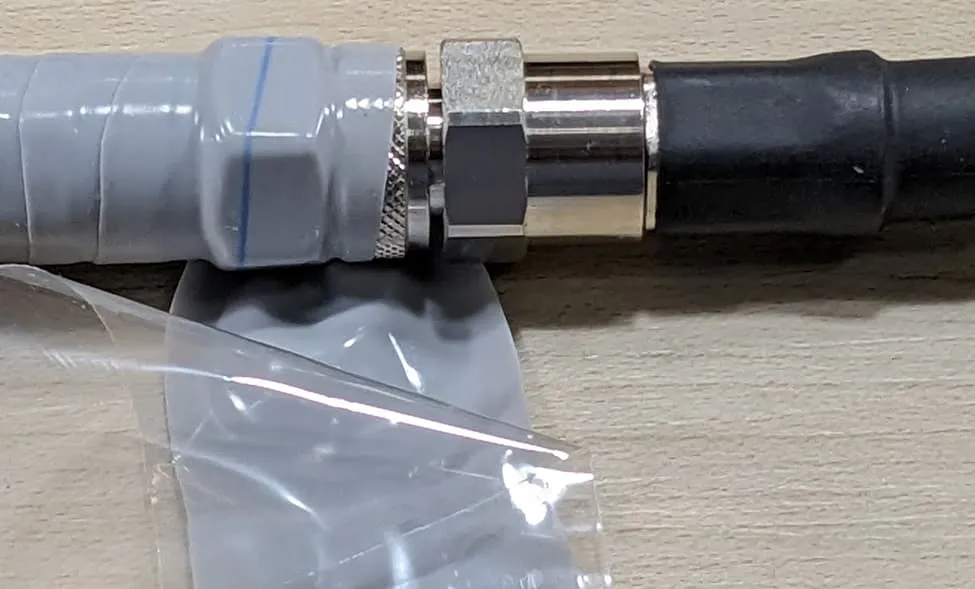
Outdoor RF cable waterproofing with protective sealing material

The image shows an RF coaxial cable connector wrapped with waterproofing tape and sealing compound during outdoor installation. The article emphasizes this step as critical for maintaining signal integrity and preventing corrosion in harsh environments.

Outdoor RF cable waterproofing with protective sealing material

A: Use PE-jacketed cable rated for outdoor use, secure it to avoid strain, and wrap connectors with weatherproofing tape.

Q7: Do all RF cables have shielding?

A: Yes, but not all shielding is created equal. Some have just foil; others have foil plus a braided layer. More layers = better noise rejection.

Conclusion and Further Reading

An RF cable might look like a simple piece of hardware, but it’s often the silent workhorse that keeps your signal chain alive. Whether you’re hooking up a rooftop TV antenna, running coax to a satellite dish, setting up a Wi-Fi link, or testing gear in the lab, the right cable can mean the difference between flawless performance and hours of troubleshooting.

When you choose an RF cable, think beyond just “will it connect.” Ask:

  • Does the impedance match my equipment?
  • Is the loss acceptable for the frequency and length I need?
  • Can it handle the environment it’s going into?

Spend a bit more time (and budget) on the right cable today, and you’ll avoid signal dropouts, fuzzy reception, or failed data links later.

Related Guides Worth Reading

Explore RF Cables and Connectors

If you’re looking for high-performance RF cables, connectors, or custom assemblies, check out our product pages:

Final thought: In RF systems, cables aren’t just accessories — they’re part of the signal path. Treat them as seriously as you treat your main equipment, and your system will thank you with cleaner, stronger performance.

Bonfon Office Building, Longgang District, Shenzhen City, Guangdong Province, China

customer service